Key Takeaways
- CO-STAR = Context, Objective, Style, Tone, Audience, Response — a six-component prompt template designed for complex, multi-constraint tasks where structure, voice, and audience all matter.
- More comprehensive than CRAFT (5 components): CO-STAR makes Objective and Response explicit separate fields, giving you finer-grained control over goal and output format.
- Best for product documentation, educational guides, structured explanations, and communication tasks where you need explicit control over goal, structure, voice, audience, and format simultaneously.
- PromptQuorum includes CO-STAR as a built-in framework with dedicated input fields for all six components, so you can assemble and dispatch CO-STAR prompts without memorizing the pattern.
- Use CO-STAR over Single Step or CRAFT when you need to balance multiple constraints: clear goal, specific structure, particular tone, target audience, and exact output format all at once.
What Is the CO-STAR Framework?
The CO-STAR Framework is a prompt engineering pattern for complex instructions where you need models to understand not just what to do, but how, for whom, and in which style. Instead of writing a single vague sentence, you break your prompt into explicit CO-STAR components so that GPT-4o, Claude 4.6 Sonnet, Gemini 2.5 Pro, and other models receive a complete brief. This is a core principle of effective prompt engineering.
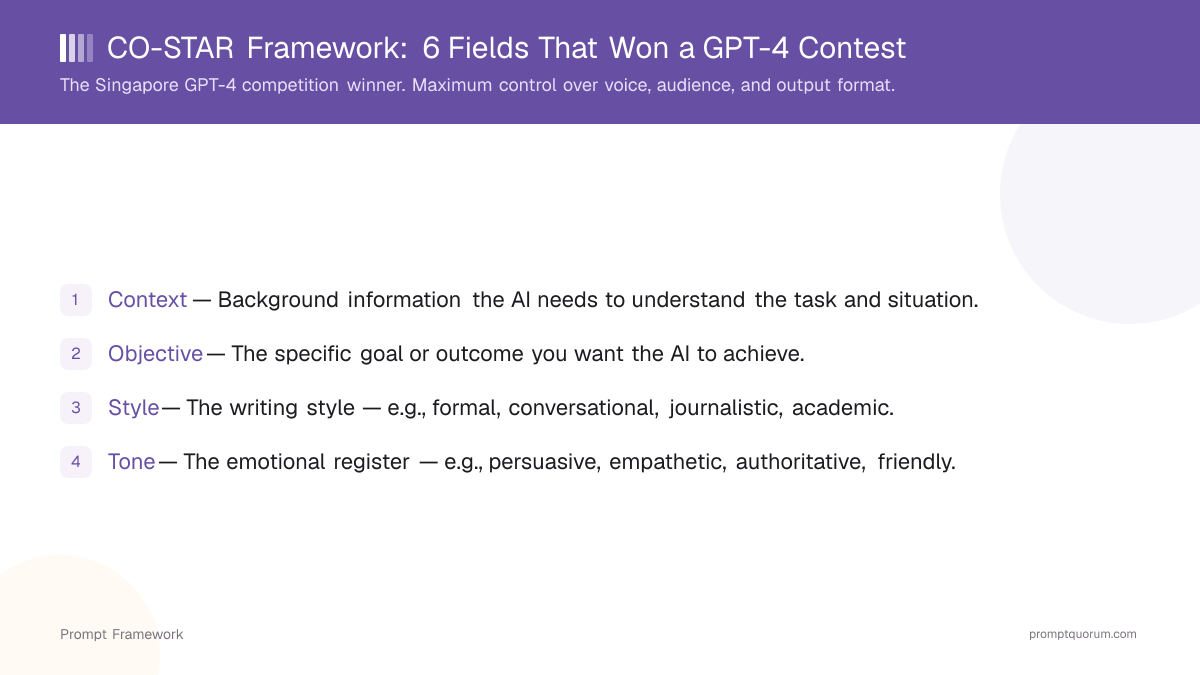
The acronym typically expands as:
- Context: Background information and relevant facts.
- Objective: The single main goal of the task.
- Style: Structural or rhetorical preferences (for example "step-by-step explanation").
- Tone: The emotional flavor or voice (for example "formal," "friendly," "direct").
- Audience: Who will read or use the output.
- Response: The exact output format you expect.
Why Does the CO-STAR Framework Work?
The CO-STAR Framework works because it mirrors how humans write good briefs: it makes the model aware of context, goal, and audience before it starts generating. When these elements are explicit, the model does not have to infer them from a short, ambiguous instruction.
This leads to several practical benefits:
- Higher consistency across runs, because the same structure is reused.
- Easier collaboration, since the prompt reads like a shared specification.
- Better cross-model comparability, because all providers see the same breakdown.
What Are the Six CO-STAR Components?
A strong CO-STAR prompt includes all six components, each written as a short, clear instruction or sentence. You can format them as labeled lines or as a structured paragraph; the important part is that each component is easy to spot and edit. Understanding how each component relates to the five building blocks every prompt needs will help you write stronger CO-STAR prompts.
Typical component descriptions:
- Context: What the task is about, what has already happened, and any constraints or data sources.
- Objective: One concise statement of what success looks like.
- Style: Whether you want a narrative, a list, a step-by-step guide, or another structure.
- Tone: Whether the voice should be formal, neutral, conversational, or something else. This is closely related to how system prompts and user prompts differ in shaping model behavior.
- Audience: The specific group you are targeting, including their role and knowledge level.
- Response: The required format, such as headings, bullets, length limit, or JSON fields.
What Does a Strong CO-STAR Prompt Look Like?
The value of the CO-STAR Framework becomes clear when you compare an unstructured prompt with a CO-STAR-based prompt for the same task. Here is an example for a technical explainer.
Bad Prompt
"Explain APIs to our customers."
Good Prompt
"Context: We offer a SaaS platform and are adding an API so customers can integrate our product with their internal tools. Many of them are non-technical business users. Objective: Explain what an API is and why it matters for our product, in a way that reduces fear and encourages adoption. Style: Use short sections with H2 headings and bullet points for key ideas. Include a simple real-world analogy. Tone: Clear, reassuring, and non-technical. Avoid jargon where possible and explain any necessary technical terms. Audience: Business users and managers with no programming background. Response: 700–900 word article with an intro, 3–4 main sections, and a short conclusion that invites them to talk to their account manager."
The CO-STAR version defines every important dimension explicitly, making it much more likely that the model produces something your customers can actually use.
When Should You Use the CO-STAR Framework?
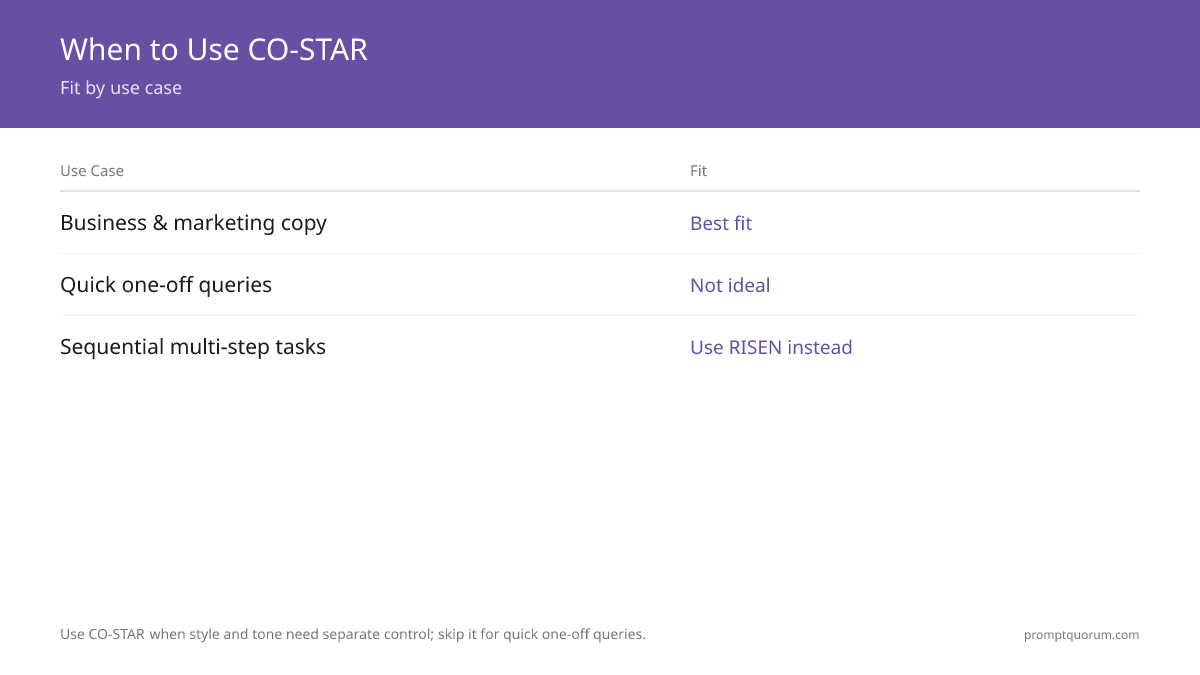
You should use the CO-STAR Framework when you are dealing with multi-constraint tasks where audience, structure, and tone all matter at the same time. This includes many common workflows in product, marketing, customer success, and education. CO-STAR is more comprehensive than the Single Step prompt method and better suited to complex, multi-part instructions.
Typical use cases:
- Writing product documentation or onboarding guides.
- Creating educational articles or explainers for non-expert audiences.
- Drafting structured internal memos, strategy notes, or policy documents.
- Preparing support macros or help-center content that must be consistent in tone.
How Do You Write a CO-STAR Prompt in Practice
Writing a CO-STAR prompt is straightforward if you think of it as filling out six lines of a brief, then sending them together as one instruction. You can store this pattern and reuse it for different tasks by changing only the details. This approach is similar to how the CRAFT Framework structures multi-part prompts, though CO-STAR is more granular.
A generic template looks like this:
- Context: What is happening, what this is about, relevant background.
- Objective: Single primary goal for this prompt.
- Style: Preferred structure, such as bullets, narrative, or step-by-step.
- Tone: Voice and emotional feel you want.
- Audience: Who will read this and what they know.
- Response: Exact format, length, and any special requirements.
How PromptQuorum Implements the CO-STAR Framework
PromptQuorum is a multi-model AI dispatch tool that includes the CO-STAR Framework as one of its built-in prompt options so users can apply Context–Objective–Style–Tone–Audience–Response prompting without memorizing the pattern. When you select the CO-STAR Framework in PromptQuorum, the app provides dedicated input fields for each component and automatically assembles them into a single structured prompt.
Inside PromptQuorum, you can:
- Fill out CO-STAR fields for a task and dispatch the resulting prompt to multiple models such as GPT-4o, Claude 4.6 Sonnet, Gemini 2.5 Pro, and compatible local models.
- Save CO-STAR prompts as templates for recurring workflows, such as documentation updates, feature announcements, or quarterly summaries. This is a core feature of building a prompt library that your team can reuse.
- Share these templates with your team so that everyone uses the same structure, even if they are new to prompt engineering.
How Does CO-STAR Compare to Other Prompt Frameworks?
You should position the CO-STAR Framework alongside other prompt frameworks by assigning each one a clear role in your workflow. CO-STAR excels at multi-constraint communication tasks where audience and structure are both important.
A simple strategy is:
- Use CO-STAR for structured explanations, guides, and communication pieces.
- Use CRAFT when you are focused on pure marketing and brand voice for specific channels.
- Use Single Step or specification-style frameworks for tightly formatted outputs such as reports or JSON.
- Use reasoning-oriented frameworks like Analyze–Plan–Execute (APE) when you want the model to expose its intermediate thinking.
How Do You Use the CO-STAR Framework Step by Step
- 1Open PromptQuorum and select the CO-STAR Framework from the built-in prompt structure options. This ensures all six components are properly assembled and formatted for dispatch across multiple models.
- 2Fill Context: Provide relevant background information the model needs to understand your task. Example: "You are reviewing a pull request for a React component library. The project enforces TypeScript strict mode, immutable state, and functional components only."
- 3Fill Objective: State what you want the model to do in one concise sentence. Example: "Review this code for type safety and functional programming violations."
- 4Fill Style: Specify the structural preference for how you want the output organized. Example: "Return feedback as a bulleted list organized by severity."
- 5Fill Tone: Specify the emotional flavor and voice you want the response to use. Example: "Be direct and critical. Use technical language without being condescending."
- 6Fill Audience: Specify who will read the output and what they know. Example: "The audience is senior engineers who are familiar with TypeScript and React best practices."
- 7Fill Response: State exactly how you want the output formatted, with any required structure, length, or special fields. Example: "Return as JSON: { issues: ..., summary: string, confidence: high|medium|low }."
- 8Run the prompt across multiple models such as GPT-4o, Claude 4.6 Sonnet, and Gemini 2.5 Pro to compare outputs and choose the best result. Save your CO-STAR prompt as a template for future use with the same or similar tasks.
5 CO-STAR Prompt Examples With Explanations
The following five examples show how CO-STAR applies across different domains requiring multi-constraint control.
- 1Product Documentation Prompt: "Context: We're launching a REST API for developers to automate customer data exports. Objective: Write a complete Getting Started guide that reduces time-to-first-request to under 10 minutes. Style: Step-by-step numbered sections with H2 headings, code blocks for all requests. Tone: Technical and precise, but friendly — avoid jargon without explanation. Audience: Back-end developers familiar with REST APIs but new to our platform. Response: 600–800 word guide with 5 sections: Overview, Authentication, First Request, Common Errors, Next Steps." Why it works: Objective and Response are separate fields — the model knows both the goal (10-min onboarding) and the exact output shape (5 sections, 600–800 words).
- 2Educational Explainer Prompt: "Context: An EdTech company that teaches Python to non-programmers. Objective: Explain list comprehensions in a way that makes students feel capable, not intimidated. Style: Conversational narrative with a real-world analogy, followed by 2 progressively complex examples. Tone: Encouraging and accessible. No condescension. Audience: Adults with zero programming background taking their first Python course. Response: 400-word explanation followed by 2 annotated code examples with inline comments." Why it works: Style (analogy + examples) and Tone (encouraging) are separated so each is optimized independently.
- 3Internal Strategy Memo Prompt: "Context: Q3 planning for a B2B SaaS company — two product roadmap directions under debate. Objective: Present both options objectively, then recommend one based on customer impact and engineering effort. Style: Executive memo format with H2 sections per option, pros/cons table. Tone: Neutral and analytical — no advocacy language until the Recommendation section. Audience: C-suite and VP-level stakeholders who will make the final call. Response: 700-word memo with sections: Background, Option A, Option B, Recommendation, Next Steps." Why it works: The Tone instruction (neutral until Recommendation) prevents the model from editorializing too early.
- 4Help Center Article Prompt: "Context: A customer support team building a self-service help center for a project management SaaS. Objective: Explain how to set up recurring task automation so customers can reduce manual work by at least 50%. Style: Short paragraphs (max 3 sentences), numbered steps for setup, bullet list for common issues. Tone: Friendly, practical, assumes moderate technical familiarity. Audience: Operations managers and team leads who use the product daily but aren't developers. Response: 350-word article with: Intro, Setup (numbered), Troubleshooting (bullets), Related Links." Why it works: Response defines a full article schema upfront, so the model builds toward a usable deliverable.
- 5Email Campaign Prompt: "Context: A cybersecurity SaaS company running an end-of-quarter nurture campaign for mid-funnel prospects who downloaded a whitepaper 30 days ago. Objective: Move recipients one step closer to requesting a demo by demonstrating specific ROI outcomes. Style: Short email, 3 paragraphs, no headers, plain text-friendly. Tone: Confident and peer-level — prospects are CISOs and security managers. Don't be salesy. Audience: Security decision-makers at enterprise companies who evaluate tools analytically. Response: Subject line + preview text + email body under 150 words + single CTA." Why it works: Every dimension is filled — the model can't default to generic marketing language because Audience and Tone constrain it precisely.
History and Origin of the CO-STAR Framework
The CO-STAR Framework was developed and popularized within the Singapore prompt engineering community, primarily through the work of Sheila Teo, a data scientist who published a detailed breakdown of the framework in 2023. The framework gained significant traction after a widely read Medium article and LinkedIn post explained how CO-STAR improved output consistency for Gemini and GPT-4 prompts in professional contexts.
The framework builds on earlier prompt engineering research into structured instructions, most notably the findings of Brown et al. (2020) on few-shot learning and the broader practice of explicit role and task specification. The specific six-component CO-STAR structure — separating Objective and Response as distinct fields — was the key innovation over simpler frameworks like CRAFT, which collapsed these into a single Format field.
By 2024, CO-STAR had been referenced in multiple prompt engineering courses, enterprise AI training programs, and practitioner communities. PromptQuorum integrated CO-STAR as a built-in framework based on direct user feedback identifying it as the most commonly used multi-component framework after the Single Step method.
When the CO-STAR Framework Is Not the Right Choice
CO-STAR's six components are powerful but heavy. For simpler tasks, this overhead creates friction without improving output quality.
| Situation | Why CO-STAR is wrong | Better alternative |
|---|---|---|
| Quick factual lookup or simple query | Six fields are overkill for a single-sentence answer | Single Step or RTF |
| Code generation or data extraction | CO-STAR lacks scope constraints, examples, and step definitions needed for machine-usable output | SPECS Framework |
| Iterative document revision | CO-STAR is for first-pass generation, not structured revision cycles | RISEN Framework |
| Pure reasoning audit or decision analysis | CO-STAR doesn't expose reasoning steps; analysis tasks benefit from visible logic | TRACE or APE Framework |
| Short team communication (chat, email recap) | Three-component RTF is faster and sufficient for single-purpose messages | RTF Framework |
| Exploratory brainstorming or ideation | Tight Response constraints block creative divergence | CRAFT without Format/Response constraints |
CO-STAR vs Other Prompt Frameworks: Comparison Table
CO-STAR is the most comprehensive communication framework — compare it to the closest alternatives:
| Dimension | CO-STAR | CRAFT | SPECS | RTF |
|---|---|---|---|---|
| Components | 6 (Context, Objective, Style, Tone, Audience, Response) | 5 (Context, Role, Audience, Format, Tone) | 5 (Scope, Purpose, Examples, Constraints, Steps) | 3 (Role, Task, Format) |
| Explicit goal field | ✓ Objective | ✗ (goal implied in Role) | ✓ Purpose | ✗ (implied in Task) |
| Explicit output format field | ✓ Response | ✓ Format | ✓ Constraints + Steps | ✓ Format |
| Audience targeting | ✓ Audience field | ✓ Audience field | ✗ | ✗ |
| Best for | Documentation, guides, multi-constraint content | Marketing copy, social media | Machine-readable output, data extraction | Quick routine tasks |
| PromptQuorum built-in | ✓ | ✓ | ✓ | ✓ |
CO-STAR vs Specific Frameworks: Key Differences
Use these comparisons to choose correctly between CO-STAR and the most commonly confused alternatives:
- **CO-STAR vs CRAFT:** CRAFT has 5 components (drops Objective, combines Format+Response). Use CRAFT for pure marketing and copywriting where the goal is implicit in the role. Use CO-STAR when the goal and output format need to be independent, explicit fields — for documentation, education, or complex briefs.
- **CO-STAR vs RTF:** RTF (Role, Task, Format) is CO-STAR's minimal sibling. Use RTF for quick, routine tasks. Upgrade to CO-STAR when audience, tone, and objective all need separate control — typically for content that will be read by a specific audience with specific expectations.
- **CO-STAR vs SPECS:** SPECS is for machine-usable structured output (JSON, schemas, fixed tables). CO-STAR is for human-readable content. Use SPECS when a downstream system will consume the output. Use CO-STAR when a human reader is the target.
- **CO-STAR vs APE:** APE structures reasoning (Analyze, Plan, Execute). CO-STAR structures the output parameters. Use APE when you need the model to think through a complex problem. Use CO-STAR when you already know the goal and need to control how the output is shaped.
- **CO-STAR vs RISEN:** RISEN is a revision framework. CO-STAR is a generation framework. Typical workflow: use CO-STAR to generate the first draft, then RISEN to refine it through structured review cycles.
FAQ: CO-STAR Framework
What is the CO-STAR Framework?
The CO-STAR Framework is a six-component prompt structure that helps you design clear instructions for complex tasks. CO-STAR stands for Context, Objective, Style, Tone, Audience, and Response. Each component addresses a different dimension of your prompt, making it more comprehensive than simpler frameworks like CRAFT.
What does CO-STAR stand for?
CO-STAR stands for Context (background info), Objective (main goal), Style (structure preference), Tone (emotional flavor), Audience (who will use the output), and Response (exact output format). These six components work together to ensure the model receives a complete, unambiguous brief.
How do I write a CO-STAR prompt?
Write six short sections for each component: Context (background information), Objective (main goal in one sentence), Style (structure preference), Tone (voice and emotional feel), Audience (who will read this and what they know), and Response (exact output format). You can format them as labeled lines or structured text; the important part is that each component is clear and easy to edit.
How do I use the CO-STAR Framework in PromptQuorum?
Open PromptQuorum, select the CO-STAR Framework from the built-in options, fill out the six dedicated input fields (Context, Objective, Style, Tone, Audience, Response), then dispatch the assembled prompt to multiple models like GPT-4o, Claude, or Gemini. You can save your CO-STAR prompts as templates for future use and share them with your team.
When should I use CO-STAR vs CRAFT?
Use CO-STAR when you need explicit control over both objective and response format, especially for multi-constraint communication tasks like product documentation or educational guides. CRAFT is simpler (five components) and works better for pure marketing and brand voice. CO-STAR is more thorough when you need to balance multiple constraints: clear goal, specific structure, particular tone, target audience, and exact output format.
How is CO-STAR different from the APE Framework?
APE (Analyze–Plan–Execute) is a reasoning-oriented framework designed to expose the model's intermediate thinking and planning process. CO-STAR is a structural framework for defining context, goal, style, voice, and audience at the outset. Use APE when you want to see the model's reasoning process; use CO-STAR when you need consistent, well-formatted output from the beginning.
How long should a CO-STAR prompt be?
There is no fixed length requirement. Each component (Context, Objective, Style, Tone, Audience, Response) should be clear and concise—typically one to three sentences per section. A typical CO-STAR prompt might be 200–400 words total, but it depends on task complexity. Use PromptQuorum to test and compare prompts across models to find what works best for your use case.
Is CO-STAR the same as STAR or other similar frameworks?
No. CO-STAR is distinct: it includes Context and Objective at the start (unlike some STAR frameworks) and adds Tone and Audience as separate components. Other frameworks like STAR or S.T.A.R. have different structures and purposes. Always verify the exact components and definitions of a framework before adopting it for your team or workflow.
Can I combine CO-STAR with other frameworks?
Yes. A common pattern is to use CO-STAR for initial generation and then apply RISEN (Refine, Inspect, Evaluate, Next steps) for structured revision cycles. You can also use CO-STAR with reasoning frameworks like APE by including a "think through the steps" instruction in the Context or Style components. The key is clarity: document which framework you are using and in what order to avoid confusion with your team.
How does CO-STAR perform with local models like Ollama or LM Studio?
CO-STAR works well with local models because it is purely structural—it does not depend on any specific model's capabilities or limitations. Smaller local models often benefit from CO-STAR's explicitness because they have less in-context learning ability. When using Ollama or LM Studio, the six components (Context, Objective, Style, Tone, Audience, Response) provide the scaffolding that helps smaller models stay on track.
What if I do not have a clear Audience in mind?
Define one. Even if your immediate use case is internal, describe the audience as accurately as possible: "internal engineers with 5+ years Python experience" or "marketing team members with no AI background." If you truly cannot narrow it down, write "diverse audience with mixed technical backgrounds" and adjust your Style and Tone accordingly. The Audience component exists precisely to prevent vague outputs.
Should I use the same CO-STAR prompt across all models?
Start with the same CO-STAR prompt across all models—that is the value of using PromptQuorum. Compare the outputs. If one model consistently outperforms others, you can create model-specific variants by tweaking the Response or Style components. But begin with one CO-STAR prompt dispatched to multiple models and iterate from there.
How do I know if a CO-STAR prompt is working?
Test across multiple models and check: (1) Does every output meet the Response specification? (2) Is the tone consistent with the Tone component? (3) Does the content match the Audience level? (4) Is the structure (Style) preserved? If all four are "yes," your CO-STAR prompt is working. If not, revise the component that does not align and rerun. PromptQuorum makes A/B testing easy by dispatching to multiple models simultaneously.
Can CO-STAR handle very complex tasks with many constraints?
CO-STAR is designed for complex, multi-constraint tasks, but there are limits. If you have more than 10–15 major constraints, consider breaking the task into two smaller CO-STAR prompts (e.g., one for generation, one for validation using RISEN). Alternatively, use the Context and Style components to structure constraints logically: group them by type (format rules, tone rules, content rules) so the model can process them systematically.
What is the difference between CO-STAR and CO-STAR with few-shot examples?
Standard CO-STAR provides the six components and a single instruction. Adding few-shot examples (actual examples of the desired output) strengthens the prompt significantly. You can add examples in the Context or Response sections: "Here is an example of the output format I want: example." This helps the model anchor to your exact standards, especially for specialized domains or unique output structures.
Sources
This article is based on current best practices in prompt engineering and documented implementations in production systems:
- Schulhoff, S., Teotia, N., Bansal, Y., Hegselmann, S., & Gunasekar, S. (2024). The Prompt Report: A Systematic Survey of Prompt Engineering. *arXiv preprint arXiv:2406.06608*. — Comprehensive taxonomy of prompt engineering techniques and frameworks.
- Brown, T., Mann, B., Ryder, N., Subbiah, M., Kaplan, J. D., Dhariwal, P., ... & Amodei, D. (2020). Language Models are Few-Shot Learners. *Advances in Neural Information Processing Systems (NeurIPS)*. — Foundational research on in-context learning and structured prompting with large language models.
- OpenAI (2024). Prompt Engineering Guide. — Industry best practices for designing effective prompts for production applications.