🔍 TL;DR
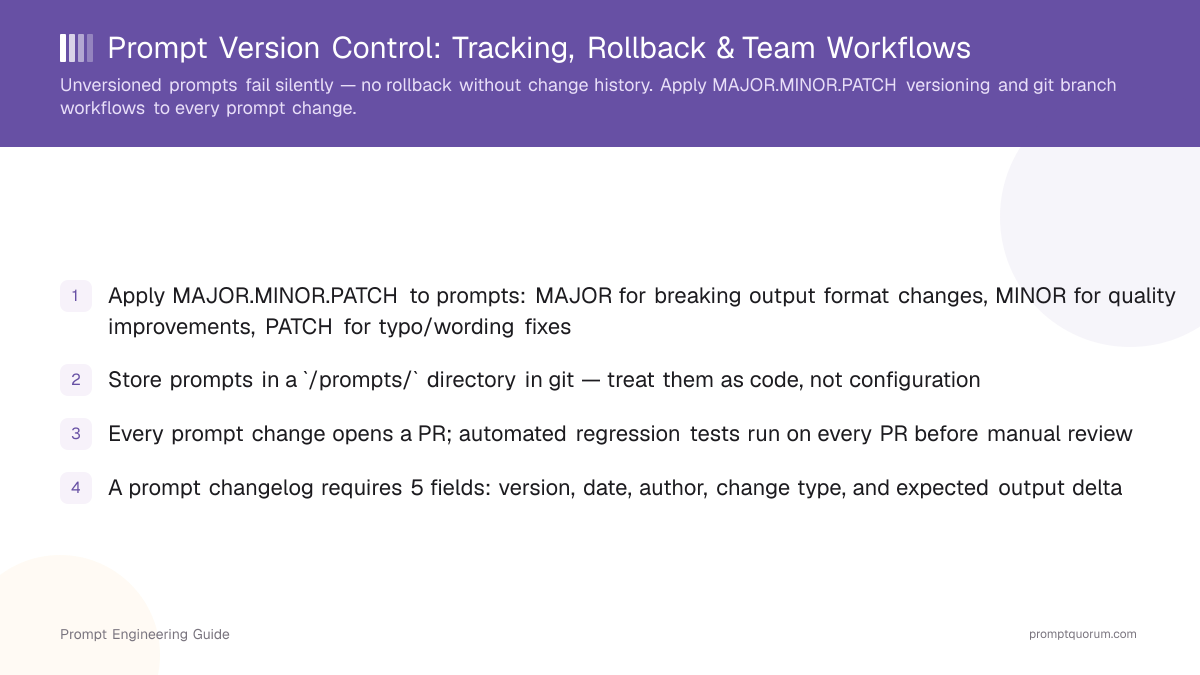
Apply MAJOR.MINOR.PATCH versioning and git workflows to every prompt. Every change opens a PR, every PR runs automated regression tests, and every merge is tagged. Rollback is `git revert` — seconds to execute, full audit history preserved.
Why Prompt Version Control Prevents Silent Regressions
📍 In One Sentence
Prompt version control is a system that tracks every change to an AI prompt, enables rollback to any previous version, and records the author and reason for each modification.
Without version control, a prompt change that degrades output quality leaves no trace — no error log, no diff, no rollback path. The model returns plausible-sounding wrong answers instead of throwing exceptions. By the time the quality drop is noticed (via user complaints, accuracy metrics, or downstream parsing errors), the original prompt may be gone.
Three failure modes that version control prevents: (1) Silent regression — a wording change subtly shifts model behavior, degrading output quality across thousands of requests before anyone notices. (2) No-rollback trap — without history, restoring the previous prompt requires reconstructing it from memory or old deployment logs. (3) Conflict during collaboration — two engineers edit the same prompt independently, and one overwrites the other's change with no record of what was lost.
🔍 Silent Regression
Prompts fail silently — they return plausible-sounding wrong answers instead of errors. Your error logs will not catch quality drops. Only regression tests against a golden test set will.
How Semantic Versioning Works for AI Prompts
MAJOR.MINOR.PATCH versioning tells every caller whether a prompt change is safe to adopt without retesting their downstream code. MAJOR means the output format changed (downstream parsers will break). MINOR means quality improved but the format is stable. PATCH means only wording or clarity changed with no behavioral impact.
Change Type | When to Bump | Example | Backwards-Compatible? |
|---|---|---|---|
| MAJOR | Output format changes — JSON to markdown, new required fields, field removal | v1.2.0 → v2.0.0 | No — update all callers |
| MINOR | Quality improvement, latency optimization, better instruction following | v1.2.0 → v1.3.0 | Yes — safe to adopt |
| PATCH | Typo fix, clarification, minor wording that does not alter model behavior | v1.2.0 → v1.2.1 | Yes — no behavior change expected |
🔍 MAJOR trigger
Bump MAJOR whenever downstream code that parses your prompt's output would break. If your output changes from a JSON array to a markdown list, that is a MAJOR bump even if the content is identical.
🔍 Tag in git
Tag every version after merging: `git tag v2.1.0 -m "Improved date reasoning in extraction prompt"`. This creates a permanent reference for rollback.
How to Set Up a Git Workflow for Prompt Changes
The standard workflow is: create branch → edit prompt → run regression tests → open PR → merge and tag. Every step mirrors a software code change — because a prompt is code.
- 1Create a feature branch: `git checkout -b feature/add-json-output`. Use prefixes `feature/` (new capability), `fix/` (regression fix), or `experiment/` (A/B test).
- 2Edit the prompt file at `/prompts/name.txt`. Update the version comment at the top: `# version: 2.0.0 | changed: JSON output format | author: jane`.
- 3Run the automated regression suite against your golden test set (minimum 10 cases). Tests must cover: format validation, output comparison against golden answers, hallucination flag, and latency. All tests must pass before opening a PR.
- 4Open a PR with a description covering: what changed, why, which version bump (MAJOR/MINOR/PATCH), and expected output delta. Reviewer checks: clarity, hallucination risk, output format, and security.
- 5After approval, merge to main and tag the release: `git tag v2.0.0 -m "JSON output format — MAJOR"` then `git push origin v2.0.0`.
# .github/workflows/prompt-regression.yml
name: Prompt Regression Tests
on:
  pull_request:
    paths:
      - 'prompts/**'

jobs:
  test:
    runs-on: ubuntu-latest
    steps:
      - uses: actions/checkout@v4
      - name: Run prompt regression tests
        run: npm run test:prompts
        env:
          OPENAI_API_KEY: ${{ secrets.OPENAI_API_KEY }}
🔍 Directory structure
Store prompts in `/prompts/` and test fixtures in `/prompts/tests/`. This keeps prompt files reviewable on their own, separate from application code, while staying in the same repo.
What Every Prompt Changelog Entry Must Include
A prompt changelog entry requires 5 fields: version, date, author, change type, and expected output delta. The output delta is the most important field: it describes how the model's response will differ after the change, so downstream callers know what to update.
version
- Required:
- Yes
- Example:
- `v2.1.0`
date
- Required:
- Yes
- Example:
- `2026-04-30`
author
- Required:
- Yes
- Example:
- `jane.smith@company.com`
change type
- Required:
- Yes
- Example:
- `MINOR — improved date extraction reasoning`
expected output delta
- Required:
- Yes
- Example:
- `Date fields now consistently use ISO 8601 (YYYY-MM-DD). Previous: MM/DD/YYYY in ~30% of edge cases.`
## [v2.1.0] — 2026-04-30

**Author:** jane.smith@company.com
**Change type:** MINOR — improved date extraction reasoning
**Expected output delta:** Date fields now consistently use ISO 8601 format (YYYY-MM-DD).
  Previous behavior: returned MM/DD/YYYY in ~30% of edge cases.
  Backwards-compatible — parsers accepting ISO 8601 require no update.

**Test results:** 18/18 golden test cases passed (previously 15/18).
🔍 Write changelog first
Write the changelog entry before writing the prompt change — it forces you to clarify intent. If you cannot describe the expected output delta, you do not yet understand what you are changing.
When and How to Roll Back a Prompt to a Previous Version
`git revert` is the standard rollback path — it creates a new commit that undoes the breaking change without erasing history. Know the rollback triggers and match the method to the urgency.
Rollback triggers: (1) Production quality drop detected via accuracy metrics or user reports. (2) Security issue found in the deployed prompt. (3) Model version update breaks compatibility with the existing prompt. (4) Business logic changed making the previous output format incorrect.
Rollback Method | Speed | Risk | When to Use |
|---|---|---|---|
| `git revert <commit>` | Seconds to create, minutes to deploy | Low — creates a documented revert commit | Standard non-emergency rollback; preserves full audit history |
| Feature flag switch | Seconds — no deploy required | Low — zero downtime if flags are pre-deployed | When prompt selection is already behind a flag and the flag system is live |
| Environment variable override | Seconds — no code deploy | Medium — bypasses normal review workflow | Emergency hotfix only; follow up with a proper `git revert` PR immediately after |
🔍 Test before rollback
Never rollback without running regression tests first — you may reintroduce a previously fixed bug. The bug the rolled-back version fixed could be worse than the regression you are escaping.
How Teams Collaborate on Prompt Changes Without Conflicts
Ownership prevents merge conflicts: assign one prompt owner per feature area, and all changes to that prompt require that owner's review. Without clear ownership, two engineers edit the same prompt in parallel, and the later merge silently overwrites the earlier change.
Two repository patterns work for teams: (1) Monorepo with `/prompts/` directory — best when prompts are tightly coupled to a single service and prompt changes need to deploy with the app. (2) Dedicated prompt repo or package — best when prompts are shared across multiple services, or when prompt engineers need independent review cycles without app repo access.
🔍 Ownership model
Assign one prompt owner per feature area (e.g., extraction-prompt owner, classification-prompt owner). Every change to that prompt goes through that owner's review — no exceptions.
What Automated Tests Catch Before a Prompt Change Ships
Regression tests catch format breaks; LLM-as-judge catches quality drops. Four test types cover the main failure modes before a prompt change reaches production.
The four test types: (1) Format validation — assert the output matches the expected schema (JSON structure, required fields, data types). Runs in milliseconds, catches 60–70% of breaking changes. (2) Golden set comparison — compare output against manually verified correct answers on 10–20 representative inputs. LLM-as-judge or string similarity metrics score the comparison. (3) Hallucination flag — detect factual claims in the output not grounded in the provided context. Flag any response that asserts facts not present in the input. (4) Latency check — assert that median response time stays within an acceptable range (e.g., p95 ≤ 3s). Catches prompts that cause excessive model computation.
🔍 Minimum test set
A golden test set of 10–20 representative inputs is the minimum for any production prompt. Cover: happy path, edge cases (empty/very long input), adversarial inputs, and known failure modes.
Common Mistakes in Prompt Version Control
❌ No versioning scheme from day one
Why it hurts: Silent breaking changes ship when the team grows and multiple engineers edit prompts without a shared versioning convention
Fix: Adopt MAJOR.MINOR.PATCH from the first prompt in production — even if only one engineer writes prompts today, the next hire inherits the system
❌ Storing prompts inside application code instead of a `/prompts/` directory
Why it hurts: Prompts buried in application code cannot be reviewed, tested, or versioned independently — they change with every app deploy
Fix: Move all prompts to `/prompts/` with test fixtures in `/prompts/tests/`. This makes them reviewable as standalone artifacts without touching application code
❌ No changelog requirement per PR
Why it hurts: When a regression appears weeks later, there is no record of what changed, when, or why — forcing time-consuming archaeology through git log
Fix: Make a CHANGELOG.md entry a mandatory PR requirement via CI check — the PR fails if no changelog entry exists for the changed prompt file
❌ Testing only the happy path
Why it hurts: Edge cases that work in the previous version break silently after a prompt change — detected only by user complaints or downstream parsing errors in production
Fix: Require a minimum of 10 golden test cases including at least 2 edge cases and 1 adversarial input — no PR merges without full test suite passing
❌ Rolling back without running regression tests
Why it hurts: The reverted version reintroduces a bug that the now-reverted change had fixed, creating a second regression on top of the first
Fix: Always run the full regression suite before merging a revert PR — treat rollback commits as production changes requiring the same test gate as forward changes
Compliance and Audit Requirements for Prompt Changes
The EU AI Act, which applies to high-risk systems in healthcare, finance, HR, and critical infrastructure, requires traceability for AI outputs in regulated domains. A version-controlled prompt history with author, date, change type, and approval records satisfies the traceability requirement without additional tooling.
GDPR Article 22 applies to prompts that make or support automated decisions affecting individuals. Version control and audit logs demonstrate human oversight — a git log with signed commits provides this evidence. Healthcare and finance teams operating under sector-specific regulations (MiFID II, HIPAA, MDR) typically require 12+ months of prompt version history with tamper-evident storage.
Frequently Asked Questions
What is prompt version control?
Prompt version control is a system that tracks every change to an AI prompt, enables rollback to any previous version, and records the author and reason for each modification. It applies semantic versioning (MAJOR.MINOR.PATCH) to prompts: MAJOR for breaking output format changes, MINOR for quality improvements, PATCH for typo/wording fixes. Prompts are stored in git as text files, changes go through PR review, and releases are tagged.
Do I need a separate git repo for prompts or can I use my existing app repo?
For teams under 5 engineers or fewer than 20 prompts: use a /prompts/ directory in your existing app repo. For larger teams or when prompts are shared across multiple services: a dedicated prompt repo gives cleaner ownership, independent versioning, and access control. Use the app repo if prompts are tightly coupled to app logic; use a separate repo if prompts serve multiple services or teams.
How is prompt versioning different from model versioning?
Prompt versioning tracks changes to the text instructions you send to a model. Model versioning tracks which AI version (GPT-5.6, Claude Sonnet 5, Llama 4) your application calls. Both require separate version control. When you change the target model, treat it as a MAJOR prompt version bump even if the prompt text is identical — different models respond differently to the same prompt.
What is a good minimum test suite size for a production prompt?
10–20 golden test cases is the minimum. Cover: happy path, edge cases (empty input, very long input), adversarial inputs (attempts to override instructions), and known failure modes. Under 10 cases misses too many edge cases; over 50 cases is expensive to maintain without proportional benefit.
How do I handle versioning when the same prompt is used across different models?
Maintain a separate version history per prompt+model combination. Use a metadata header in your prompt file: `# version: 2.1.0 | model: gpt-4o`. When deploying to a new model, create a new variant file rather than overwriting the existing one. Run your full golden test suite against every model variant before promoting.
Should every wording change bump the version?
Yes — every change bumps the version at some level. Typo fixes: PATCH. Quality improvements without format changes: MINOR. Format/structure changes that break downstream parsers: MAJOR. Never skip the version bump — even small wording changes can affect model behavior unexpectedly, and an unversioned change cannot be rolled back.
What tools support prompt version control natively?
Braintrust, PromptLayer, and Vellum provide native prompt versioning with UI dashboards for comparing versions, running evaluations, and viewing diff history. LangSmith has prompt version tracking in its hub. PromptQuorum adds multi-model validation — run a versioned prompt across 25+ providers to confirm it works consistently before deployment. For simpler setups, plain git with a /prompts/ directory works well — prompts are text files, and git handles diff, history, and rollback natively.
How do I roll back a prompt if I don't use git?
If you use a prompt management platform (Braintrust, Vellum, PromptLayer), use the built-in version history to revert to the previous approved version. If you store prompts in environment variables, keep a backup before every change and restore via your deployment pipeline. Going forward, add at minimum a CHANGELOG.md file — even without git, this gives you a rollback reference.
Sources
- Semantic Versioning Specification ([semver.org)](https://semver.org/) — Canonical MAJOR.MINOR.PATCH specification, directly applicable to prompt versioning
- Git Documentation: git revert — Official reference for the primary rollback mechanism used in prompt version control workflows
- Braintrust: Prompt Evaluation and Versioning Guide — Technical guide to prompt versioning, automated testing, and CI/CD integration using dedicated tooling