Key Takeaways
- Two paths: Ollama (CLI, headless, API-ready) or LM Studio (GUI, no CLI). Both run Qwen 3.6 27B locally.
- Critical fix: Ollama runtime default (VRAM-scaled)`. This truncates most real-world prompts. Set `num_ctx 32768` in your Modelfile or via the API `num_ctx` parameter.
- Hardware: 16 GB VRAM minimum (RTX 4080). Apple's August 25, 2026 refresh replaced the 48 GB M4 Pro mini — the Mac mini M5 Pro (64 GB) or Mac Studio M5 Max (128 GB) are now the recommended EU-hosted inference options; new units ship September 22, 2026.
- GDPR: Once running locally, no data leaves your machine. No SCCs, no data processing agreements needed beyond your own infrastructure policy.
- PromptQuorum integration: Set `OLLAMA_BASE_URL=http://localhost:11434/v1` and `LOCAL_LLM_MODEL=qwen3.6:27b` in PromptQuorum's local dispatch settings — separate from the Anthropic API config.
Why Run Qwen Locally in 2026
Running Qwen 3 locally in 2026 means paying €0 per token for a model that reaches 92.1% HumanEval — comparable to or exceeding Claude Sonnet 5 on coding tasks. Once hardware is amortised, every prompt is free. For a development team of five generating 10M tokens per day, local inference saves ~$900/month versus Claude Sonnet 5 API pricing.
EU GDPR compliance is the second driver. GDPR Article 44 restricts data transfers to third countries. When you run Qwen locally on EU hardware, your prompts, code, and customer data never leave your infrastructure. There are no data processing agreements with US or Chinese providers required, no Schrems II risk assessments, and no privacy impact assessments for the AI layer.
The third reason is latency. Local inference on an RTX 4090 generates 35+ tokens/second — comparable to API response times for short prompts, with no network round-trip overhead for longer completions.
📍 In One Sentence
Running Qwen 3.6 27B locally costs €0 per token after hardware, keeps all data on EU infrastructure, and delivers 35+ tokens/second on an RTX 4090.
💬 In Plain Terms
Local LLM means the AI model runs on your own computer. You download the model file (about 17 GB for Qwen 3.6 27B), and every prompt you type is processed entirely on your machine — nothing is sent to any server.
💡Tip: DeepSeek's model lineup evolves frequently. Verify the current model name and pricing at platform.deepseek.com before deployment. Figures reflect publicly available data.
Choose Your Qwen Model
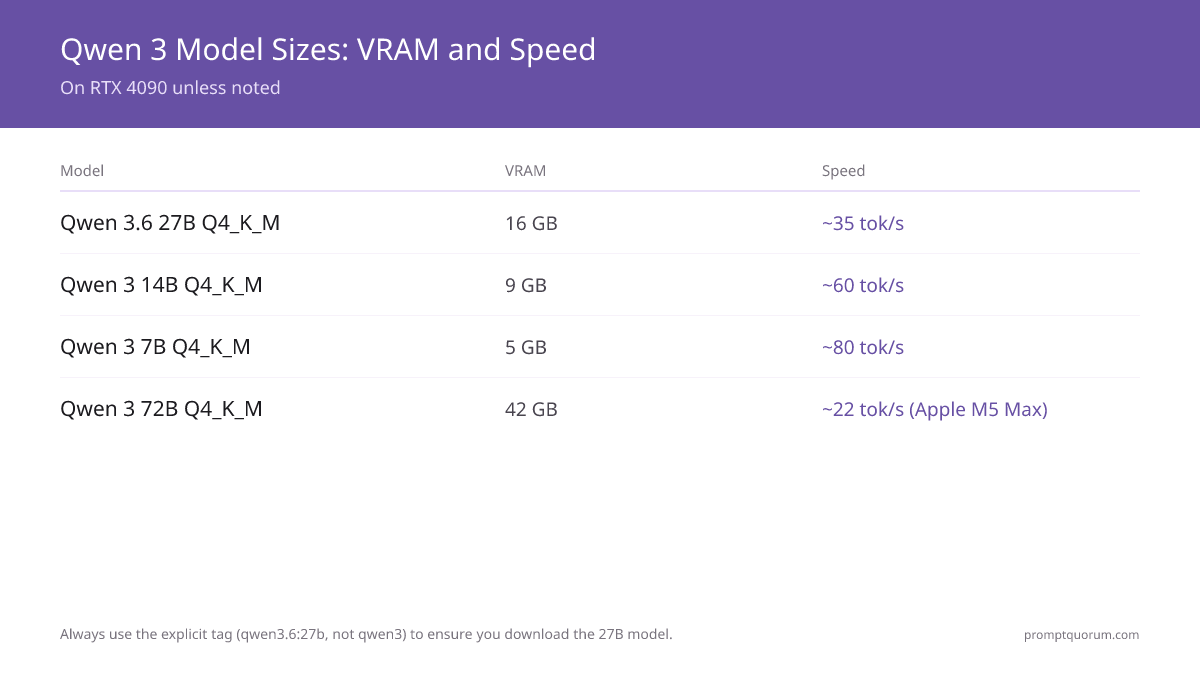
Qwen 3 comes in multiple sizes. Choose based on your VRAM and required quality. All sizes are available on Hugging Face (Qwen) and via Ollama with explicit tags.
Model | VRAM | Tokens/sec (RTX 4090) | Best For |
|---|---|---|---|
| Qwen 3.6 27B Q4_K_M | 16 GB | ~35 | Production coding, complex tasks |
| Qwen 3.6 27B Q8_0 | 28 GB | ~20 | Maximum quality, dual-GPU |
| Qwen3 14B Q4_K_M | 9 GB | ~60 | 8–12 GB VRAM, general tasks |
| Qwen3 8B Q4_K_M | 5 GB | ~80 | Low VRAM, fast completions |
| Qwen 3 72B Q4_K_M | 42 GB | — | Maximum quality, Apple Silicon 96 GB+ |
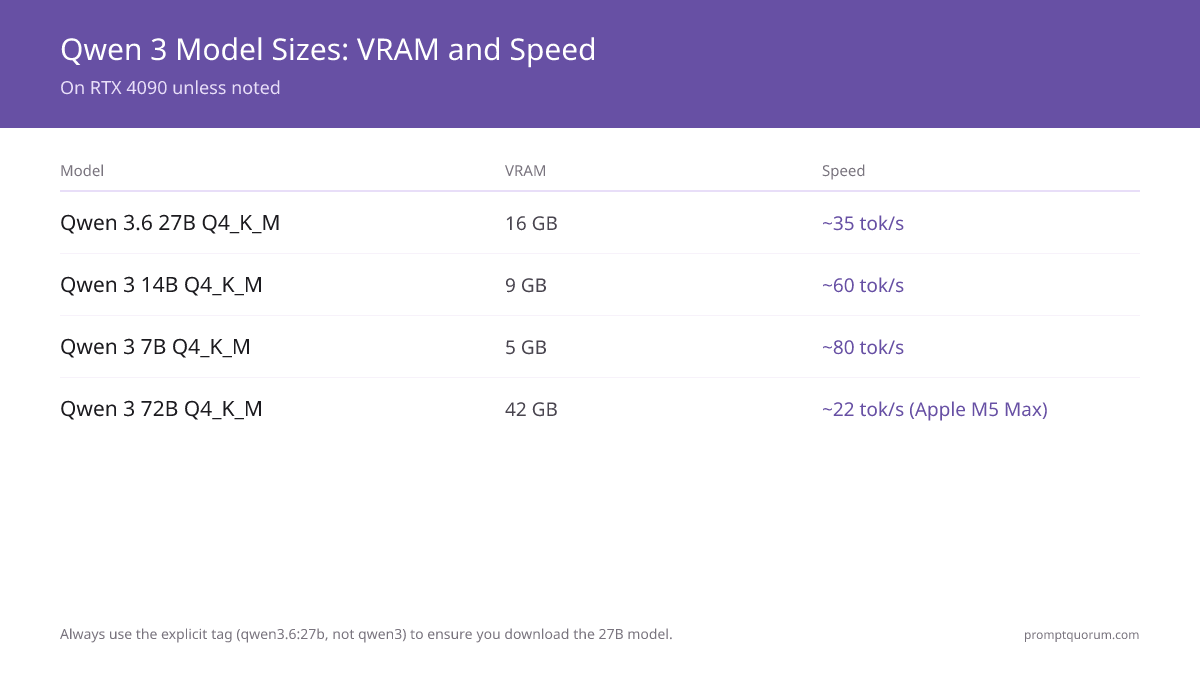
Q4_K_M is the recommended quantization for most users — best quality-to-size ratio. Q8_0 offers higher quality at higher VRAM cost. Always use the explicit tag (qwen3.6:27b, not qwen3) to ensure you download the 27B model.
Hardware Requirements
- Minimum (Qwen 3.6 27B): GPU with 16 GB VRAM — RTX 4080, RTX 4070 Ti Super, or RTX 3090
- Recommended GPU: RTX 4090 (24 GB VRAM) — runs Q4_K_M at 35 tokens/sec with 8 GB headroom
- Apple Silicon M3/M4 (previous generation): M3 Max or M4 Pro with 48 GB unified memory — still capable, silent, power-efficient, 40+ tokens/sec via MLX
- Mac mini M6 ($899, 32 GB max): entry-level current-generation mini — not enough unified memory for Qwen 3.6 27B Q4_K_M; better suited to the 14B or 7B sizes
- Mac mini M5 Pro ($1,699, 64 GB max): replaces the previous 48 GB M4 Pro mini as the current-generation compact option, with more unified-memory headroom for Qwen 3.6 27B Q4_K_M
- Mac Studio M5 Max ($2,499, 128 GB max): runs Qwen 3 72B Q4_K_M comfortably with headroom
- Mac Studio M5 Ultra ($5,499 starting, 96 GB, configurable up to 256 GB — a 512 GB configuration ships late October 2026): for the largest Qwen 3 configurations or running multiple models concurrently
- Availability: the new Mac mini and Mac Studio lineup was announced August 25, 2026 and ships September 22, 2026; PromptQuorum has not independently benchmarked these chips yet
- RAM: 32 GB system RAM minimum alongside GPU inference; 64 GB recommended alongside a full dev environment
- Storage: 20 GB free disk space for Qwen 3.6 27B Q4_K_M (GGUF file ~17 GB)
📌Note: Apple Silicon unified memory is shared between CPU and GPU. The Mac mini M5 Pro, with 64 GB unified memory, can run Qwen 3.6 27B Q4_K_M with more headroom than the previous 48 GB M4 Pro mini for the OS and other applications. This makes it the most practical EU-hosted inference option in a single compact device.
💡Tip: The Mac Studio M5 Max (128 GB) is the Apple Silicon configuration built for running Qwen 3 72B locally. If you handle very long contexts, need maximum quality for EU-regulated workloads, or plan to run multiple models concurrently, the Mac Studio M5 Ultra (up to 256 GB, with a 512 GB option shipping late October 2026) is the higher-headroom option.
Setup with Ollama
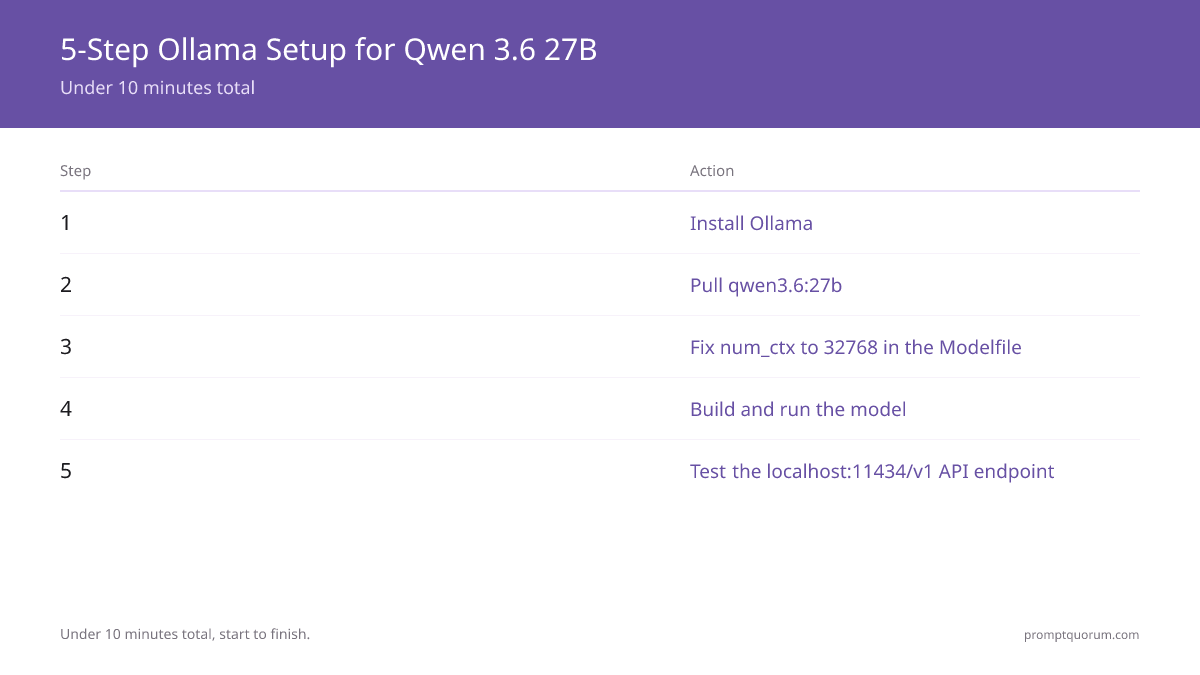
Ollama is the fastest way to run Qwen 3 locally. It manages model downloads, provides an OpenAI-compatible API at localhost:11434, and handles quantization automatically. Install it from ollama.com.
- 1Install Ollama
Why it matters: Ollama handles model downloads, GGUF format, and provides an OpenAI-compatible local API. - 2Pull the Qwen 3.6 27B model with explicit tag
Why it matters: Use qwen3.6:27b explicitly. The bare `qwen3` tag defaults to 8B — not the 27B model this guide targets. - 3Create a Modelfile with correct context length
Why it matters: The runtime default (VRAM-scaled) tokens is too small for real-world coding tasks. 32768 tokens handles most files and conversations. - 4Build the custom model and run it
Why it matters: Creates a Qwen 3.6 27B instance with the extended context window. Verify with a test prompt. - 5Test the API endpoint
Why it matters: Ollama exposes an OpenAI-compatible API at localhost:11434/v1. Use this endpoint to connect LLM clients, IDEs, and PromptQuorum.
# Step 1 — Install Ollama
# macOS
brew install ollama

# Linux
curl -fsSL https://ollama.com/install.sh | sh

# Windows — download from https://ollama.com/download

# Step 2 — Pull Qwen 3.6 27B (explicit tag required)
ollama pull qwen3.6:27b
# Downloads Qwen 3.6 27B Q4_K_M (~17 GB)
# Note: 'ollama pull qwen3' without a tag downloads the 8B model

# Step 3 — Create Modelfile with correct num_ctx
cat > Modelfile <<'EOF'
FROM qwen3.6:27b
PARAMETER num_ctx 32768
PARAMETER temperature 0.7
EOF

# Step 4 — Build and run
ollama create qwen3-32k -f Modelfile
ollama run qwen3-32k

# Expected output (Qwen working correctly):
# >>> Write a Python function to reverse a string.
# def reverse_string(s: str) -> str:
#     return s[::-1]
#
# This function takes a string s as input and returns the reversed
# string using Python slice notation with step -1.

# Step 5 — Test API
curl http://localhost:11434/v1/chat/completions \
  -H "Content-Type: application/json" \
  -d '{
    "model": "qwen3-32k",
    "messages": [{"role": "user", "content": "Write a Python function to reverse a string."}]
  }'
⚠️Warning: Do not skip Step 3. Ollama's runtime default (VRAM-scaled) tokens — roughly 1,500 words. Most coding tasks (reading a file, explaining a function, writing tests) require 8,000–32,000 tokens of context. Without this fix, Qwen silently truncates your prompts and produces degraded output.
Setup with LM Studio
LM Studio provides a GUI for running local LLMs without any CLI commands. It is the recommended path for non-technical users or Windows setups. Download from lmstudio.ai.
- 1Download and install LM Studio
Why it matters: Free, cross-platform GUI for local LLM inference. No CLI required. - 2Search for and download Qwen 3 27B
Why it matters: LM Studio's model browser searches Hugging Face. Search "Qwen 3 27B" and select the Q4_K_M GGUF variant for 16 GB VRAM. - 3Configure context length in LM Studio settings
Why it matters: Same num_ctx issue as Ollama — change Context Length to 32768 in the model parameters before loading. - 4Start the local server
Why it matters: LM Studio's "Start Server" creates an OpenAI-compatible API at localhost:1234. Use this URL in clients and PromptQuorum. - 5Install Claude Code (optional)
Why it matters: Claude Code is Anthropic's CLI for running Claude locally. Download from [claude.com/claude-code](https://claude.com/claude-code) (all platforms: macOS, Windows, Linux). - 6Install the Claude Code Proxy
Why it matters: The free Claude Code Proxy (OpenClaw-based) bridges Claude Code to local LLMs. Run: `uv run python -m uvicorn server:app --host 0.0.0.0 --port 8082`. On Windows, launch with: `uv run python -m uvicorn server:app --host 0.0.0.0 --port 8082`. - 7Configure Claude Code to use local Qwen
Why it matters: In Claude Code settings, set API endpoint to http://localhost:8082. Claude Code will route requests through the proxy to your LM Studio instance (localhost:1234), letting you use Qwen 3.6 27B as your coding assistant.
// LM Studio local server config (exported JSON)
{
  "model": "qwen3.6-27b-q4_k_m",
  "server": {
    "host": "localhost",
    "port": 1234,
    "cors": true
  },
  "inference": {
    "context_length": 32768,
    "temperature": 0.7,
    "gpu_layers": -1
  }
}
Connecting to PromptQuorum
PromptQuorum routes prompts across multiple LLMs. To use your local Qwen instance as a dispatch target, configure PromptQuorum's local LLM endpoint to point to your Ollama server.
This is the Ollama (OpenAI-compatible) endpoint — distinct from the Anthropic API configuration used for Claude. Both can be active simultaneously, with PromptQuorum routing based on task type and data sensitivity.
📍 In One Sentence
Connect PromptQuorum to local Qwen by setting OLLAMA_BASE_URL to http://localhost:11434/v1 and LOCAL_LLM_MODEL to qwen3.6:27b in the local dispatch settings.
# PromptQuorum dispatch config — local Qwen via Ollama
# Set in your .env or PromptQuorum settings panel

OLLAMA_BASE_URL=http://localhost:11434/v1
LOCAL_LLM_MODEL=qwen3.6:27b

# Example routing rules (PromptQuorum dispatch):
# - task_type: code       → model: qwen3.6:27b  (local Ollama, GDPR-safe)
# - task_type: analysis   → model: claude-sonnet-4-6 (Anthropic API, separate config)
# - task_type: private    → model: qwen3.6:27b  (local Ollama, no cloud egress)
Troubleshooting
- Model response is cut off mid-sentence: num_ctx is too low. Rebuild your Modelfile with `PARAMETER num_ctx 32768` and recreate the model with `ollama create`.
- CUDA out of memory error: The model does not fit your VRAM. Switch to Qwen3 14B Q4_K_M (~9 GB VRAM) or try a Q3_K_S quantization of 27B.
- Ollama API returns 404: Confirm the model name matches exactly. Run `ollama list` to see available models. Use the exact name shown (e.g., `qwen3-32k`).
- Slow generation (< 5 tokens/sec): GPU layers not fully offloaded. Run `ollama run qwen3-32k` and check that `num_gpu_layers` is maximised. Ensure no other GPU-intensive process is running.
- LM Studio shows "failed to load model": Insufficient VRAM. Reduce Q4_K_M context length to 16384 or switch to Qwen3 14B.
- PromptQuorum returns authentication error: Set `OLLAMA_BASE_URL=http://localhost:11434/v1` in PromptQuorum's local LLM settings. If a key is required by the form, enter any non-empty string — Ollama does not require API key authentication.
- Ollama uses CPU instead of GPU: On NVIDIA: confirm CUDA drivers are installed (`nvidia-smi` should show the GPU). On Mac: Ollama uses Metal automatically — no configuration needed. If Metal is not active, reinstall Ollama from ollama.com.
- Model download stalls or fails: Large models (Qwen 3.6 27B ~17 GB) time out on slow connections. Run `ollama pull qwen3.6:27b` again — Ollama resumes from where it left off. Alternatively, download the GGUF directly from Hugging Face and use `ollama create` with a local path in the Modelfile FROM clause.
💡Tip: Run `ollama ps` to see which models are currently loaded in VRAM and how much memory each is consuming. Use `ollama stop qwen3-32k` to unload a model before switching to a larger one.
Power Consumption and TCO
Hardware cost is the one-time investment. Electricity is the ongoing cost. The right hardware choice depends on your electricity price, usage hours, and whether you are in the EU (where electricity averages ~€0.35/kWh in 2026 in Germany, compared to ~$0.13/kWh in the US).
An RTX 4090 system under inference load draws approximately 450 W. Running 8 hours/day at the German electricity rate: 0.45 kW × 8h × €0.35 × 250 working days = €315/year in electricity. The hardware costs ~€2,000–2,500 for a complete system.
Apple Silicon M5 Max in a Mac Studio draws approximately 40–50 W under LLM inference load. Same scenario: 0.05 kW × 8h × €0.35 × 250 days = €35/year in electricity. Hardware costs $2,499 for a Mac Studio M5 Max with 128 GB (Apple's US list price; EU retail pricing was not yet published at the time of this update).
Compared against Claude Sonnet 5 API at 10M tokens/day for a single developer: 10M tokens × $3/1M × 250 days = $7,500/year.
Option | Hardware | Electricity/year (EU) | API cost/year (10M tok/day) | Break-even |
|---|---|---|---|---|
| Claude Sonnet 5 API | — | — | $7,500 | — |
| RTX 4090 system + local Qwen | €2,200 | €315 | $0 | ~4 months vs Claude |
| Mac mini M5 Pro (64 GB) | $1,699 | €25 | $0 | ~3 months vs Claude |
| Mac Studio M5 Max (128 GB) | $2,499 | €35 | $0 | ~6 months vs Claude |
•Important: For EU teams in high-electricity-price jurisdictions, the Mac mini M5 Pro (64 GB) offers the best TCO: lowest combined hardware + electricity cost, GDPR compliance by design, and silent operation in an office environment. The Mac Studio M5 Max is the upgrade path for teams needing Qwen 3 72B quality, and the Mac Studio M5 Ultra for the largest configurations.
常见问题
What is the minimum hardware to run Qwen 3 locally?
For Qwen 3.6 27B at Q4_K_M quantization: 16 GB VRAM (RTX 4080 or RTX 3090). For Apple Silicon: M3 Pro with 36 GB unified memory or M3 Max with 48 GB. For the smaller Qwen3 14B: 9 GB VRAM (RTX 3080 or RTX 4070). Qwen3 8B runs on 5 GB VRAM (GTX 1080 or better).
Why does Ollama truncate my prompts?
Ollama runtime default (VRAM-scaled) tokens (~1,500 words). This is too small for most real-world coding tasks. You must set num_ctx to at least 32768 in your Modelfile. Create a Modelfile with `PARAMETER num_ctx 32768`, then run `ollama create qwen3-32k -f Modelfile` to build a model instance with the correct context window.
Is running Qwen locally GDPR compliant?
Yes — local inference is one of the most GDPR-friendly AI architectures (no inference data sent to third parties). When Qwen runs on your hardware, no data is transferred to any third party. GDPR Article 44 restrictions on international data transfers do not apply because there is no data transfer. Your internal data processing agreement applies, but no SCCs or adequacy decisions are needed for the AI layer.
Can Qwen 3 run on CPU only?
Yes, via llama.cpp or Ollama on a system without a GPU. CPU inference is significantly slower — typically 1–5 tokens/second on a modern CPU for Qwen 3.6 27B. For production use, GPU or Apple Silicon is required. For occasional use or testing on a laptop without dedicated GPU, CPU inference works but is impractical for real-time conversation.
How do I update Qwen to the latest version?
Run `ollama pull qwen3.6:27b` again. Ollama checks if a newer version is available and downloads only the changed layers. You do not need to recreate your Modelfile — the model tag (qwen3.6:27b) always points to the latest 27B release. In LM Studio, check the model library for updates and re-download if a newer GGUF version is available.
Can I use Claude Code with local Qwen?
Yes. Claude Code is Anthropic's CLI for coding with Claude. To use it with local Qwen 3.6 27B, install the free Claude Code Proxy, point it to your LM Studio instance (localhost:1234), then configure Claude Code to route requests through the proxy (localhost:8082). Your code remains fully local — no Anthropic API key is required.
Do I need an Anthropic API key to run Claude Code with local Qwen?
No. When using Claude Code with a local LLM via the proxy, the Anthropic API key is not used. The proxy intercepts Claude Code's requests and routes them to your LM Studio server instead. You only need the API key if you choose to also use Anthropic's Claude API for other tasks in parallel.
What's the difference between the Claude Code Proxy and Ollama?
Ollama is a local LLM runtime that manages model downloads, quantization, context configuration, and exposes an OpenAI-compatible API (localhost:11434/v1). The Claude Code Proxy is a lightweight bridge that connects Claude Code specifically to any local LLM (Ollama, LM Studio, or llama.cpp). Both can run simultaneously: Ollama handles the model, the proxy handles the Claude Code client connection. Alternatively, use LM Studio as your runtime instead of Ollama — the proxy works with both.
Does using Claude Code with local Qwen affect inference speed?
No significant impact. The proxy adds negligible latency (< 50ms) since it runs on the same machine as your LM Studio instance. Inference speed is determined by your GPU and the model quantization (Q4_K_M is standard), not the proxy. Full inference-to-response time for a code generation task is typically 20–60 seconds on an RTX 4080, depending on output length.