Key Takeaways
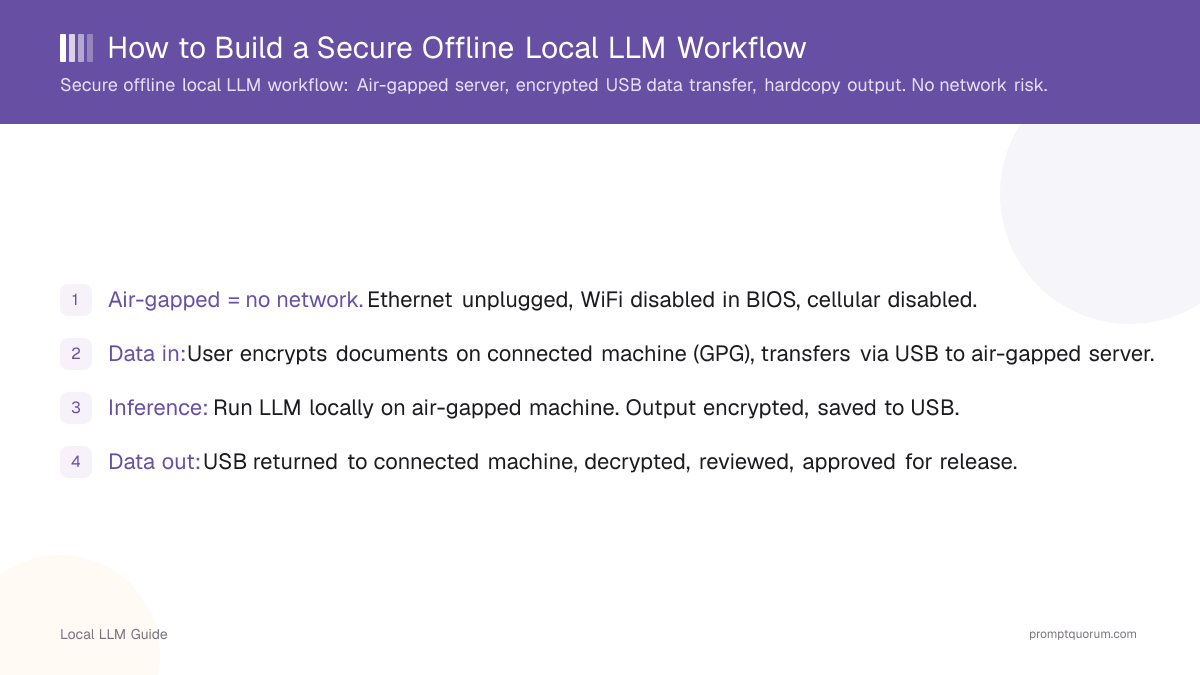
- Air-gapped = no network. Ethernet unplugged, WiFi disabled in BIOS, cellular disabled.
- Data in: User encrypts documents on connected machine (GPG), transfers via USB to air-gapped server.
- Inference: Run LLM locally on air-gapped machine. Output encrypted, saved to USB.
- Data out: USB returned to connected machine, decrypted, reviewed, approved for release.
- Hardware: Dedicated machine (cannot be shared). Standard office PC is fine.
- Setup: 1-2 days (OS hardening, firmware patching, key generation).
- Operational overhead: ~30 min per inference job (data staging, encryption, decryption, review).
- Cost: $1,000-2,000 hardware + $0 software (open-source).
- vs VPN approach: Air-gapped is paranoid but impenetrable. VPN is convenient but network-risk remains.
📍 In One Sentence
A secure offline LLM workflow runs the model on a network-disconnected machine and moves data in and out only via encrypted USB, taking 1-2 days to set up and about 30 minutes of manual overhead per inference job.
💬 In Plain Terms
For the most sensitive data (legal cases, medical genetic records, classified research), the safest way to use an AI model is to run it on a computer that has no internet connection at all -- not even WiFi. You move documents in and results out using an encrypted USB drive instead of a network cable, which is slower but makes remote hacking impossible since there is no connection to attack.
Air-Gapped Architecture
Machines:
1. Connected machine (admin): Has internet, antivirus, firewall. For GPG key storage, document preparation.
2. Air-gapped inference server: Zero network, USB port only. Runs LLM, processes sensitive data.
3. Optional: removable media (USB): Encrypted, air-gapped storage for data transfer.
Network setup:
- Air-gapped server on isolated power strip (can be killed quickly if needed).
- Connected machine on standard network.
- No shared filesystem, no Bluetooth, no network cable.
- Physical separation (different rooms recommended).
Data Transfer Workflow
- 1User prepares: Document to analyze saved locally on connected machine.
- 2Encrypt: `gpg --encrypt --recipient admin@company.com document.txt` → `document.txt.gpg`.
- 3Transfer: Copy `document.txt.gpg` to USB drive. Eject USB from connected machine.
- 4Physical handoff: USB delivered to air-gapped machine location (human courier, locked envelope).
- 5Decrypt & ingest: `gpg --decrypt document.txt.gpg` → plain text file. Delete .gpg file.
- 6Inference: Prompt: "Analyze this document: [CONTENT]". Generate response.
- 7Encrypt output: Encrypt response.txt with same GPG key.
- 8Physical return: USB returned to admin. Admin decrypts and reviews before sharing.
- 9Disposal: Securely wipe USB (DBAN or shred).
Encryption & Key Management
GPG (GNU Privacy Guard): Industry standard for data encryption at rest.
Key setup: Generate 4096-bit RSA key on air-gapped machine. Export public key to connected machine.
Storage: Private key on air-gapped machine only (never leave the machine, even on USB).
Password: Private key protected by strong passphrase (20+ characters, stored in password manager locked in safe).
Key rotation: Every 1-2 years, generate new key. Old key archived but not destroyed (may need to decrypt old data).
Output Handling & Hardcopy
After inference:
1. Digital output: Encrypted file on USB, returned to admin.
2. Hardcopy option: Print LLM response on airgapped printer (USB-connected only, no network).
3. Hardcopy security: Document classified (e.g., "CONFIDENTIAL" header/footer). Stored in locked cabinet.
4. Destruction: Shred hardcopy after 6 years (HIPAA) or per org policy. Digitally-signed destruction log.
5. Audit: Every document processed logged with timestamp, user, content hash (not plaintext).
Supply Chain Security (Hardware)
Purchase: Buy off-the-shelf PC (avoid pre-installed software, proprietary firmware).
BIOS hardening: Disable USB boot, Ethernet boot, wireless. Password-protect BIOS.
OS hardening: Minimal install (Linux, no GUI). Remove all network drivers.
Firmware updates: Apply latest OS patches before any classified work.
Physical inspection: Check for tamper seals on case. Verify no hidden devices (wiretaps, USB keysloggers).
Common Failures
- Connecting air-gapped machine to internet "just once" for OS update. Once connected = compromised. Use manual patching (USB).
- Reusing the same USB for multiple transfers without wiping. Old data may be recoverable.
- Printing classified output and leaving hardcopy on desk. Hardcopy must be under physical control (locked drawer).
Frequently Asked Questions
Can I use air-gapped for everyday work or just sensitive docs?
Just sensitive. Air-gapped is slow (manual USB transfers). Use for high-security projects only.
What if the air-gapped server breaks?
Data is encrypted on USB. Use backup air-gapped machine (same setup). Private key allows decryption on any air-gapped system.
Can I connect peripherals (printer, monitor) to air-gapped machine?
Printer: yes (USB only, no network). Monitor: yes (passive). Keyboard/mouse: risky if wireless (can be intercepted). Use wired.
How do I test that the air-gapped machine is truly offline?
Physical inspection: no Ethernet cable, no WiFi antenna, BIOS firmware shows network disabled. Behavioral: `ping 8.8.8.8` = no response.
Is air-gapped overkill for HIPAA-compliant healthcare?
Not overkill for genetic data or psychiatric records. Overkill for routine patient intake. Use VPN + encryption for routine work.
How do I handle multi-file inference (10 documents)?
Batch mode: encrypt all 10 docs, transfer via USB, process one-by-one on air-gapped, encrypt results, return USB.
Sources
- GnuPG official documentation: encryption and key management
- NIST SP 800-111: Guidelines for Management of Information Security
- Air-gapped system best practices: NSA/CISA Cybersecurity Technical Reference Architecture