Key Takeaways
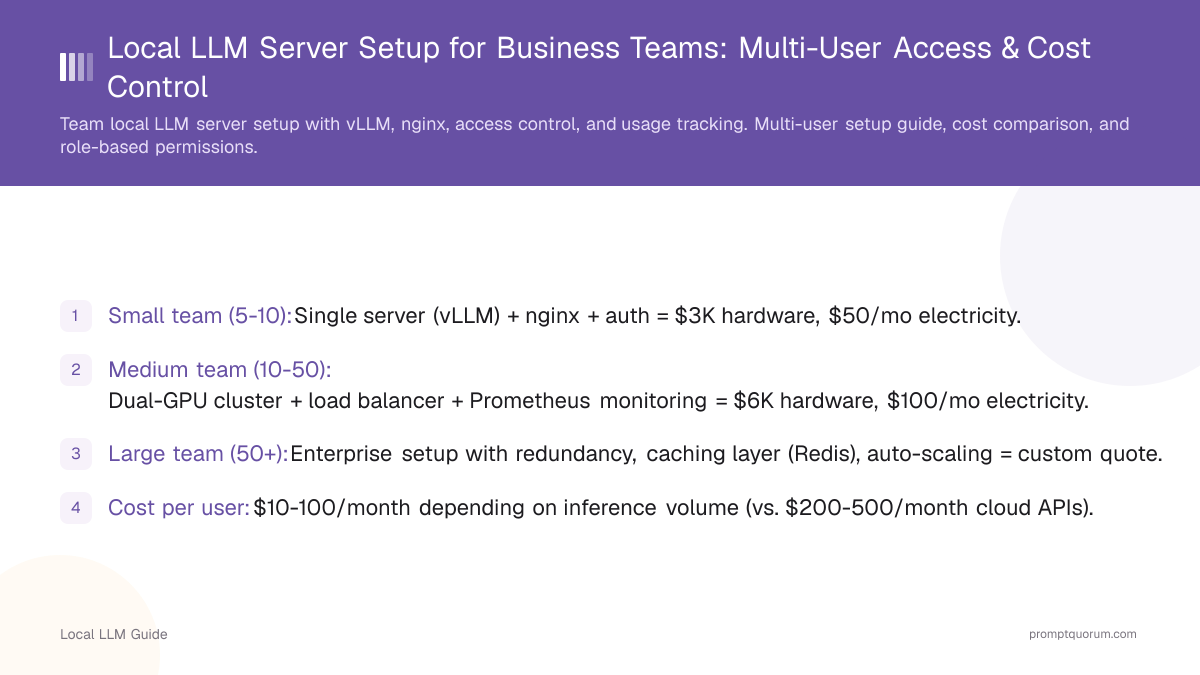
- Small team (5-10): Single server (vLLM) + nginx + auth = $3K hardware, $50/mo electricity.
- Medium team (10-50): Dual-GPU cluster + load balancer + Prometheus monitoring = $6K hardware, $100/mo electricity.
- Large team (50+): Enterprise setup with redundancy, caching layer (Redis), auto-scaling = custom quote.
- Cost per user: $10-100/month depending on inference volume (vs. $200-500/month cloud APIs).
- Setup time: Single server = 1 day. Cluster = 1 week. Enterprise = 1 month (including security audit).
- API authentication: OAuth 2.0 (SSO via AD/Okta) for enterprise. Simple token auth for SMB.
- Usage tracking: Every query logged with user ID, timestamp, tokens generated (for cost attribution).
- Admin burden: Minimal (automated monitoring). Scaling event = add GPU card + rebalance (no code changes).
📍 In One Sentence
A shared local LLM server for a 5-20 person team, built on vLLM plus an nginx load balancer, costs roughly $50/month in electricity versus $1,000+/month for equivalent cloud API usage, with setup taking a day for a single server or up to a week for a redundant cluster.
💬 In Plain Terms
Instead of every team member paying for their own AI subscription, a company can run one shared AI server that everyone connects to -- similar to a company file server. It costs more upfront (buying the hardware) but becomes much cheaper per month than paying a cloud AI provider for the same usage, especially once you have more than a handful of regular users.

Which Architecture: Single Server or Multi-GPU Cluster?
Single vLLM server (5-10 users):
- 1× RTX 4090 + 64GB RAM + 1TB SSD.
- Handles 10 concurrent users (5 tok/s each).
- Simple setup, single point of failure. See best local LLM stack for framework choices.
- Cost: $2,500 hardware + $50/mo electricity.
Dual-GPU cluster (10-50 users):
- 2× vLLM instances (one per GPU) + nginx load balancer.
- Handles 20 concurrent users (10 tok/s each).
- Automatic failover (if GPU 0 dies, GPU 1 stays up). Learn more in scaling local LLMs enterprise.
- Cost: $5,000 hardware + $100/mo electricity.
Redis caching layer (optional):
- Cache common prompts (system messages, templates).
- 30% latency reduction for repeated queries.
- Cost: $1K additional hardware.

How to Set Up User Authentication & Access Control?
Simple auth (SMB < 50 users): API key per user. User sends `Authorization: Bearer $API_KEY` in request header. For compliance, see enterprise compliance with local LLMs.
Enterprise auth: OAuth 2.0 + SAML 2.0 integration with Okta/Azure AD. SSO login, automatic group assignment.
Rate limiting: Per-user token quota (e.g., 100K tokens/day). Prevents one team overusing the server.
Audit trail: Log every API call with user ID, IP, request size, response size, timestamp.

How to Track Cost Attribution & Usage Metering?
Track: Tokens generated per user per day. Sum across team for total cost. See private local LLM for sensitive data for privacy-first metering.
Attribution: Allocate server cost proportionally (e.g., if Alice generates 40% of tokens, she gets 40% of bill).
Showback report: Monthly report per user: tokens used, estimated cloud API cost, internal cost, savings.
Tools: Prometheus + custom billing service. Or use open-source option: Metered.io (cloud-based cost tracking).
How to Scale Local LLM Servers as Team Size Grows?
5-10 users: 1× RTX 4090. Server: saturated when everyone runs inference simultaneously. Acceptable latency spikes.
10-30 users: 2× RTX 4090 (dual-GPU machine). Nginx load balancer spreads load. 20 concurrent = comfortable.
30-100 users: 3-4× GPU cluster (separate machines) + dedicated load balancer (hardware or software). Kubernetes optional.
100+ users: Enterprise architecture (cloud failover, cache layer, API gateway) = consider hybrid (local + cloud burst).

How to Monitor Performance & Troubleshoot Issues?
Prometheus metrics: vLLM exports request latency, tokens/sec, queue length. Scrape every 15 sec.
Grafana dashboard: Visualize queue depth, latency percentiles (p50, p99), GPU utilization.
Alerts: If latency > 2 sec or queue > 10 requests, page on-call engineer.
Logs: Centralize vLLM + nginx logs in ELK Stack. Search by user, timestamp, error.
Bottleneck identification: If GPU saturated (>90% utilization) and latency > 1 sec, add GPU. If CPU saturated, upgrade CPU.

Common Setup Mistakes
- Single point of failure (one GPU, no failover). GPU dies, team loses access. Use dual-GPU minimum.
- No rate limiting. One user runs 1M token inference, blocks everyone else. Implement token quotas.
- No audit logs. Can't track who accessed what data. Logging is mandatory for compliance teams.
Frequently Asked Questions
Can I add more users without buying new hardware?
Up to 20-30 concurrent users per GPU. Beyond that, add a second RTX 4090 and rebalance the load with nginx. One RTX 4090 handles approximately 5 tokens/sec per concurrent user.
How do I handle model updates (new Llama 3 variant)?
Download the new model on a separate machine and test it before deployment. vLLM supports hot-swapping models by pausing new requests, finishing in-flight queries, and swapping model files with zero downtime.
Should I use Kubernetes for team deployment?
Not needed for fewer than 50 users. Plain Docker + docker-compose is simpler, more transparent, and requires less operational overhead. Kubernetes adds complexity without corresponding benefit for small teams.
Can I bill users based on tokens?
Yes, via showback reports using Prometheus metrics. Track tokens per user per day and allocate server costs proportionally. Decide your policy first: shared cost across the team, or chargeback to individual departments.
What if a user accidentally deletes data on the server?
Run daily backups of all input/output logs to external storage. Use RAID 6 configuration (survives 2 concurrent drive failures) for hardware redundancy. Test recovery procedures monthly to ensure backups are valid.
Can I integrate with Slack/Teams for easy access?
Yes. Build a Slack bot that calls the vLLM API and returns responses in the channel. Popular integration: use an OpenAI API wrapper for Slack, compatible with vLLM OpenAI-compatible endpoint.
How much does a team local LLM server cost compared to cloud APIs?
단일 서버 설정: 하드웨어 $2,500 + 전기 $50/월($600/년) 대 클라우드 API $1,000+/월($12,000+/년). 활성 팀의 회수 기간: 2~3개월.
팀 LLM 서버의 사용자 인증을 어떻게 설정합니까?
엔터프라이즈는 SSO(Active Directory / Okta)와 OAuth 2.0 사용. 중소기업 팀은 간단한 토큰 인증 사용. 모든 쿼리는 비용 귀속을 위해 사용자 ID, 타임스탬프, 토큰 수와 함께 기록됩니다.
팀 설정에서 GPU가 고장나면 어떻게 됩니까?
로드 밸런서가 있는 이중 GPU 클러스터 사용: GPU 0이 고장나면 모든 요청이 GPU 1로 자동 라우팅됩니다. 다운타임 없음. 단일 서버 설정의 경우 RAID 스토리지가 데이터를 보호하지만 GPU 장애 복구에는 이중화가 필요합니다.
새 하드웨어를 구매하지 않고 더 많은 사용자를 추가할 수 있습니까?
네, GPU당 최대 20~30명의 동시 사용자까지 가능합니다. 그 이상이면 GPU 카드를 추가하고 로드 밸런서를 재조정하십시오. RTX 4090 하나는 동시 사용자당 약 5 토큰/초를 처리합니다.
팀 설정에서 모델 업데이트를 어떻게 처리합니까?
별도 머신에서 새 모델 다운로드 후 테스트하고 교체하십시오. vLLM은 새 요청을 일시 중지하고 진행 중인 쿼리를 완료한 후 모델 파일을 교체하는 방식으로 다운타임 없이 핫 스왑을 지원합니다.
팀 로컬 LLM 배포에 Kubernetes를 사용해야 합니까?
50명 미만의 경우 불필요합니다. 일반 Docker + docker-compose가 더 간단하고 오버헤드가 적습니다. Kubernetes는 소규모 팀에 이점 없이 복잡성만 추가합니다.
토큰 사용량에 따라 팀원에게 비용을 청구할 수 있습니까?
네, 쇼백 보고서를 통해 가능합니다. Prometheus 메트릭으로 사용자당 일일 토큰을 추적한 후 서버 비용을 비례 배분하십시오. 먼저 정책을 결정하십시오: 공유 비용 또는 부서별 비용 청구.
팀 서버에서 사용자 데이터와 로그를 어떻게 백업합니까?
모든 입출력 로그를 외부 스토리지에 매일 백업하십시오. RAID 6 이중화(동시 드라이브 2개 장애 생존) 사용. 백업이 유효한지 확인하기 위해 매월 복구를 테스트하십시오.
Sources
- vLLM official documentation — multi-user setup and rate limiting
- Prometheus documentation — metrics collection and alerting
- Kubernetes best practices — container orchestration for large deployments
- Team deployments require standardized prompting practices. Establish team-wide prompt engineering standards: prompt engineering setup for small teams covers governance, templates, and workflows.