Which Ollama Models Support Vision?
Quick Answer
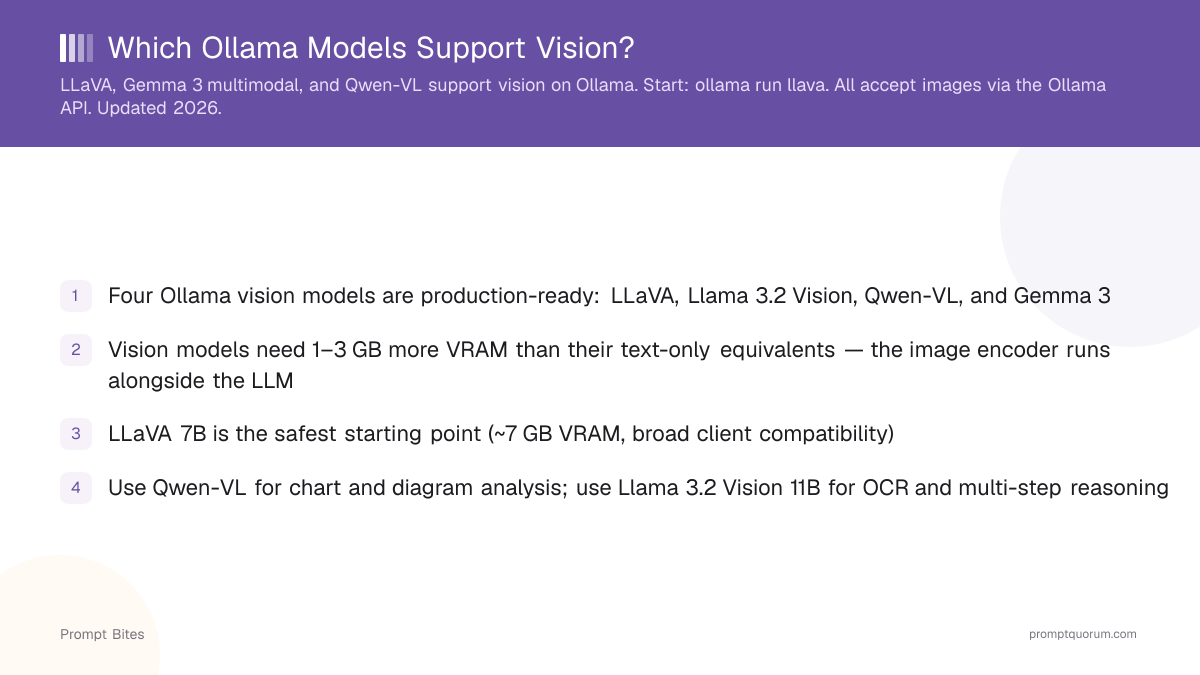
Ollama's best vision models in 2026 are Qwen3-VL and Gemma 4, both natively multimodal. LLaVA remains the safest fallback for broad compatibility. Llama 3.2 Vision is currently broken on Ollama ("unknown model architecture: mllama") — use Qwen3-VL or Gemma 4 instead.
- ▸qwen3-vl: strongest vision family, best for OCR, charts, and screenshots
- ▸gemma4: vision built into every size, plus tool calling
- ▸llava: safest fallback, broadest client compatibility
- ▸llama3.2-vision: broken on Ollama v0.30.0+ ("unknown model architecture: mllama")
Key Takeaways
- ✓Ollama's leading vision models as of September 2026 are Qwen3-VL and Gemma 4 — both replaced the earlier Qwen2.5-VL / Gemma 3 generation
- ✓Llama 3.2 Vision is currently broken on Ollama v0.30.0 and later: it fails with "Error: unknown model architecture: mllama" because Ollama's llama.cpp-based engine has no mllama support
- ✓LLaVA 7B remains the safest fallback (~7 GB VRAM, works on every Ollama version)
- ✓Use Qwen3-VL for OCR, charts, and screenshots; use Gemma 4 when you need vision and tool calling in one model
The Top Vision Models on Ollama
Ollama's vision lineup changed significantly in 2026: Qwen3-VL and Gemma 4 are now the strongest options, and Llama 3.2 Vision no longer loads on current Ollama versions. Each remaining model has a distinct strength and VRAM profile.
Qwen3-VL is the strongest open vision-language family available on Ollama — it leads on OCR, charts, diagrams, and screenshot/UI understanding, and ranges from a 2B edge model up to a 235B mixture-of-experts variant. Gemma 4 builds native vision into every size (2B–31B) alongside tool calling, making it the best pick when one model needs to both see images and call tools. LLaVA remains the safest starting point for broad client compatibility. Qwen2.5-VL, the previous Qwen generation, still works and remains a valid lightweight pick if you already have it pulled.
All vision models load an image encoder alongside the LLM weights. This encoder adds 1–3 GB of VRAM above what the base text-only model needs — plan for that overhead when checking your VRAM budget.
Error: unknown model architecture: "mllama" — the mllama architecture was never added to llama.cpp. This is still unresolved as of Ollama v0.33.2 (August 2026). Use Qwen3-VL or Gemma 4 instead, or keep a pre-0.30.0 Ollama install if you specifically need Llama 3.2 Vision.VRAM Requirements for Vision
Every vision model needs more VRAM than its text-only equivalent. A 7–8B vision model typically requires 7–9 GB VRAM, not the ~6 GB you would budget for a similarly sized text-only model.
For OCR, charts, and document analysis, Qwen3-VL 8B is the most VRAM-efficient strong option. For vision plus tool calling in one model, Gemma 4's 12B or 26B-A4B MoE variants fit 8–14 GB. For the full guide on multimodal local models and use-case matching, see the multimodal local LLMs guide.
| Model | VRAM at Q4 | Image Capability |
|---|---|---|
| LLaVA 7B | ~7 GB | General image Q&A, broad compatibility |
| Qwen3-VL 8B | ~8 GB | OCR, charts, screenshots, multilingual |
| Gemma 4 (12B) | ~8 GB | Vision + tool calling |
| Gemma 4 (26B-A4B MoE) | ~14 GB | Vision + tool calling, higher quality |
| Llama 3.2 Vision 11B | ~10 GB | ⚠️ Broken on Ollama v0.30.0+ (mllama error) |
Related Guides
- ▸Run Qwen 3 on Ollama -- multimodal-capable option with tool calling
- ▸Ollama 128K Context Models -- long context models
- ▸Multimodal Local LLMs Guide -- full guide to local vision models
- ▸Best Local Vision Models 2026 -- every vision model, every GPU tier
Quick Answers About Ollama Vision Models
How do I send an image to Ollama via the API?▾
/api/chat endpoint with the image as a base64 string in the images array. Minimum working JSON body: {"model":"llava","messages":[{"role":"user","content":"What is in this image?","images":["<base64>"]}]} See Qwen 3 on Ollama for a multimodal-capable option with strong tool calling support.Why does llama3.2-vision fail with "unknown model architecture: mllama"?▾
Can vision models do OCR (read text from images)?▾
Which Ollama vision model is best for charts and diagrams?▾
Do vision models support multiple images in one prompt?▾
Want the full breakdown?
Read the complete guide →Related Prompt Bites