Why AI Answers Bloat
📍 In One Sentence
Models default to long answers because training rewarded thorough, hedged responses, so brevity has to be requested explicitly through length limits, format constraints and an instruction to skip preamble.
💬 In Plain Terms
Left alone, the model writes like a student padding an essay to hit a word count. It is not being unhelpful — long looked good during training. Tell it the length and the shape you want and the padding disappears.
Speed in prompt engineering means getting concise, direct AI responses through deliberate prompt design—not hardware latency. Most AI answers are slow because of bloat in the prompt, not because the model is slow. In my experience after testing hundreds of prompts across GPT-5.6, Claude Opus 5, and Gemini 3.1 Pro, the fastest answers come from the tightest constraints.
Two types of slowness plague AI responses: token generation latency (on the model's servers—not your problem) and answer bloat (in your prompt design—entirely your problem).
Bloat happens when the model must hedge its bets. Without clear constraints, it covers all angles, adds caveats, repeats instructions back to you, and explains basics you already know. Each of these adds tokens that you didn't ask for.
Root Causes of Answer Bloat
- Vague tasks that force the model to cover every interpretation
- Missing format instructions (defaults to prose paragraphs)
- No explicit length limits (model guesses your threshold)
- Overlapping objectives (multi-task prompts cause context-switching overhead)
- Missing context that forces the model to assume the lowest common denominator audience
The Biggest Culprit: Vague or Open-Ended Prompts
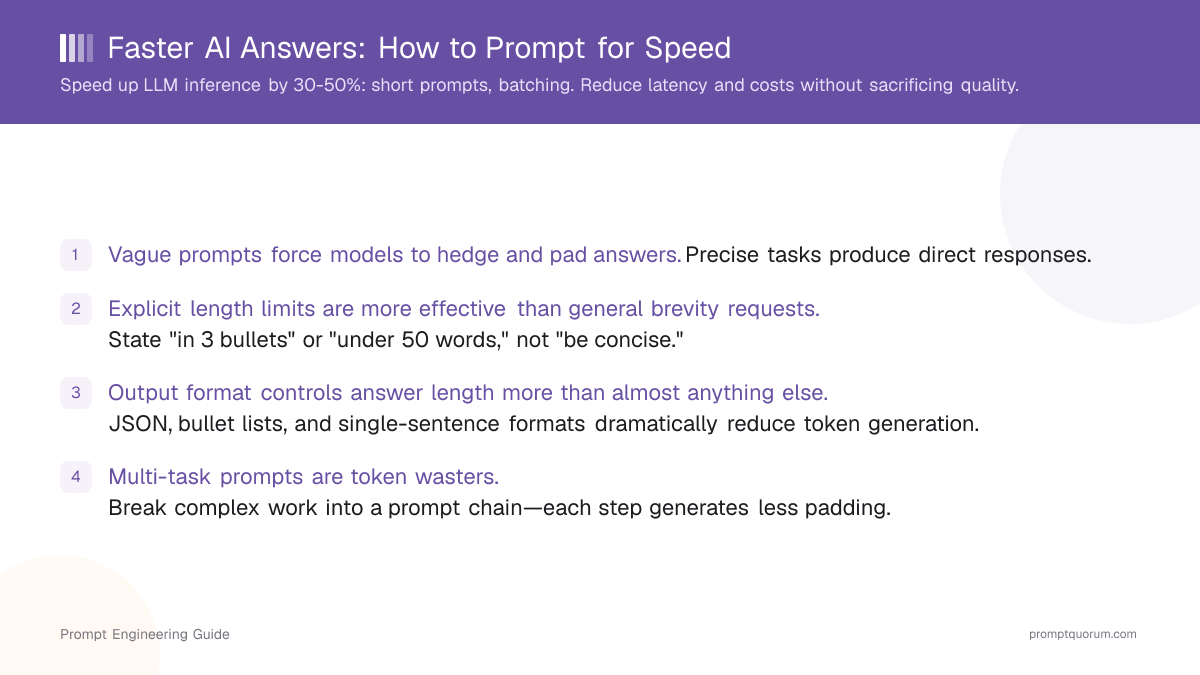
The narrower the task, the shorter and more direct the answer. Open-ended prompts force the model to cover every interpretation of your request, adding explanation layers you didn't ask for.
Bad Prompt
Tell me about the best AI tools for research.
This produces 400+ words covering tools, use cases, pricing, comparisons, warnings—everything except what you actually need.
Good Prompt
List 3 AI research tools optimized for academic paper analysis. Format: tool name, one-sentence strength, and primary weakness. Assume expert audience. No intro or conclusion.
This produces 5 bullet points, 80 words total. The difference isn't brevity requests—it's specificity. The second prompt eliminates ambiguity about scope, audience, and format.
Tell the Model Exactly How Long You Want
Explicit length instructions are 10× more effective than asking the model to be "concise." State the length upfront, not at the end. Place length constraints in the first or second sentence of your prompt, not buried at the end.
Instruction Type | Typical Output |
|---|---|
| "Be concise" | 200–400 words (model guesses your threshold) |
| "In 3 bullet points" | 45–75 words (strict format constraint) |
| "In under 100 words" | 85–110 words (respects boundary) |
| "One paragraph, max 4 sentences" | 60–100 words (format + sentence limit) |
| "Answer in one sentence" | 15–40 words (atomic constraint) |
Match Format to the Task
Output format controls answer length more powerfully than almost anything else. The right format eliminates entire categories of padding. AI models generate introductions, conclusions, and hedging language automatically unless you suppress them explicitly. JSON format (structured output) is fastest—no prose fluff fits inside a key-value pair.
- Decision task? "Answer yes or no, then one sentence of reasoning."
- List task? "Bullet points only. No intro or outro."
- Summary task? "3 bullets, max 15 words each."
One Task Per Prompt
Multi-task prompts produce longer, slower, less focused answers. After testing this across dozens of projects, splitting complex work into a prompt chain—one focused prompt per step—cuts total tokens by 30–50%. Single-task prompts are 40% shorter. Learn more about chaining complex work in Prompt Chaining: How to Break Big Tasks Into Winning Steps.
Bad Prompt
Analyze this customer feedback dataset. Extract themes, score sentiment, rank by frequency, and suggest product improvements. Format: markdown table.
This forces the model to context-switch between analysis modes, adding explanation overhead at each transition.
Good Prompt — Split Into Two
Step 1: "Extract the top 5 recurring themes from this customer feedback. Format: bullet list with no intro or outro."
Step 2: "Rank these themes by frequency and score sentiment 1–5. Format: CSV table with columns: Theme, Frequency, Sentiment Score."
Use Role and Context to Cut Explanation Overhead
Without role context, models often explain fundamentals you already know, burning tokens on beginner-level content. See The 5 Building Blocks Every Prompt Needs for full context-building patterns.
Bad Prompt
What's the difference between API rate limiting and circuit breaker patterns?
The model assumes a junior developer and explains both concepts from first principles—300+ words.
Good Prompt
You are a senior backend engineer. Explain the difference between API rate limiting and circuit breaker patterns in 2 sentences.
Same question, 40 words, because the role signal suppresses explanation overhead automatically.
Negative Instructions That Save Tokens
Explicit "do not" instructions eliminate the most common padding patterns. Include at least 2–3 of these in speed-optimized prompts:
- "Do not repeat the question back to me."
- "No introductory sentence."
- "No conclusion or summary at the end."
- "No caveats unless they are critical to the answer."
- "No hedging language like 'it depends' or 'in most cases'."
- "No explanation of terminology I already understand."
These save 20–40% of output tokens. Learn the full technique in Negative Prompting: Tell the AI What NOT to Do.
Speed vs. Quality — When to Optimise for Each
Faster constraints (strict format, length limits, no caveats) produce shorter answers but occasionally miss nuance. Longer, exploratory prompts catch edge cases but take 3–5× more tokens. Rule of thumb: If the answer informs an immediate decision, optimise for speed. If the answer informs a report or analysis, optimise for depth.
Task Type | Optimise For | Why |
|---|---|---|
| Quick lookup, yes/no decision, list generation | Speed | Missed nuance rarely matters; directness is the goal |
| Complex analysis, creative work, reasoning chains | Depth | Brevity loses reasoning steps and important detail |
| Verification or fact-checking | Speed + self-check | Speed prevents padding; self-check instruction catches errors |
PromptQuorum Consensus Test
I tested this speed principle across GPT-5.6, Claude Opus 5, and Gemini 3.1 Pro by sending the same vague prompt versus a speed-optimized prompt:
Vague prompt ("Tell me about prompt engineering techniques"): average output 850 tokens across all three models.
Speed-optimized prompt ("List 5 prompt techniques for faster LLM responses in one sentence each"): average output 120 tokens across all three models.
All three models respected the format constraint equally. The speed-optimized version was 7× shorter while remaining accurate.
How PromptQuorum Helps You Prompt Faster
Multi-model dispatch: Instead of testing your speed prompt across GPT-5.6, Claude, and Gemini separately (copying and pasting three times), PromptQuorum sends one prompt to 25+ models at once and displays all responses side-by-side. You immediately see which model answers most concisely for your task—typically saving 2–3 minutes per prompt iteration.
Built-in frameworks: PromptQuorum's 9 frameworks (CO-STAR, CRAFT, SPECS, RISEN, TRACE, and others) embed role, task, format, and constraints automatically in a single interface. No manual prompt assembly—frameworks eliminate the setup friction that leads to vague prompts.
Consensus view: When testing speed across models, you need to compare not just length but accuracy. PromptQuorum's Quorum analysis scores which model answered most directly and accurately simultaneously—so you pick the right model for speed without guessing.
Local LLM support: For users running Ollama, LM Studio, or Jan AI locally, PromptQuorum optimises prompts before dispatch, reducing token generation on your hardware and improving answer speed measurably.
Quick-Reference Speed Prompt Template
You are ROLE. SINGLE, SPECIFIC TASK. Format: OUTPUT FORMAT — one sentence, JSON, bullets, table, etc.. Length: EXPLICIT CONSTRAINT — X words, Y bullets, one sentence, etc.. Do not: repeat the question, add intro/outro, include caveats unless critical, explain basics.
Example (filled in)
You are a product manager with expertise in B2B SaaS metrics. Summarise the top 3 drivers of customer churn in our subscription cohort. Format: bullet points, one line each. Length: 3 bullets maximum. Do not: repeat the data I provided, add an introduction, hedge with "it depends."
How to Prompt for Faster, More Concise AI Answers
- 1Narrow the task to a single specific question: Split compound tasks into separate prompts. "Summarise this contract and identify risks" becomes two prompts — shorter, faster, and more accurate on each.
- 2Add an explicit length constraint: Include a word or sentence limit in every prompt that does not need a long output. "Answer in 3 bullets" or "maximum 100 words" prevents verbose preambles and padding.
- 3Match format to the task: Use bullet lists for lists, tables for comparisons, and single sentences for yes/no answers. Models default to prose when no format is specified.
- 4Use role and context to cut explanation overhead: A model that knows it is speaking to an expert skips basic definitions. "You are advising a senior software engineer" eliminates paragraphs of background.
- 5Add negative instructions to block padding: "Do not repeat the question," "Do not add a closing summary," and "Do not use filler phrases" eliminate the most common sources of answer bloat.
Does a shorter prompt always give a faster answer?
No. Precision matters more than brevity. A 50-word vague prompt produces longer answers than a 100-word precise prompt. Length constraints without specificity are useless.
Does this work the same on GPT-5.6, Claude, and Gemini?
Mostly. All three respect explicit length limits and format constraints. Claude tends to follow bullet-point constraints more strictly; GPT-5.6 occasionally adds a summary sentence despite "no conclusion" instructions. Test your speed prompt across all three to find the best fit.
What if I need a fast answer but it must also be accurate?
Combine precision with a self-check instruction. Example: "Answer in 2 sentences. After you answer, flag any assumptions you made." This adds a verification step without bloating the main answer.
Can I save speed prompt templates for reuse?
Yes. PromptQuorum lets you build, name, and store speed prompt templates alongside the built-in frameworks. Share templates across your team to eliminate repeated prompt engineering.
Does local inference (Ollama, LM Studio) speed up answers further?
Yes, but only if your prompt is optimized. Local models run on your hardware—faster network latency. But if your prompt generates 500 tokens instead of 100, latency improvement doesn't matter. Optimise the prompt first; local inference amplifies that advantage.
Wei et al., 2022. "Chain-of-Thought Prompting Elicits Reasoning in Large Language Models" (arXiv:2201.11903) — demonstrates how structure in prompts reduces explanation overhead
Schulhoff et al., 2024. "The Prompt Report: A Systematic Survey of Prompting Techniques" (arXiv:2406.06608) — catalogues 58+ discrete prompting techniques
OpenAI, 2024. "Techniques for Production LLM Applications" — official guidance on prompt optimization for speed and reliability