PromptQuorumPromptQuorum
ไธป้กต/ๆ็คบ่ฏๅทฅ็จ‹/Prompts for Reliable Structured Data: 3 Techniques (2026)
Techniques

Prompts for Reliable Structured Data: 3 Techniques (2026)

ยท9 min readยทHans Kuepper ไฝœ่€… ยท PromptQuorumๅˆ›ๅง‹ไบบ๏ผŒๅคšๆจกๅž‹AI่ฐƒๅบฆๅทฅๅ…ท ยท PromptQuorum

Most structured output failures happen inside valid JSON โ€” required fields missing, dates formatted as plain strings, enum values misspelled, nullable fields returning empty strings instead of null. API-level JSON mode and tool_use eliminate unparseable output but do nothing for schema-compliance failures. Three prompt techniques fix what JSON mode leaves behind.

Three prompt patterns raise structured output reliability to 95% or more without API changes: embedding the schema in the prompt, showing the model one valid output example, and adding field-level instructions for type, format, and null handling. These patterns work across GPT-4o, Claude 4.6 Sonnet, and Gemini 2.5 Pro, with or without native JSON mode.

ๅ…ณ้”ฎ่ฆ็‚น

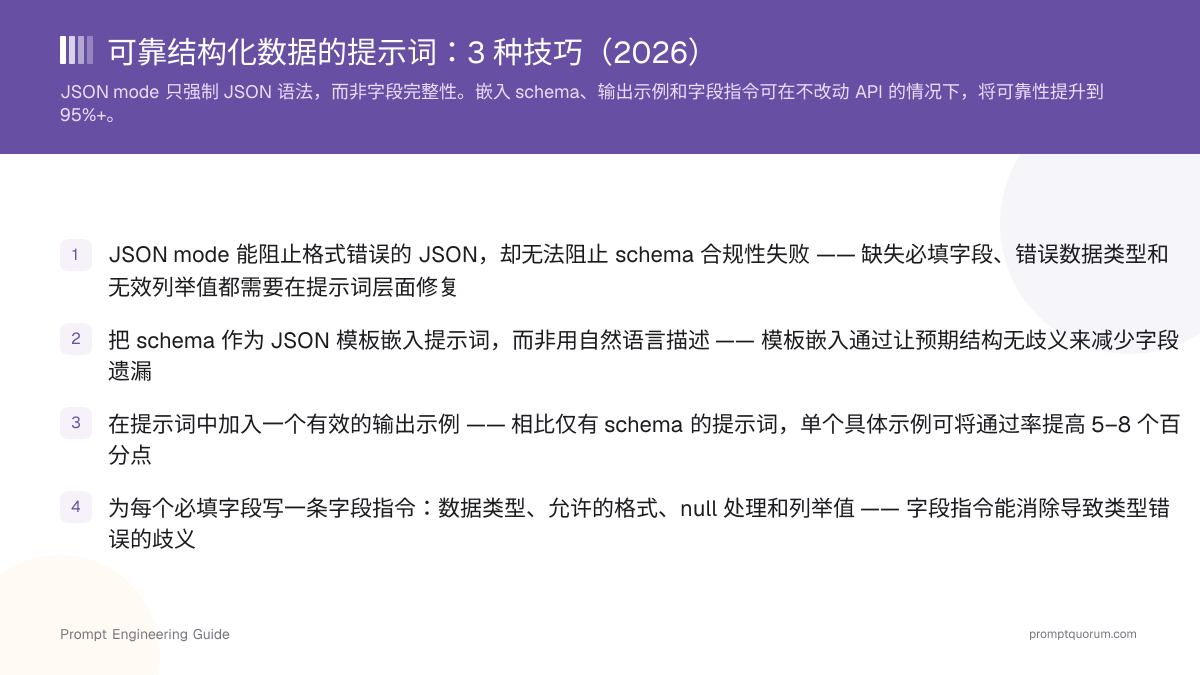
  • JSON mode stops malformed JSON but not schema-compliance failures โ€” missing required fields, wrong data types, and invalid enum values require prompt-level fixes
  • Embed the schema as a JSON template in the prompt, not as a natural language description โ€” template embedding reduces field omissions by making the expected structure unambiguous
  • Add one valid output example to the prompt โ€” a single concrete example raises pass rates by 5โ€“8 percentage points over schema-only prompts
  • Write one field instruction per required field: data type, allowed format, null handling, and enum values โ€” field instructions eliminate the ambiguity that causes type errors
  • Use YAML instead of JSON for free-form prompting without API enforcement โ€” models produce fewer syntax errors in YAML due to its simpler syntax
  • Target 95%+ pass rate on a 20-case test set before deploying any structured output prompt to production; below 95%, downstream failures require a recovery process
  • Test every structured output prompt against at least 2 models โ€” a prompt that passes at 95% on GPT-4o may fail at 70% on Claude 4.6 Sonnet without model-agnostic instructions

โšก Quick Facts

  • ยทJSON mode APIs (OpenAI response_format, Anthropic tool_use) enforce parseable JSON but do not guarantee field presence, correct data types, or valid enum values โ€” schema-compliance failures require prompt-level controls
  • ยทModels without API-enforced JSON mode achieve 80โ€“85% structured output reliability with schema-in-prompt alone; adding one valid output example raises this to 90โ€“92%
  • ยทEnum fields with more than 5 values need all allowed values listed explicitly in the prompt โ€” models invent plausible values not in scope when the enum list is absent from the prompt
  • ยทA 20-case test set (10 happy-path, 5 edge cases, 5 adversarial) is sufficient to identify the most common structured output prompt failures before production deployment

๐Ÿ” TL;DR

JSON mode enforces JSON syntax, not schema compliance โ€” missing fields, wrong types, and invalid enum values require prompt fixes. Three techniques close the gap: (1) embed the schema as a JSON template directly in the prompt, (2) include one valid output example, (3) add one instruction per field covering type, format, and null handling. Target 95%+ pass rate on a 20-case test set before deploying. Use YAML instead of JSON for free-form prompts without API enforcement โ€” models produce fewer syntax errors.

Prompt Design Determines Structured Output Reliability

๐Ÿ“ In One Sentence

Structured output reliability is the percentage of model responses that are parseable, contain all required fields, use correct data types, and have valid enum values โ€” JSON mode guarantees only the first of these four.

๐Ÿ’ฌ In Plain Terms

Think of JSON mode as spell-check: it catches syntax errors but not meaning errors. A document can pass spell-check and still be wrong. A prompt that only relies on JSON mode is like a document that passed spell-check โ€” structurally valid but potentially incomplete or incorrectly typed.

JSON mode and tool_use APIs enforce parseable JSON, but they do not ensure field completeness, correct data types, or valid enum values โ€” those failures require prompt-level fixes, not API changes. The most common structured output failures happen inside syntactically valid JSON: required fields missing because the model treated them as optional, dates formatted as relative strings ("last Tuesday") instead of ISO 8601, enum values misspelled or abbreviated, and nullable fields returning empty strings instead of null.

Three prompt-level interventions consistently close the reliability gap. Schema embedding makes the output structure unambiguous. A single valid output example removes formatting ambiguity. Field-level instructions eliminate type and null-handling errors. Together, these three raise structured output reliability to 95%+ across GPT-4o, Claude 4.6 Sonnet, and Gemini 2.5 Pro โ€” with or without native JSON mode.

Failure typeWhat causes it in the promptPrompt fix
Required field missingModel infers the field is optional from natural language descriptionLabel each required field explicitly: "title REQUIRED" or list required fields separately
Wrong data typeAmbiguous field name with no type annotationAdd type annotation in prompt: "amount (integer, not string)"
Invalid enum valueEnum not listed in full โ€” model invents a plausible valueList all enum values explicitly: "status: one of 'active', 'inactive', 'pending'"
null vs empty string confusionNo instruction distinguishing null from ""Add: "Return null if unknown. Never return empty string for unknown values."
Extra undeclared fieldsModel adds helpful context not in the schemaAdd: "Return only the fields specified. Do not add fields not listed in the schema."

๐Ÿ” JSON mode is not enough

Schema-in-prompt, field instructions, and output examples are required even when using API-enforced JSON mode. JSON mode and prompt schema design are complementary โ€” not alternatives. JSON mode prevents syntax failures; prompt design prevents compliance failures.

Embed the Schema Directly in the Prompt

Embed the expected output schema as a JSON template directly in the prompt, not as a natural language description. Models that see the structure before generating it produce fewer field omissions and type errors than models that receive only a prose description of what you want.

A schema-in-prompt uses the exact format you expect in the output: field names, nesting depth, and value placeholders. Place the schema template after your task instruction and before any examples. Use placeholder values that communicate the expected type: `"amount": 0` communicates integer; `"amount": 0.00` communicates float; `"created_at": "YYYY-MM-DDTHH:MM:SSZ"` communicates the ISO 8601 format you expect.

๐Ÿ” Use TypeScript-style type annotations

For prompts where JSON mode is not available, add TypeScript-style type annotations as comments inside the schema template: `"amount": 0 // float, USD, 2 decimal places`. This provides type information inside the schema structure without requiring a separate field instructions section.

๐Ÿ” Field order matters

List required fields first in your schema template, optional fields next, and nullable fields last. Models weight earlier elements more heavily when deciding what to include โ€” a nullable field listed first is more likely to be omitted when the model is uncertain about the value.

โŒ Natural language description only

Extract the order details from the following text and return them as JSON. Include the order ID, customer name, total amount, items ordered, and order status. Text: {{text}}

โœ… Schema embedded as JSON template

Extract the order details from the following text and return them as JSON matching this exact schema: { "order_id": "string", "customer_name": "string", "total_amount": 0.00, "status": "string", "items": [ { "name": "string", "quantity": 0, "unit_price": 0.00 } ] } Return only valid JSON. Do not include any text outside the JSON object. Text: {{text}}

Show the Model One Valid Output Example

Adding one concrete, realistic output example to the prompt raises structured output reliability by 5โ€“8 percentage points compared to schema-only prompts. The example shows the model the exact format, field ordering, value style, and quoting convention you expect โ€” reducing ambiguity that the schema definition alone cannot eliminate.

Place the example after the schema template and label it clearly ("Example output:" or "Here is a valid response:"). Use realistic placeholder values โ€” not "foo", "bar", or "example" โ€” because models learn from value style. If your dates are ISO 8601, show an ISO 8601 date. If your prices have two decimal places, show `12.99`, not `13`.

๐Ÿ” One example is usually enough

A second example adds value only when your data has meaningfully different structure depending on input conditions โ€” for instance, when certain fields are conditionally present based on product type. Beyond two examples, the prompt length cost exceeds the reliability benefit for most structured output tasks.

โš ๏ธ Avoid trivial placeholder values

Examples with "foo", "bar", "test", or `0` as placeholders teach the model that these are valid values. Use values representative of your actual data โ€” real product names, realistic ratings, actual date strings.

โŒ Schema only โ€” no output example

Extract product details from the review below and return JSON with this schema: { "product_name": "string", "rating": 0, "sentiment": "string", "key_features": ["string"] } Review: {{review}}

โœ… Schema + one realistic output example

Extract product details from the review below and return JSON with this schema: { "product_name": "string", "rating": 0, "sentiment": "string", "key_features": ["string"] } Example output: { "product_name": "WH-1000XM5 Headphones", "rating": 4, "sentiment": "positive", "key_features": ["noise cancellation", "30-hour battery", "comfortable fit"] } Review: {{review}}

Write Field-Level Instructions for High-Stakes Output

For production prompts where field correctness is critical, add one instruction per required field: the data type, the expected format, the null handling, and the allowed enum values where applicable. Field-level instructions eliminate the ambiguity that causes type errors โ€” a field named "amount" could be a string, an integer, or a float without an explicit type instruction.

Field instructions go in a separate section after the schema template, before the example. Label the section "Field requirements:" or "Schema rules:". Keep each instruction to one sentence.

Field typeInstruction patternExample instruction
StringFormat, max length, disallowed characters"title (string, max 100 characters, no HTML tags)"
NumberInteger vs float, precision, units"price (float, exactly 2 decimal places, USD, no currency symbol)"
DateFormat, timezone"created_at (string, ISO 8601: YYYY-MM-DDTHH:MM:SSZ, UTC timezone)"
EnumAll allowed values listed verbatim"status (string, exactly one of: 'active', 'inactive', 'pending')"
Booleantrue/false only โ€” reject yes/no/1/0"is_verified (boolean, true or false only โ€” not 1/0 or yes/no)"
NullableWhen to return null vs empty string vs omit"description (string or null โ€” return null if unknown, empty string if known to be blank)"
ArrayMin/max items, item type, empty array handling"tags (array of strings, 0โ€“5 items, return [] if none โ€” never return null)"

๐Ÿ” When to add field instructions

Add field instructions when: (1) a field has a specific format requirement (ISO dates, currency precision), (2) a field is an enum, (3) a field is nullable and the null/empty-string distinction matters, or (4) your test set shows that field failing in more than 10% of cases. Skip field instructions for simple, unambiguous string fields like "title" or "name".

โŒ Schema only โ€” no field instructions

Return JSON with these fields: { "invoice_id": ..., "amount": ..., "due_date": ..., "status": ..., "line_items": [...] }

โœ… Schema + field-level instructions

Return JSON with these fields: { "invoice_id": "string", "amount": 0.00, "due_date": "YYYY-MM-DD", "status": "string", "line_items": [{"description": "string", "quantity": 0, "unit_price": 0.00}] } Field requirements: - invoice_id: string, format INV-XXXXXX (e.g. INV-004821) - amount: float, 2 decimal places, USD total including tax - due_date: string, ISO 8601 date (YYYY-MM-DD), not a datetime - status: string, exactly one of: 'paid', 'unpaid', 'overdue', 'cancelled' - line_items: array of objects, 1 or more items, return [] if no line items found - If any field cannot be determined, return null for that field

Choose JSON for APIs, YAML for Prompts, CSV for Tabular Data

Use JSON when the output feeds into an API or database with JSON enforcement available. Use YAML for free-form prompts without API enforcement โ€” models produce fewer syntax errors in YAML because it requires no closing braces, no escape sequences, and no trailing comma awareness. Use CSV only for flat tabular data.

The reliability difference between JSON and YAML in free-form (non-API-enforced) prompting stems from syntax complexity. JSON requires every string to be quoted, every object to be closed with a brace, and every comma to be correct. YAML uses indentation instead โ€” which models handle more consistently. The trade-off: YAML output requires conversion before feeding into JSON-expecting downstream systems.

  • Use JSON if your downstream system has a JSON parser and API enforcement is available โ€” the enforcement eliminates syntax errors entirely
  • Use YAML if you are generating without API enforcement and your team converts to JSON before downstream processing
  • Use CSV only for flat tabular data โ€” the moment you need a nested object or an array in a cell, switch to JSON or YAML
  • Use Markdown tables only for human-readable output โ€” they are not machine-parseable without additional tooling
FormatReliability without API enforcementBest forAvoid when
JSON80โ€“85% with schema-in-promptAPIs, databases, type-safe consumersNo API enforcement and complex nesting is involved
YAML88โ€“92% with schema-in-promptHuman-readable output, config-style data, without API enforcementDownstream system requires JSON without a conversion step
XML85โ€“90% with schema-in-promptDocument transformation, legacy system integrationSimple key-value data (XML adds unnecessary verbosity)
CSV95%+ for flat dataTabular data, spreadsheet exports, data pipelinesData has nested or hierarchical structure
Markdown tablesHigh for simple tablesReports, documentation, human-readable tabular outputMachine-readable downstream processing is required

โš ๏ธ YAML-to-JSON conversion cost

If you use YAML for prompt reliability and need JSON for downstream processing, add a conversion step in your pipeline. yaml.safe_load() in Python and js-yaml in Node.js handle this in one line. Factor this into your architecture before committing to YAML across a team.

Ask the Model to Fix Its Own Malformed Output

When a structured output prompt fails validation, send a correction prompt containing the original instruction, the malformed output, and the specific validation error. Models recover valid output from their own malformed responses in 60โ€“75% of cases without a full prompt rewrite.

A correction prompt has three required parts: (1) a restatement of what the output must look like (the schema or format), (2) the malformed output exactly as the model returned it, and (3) the specific validation error โ€” "required field 'invoice_id' missing", "amount is a string, expected float". This three-part structure gives the model enough context to fix the specific problem rather than regenerating a different response with different failures.

๐Ÿ” When correction fails twice, fix the base prompt

If the correction prompt fails to produce valid output on the second attempt, the problem is in the base prompt, not the input data. Stop retrying and diagnose the failure pattern: which field fails, under what input conditions. Add a field instruction or schema change to prevent the failure at source.

โš ๏ธ Correction prompts add latency and cost

Each correction prompt doubles the API cost and latency for that call. Use correction prompts for edge-case failures only (less than 10% of outputs). If your structured output prompt fails more than 10% of the time, fix the base prompt rather than building a correction loop into production.

โŒ Vague retry โ€” no error context

You returned invalid output. Please try again and return valid JSON. {{original_prompt}}

โœ… Correction prompt with schema, output, and specific errors

Your previous response failed validation. Fix only the errors listed below and return corrected JSON. Expected schema: { "invoice_id": "string", "amount": 0.00, "status": "string" } Your previous response: { "invoice_id": null, "amount": "150.00", "status": "PAID" } Validation errors: - invoice_id is null but is a required string field โ€” extract it from the input - amount is a string ("150.00") but must be a float (150.00) - status must be lowercase: use 'paid', not 'PAID' Return only the corrected JSON object.

Prompt Patterns for Arrays, Enums, and Nullable Fields

Arrays, enums, and nullable fields are the three most common sources of structured output failures that schema-in-prompt alone does not prevent. Each requires a specific instruction pattern in the prompt.

Data typeCommon failurePrompt pattern that prevents it
Array (0 items)Model returns null instead of []"Return an empty array [] if no items are present. Never return null for array fields."
Array (1+ items)Model returns single object instead of array when only one item found"Always return an array, even when there is only one item. Single items must be wrapped: {...}"
Enum (2โ€“5 values)Model abbreviates or invents similar values"status: exactly one of: 'active', 'inactive', 'pending' โ€” no abbreviations or variants"
Enum (6+ values)Model invents values not in the listList all values in a numbered list, then: "Use only values from the list above. Do not abbreviate or combine values."
Nullable fieldModel returns "" instead of null, or omits the field entirely"Return null if the value is unknown. Return empty string '' only if the field is known to be blank. Always include the field โ€” do not omit it."
Integer vs floatModel returns float when integer expected, or string for both"score (integer โ€” no decimal places, e.g. 4 not 4.0)" or "price (float โ€” exactly 2 decimal places, e.g. 12.99 not 13)"
Nested objectModel collapses nested object to flat keys (e.g., "address.city" instead of {"address": {"city": ...}})Show the full nested structure in the schema template with proper indentation. Natural language description of nesting is frequently collapsed to flat keys.

โš ๏ธ null vs undefined vs omit

JSON has no undefined value, but models sometimes behave as if it does โ€” omitting a field entirely when they think the value is unknown, rather than returning null. If downstream code uses obj.hasOwnProperty() or similar checks, an omitted field is different from a null field. Add: "Always include every field in the schema, even if the value is null."

๐Ÿ” Nested enums need extra specificity

Enums inside nested objects are more likely to be misspelled or abbreviated than top-level enums. If you have an enum inside a nested object, repeat the instruction close to where the field appears in the schema template, not just in a general field rules section.

Measure Your Structured Output Prompt's Reliability

Target a 95%+ pass rate on a 20-case test set before deploying any structured output prompt to production. Below 95%, production failures occur frequently enough to require a downstream correction loop โ€” which adds latency and doubles API cost for every failing call.

Measure reliability at the field level, not just overall. A prompt with 95% overall pass rate but 60% pass rate on one enum field is a prompt with a known production failure mode. Field-level measurement tells you exactly which instruction to add or strengthen.

  1. 1
    Define pass/fail criteria for every schema field. For each field: type is correct, required field is present, enum value is in the allowed list, date format matches the required pattern. Write these as programmatic checks โ€” not visual inspection. This step produces your test oracle.
  2. 2
    Build a 20-case test set. Ten happy-path inputs (typical, well-formed data), five edge cases (missing optional fields, long text, unusual values, multi-language content), five adversarial inputs (instructions embedded in field values, extreme dates, ambiguous types). Use realistic inputs from your actual data domain.
  3. 3
    Run at temperature 0 and record pass/fail per field. Execute all 20 cases at temperature 0 for deterministic, repeatable results. Record whether each field passes or fails in each test case โ€” not just the overall outcome. Field-level failure patterns identify which instruction is missing.
  4. 4
    Fix the lowest-pass-rate field and retest. Add or strengthen one field instruction: type, format, null handling, or enum values. Re-run all 20 cases. A single targeted instruction addition typically raises overall pass rate by 5โ€“15 percentage points. Repeat until overall pass rate reaches 95% or higher.
  5. 5
    Validate the prompt on a second model. Run the full 20-case set against a second model using the same prompt. A prompt at 95%+ on GPT-4o but 70% on Claude 4.6 Sonnet is model-dependent. Either add instructions explicit enough to pass on both, or document which model the prompt is validated for and do not switch without re-testing.

๐Ÿ” Run tests at temperature 0

Run structured output test sets at temperature 0 to get deterministic, repeatable results. A prompt that passes at temperature 0 is reliable by design โ€” not lucky. Only increase temperature once the prompt passes at 95%+ deterministically, and then re-run the test set at the new temperature to confirm reliability holds.

๐Ÿ” Use PromptQuorum for multi-model comparison

PromptQuorum runs your 20-case test set against GPT-4o, Claude 4.6 Sonnet, and Gemini 2.5 Pro simultaneously and shows field-level pass rates side-by-side. This identifies model-dependent failures in one run instead of three.

5 Common Structured Output Prompt Mistakes

The five most common structured output prompt mistakes all produce the same symptom โ€” intermittent or systematic failures โ€” but require different fixes. Diagnosing which mistake you have before adding instructions saves time.

โŒ Describing the schema in natural language instead of embedding it

Why it hurts: Natural language descriptions are ambiguous โ€” "a list of items" could mean an array, a comma-separated string, or a numbered list; "the total" could be a string or a float

Fix: Embed the expected schema as a JSON template directly in the prompt. The template shows field names, nesting depth, and value types through its structure rather than through prose description.

โŒ Not specifying how to handle missing or unknown values

Why it hurts: Models invent plausible values for unknown fields rather than returning null โ€” dates become "unknown", amounts become 0, missing IDs become "N/A" โ€” none of which pass type validation

Fix: Add explicit null handling for every nullable field: "Return null if the value cannot be determined from the input. Do not guess or invent values. Do not return empty string."

โŒ Testing only against the model you developed the prompt on

Why it hurts: Structured output reliability varies significantly across models โ€” a prompt at 95% on GPT-4o can fail at 70% on Claude 4.6 Sonnet due to different instruction-following behavior on schema constraints

Fix: Run every structured output prompt against at least 2 models before treating it as model-agnostic. Use PromptQuorum or direct API calls to test prompts across models in one step.

โŒ Retrying failed output with the exact same prompt

Why it hurts: A failing prompt retried at temperature 0 produces the same failure every time. At higher temperature it produces varied but still-failing output โ€” different errors, same root cause

Fix: Use a correction prompt with the specific validation error and the malformed output, or diagnose the failure pattern (which field, which input type) and add a targeted field instruction to the base prompt.

โŒ Treating JSON mode as a complete structured output solution

Why it hurts: JSON mode prevents unparseable output but not schema-compliance failures โ€” a model using JSON mode can still return valid JSON with missing fields, wrong types, and invalid enum values, all of which fail downstream validation

Fix: Always include schema-in-prompt and field instructions even when using API-enforced JSON mode. See Structured Output and JSON Mode for the API configuration โ€” this guide covers the prompt-level complement.

Frequently Asked Questions

The most common questions about structured output prompting cover the boundary between JSON mode and prompt design, how many examples to include, and how to systematically improve a failing prompt.

Does JSON mode make schema-in-prompt unnecessary?

No. JSON mode enforces parseable JSON syntax, not schema compliance. A model using JSON mode can still return valid JSON that is missing required fields, using wrong data types, or containing invalid enum values. Schema-in-prompt and field instructions address schema-compliance failures; JSON mode only prevents unparseable output. The two approaches are complementary, not alternatives.

How many output examples should I include in the prompt?

One example is usually sufficient and adds the largest reliability gain. A second example adds value only when your data has meaningfully different structure depending on input conditions โ€” for instance, when certain fields are conditionally required based on input type. Beyond two examples, the prompt length cost exceeds the reliability benefit for most structured output tasks.

Should I use JSON or YAML for structured output without API enforcement?

Use YAML when generating without API enforcement and the output does not need to be parsed by a system expecting JSON. Models produce fewer syntax errors in YAML because it does not require closing braces, escape sequences, or trailing comma tracking. Use JSON when the output feeds directly into an API, database, or downstream system that requires JSON. Always parse and validate regardless of format.

What is the fastest way to improve a prompt with a 70% structured output pass rate?

Run the test set at field level, not just overall. Find the field with the lowest individual pass rate, add one explicit instruction covering type, format, and null handling, then re-run. A single targeted field instruction typically raises overall pass rate by 5โ€“15 percentage points. Repeat until you reach 95% or higher.

How do I get reliable structured output from a model without native JSON mode?

Embed the full JSON schema as a template in the prompt, include one valid output example, add field-level instructions, and run at temperature 0. Parse and validate every output; send a correction prompt for any validation failure. Well-designed prompts achieve 85โ€“92% reliability on most models at temperature 0 without native JSON mode.

What is the right test set size for a structured output prompt?

20 cases minimum: 10 happy-path inputs (typical, well-formed data), 5 edge cases (unusual values, missing optional fields, long inputs), and 5 adversarial inputs (values that could mislead the model, instructions embedded in field values, ambiguous types). This size identifies the most common failure categories without excessive setup time.

When should I use a correction prompt versus fix the base prompt?

Use a correction prompt when failures are rare โ€” less than 10% of outputs โ€” and caused by unusual edge-case inputs. Fix the base prompt when failures are systematic: the same field missing or the same type error appearing across multiple test cases. A correction prompt adds latency and API cost per failure; a better base prompt prevents failures entirely.

Does the order of fields in the schema affect structured output reliability?

Yes. Place required fields first and optional or nullable fields last. Models weight earlier schema elements more heavily when deciding what to include. A nullable field listed first is more likely to be omitted than a required field listed later when the model is uncertain about the value. This ordering effect is consistent across GPT-4o and Claude 4.6 Sonnet.

Sources

ไฝฟ็”จPromptQuorumๅฐ†่ฟ™ไบ›ๆŠ€ๆœฏๅŒๆ—ถๅบ”็”จไบŽ25+ไธชAIๆจกๅž‹ใ€‚

ๅ…่ดน่ฏ•็”จPromptQuorum โ†’

โ† ่ฟ”ๅ›žๆ็คบ่ฏๅทฅ็จ‹

| PromptQuorum