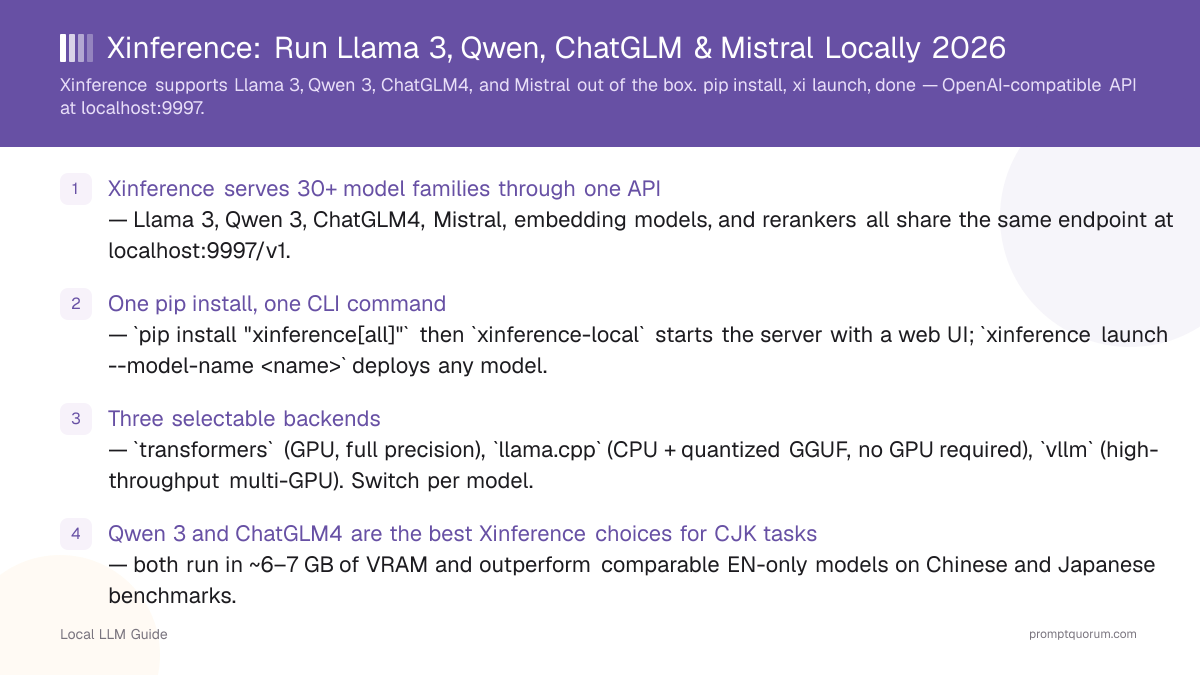
Key Takeaways
- Xinference serves 30+ model families through one API — Llama 3, Qwen2.5, ChatGLM4, Mistral, embedding models, and rerankers all share the same endpoint at localhost:9997/v1.
- One pip install, one CLI command — `pip install "xinference[all]"` then `xinference-local` starts the server with a web UI; `xinference launch --model-name <name>` deploys any model.
- Three selectable backends — `transformers` (GPU, full precision), `llama.cpp` (CPU + quantized GGUF, no GPU required), `vllm` (high-throughput multi-GPU). Switch per model.
- Qwen2.5 and ChatGLM4 are the best Xinference choices for CJK tasks — both run in ~6–7 GB of VRAM and outperform comparable EN-only models on Chinese and Japanese benchmarks.
- Pick Xinference over Ollama when you need multi-model serving, embedding + reranking, or GPU cluster support — Ollama wins for single-user desktop simplicity.
What Xinference Is and How It Works
Xinference (github.com/xorbitsai/inference) is an open-source LLM and multimodal model serving framework built by Xorbits. It started as an enterprise inference platform for distributed clusters and was open-sourced in 2023. The core idea: you register a model by name, Xinference downloads the weights, selects the right backend, and exposes a REST API. You never touch model loading code directly.
📍 In One Sentence
Xinference is an open-source inference server that natively supports Llama 3, Qwen2.5, ChatGLM4, Mistral, and 30+ other model families through a single OpenAI-compatible API.
💬 In Plain Terms
Think of Xinference as a switchboard for local AI models. You tell it which model to load by name, it downloads and starts it, and your app talks to it the same way it would talk to the OpenAI API — no code changes needed.
- Model registry: 200+ pre-registered models. You reference them by name (`llama-3.1-instruct`, `qwen2.5-instruct`, `chatglm4`) instead of managing weight paths manually.
- Backend abstraction: one command switches between transformers, llama.cpp, and vLLM backends — same API regardless of backend.
- Multi-model concurrency: run Llama 3 for text generation and a BGE embedding model for RAG simultaneously on the same GPU.
- Web UI: a React dashboard at localhost:9997 lets you launch, inspect, and terminate models without writing code.
- Cluster mode: a supervisor + worker architecture scales across multiple GPU nodes via `xinference start --host 0.0.0.0` on workers.
Supported Model Families: Llama 3, Qwen, ChatGLM, Mistral
The table below shows the seven most-requested model configurations in Xinference and the minimum VRAM required for each. All seven share the same launch command pattern — only `--model-name`, `--model-size-in-billions`, and optionally `--quantization` change.
📍 In One Sentence
Xinference natively supports Llama 3.3 (8B/70B), Qwen2.5 (7B/72B), ChatGLM4 9B, Mistral Small v0.3, and Mixtral 8x22B — each launchable with a single CLI command.
💬 In Plain Terms
VRAM is the memory on your GPU. A model that needs 6 GB of VRAM needs a GPU with at least that much — like an RTX 3060 (12 GB) or RTX 4060 (8 GB). If your GPU is smaller, use the llama.cpp backend with a Q4 quantization, which cuts memory use roughly in half.
Model | Family | VRAM (Q4) | Best Backend | Best For |
|---|---|---|---|---|
| llama-3.1-instruct 8B | Meta | ~6 GB | transformers / llama.cpp | English general-purpose |
| llama-3.1-instruct 70B | Meta | ~40 GB | vLLM | High-quality English output |
| qwen2.5-instruct 7B | Alibaba | ~6 GB | transformers / llama.cpp | Multilingual, CJK, coding |
| qwen2.5-instruct 72B | Alibaba | ~40 GB | vLLM | Large-scale CJK tasks |
| chatglm4 9B | Zhipu AI | ~7 GB | transformers | Chinese enterprise tasks |
| mistral-instruct-v0.3 7B | Mistral AI | ~5 GB | transformers / llama.cpp | European languages, function calling |
| mixtral-instruct-v0.1 8x7B | Mistral AI | ~26 GB | vLLM | High-quality multilingual |
Does Xinference support Llama 3.3?
Yes. Use `--model-name llama-3.1-instruct` with `--model-size-in-billions 8` for the 8B variant or `70` for the 70B. Both use the transformers backend by default; switch to llama.cpp with `--model-engine llama.cpp` and `--quantization q4_k_m` for CPU or low-VRAM use.
Does Xinference support Qwen2.5?
Yes. Qwen2.5 Instruct is registered as `qwen2.5-instruct`. Sizes 0.5B, 1.5B, 3B, 7B, 14B, 32B, and 72B are all available. The 7B variant runs in ~6 GB of VRAM and handles Chinese, Japanese, Korean, and English with comparable quality to Llama 3.1 8B.
Does Xinference support ChatGLM?
Yes. ChatGLM3 (`chatglm3`), ChatGLM4 (`chatglm4`), and the vision variant ChatGLM4-Vision (`chatglm4v`) are all registered. ChatGLM4 9B is the recommended choice for Chinese-language tasks in 2026.
Does Xinference support Mistral?
Yes. `mistral-instruct-v0.3` (7B) and `mixtral-instruct-v0.1` (8x7B MoE) are both registered. For function calling and JSON output, Mistral Small v0.3 is the best small-model option in Xinference.
Install Xinference: pip and Start the Server
Xinference requires Python 3.9+ and pip. The `[all]` extra installs CUDA support, the llama.cpp backend, and the transformers backend in one shot. On CPU-only machines, use `pip install xinference` (no `[all]`) and add `--model-engine llama.cpp` when launching models.
📍 In One Sentence
Install Xinference with `pip install "xinference[all]"` and start the server with `xinference-local` — the web UI opens at http://localhost:9997.
# Full install — CUDA + transformers + llama.cpp backends
pip install "xinference[all]"

# CPU-only install (no GPU required)
pip install xinference

# Start the local server (web UI at http://localhost:9997)
xinference-local

# Or bind to a specific host for LAN access
xinference-local --host 0.0.0.0 --port 9997
Does Xinference need a GPU?
No. Use the llama.cpp backend (`--model-engine llama.cpp`) to run quantized GGUF models entirely on CPU. Performance is slower than GPU inference but works on any machine with Python 3.9+.
How do I update Xinference?
Run `pip install --upgrade xinference`. Check the GitHub releases page for breaking changes before upgrading, especially if using cluster mode.
Launch Llama 3, Qwen, ChatGLM, and Mistral
Use `xinference launch` to deploy any registered model. The pattern is always the same: `--model-name` sets the model family, `--model-size-in-billions` sets the parameter count, and `--model-engine` selects the backend. Once launched, Xinference returns a model UID that you use in API calls.
📍 In One Sentence
Launch any Xinference model with `xinference launch --model-name <name> --model-engine transformers --model-size-in-billions <size>` — the model is available at localhost:9997/v1 within seconds of downloading.
# Llama 3.1 8B Instruct (GPU, transformers backend)
xinference launch \
  --model-name llama-3.1-instruct \
  --model-engine transformers \
  --model-size-in-billions 8

# Llama 3.1 8B Instruct (CPU, Q4_K_M quantization)
xinference launch \
  --model-name llama-3.1-instruct \
  --model-engine llama.cpp \
  --model-size-in-billions 8 \
  --quantization q4_k_m

# Qwen3 8B (GPU)
xinference launch \
  --model-name qwen2.5-instruct \
  --model-engine transformers \
  --model-size-in-billions 7

# ChatGLM4 9B (GPU)
xinference launch \
  --model-name chatglm4 \
  --model-engine transformers \
  --model-size-in-billions 9

# Mistral Small Instruct v0.3 (GPU)
xinference launch \
  --model-name mistral-instruct-v0.3 \
  --model-engine transformers \
  --model-size-in-billions 7

# Mixtral 8x22B Instruct (vLLM backend, requires 26+ GB VRAM)
xinference launch \
  --model-name mixtral-instruct-v0.1 \
  --model-engine vllm \
  --model-size-in-billions 46
How do I list all models Xinference supports?
Run `xinference registrations --model-type LLM` to see all registered LLM families, or open the web UI at http://localhost:9997 and browse the model library.
Can I run two models at the same time in Xinference?
Yes — run `xinference launch` twice with different model names. Each model gets its own UID and endpoint. Your total VRAM budget must cover both models simultaneously.
Use the OpenAI-Compatible API
Xinference's API is a drop-in replacement for the OpenAI API. Point any OpenAI client at `http://localhost:9997/v1`, set `api_key` to any non-empty string, and use the model's UID (returned by `xinference launch`) as the `model` parameter. Existing LangChain, LlamaIndex, or custom OpenAI-client code works unchanged.
📍 In One Sentence
Connect any OpenAI-compatible client to Xinference by setting base_url to http://localhost:9997/v1 and using the model name as the model ID.
💬 In Plain Terms
An OpenAI-compatible API means your code does not need to change. The same Python code that calls GPT-4 can call Llama 3 through Xinference — you only swap the base URL and the model name.
from openai import OpenAI

client = OpenAI(
    api_key="not-required",   # Xinference accepts any non-empty string
    base_url="http://localhost:9997/v1"
)

# Chat completion — works for Llama 3, Qwen, ChatGLM, Mistral
response = client.chat.completions.create(
    model="llama-3.1-instruct",   # use the model name as the UID
    messages=[
        {"role": "system", "content": "You are a helpful assistant."},
        {"role": "user", "content": "Summarise the GDPR in 3 bullet points."}
    ]
)
print(response.choices[0].message.content)

# Embedding model (run a separate xinference launch for bge-base-en-v1.5 first)
embedding = client.embeddings.create(
    model="bge-base-en-v1.5",
    input="Local LLMs preserve data privacy."
)
print(embedding.data[0].embedding[:5])
Does Xinference support streaming responses?
Yes. Set `stream=True` in the `chat.completions.create` call. Xinference streams tokens in real time for all supported backends.
Can I use LangChain with Xinference?
Yes. Use `ChatOpenAI(base_url="http://localhost:9997/v1", api_key="x", model="llama-3.1-instruct")` from `langchain_openai`. No additional Xinference-specific library is required.
Xinference vs Ollama vs vLLM: When to Pick Each
The three most common local inference frameworks each target a different user. Pick based on your primary constraint.
📍 In One Sentence
Choose Xinference when you need to serve multiple model types simultaneously (LLM + embeddings + reranker) or when you need native ChatGLM support — choose Ollama for single-user desktop convenience.
Criterion | |||
|---|---|---|---|
| Best for | Teams, multi-model, embeddings + LLM | Single-user desktop, Modelfile workflows | High-throughput GPU serving |
| GPU required? | No (llama.cpp backend) | No (CPU mode available) | Yes (CUDA/ROCm) |
| Model switching | Multiple models run simultaneously | One model at a time (swap) | One model per server instance |
| Embedding support | Yes (BGE, E5, etc.) | Yes (limited) | No (separate embedding server) |
| Web UI | Built-in at localhost:9997 | None (use Open WebUI) | None |
| ChatGLM support | Native (chatglm4) | Limited | Limited |
Is Xinference harder to set up than Ollama?
Slightly. Ollama is a single binary download; Xinference requires Python and pip. But both are ready in under 5 minutes. Xinference offers a richer multi-model environment once running.
Can Xinference replace vLLM?
For single-machine serving, yes — Xinference can use vLLM as its backend (`--model-engine vllm`) and adds a web UI and model registry on top. For maximum raw throughput across multiple GPU nodes, dedicated vLLM deployments are still faster.
Frequently Asked Questions
What is Xinference?
Xinference (Xorbits Inference) is an open-source model serving framework that runs Llama 3, Qwen, ChatGLM, Mistral, and 30+ other families locally via an OpenAI-compatible API. It supports GPU, CPU (via llama.cpp), and multi-GPU cluster deployments.
What models does Xinference support in 2026?
Xinference registers 200+ model configurations. The most popular in 2026 are Llama 3.1 8B/70B Instruct, Qwen2.5 8B/72B Instruct, ChatGLM4 9B, Mistral Small Instruct v0.3, and Mixtral 8x22B Instruct. Run `xinference registrations --model-type LLM` to see the full list.
How does Xinference download model weights?
On the first `xinference launch` for each model, Xinference downloads weights from Hugging Face or ModelScope (configurable). Weights are cached locally so subsequent launches are instant. Set `XINFERENCE_HOME` to control the cache directory.
Does Xinference work on Windows?
Yes, via pip on Python 3.9+. The llama.cpp backend works on Windows CPU without additional dependencies. For GPU support on Windows, install CUDA 12.x and the matching PyTorch wheel before installing Xinference.
Can I use Xinference for RAG?
Yes. Launch a BGE or E5 embedding model (`xinference launch --model-name bge-base-en-v1.5 --model-type embedding`) alongside your LLM. Both share the same API endpoint — your RAG pipeline calls the embedding endpoint for indexing and the chat endpoint for generation.