Best Local LLM for 6 GB VRAM?
Quick Answer
With 6 GB VRAM, Qwen3 8B Q4_K_M is the top pick at ~5.0 GB with excellent chat and coding capabilities at ~20 tok/s. Phi-4-mini Q4_K_M and Ministral 8B Q4_K_M are solid alternatives.
- ▸Qwen3 8B Q4_K_M: best overall for 6 GB (5.0 GB VRAM)
- ▸Phi-4-mini Q4_K_M: lightest option, most context headroom (2.5 GB VRAM)
- ▸Ministral 8B Q4_K_M: fastest at 6 GB (4.9 GB VRAM)
Key Takeaways
- ✓Qwen3 8B Q4_K_M is the top pick for 6 GB VRAM: 5.0 GB, ~20 tok/s, excellent for chat and coding
- ✓Phi-4-mini Q4_K_M (2.5 GB) is the lightest option, leaving the most headroom for long context windows
- ✓6 GB VRAM covers RTX 3050/4050 on Windows and any MacBook with 16 GB unified memory
Top 3 Models for 6 GB VRAM
As of September 2026, 6 GB VRAM covers two very different hardware classes: budget Windows laptops (RTX 3050/4050) and any MacBook with 16 GB unified memory. Performance differs by 30–50% between them — the Mac runs Qwen3 8B Q4_K_M at ~25 tok/s thanks to unified memory bandwidth, while the Windows discrete GPU runs it at ~18 tok/s due to PCIe transfer overhead.
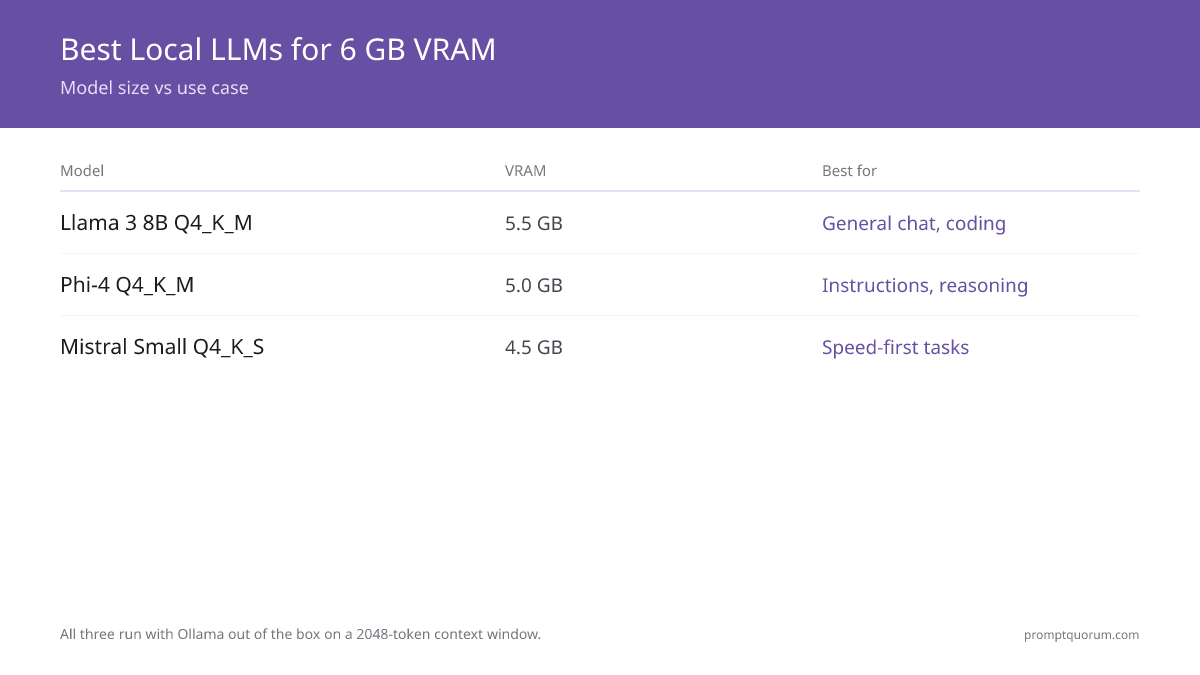
All three models run with Ollama out of the box. Speed figures below assume a 2048-token context window. Extending to 4096 tokens adds ~1 GB — still within 6 GB for all three picks.
| Model | VRAM | Best For |
|---|---|---|
| Qwen3 8B Q4_K_M | 5.0 GB | General chat, coding |
| Phi-4-mini Q4_K_M | 2.5 GB | Lightweight, long context |
| Ministral 8B Q4_K_M | 4.9 GB | Speed-first tasks |
6 GB VRAM on Windows vs MacBook
On Windows, the RTX 3050 6 GB and RTX 4050 6 GB are the two main GPUs at this tier. Both run Ollama via CUDA with nearly identical performance — the newer RTX 4050 is about 10% faster per watt but not meaningfully faster in practice.
On macOS, any MacBook with 16 GB unified memory has approximately 6 GB available for the GPU workload. Unified memory eliminates the PCIe bandwidth bottleneck that limits discrete GPU cards, so macOS performance is often equal to or better than a discrete RTX 3050.
Upgrading from 6 GB to 8 GB unlocks Q5_K_M quantization on 7–8B models (+3% quality) and faster context windows. For 12 GB options and 14B models, see best Ollama models for RTX 3060 12 GB. For the full VRAM reference, see how much VRAM a local LLM needs.
6 GB is the smallest VRAM where a local LLM competes with cloud models on everyday tasks. Below 6 GB, you are limited to small models that struggle on coding or long-form reasoning. At 6 GB, Qwen3 8B Q4_K_M is fully unlocked — a model from the same family that powers many production AI features. To step up to 14B models, see the 12 GB tier picks.
Related Guides
- ▸Can You Run RAG on 2 GB RAM? -- RAG on low RAM
Quick Answers About 6 GB VRAM Models
Is 6 GB VRAM enough for daily LLM use?▾
Does Qwen3 8B fit in 6 GB VRAM?▾
--num-ctx 2048) or choose Phi-4-mini Q4_K_M instead (2.5 GB, leaves much more headroom).Can I run 13B or 14B models on 6 GB VRAM?▾
Can I use 6 GB VRAM for image generation too?▾
Want the full breakdown?
Read the complete guide →Related Prompt Bites