Best Local LLM Apps for Android?
Quick Answer
For most people, MLC Chat is the best local LLM app for Android in 2026 — it installs from Google Play in under a minute, uses preoptimized models, and runs fully offline without any technical setup. Pocketpal is the upgrade for users who want to load custom GGUF models; Termux + Ollama is for developers who want the full Ollama CLI on their phone.
- ▸MLC Chat: easiest setup, preoptimized models for Android
- ▸Pocketpal: flexible GGUF model loading
- ▸Termux + Ollama: full Ollama on Android, needs 8+ GB RAM
Key Takeaways
- ✓MLC Chat is the easiest starting point for Android LLMs — install from Google Play, pick a model, run offline immediately
- ✓Pocketpal supports loading any GGUF file from Hugging Face, giving power users full model flexibility on Android
- ✓Termux + Ollama brings the full Ollama CLI to Android but requires an 8+ GB RAM device and comfort with the terminal
- ✓Android requires 8 GB RAM for 7B models and at least 4 GB RAM for 2–4B models; check device specs before installing
The Three Working Options
Looking for the technical deep-dive? For performance benchmarks, NPU speed data on real Android phones, and all 6 apps compared — see our in-depth Android local-LLM technical guide. This page gives the quick "which app to install" answer.
There are three practical ways to run a local LLM on Android: MLC Chat (Machine Learning Compilation), Pocketpal AI, and Termux with Ollama. All three run 100% offline after initial model download — no API key or internet connection required.
MLC Chat uses the MLC-LLM compilation framework to pre-optimize model weights for mobile hardware. You download it from Google Play, select a supported model (Llama 3, Gemma, Phi), and the model downloads and runs directly on the device. Setup takes under 10 minutes.
Pocketpal AI is built by the Hugging Face community and supports loading GGUF model files directly from Hugging Face. This means you can run any GGUF-compatible model, not just a prebuilt list. The tradeoff is a slightly more complex setup requiring manual model selection and download.
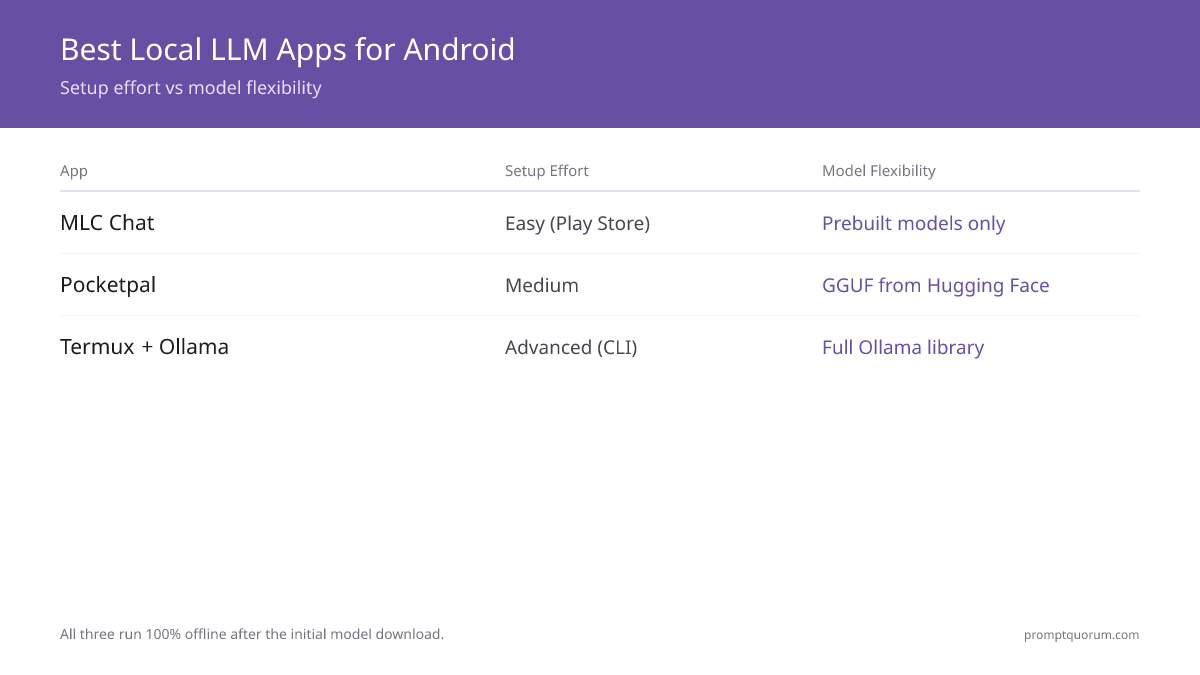
| App | Setup Effort | Model Flexibility |
|---|---|---|
| MLC Chat | Easy (Play Store) | Prebuilt models only |
| Pocketpal | Medium | GGUF from Hugging Face |
| Termux + Ollama | Advanced (CLI) | Full Ollama library |
Which to Install First
Start with MLC Chat if this is your first Android LLM setup — it has the fastest time to first token and the least configuration. Pocketpal is the upgrade path for users who want to swap models frequently. Termux + Ollama is for developers who already know Ollama and want the exact same CLI workflow on mobile.
A flagship Android phone with 8+ GB RAM handles a 2–3B model at 4–8 tok/s on CPU. Mid-range phones from 2023–2024 are slower (1–3 tok/s) — usable for batch tasks, frustrating for live chat. Do not attempt 7B models on any device with less than 8 GB RAM.
Termux + Ollama is the most powerful option but has the steepest setup curve. You install Termux from F-Droid, then run pkg install ollama inside the terminal. Once installed, all standard Ollama commands work including ollama pull and ollama run. This approach is best for developers who already use Ollama on desktop.
Battery drain matters at the 7B tier and above. A 30-minute chat session with Llama 3 8B Q4 on a flagship phone uses 8–12% battery on average. For frequent use, plug in or stick to 2–3B models like Phi-3 Mini and Gemma 2B that draw less power.
Want the technical deep-dive — performance benchmarks, NPU speeds on real phones, and quantization trade-offs? See our in-depth Android local-LLM technical guide.
For Japan-specific app options with Xperia and AQUOS device support, see our best Android LLM apps for Japan guide.
Quick Answers About Android LLM Apps
Does MLC Chat work on all Android phones?▾
Can I use Pocketpal AI without a Hugging Face account?▾
How do I install Ollama on Android via Termux?▾
pkg update && pkg install ollama. Then use standard Ollama commands: ollama pull llama3 and ollama run llama3. Your device needs 8+ GB RAM for reliable operation. Termux runs CPU-only — there is no GPU acceleration path — so treat it as the most flexible option, not the fastest.Which Android LLM app is best for beginners?▾
What models does MLC Chat officially support on Android?▾
Can I load any GGUF model in Pocketpal AI?▾
Can I run uncensored or unfiltered local LLMs on Android?▾
Is there an official Ollama app for Android?▾
pkg install ollama inside it for the same CLI as desktop Ollama. MLC Chat and Pocketpal are the closest app-store alternatives if you'd rather avoid a terminal.Want the full breakdown?
Read the complete guide →Related Prompt Bites