Best MoE Models for Local Coding?
Quick Answer
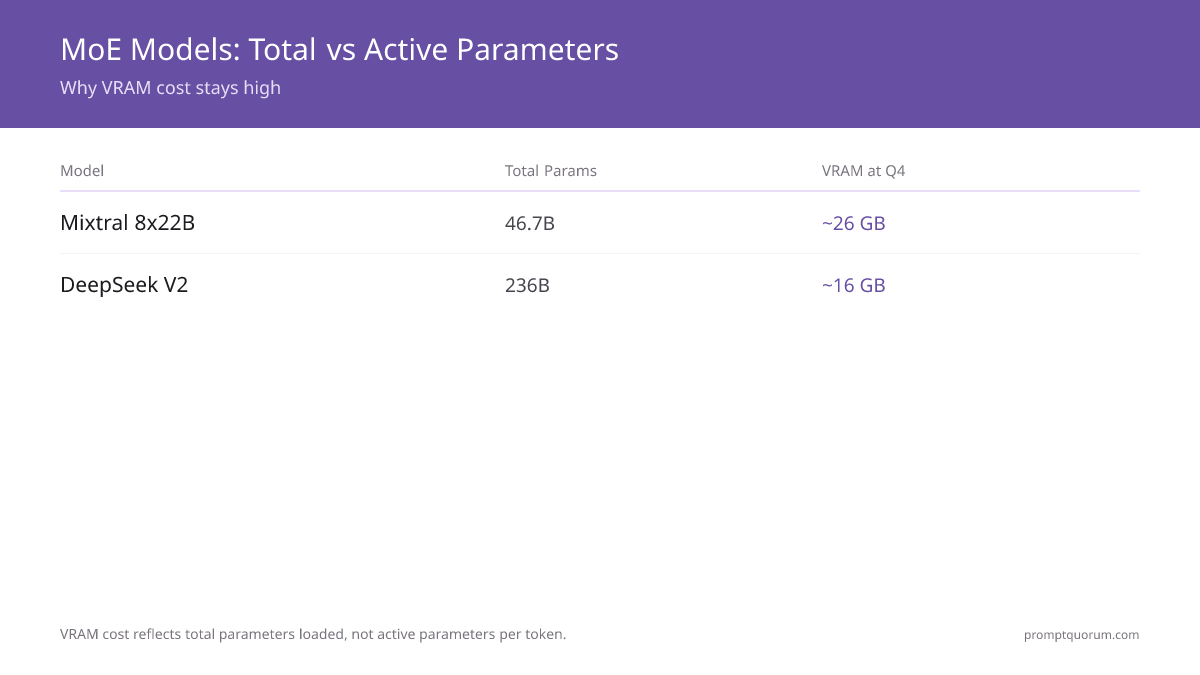
Mixtral 8x22B and DeepSeek-V2 are the top MoE coding models for local use, activating only a fraction of total parameters per token to deliver better quality per VRAM than dense models. Both require at least 16 GB VRAM at Q4, with Mixtral at ~26 GB and DeepSeek-V2 at ~16 GB.
- ▸Mixtral 8x22B Q4_K_M: ~26 GB VRAM, strong coding, available on Ollama
- ▸DeepSeek-V2 Q4: ~16 GB VRAM, top coding benchmark scores
- ▸MoE advantage: faster inference than comparable dense models
Key Takeaways
- ✓MoE models activate only active-expert parameters per token — Mixtral 8x22B has 46.7B total params but only ~12.9B active per token
- ✓Mixtral 8x22B Q4_K_M requires ~26 GB VRAM, making it a dual-GPU or high-VRAM single-GPU workload
- ✓DeepSeek-V2 at Q4 fits in ~16 GB VRAM and achieves top coding benchmark scores comparable to much larger dense models
- ✓For VRAM below 16 GB, dense 13B–14B coding models like DeepSeek-Coder-V2-Lite are more practical than MoE options
How MoE Architecture Changes the VRAM Math
Mixture of Experts (MoE) models route each token through only a subset of specialist layers called experts, so inference cost scales with active parameters, not total parameters. Mixtral 8x22B has 46.7 billion total parameters but only ~12.9 billion are active per forward pass — comparable to a 13B dense model in compute cost.
This means Mixtral 8x22B punches above its weight in output quality relative to the inference cost per token. However, all expert weights must be loaded into VRAM at startup. At Q4_K_M, Mixtral 8x22B requires approximately 26 GB of VRAM. This necessitates either a 24 GB single GPU (e.g., RTX 3090/4090) with some quantization compromise, or a dual-GPU setup.
DeepSeek-V2 uses a similar MoE architecture optimized for coding tasks and requires approximately 16 GB VRAM at Q4, fitting on a single 16 GB or 24 GB GPU. Its coding benchmark scores match models two to three times larger in active parameter count.
| Model | Total Params | Active per Token | VRAM at Q4 |
|---|---|---|---|
| Mixtral 8x22B | 46.7B | ~12.9B | ~26 GB |
| DeepSeek-V2 | 236B | ~21B | ~16 GB |
Running MoE Models with Ollama
Mixtral 8x22B is available on Ollama via ollama pull mixtral:8x7b, which downloads the Q4_K_M GGUF automatically. Ollama handles layer allocation across available VRAM and will partial-offload to CPU RAM if VRAM is insufficient, though this reduces speed significantly.
If you have only 16 GB VRAM, DeepSeek-V2 Q4 is the better MoE choice. It fits entirely on a single 16 GB card and delivers coding throughput of approximately 15–20 tok/s on an RTX 4080 or equivalent. For VRAM below 16 GB, switch to dense models — MoE benefits disappear when heavy CPU offloading is required.
One common misconception: MoE models must load ALL expert weights into VRAM at startup, not just the active subset. The VRAM cost reflects total parameters, not active ones. For single-language coding tasks (e.g., Python-only work), a dense model like Qwen2.5-Coder 14B often outperforms Mixtral 8x22B because its weights are fully specialized for code rather than spread across general-purpose experts.
For a full comparison of the best coding models at each VRAM tier including dense alternatives, see the best local LLMs for coding guide.
Related Guides
- ▸Cursor Pro vs Continue.dev: Which AI Coding Tool? -- coding tool comparison
Quick Answers About MoE Models for Coding
What is a MoE model and why does it matter for local coding?▾
Does Mixtral 8x22B fit on a single GPU?▾
Is DeepSeek-V2 better than Mixtral 8x22B for coding?▾
What ollama command runs Mixtral 8x22B?▾
ollama pull mixtral:8x7b downloads the Q4_K_M quantized GGUF. Then ollama run mixtral:8x7b starts it. Ollama auto-allocates VRAM and spills to CPU RAM if needed. See GPU VRAM requirements by model to confirm your card can handle it.Want the full breakdown?
Read the complete guide →Related Prompt Bites