Which Ollama Models Support 128K Context?
Quick Answer
Llama 3.1 8B supports 128K context on Ollama. Qwen3-30B-A3B, a mixture-of-experts model, reaches 256K context. Note: running full context dramatically increases VRAM — a 128K window needs 3–4× more VRAM than the default 4K window.
- ▸Llama 3.1 8B: 128K context, ~16 GB VRAM at full context
- ▸Qwen3-30B-A3B: 256K context, ~24+ GB VRAM at full context
- ▸Set --num-ctx 4096 for normal use to save VRAM
Key Takeaways
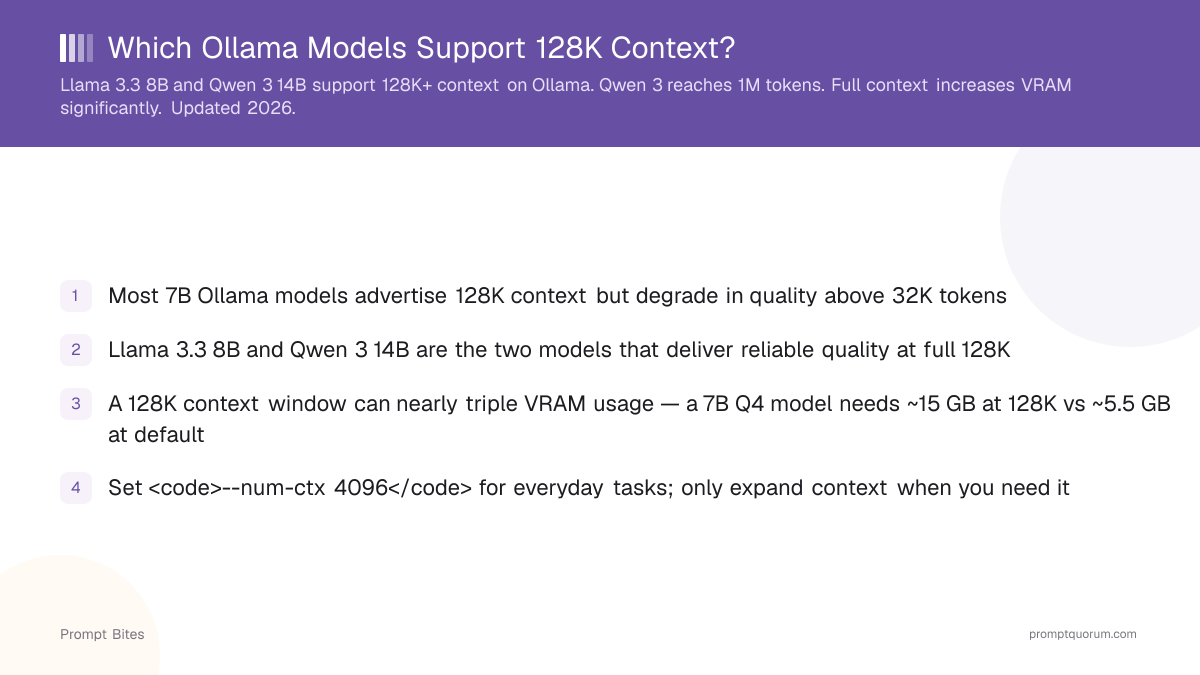
- ✓Most 7B Ollama models advertise 128K context but degrade in quality above 32K tokens
- ✓Llama 3.1 8B and Qwen3-30B-A3B are the two models that reliably deliver 128K+ context on Ollama
- ✓A 128K context window can nearly triple VRAM usage — a 7B Q4 model needs ~15 GB at 128K vs ~5.5 GB at default
- ✓Set <code>--num-ctx 4096</code> for everyday tasks; only expand context when you need it
Which Models Actually Reach 128K
Most Ollama models advertise 128K context but fewer deliver useful output quality at that length. The problem is the "lost in the middle" effect: models trained on typical document lengths struggle to attend to information placed deep in a long context.
Two models reliably deliver 128K+ context on Ollama: Llama 3.1 8B (natively trained at 128K) and Qwen3-30B-A3B (a mixture-of-experts model with a 256K context window on Ollama's official library, activating only ~3B of its 30B parameters per token). Qwen3's smaller dense sizes default to a 40K context window in Ollama, and for most other 7B-class models, output quality also degrades noticeably above 32K tokens.
If your task involves documents longer than 20,000 words, start with Llama 3.1 8B. If you need the largest context window and have 20+ GB VRAM, Qwen3-30B-A3B is the better choice.
📍 In One Sentence
The two Ollama models that reliably deliver 128K+ context are Llama 3.1 8B (128K, natively trained) and Qwen3-30B-A3B (256K, mixture-of-experts).
💬 In Plain Terms
Llama 3.1 8B was trained from the start to handle 128K tokens of context, so its output quality holds up at that length. Qwen3-30B-A3B is a mixture-of-experts model — it only activates about 3 billion of its 30 billion parameters per token — and Ollama lists it with a 256K context window. Most other 7B-class models advertise 128K but their output quality drops noticeably past 32K tokens.
The VRAM Cost of Long Context
Expanding the context window increases VRAM usage significantly. The KV-cache, which stores attention state for all tokens in context, can add as much VRAM as the model weights themselves at 128K context.
The table below shows how KV-cache VRAM scales for a 7B model at Q4_K_M. These figures assume models using grouped query attention (GQA) — models without GQA use significantly more KV-cache.
To save VRAM on everyday tasks, set --num-ctx 4096 when running Ollama. Only expand to 32K or 128K when your specific task requires it. For the full guide on long-context local LLMs including model selection and RAM splitting, see the long-context local LLMs guide.
| Context Length | KV-Cache (7B) | Total VRAM (7B Q4) |
|---|---|---|
| 4K (default) | ~0.5 GB | ~5.5 GB |
| 16K | ~1.5 GB | ~6.5 GB |
| 32K | ~3 GB | ~8 GB |
| 128K | ~10 GB | ~15 GB |
Related Guides
- ▸Long-Context Local LLMs Guide -- model selection and RAM splitting
- ▸Can You Run Qwen 3 on Ollama? -- setup and VRAM requirements
- ▸Which Ollama Models Support Vision? -- multimodal models on Ollama
Quick Answers About Long Context Models
How do I enable 128K context in Ollama?▾
--num-ctx 131072 to your run command: ollama run llama3.1:8b --num-ctx 131072. Without this flag, Ollama's Modelfile spec defaults num_ctx to 2048, and even the VRAM-tiered runtime default (4K under 24 GiB, 32K from 24–48 GiB, 256K above) may fall short of the model's maximum capability — set num_ctx explicitly to guarantee it.Why does long context use so much VRAM?▾
Is 128K context useful for coding?▾
Which model is best for long-document analysis?▾
Want the full breakdown?
Read the complete guide →Related Prompt Bites