关键要点
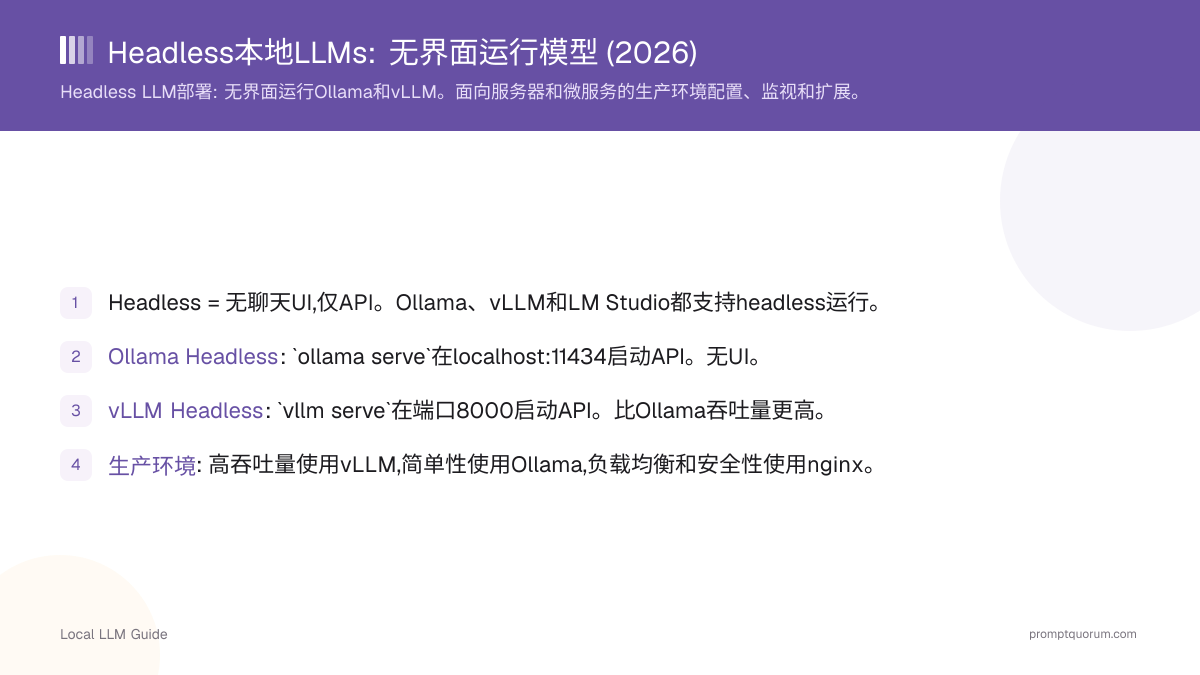
- Headless = 无聊天UI,仅API。Ollama、vLLM和LM Studio都支持headless运行。
- Ollama Headless: `ollama serve`在localhost:11434启动API。无UI。
- vLLM Headless: `vllm serve`在端口8000启动API。比Ollama吞吐量更高。
- 生产环境: 高吞吐量使用vLLM,简单性使用Ollama,负载均衡和安全性使用nginx。
- vLLM是高吞吐量服务的生产标准。
📍 简单一句话
Headless本地LLM作为后台服务运行,没有聊天窗口,仅通过来自Python、Node.js或curl的REST API访问——这是生产服务器、批处理和自动化流水线的标准配置。
💬 简单来说
Headless只是意味着没有可点击的窗口——模型在后台安静运行,其他程序通过API与它对话,就像网站的后端与数据库对话一样。这就是在服务器上部署本地模型的方式:不需要屏幕,只有请求进来、响应出去。
Headless是什么意思?
Headless意味着软件作为服务运行,没有图形用户界面。 您通过API调用(REST、gRPC)而不是点击按钮进行交互。
优势: 更低的资源使用(无UI开销)、更易于自动化、适合服务器、更容易扩展。
劣势: 无视觉反馈、需要API知识、没有日志时难以调试。
如何运行Ollama Headless?
Ollama可以作为纯API服务运行:
bash
# Run Ollama headless
ollama serve

# This starts the API at http://localhost:11434/v1
# No chat UI, just a background service

# Use the API from Python
from openai import OpenAI
client = OpenAI(base_url="http://localhost:11434/v1", api_key="ollama")
response = client.chat.completions.create(
  model="llama3.2:3b",
  messages=[{"role": "user", "content": "Hello"}]
)
print(response.choices[0].message.content)

# Or from curl
curl http://localhost:11434/v1/chat/completions \
  -H "Content-Type: application/json" \
  -d '{{"model": "llama3.2:3b", "messages": [{{"role": "user", "content": "Hello"}}]}}'
如何运行vLLM Headless?
vLLM针对headless高吞吐量部署进行了优化:
bash
# Install vLLM
pip install vllm

# Run headless with API
vllm serve llama-3.1-8b-instruct \
  --host 0.0.0.0 \
  --port 8000 \
  --gpu-memory-utilization 0.9

# Access at http://localhost:8000/v1
# Supports 50+ concurrent requests

# Use from Python (same as Ollama)
from openai import OpenAI
client = OpenAI(base_url="http://localhost:8000/v1", api_key="anything")
response = client.chat.completions.create(
  model="meta-llama/Llama-2-7b-chat-hf",
  messages=[{"role": "user", "content": "Hello"}]
)
print(response.choices[0].message.content)
如何部署到生产环境?
1. 高吞吐量使用vLLM (50+并发用户)。
2. 简单性使用Ollama (单用户或小团队)。
3. 添加nginx反向代理 (负载均衡和身份验证)。
4. 监视GPU内存 -- 模型不应超过80% VRAM。
5. 设置日志 -- 跟踪错误和性能。
6. 使用systemd或Docker (服务管理、崩溃时自动重启)。
bash
# Example: Deploy vLLM on a server via Docker
docker run --gpus all -p 8000:8000 \
  --env VLLM_API_KEY="your-secret-key" \
  vllm/vllm-openai:latest \
  --model meta-llama/Llama-2-13b-chat-hf \
  --tensor-parallel-size 2  # Use 2 GPUs

# Nginx reverse proxy config (optional)
# server {
#   listen 80;
#   location / {
#     proxy_pass http://localhost:8000;
#     proxy_set_header Authorization "Bearer $http_authorization";
#   }
# }
如何监视Headless部署?
监视GPU内存、请求延迟和错误率:
python
# Monitor GPU usage (nvidia-smi)
watch nvidia-smi  # Updates every 2 seconds

# Monitor request latency
# Add logging to your client code
import time
start = time.time()
response = client.chat.completions.create(...)
latency = time.time() - start
print(f"Request took {latency:.2f} seconds")

# Monitor vLLM logs
docker logs -f <container_id>

# Check error rates
# Parse logs for errors or use a monitoring tool (Prometheus + Grafana)
Headless部署的常见错误
- 不监视VRAM。 模型可能无声地内存不足。在部署到生产前监视GPU。
- 在没有身份验证的情况下公开API。 Headless服务通常暴露在网络上。始终添加身份验证(API密钥、防火墙)。
- 不设置资源限制。 模型可能消耗100% GPU,阻断其他任务。在vLLM中使用`--gpu-memory-utilization`。
- 预期Ollama扩展到100+用户。 高并发使用vLLM。Ollama可处理1-3个并发用户。
- 不测试故障转移。 模型服务器崩溃时请求挂起。使用负载均衡器和健康检查。
关于Headless部署的常见问题
Ollama和vLLM可以在同一GPU上运行吗?
不能,不能同时运行。它们会竞争VRAM。运行其中一个或使用多个GPU。
在互联网上公开API安全吗?
不,没有身份验证则不安全。始终在前面放置API密钥、防火墙或反向代理。永远不要直接公开localhost:11434。
Ollama可以处理多少并发用户?
通常1-3个不排队。更多的使用vLLM或添加请求队列。
Ollama和vLLM的性能差异是什么?
单个请求: 速度相似。多个并发请求: vLLM因为批处理请求而好5-10倍。
参考资源
- Ollama GitHub -- github.com/ollama/ollama
- vLLM GitHub -- github.com/vllm-project/vllm
- vLLM Deployment Guide -- docs.vllm.ai/en/serving/deploying_with_docker.html
- Ollama API Docs -- github.com/ollama/ollama/blob/main/docs/api.md