Best Ollama Models for 4 GB VRAM?
By Hans Kuepper · Founder of PromptQuorum · Discovery engine for open-weight & open-source AI
Key Takeaways
- ✓Phi-4 Mini and Qwen3 4B (2.5 GB each) are the largest models that leave headroom on a 4 GB GPU
- ✓Most default Ollama tags are already 4-bit (Q4_K_M); check the download size, not the parameter count
- ✓Llama 3.1 8B (4.9 GB) and Gemma 4 E2B (4.6 GB) do not fit
- ✓With only 4 GB of system RAM, stay under about 1.5 GB: Qwen3 0.6B, Gemma 3 1B, Llama 3.2 1B
Quick Answer
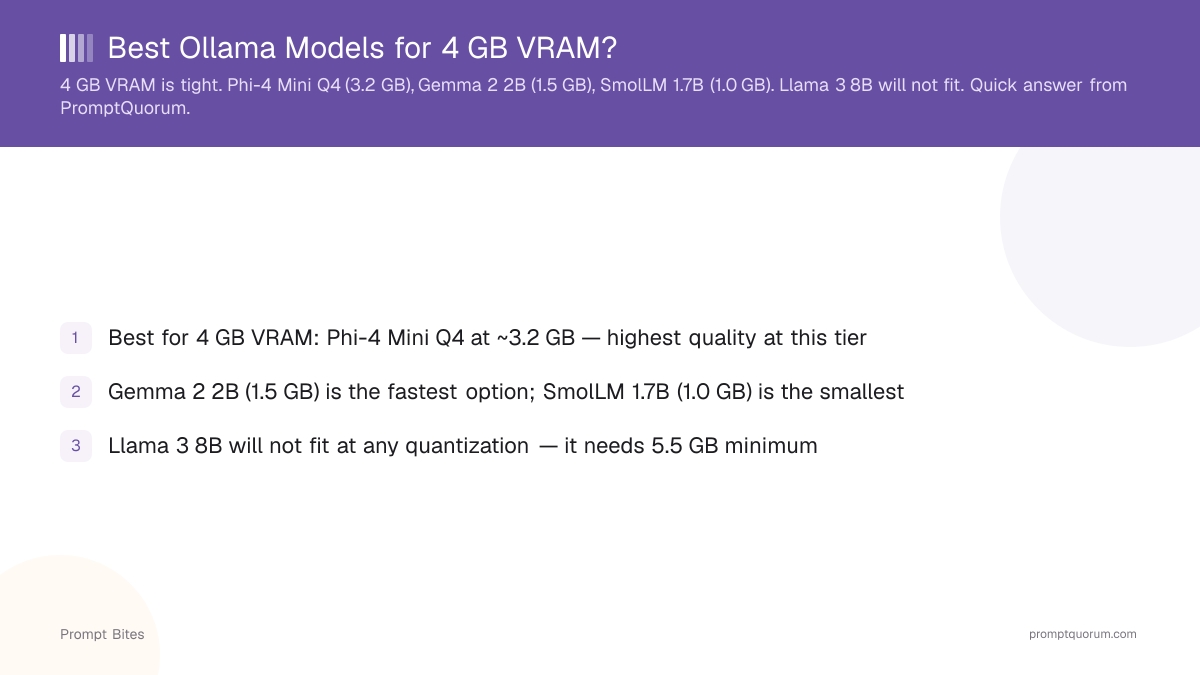
4 GB VRAM fits models up to about 4 billion parameters at 4-bit quantization: Phi-4 Mini and Qwen3 4B (~2.5 GB each), Llama 3.2 3B (~2.0 GB), Qwen3.5 2B (~1.9 GB) and Gemma 3 1B (~0.8 GB). Llama 3.1 8B (~4.9 GB) does not fit.
- ▸Phi-4 Mini and Qwen3 4B: largest models with headroom (2.5 GB each)
- ▸Qwen3.5 2B: newest family, text and image input (1.9 GB at q4_K_M)
- ▸Gemma 3 1B: smallest option (0.8 GB)
What Fits in 4 GB VRAM
On a 4 GB GPU, models up to about 4 billion parameters fit at 4-bit quantization, and the Ollama download size is the number to check. A model needs its file size plus room for the context cache (the KV cache), which grows as the conversation gets longer. As a rule of thumb, keep the file at or below about 3 GB so the whole model stays on the GPU.
Phi-4 Mini and Qwen3 4B are the largest models in the table that leave that headroom, at 2.5 GB each. Qwen3.5 2B is the newest family and accepts images as well as text. Gemma 3 1B and Qwen3 1.7B suit a small file with a long context. File sizes come from the Ollama model library; speed depends on your GPU, so no tokens-per-second figures are quoted here. Newer generations do not replace them at this size: Qwen3.6 starts at 27B (17 GB), and no Gemma 4 download is smaller than 4.3 GB.
| Model | Ollama tag | File size | Notes |
|---|---|---|---|
| Phi-4 Mini | phi4-mini | 2.5 GB | 3.8B parameters, 128K context |
| Qwen3 4B | qwen3:4b | 2.5 GB | 4B parameters, thinking mode |
| Llama 3.2 3B | llama3.2:3b | 2.0 GB | 3B parameters, Llama family |
| Qwen3.5 2B | qwen3.5:2b-q4_K_M | 1.9 GB | Text and image input |
| Qwen3 1.7B | qwen3:1.7b | 1.4 GB | Leaves most of the VRAM free |
| Gemma 3 1B | gemma3:1b | 0.8 GB | Smallest option in this table |
📍 In One Sentence
On 4 GB of VRAM, Phi-4 Mini (2.5 GB), Qwen3 4B (2.5 GB), Llama 3.2 3B (2.0 GB), Qwen3.5 2B (1.9 GB) and Gemma 3 1B (0.8 GB) fit at 4-bit; Llama 3.1 8B (4.9 GB) does not.
💬 In Plain Terms
If your GPU has 4 GB, pick a model whose download is about 3 GB or less and start with phi4-mini or qwen3:4b. 8B models need a 6 GB card or more.
What Won't Fit in 4 GB
These models are commonly requested, but their default Ollama downloads are close to or above 4 GB:
A 6 GB card makes 8B models such as Llama 3.1 8B practical. See the best local LLMs for 6 GB VRAM. For a full hardware comparison, see fastest local LLMs for low-end PCs.
- ▸Llama 3.1 8B (llama3.1:8b) — 4.9 GB download, no room left for context
- ▸Gemma 4 E2B (gemma4:e2b-it-q4_K_M) — 4.6 GB download despite the "2B" name
- ▸Gemma 4 E4B (gemma4:e4b-it-q4_K_M) — 6.6 GB download
- ▸Qwen3.5 4B (qwen3.5:4b-q4_K_M) and Gemma 3 4B (gemma3:4b) — 3.3 and 3.4 GB; marginal, a long context pushes layers to system RAM
Which Ollama Models Are 4-Bit?
Most Ollama default tags are already 4-bit: phi4-mini, qwen3:1.7b, gemma3:4b and llama3.1:8b share their file hash with the q4_K_M entry, a 4-bit quantization. The library page often does not name the quantization on the default tag, so for certainty pull the tag with it in the name, for example ollama run qwen3:4b-q4_K_M.
Not every small model defaults to 4-bit, and the default can be much larger than the 4-bit file:
- ▸gemma2:2b — default is q4_0 (1.6 GB)
- ▸smollm2:1.7b — default is q8_0 (1.8 GB); the q4_K_M file is 1.1 GB
- ▸qwen3.5:2b — default is 2.7 GB; qwen3.5:2b-q4_K_M is 1.9 GB
- ▸llama3.2:1b — default matches q8_0 (1.3 GB)
Related Guides
Quick Answers About 4 GB VRAM Models
Is 4 GB VRAM enough for a useful LLM?▾
Which Ollama model has 4-bit quantization?▾
Can I run Llama 3 on 4 GB VRAM?▾
What GPU has 4 GB VRAM?▾
Can CPU-only mode bypass the 4 GB VRAM limit?▾
What can I run with only 4 GB of system RAM?▾
What are the minimum requirements for Ollama?▾
Do Gemma 4 and Qwen3.5 fit in 4 GB?▾
Want the full breakdown?
Read the complete guide →Related Prompt Bites