What Is a Prompt Library (and What Is It Not)?
📍 In One Sentence
A prompt library stores tested instructions as structured, reusable assets with enough metadata that any team member can reproduce results without the original author.
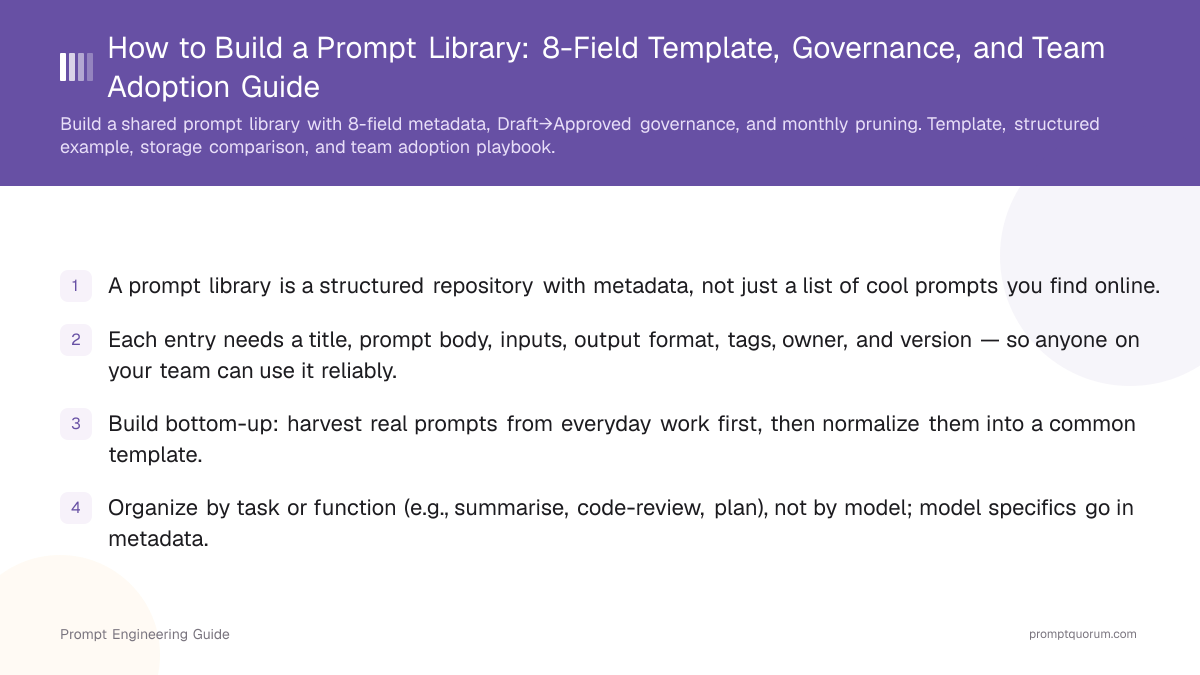
A prompt library is a structured repository of prompts, each with a defined purpose, inputs, and expected output; it is not just a long list of cool prompts copied from the internet.
Each entry should read more like a small tool than a snippet of text. Think of it like a recipe card: one person tests the prompt template with 3–5 real inputs, documents what works, and publishes it to the team. A useful prompt record typically includes:
- A clear title ("Summarise stakeholder interviews into risks and actions").
- A one-line use case (what problem it solves).
- The full prompt body, including placeholders for inputs.
- Inputs required (e.g. transcript, user story, Git diff).
- Recommended model / parameters if relevant.
- Expected output format (email, JSON, bullets, table).
- Tags (e.g. #research, #marketing, #support, #code-review).
- Owner and a simple version ("v1.2 – updated for new model").
💡 Template over one-off
A prompt designed as a reusable template — with clear placeholders and an expected output format — costs one extra minute to write but saves 20 minutes every time someone else uses it.
This turns each prompt into a reusable asset someone else can pick up and use with minimal explanation.
Why Should Your Team Build a Prompt Library?
A prompt library saves time, reduces variability between people, and gives you a safe place to refine prompts instead of losing them in private chat logs.
When a colleague figures out the right chain-of-thought approach for a task, that insight disappears without a library. With one, it compounds. Typical benefits:
- Speed: People start from a tested template, not a blank box.
- Consistency: Similar tasks (summaries, briefs, code reviews) follow consistent patterns, tone, and structure.
- Quality: Prompts improve over time as you record what works and retire what doesn't.
- Onboarding: New colleagues can browse examples and get productive quickly instead of guessing how to "talk to the AI."
- Governance: Sensitive areas (legal, HR, finance, compliance) use reviewed prompts instead of ad-hoc instructions.
📌 Team efficiency signal
Teams that run a shared prompt library with 10+ approved entries report 40–60% faster task setup, since people adapt a tested template rather than prompt from scratch.
What Should You Store for Each Prompt?
Every prompt should capture enough context that another person can reproduce your results reliably, even months later. Teams that document prompts with these 8 fields report 40–60% faster onboarding when new colleagues join.
A practical schema:
- Title: Short, task-oriented (e.g., "Meeting notes – action list," "Bug report triage classifier").
- Goal / description: One or two sentences explaining what it does.
- Prompt body: The full instruction text, with placeholders like <PASTE_NOTES_HERE> and any system-style guidance.
- Inputs: What the user must provide (e.g., "Zoom transcript," "Jira ticket list").
- Model guidance: Recommended models and settings if important.
- Output format: For example, "Markdown bullet list," "2-column table," or "Valid JSON array."
- Tags / category: For example, #summarisation, #planning, #analysis, plus functional tags.
- Owner / version / last updated: Who maintains it, version string, and date of last change.
⚠️ Vague prompts don't improve with storage
Before saving a prompt, test it 3 times with different inputs. If the output varies too much, rewrite the prompt first. A library of inconsistent prompts creates false confidence.
❌ Unstructured prompt (not library-ready)
Summarise this meeting
✅ Structured prompt with placeholders (library-ready)
You are a senior project manager. Summarise the following meeting transcript into: 1. Key decisions (3–5 bullet points) 2. Action items — each with owner name and due date 3. Open questions that need follow-up Output format: Markdown. Keep each section under 100 words. Transcript: <PASTE_TRANSCRIPT_HERE>
Optional but valuable:
- Example input and output: One realistic input and a good output so users can judge fit at a glance.
💡 Pro Tip: Add just ONE realistic example
The most commonly skipped field is "Example input and output." Adding just ONE realistic example to each prompt entry cuts first-time-use errors in half — new colleagues see exactly what "good" looks like before adapting the template.
How Do You Build a Prompt Library Step by Step?
💬 In Plain Terms
Think of it like a recipe box: one person tests a recipe, writes it down with exact ingredients and steps, and now the whole team can cook the same dish — even if the original cook is on holiday.
The fastest way to build a usable prompt library is to harvest real prompts from everyday work, normalize them into a common template, and then add light governance.
A practical approach:
- 1Start with real, high-value use cases: Pick 3–5 repetitive tasks where AI already helps (meeting summaries, support replies, code review comments, campaign drafts). These will give you prompts people actually use.
- 2Capture prompts that already work: For one to two weeks, whenever you get a great result, save it to an "inbox" section. Focus only on prompts used more than once with reliably good output.
- 3Normalize into a standard template: Rewrite each good prompt with clear title, goal, prompt body, placeholders, tags, owner, and version. Learning to control the output format at this stage is especially valuable.
- 4Organize by task, not by model: Group prompts by what they help you do (summarise, plan, analyse, generate, review code). Model specifics belong in metadata.
- 5Add ownership and minimal review: Assign a person responsible for each category. They review new or changed prompts quickly for clarity and fit before marking them "Approved."
- 6Review and prune regularly: On a monthly cadence, look at usage patterns, rarely-used prompts, and places where people keep editing the same prompt ad-hoc.
🛠️ Start with your inbox
For one week, copy any prompt that produced a great result into a single shared doc. Don't edit yet — just collect. You need raw material before you can normalize it into templates.
Over time, this turns scattered instructions into a curated toolkit that reflects how your team actually works.
Where Should You Store a Prompt Library?
You can implement a prompt library in anything from a Git repo to a shared list; the important part is searchable fields, easy editing, and some history of changes.
When evaluating options, use the same criteria you would for selecting between any AI tools: accessibility, governance, and fit for your team's workflow. Dedicated prompt management tools such as PromptQuorum add one-click multi-model execution, per-prompt analytics, and draft approval workflows.
Common, effective options:
- Markdown files in a repo: One file per category, metadata in frontmatter blocks. Benefits: version control, code review, diffs, branches.
- Tables or lists (Notion, Airtable, Sheets): Columns for title, prompt, category, tags, model, owner, status. Easy filter and search for non-technical users.
- Dedicated prompt management tools: Often add one-click execution, per-prompt analytics, and access control. Useful for many non-technical users and tight governance.
🔍 Tool choice matters less than adoption
A well-maintained Notion table beats a sophisticated prompt management tool that nobody uses. Start with whatever is already open in your team's browser; upgrade when the volume justifies it.
For structure, a simple hybrid works well:
- Categories by function: Marketing, Sales, Support, Product, Engineering, Ops.
- Sub-categories or tags by task: summarise, plan, rewrite, analyse, classify, code-generate, code-review.
- Status: Draft, Approved, Deprecated.
Categories give structure; tags keep it flexible as your usage evolves.
💡 EU data residency check
EU-only server options are available from most major platforms (Notion, Airtable, Sheets). Check data residency settings before choosing a cloud-based tool if your team handles sensitive data subject to GDPR.
How Do Storage Options Compare?
Tool/Format | Best for | Version control | Search | Governance |
|---|---|---|---|---|
| Markdown files in Git | Engineering teams, code review workflows | ✓ Native | ✓ CLI tools | ✓ PR reviews |
| Notion / Airtable / Sheets | Mixed teams, non-technical users | ✓ Limited history | ✓ Full-text filters | ✓ Permissions & roles |
| Dedicated tools (e.g. PromptQuorum) | Teams needing one-click execution & metrics | ✓ Full history | ✓ Full-text, tags, metadata | ✓ Built-in approval workflows |
Prompt Library Maturity Levels
As your organization grows, your prompt library matures through predictable stages. Most teams start at Level 0 and should aim for Level 2 within 4–6 weeks. Level 3–4 only makes sense when prompt volume and team size justify the overhead.
Maturity Level | Entries | Governance | Tooling | Team Size |
|---|---|---|---|---|
| Level 0: Ad hoc | 0 | None — prompts in private chats | Chat history | 1 person |
| Level 1: Collection | 5–10 | Shared doc, no review | Google Doc / Notion page | 2–5 people |
| Level 2: Structured | 10–30 | Draft/Approved status, owner assigned | Notion/Airtable with fields | 5–15 people |
| Level 3: Managed | 30–100 | Version control, monthly reviews, test cases | Git repo or dedicated tool | 15–50 people |
| Level 4: Product | 100+ | Approval workflows, analytics, rollback | Dedicated platform (PromptQuorum, PromptHub) | 50+ people |
How PromptQuorum Enhances Your Prompt Library
PromptQuorum combines prompt storage with multi-model execution: save a prompt template, dispatch it to multiple models simultaneously, and record which model produced the best result for that template. Over time, this builds an evidence-based library where each prompt includes not just the instruction but the empirical data on which model handles it best — turning your library from a recipe box into a tested playbook.
How Do You Version Prompts and Maintain Quality?
Without versioning and basic testing, a prompt library turns into a junk drawer; with light governance, it becomes a reliable internal product.
Major AI models periodically update their instruction-following behavior, which means prompts written for earlier versions may need adjustment for newer releases. Different models handle system prompts differently — always version-tag when you retest against a new model. Practical habits:
- Version prompts explicitly: Use a simple scheme like v1.0 – v1.1. Add a one-line change note (e.g., "v1.1 – added JSON output format; reduced hallucinations for dates").
- Attach test cases to important prompts: For high-impact prompts, keep 3–5 test inputs and expected output patterns. Testing prompts across multiple models before promoting to "Approved" catches model-specific breakage early. After editing or changing models, run those tests.
- Track usage and feedback: Even a simple "stars" rating or comment helps you see which prompts work and which need attention.
- Plan for rollback: Always keep the previous version accessible so you can revert if needed.
- Retire prompts intentionally: When a prompt is outdated, mark it as Deprecated and explain why, so people know not to use it.
⚠️ Model upgrades break prompts silently
When your team upgrades to a new model version, run your full set of "Approved" prompts against it before switching. Output format and instruction-following behavior shift between versions.
⚠️ Version control is non-negotiable
A prompt library without version control becomes a liability, not an asset. When a model update changes output behavior and nobody knows which prompt version was used, you can't diagnose what broke. Even a simple "v1.0 → v1.1 – added JSON format" change note prevents hours of debugging.
What Are Common Mistakes When Building a Prompt Library?
❌ Storing prompts in personal notes or private chat logs.
Why it hurts: Knowledge stays siloed; others can't find or reuse what you discovered. New colleagues rebuild the same prompts from scratch.
Fix: Use a shared, searchable system (Git repo, Airtable, dedicated tool). Treat it as a team asset, not personal notes.
❌ Writing prompts without input placeholders (e.g., hardcoding specific names or numbers).
Why it hurts: Prompts aren't reusable; you have to edit the whole prompt each time instead of swapping inputs.
Fix: Always mark dynamic parts as `<PLACEHOLDER_NAME>` or `VARIABLE`. Make the prompt a template, not a one-off instruction.
❌ Over-engineering governance at launch (elaborate approval workflows, steering committees).
Why it hurts: Overhead kills adoption; people default to personal prompts instead of contributing to the library.
Fix: Start simple: just Draft and Approved. Add process only when your team > 5 or when sensitive areas (legal, HR) need it.
❌ Skipping version history — no change notes or prior versions kept.
Why it hurts: When a new model breaks a prompt, you can't easily revert or understand what changed.
Fix: Add one-line change notes per version (e.g., "v1.2 – updated for new model version, removed temperature override"). Keep prior versions accessible.
❌ Never retiring deprecated prompts — library grows with dead weight.
Why it hurts: Harder to find useful prompts; unclear which versions are actually maintained.
Fix: Mark outdated prompts as Deprecated with a reason (e.g., "The current default model handles this case natively"). Remove from default views; archive for audit trails.
🛠️ Retiring a prompt? Test it one last time.
Before marking a prompt Deprecated, run it with a recent input. If it still fails: deprecate with a reason. If it passes: the prompt just needs updating, not retiring.
Are There Regional or Compliance Considerations?
Data residency and compliance requirements affect where and how you store prompts, especially when prompt bodies include sensitive customer data as placeholders.
The main constraints by region:
- EU / GDPR: If prompt templates include or reference personal data, the storage tool must meet GDPR requirements. Notion, Airtable, and most SaaS platforms offer EU data residency; verify before enabling for sensitive workflows.
- US SOC 2: For enterprise customers that require vendor compliance, choose tools with SOC 2 Type II certification (Notion, Airtable, and PromptQuorum all qualify).
- Regulated industries (healthcare, finance, legal): System prompts that include patient identifiers or financial records need to stay in your own infrastructure. Use Git-based storage or a self-hosted option, not a consumer SaaS tool.
- Tip: Separate sensitive prompts (those that accept PII as inputs) from general-purpose prompts. Apply stricter access controls and shorter retention to the sensitive group.
⚠️ Never store real PII in a prompt body
Prompt templates should use placeholders like <CUSTOMER_NAME> — never real names, emails, or record IDs. Real data belongs only in the runtime input, not in the stored template.
Frequently Asked Questions
What is a prompt library?
A prompt library is a structured collection of tested prompts with metadata (inputs, model guidance, expected output, version, owner). Unlike a list of cool prompts copied from the internet, a prompt library is an internal product your team maintains and reuses for consistency and speed.
When should we use a prompt library instead of just keeping personal notes?
As soon as you have 3+ team members and 2+ prompts you use more than once. Personal notes work for one person; libraries work for teams. A library cuts task setup time, onboards new people faster, and prevents duplicate work.
How long does it take to build a usable prompt library from scratch?
Start small: 1–2 weeks to harvest 5–10 real prompts from everyday work, normalize them into a template, and upload them to a shared system. Then grow it over months as you add more prompts. Governance and tooling improve over time; start simple.
How do I get my team to actually contribute to a shared prompt library?
Make contribution easy and frictionless. Start with 3–5 champion prompts you create yourself so people see examples. Keep approval lightweight (one person, 5 minutes). Showcase wins ("This library saved us 10 hours this month"). Never make contribution mandatory; make it the path of least resistance.
Is a prompt library the same as a system prompt?
No. A system prompt is a single persistent instruction that sets the LLM's behavior for one conversation. A prompt library is a collection of prompts (each with context and metadata) shared across your team for many use cases. A system prompt might live in your library as one entry.
How often should we review and prune a prompt library?
Monthly at minimum. Look for: prompts nobody uses, prompts that drift (people keep editing the same one ad-hoc), and opportunities to consolidate. Mark unused prompts as Deprecated; retire them after 3 months of no activity. Actively used prompts stay fresh and useful.
How do you handle prompts that work on one model but not another?
Tag each prompt with tested models in metadata. When a prompt fails on a new model, create a variant — for example "Meeting summary – Model A" and "Meeting summary – Model B" — rather than forcing one prompt to work everywhere. Multi-model testing tools let you compare output across models before promoting a prompt to Approved status.
What is the difference between a prompt library and a prompt management platform?
A prompt library is a collection of structured prompt records your team maintains — it can live in a Git repo, a spreadsheet, or a dedicated tool. A prompt management platform adds execution, analytics, version control, and collaboration features on top of the library concept. Start with a simple library and upgrade to a platform when volume or governance needs justify it.