Key Takeaways
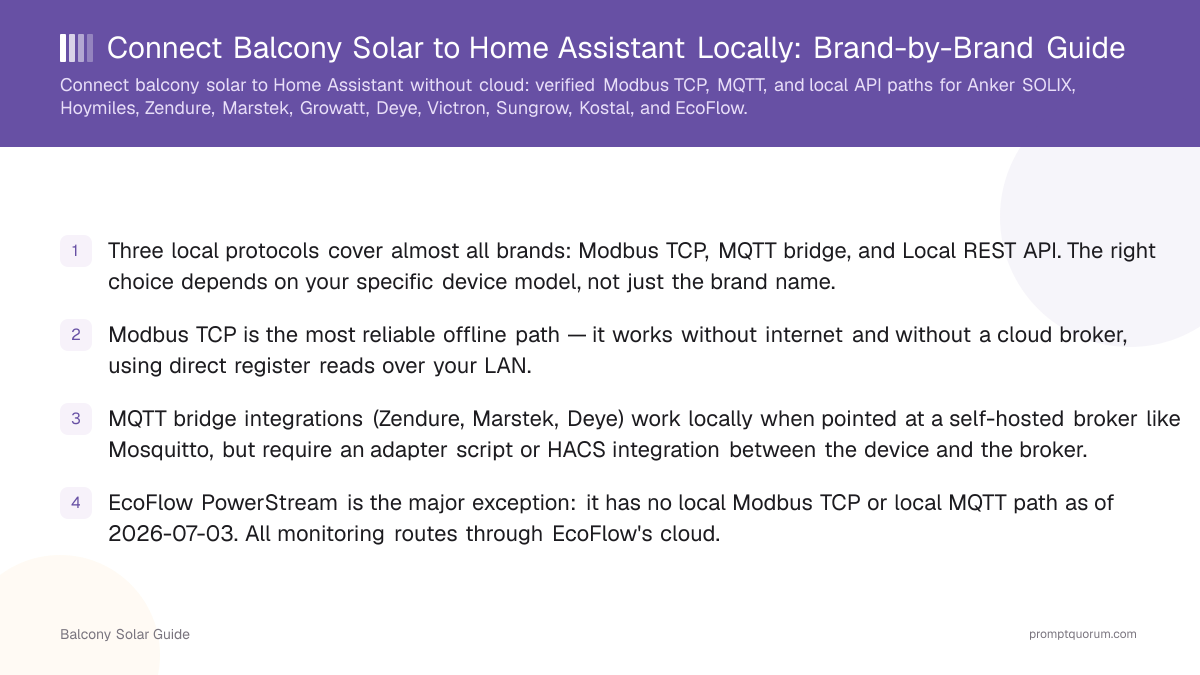
- Three local protocols cover almost all brands: Modbus TCP, MQTT bridge, and Local REST API. The right choice depends on your specific device model, not just the brand name.
- Modbus TCP is the most reliable offline path — it works without internet and without a cloud broker, using direct register reads over your LAN.
- MQTT bridge integrations (Zendure, Marstek, Deye) work locally when pointed at a self-hosted broker like Mosquitto, but require an adapter script or HACS integration between the device and the broker.
- EcoFlow PowerStream is the major exception: it has no local Modbus TCP or local MQTT path as of 2026-07-03. All monitoring routes through EcoFlow's cloud.
- Victron Cerbo GX has the strongest local-control story: official Home Assistant integration (HA 2026.5+) plus documented Modbus TCP, fully offline-capable.
- Interface support can change with firmware updates — verify against the current integration repository, not just this guide, before purchasing hardware specifically for local control.
Three Protocol Paths for Local Integration
Modbus TCP reads device registers directly over your LAN — no cloud account, no broker, no adapter software required. The device (or its local gateway) listens on a TCP port (usually 502 or 8899) and responds to register-read commands. Home Assistant's native Modbus integration or a HACS custom component handles the polling. This is the most reliable offline path: it continues working even if your internet connection is down.
MQTT bridge integrations sit between the device and Home Assistant. The device publishes data to a topic — either on the manufacturer's cloud broker or a local Mosquitto instance — and an adapter script or HACS integration subscribes, parses the payload, and creates HA entities. When pointed at a local broker, this is fully offline. When the device only connects to the cloud broker, you still need internet even if Home Assistant is local.
Local REST API paths use HTTP GET/POST calls to the device or its gateway on your LAN. Zendure SolarFlow 800 Pro exposes this natively. Marstek offers it via the Marstek Local API (HACS). Kostal Plenticore uses the same REST API as its built-in web UI. These do not need Modbus or MQTT at all.
📍 In One Sentence
Modbus TCP reads registers directly over LAN, MQTT bridge uses a pub/sub broker, and Local REST API calls the device's HTTP endpoint — choose based on what your specific device exposes.
💬 In Plain Terms
Modbus TCP = direct wire-like connection over your home network; MQTT = a message-passing system that needs a middleman broker; REST API = website-style calls the device answers directly.
Brand Capability Matrix
All cells below were verified on 2026-07-03 against active GitHub integration repositories and manufacturer documentation. Interface support changes with firmware versions — treat this as a starting point and verify the current integration status before purchasing hardware specifically for local control.
A "✅" means a working, documented integration existed on the check date. "❌" means the path was not available on the check date. "⚠️" means conditional support with an important caveat explained in the notes column.
Brand / Product | Modbus TCP | Local MQTT | Local REST API | Offline? | Primary HA Integration |
|---|---|---|---|---|---|
| Anker SOLIX (storage) | ✅ port 502, official | ⚠️ cloud bridge only | — | ✅ via Modbus | ha-anker-solix-official (HACS) |
| Zendure SolarFlow 800 Pro | — | ✅ local HTTP + MQTT | ✅ local HTTP | ✅ | Zendure/Zendure-HA (official) |
| Zendure Hub 1200/2000, Hyper 2000 | — | ⚠️ cloud MQTT (needs internet) | — | ❌ | z-master42/solarflow (community) |
| Hoymiles HMS/HMT (via DTU-Pro) | ✅ via DTU-Pro gateway | ✅ OpenDTU / hoymiles-mqtt | — | ✅ | hoymiles-mqtt-integration (HACS) |
| Marstek B2500 / Jupiter / Venus | ⚠️ RS485 on Venus only | ✅ hame-relay + hm2mqtt | ✅ Marstek Local API | ✅ | Marstek Local API v1.0.0 (HACS) |
| Growatt NOAH 2000 / inverters | ✅ local Modbus TCP | ✅ noah-mqtt / growatt2mqtt | — | ✅ | Homeassistant-Growatt-Local-Modbus (HACS) |
| Deye SUN600G3 (microinverter) | ✅ port 8899 (undocumented) | ✅ SolarmanV5 / deye-inverter-mqtt | — | ✅ | Solarman HACS integration |
| Victron Cerbo GX | ✅ official, documented | ✅ official (HA 2026.5+) | — | ✅ | Official HA integration |
| Sungrow SH-RT series | ✅ community | ✅ ModbusTCP2MQTT addon | — | ✅ | Sungrow-SHx-Inverter-Modbus (HACS) |
| Kostal Plenticore (G3+) | ✅ HACS integration | — | ✅ official REST API | ✅ | Official HA integration (REST) |
| EcoFlow PowerStream | ❌ | ❌ cloud MQTT only | ❌ | ❌ | tolwi/hassio-ecoflow-cloud (cloud-only) |
Verified 2026-07-03. EcoFlow PowerStation (not PowerStream) and EcoFlow PowerOcean have different interfaces — check the exact model. Firmware updates can add or remove local access.
Path A: Modbus TCP Setup
Modbus TCP setup has three requirements: the device must be on the same LAN as Home Assistant, the Modbus interface must be enabled (some devices require an app toggle), and you need the register map for your specific model. Most community HACS integrations bundle the register map — you just supply the IP address.
- 1Enable Modbus TCP on the device: for Anker SOLIX, open the Anker app → device settings → enable Modbus. For Hoymiles, use the DTU-Pro web UI. For Growatt, it is on by default. For Deye, no toggle needed — port 8899 is always active on the Logger Stick.
- 2Assign a static IP address to the device on your router (or use DHCP reservation) so the HA integration address never changes.
- 3Install the matching HACS integration: ha-anker-solix-official for Anker, hoymiles-mqtt-integration or hoymiles-mqtt for Hoymiles, Homeassistant-Growatt-Local-Modbus for Growatt, Solarman integration for Deye, hass-victron or the official Victron GX integration for Victron.
- 4Enter the device IP and port in the integration settings. Port 502 is standard Modbus; Deye uses 8899.
- 5Test by checking the sensor entities created in HA — current power output should update within 5–10 seconds. If entities show "unavailable," verify the IP, confirm the Modbus toggle is on, and check that no firewall blocks the port.
Path B: MQTT Bridge Setup
MQTT bridge integrations work by running a small adapter script (or HA add-on) that polls the device or receives its push data and republishes it to your local Mosquitto broker. Home Assistant then subscribes to those topics via the MQTT integration. This path is fully offline once the adapter is configured against a local broker — no cloud account needed.
- 1Install Mosquitto broker as an HA add-on (Settings → Add-ons → Mosquitto Broker) and configure a username and password.
- 2Install the MQTT integration in HA (Settings → Devices & Services → Add Integration → MQTT) and connect it to the local broker.
- 3Install the device-specific adapter: noah-mqtt for Growatt NOAH 2000, hame-relay + hm2mqtt for Marstek, hoymiles-mqtt for Hoymiles, deye-inverter-mqtt for Deye, or the Zendure-HA integration for Zendure. Run as a Docker container or HA add-on.
- 4Point the adapter at your device's IP (and, if relevant, your local Mosquitto broker instead of the manufacturer's cloud broker). For Zendure 800 Pro and Marstek, set the MQTT broker field to your HA host IP.
- 5Confirm data flows: entities should appear automatically via MQTT discovery, or check the Topics section in the MQTT integration for incoming messages from your device.
Path C: Local REST API
A local REST API means the device (or its gateway) runs an HTTP server on your LAN that responds to standard GET/POST requests — no separate adapter needed. Zendure SolarFlow 800 Pro, Marstek (via Marstek Local API HACS integration), and Kostal Plenticore all use this path.
- 1Confirm local API availability for your model: check the HACS integration README or the manufacturer's developer portal. Zendure 800 Pro lists it as a feature; Kostal Plenticore uses the same REST endpoint as the built-in web UI.
- 2Install the integration from HACS: search "Marstek Local API" or "Kostal Plenticore" in the HACS integration search. Zendure-HA (official) handles both local API and cloud MQTT paths.
- 3Enter the device IP and, where required, the admin password (Kostal uses the web UI password). No separate broker or adapter script is needed.
- 4Verify sensor entities and test control — for Kostal and Marstek this includes battery charge limit control, not just monitoring.
Using Balcony Solar Data in EVCC
EVCC (open-source EV charging controller) can consume your local balcony solar production data to time EV charging, appliance loads, or battery charging to solar output peaks. EVCC supports Modbus TCP and MQTT natively, so any device that works on Path A or Path B also works as an EVCC meter source.
In evcc.yaml, configure the balcony solar device as a meter with type: modbus (for Modbus TCP devices) or type: mqtt (for MQTT bridge devices). Hoymiles via OpenDTU and Deye via SolarmanV5 both have community-maintained evcc.yaml examples in the evcc-io/evcc GitHub discussions.
Frequently Asked Questions
Does enabling Modbus TCP on Anker SOLIX disable the Anker app?
No. The Anker SOLIX official Modbus integration runs in parallel with the Anker app and cloud. Enabling Modbus TCP in the Anker app settings adds local register access without removing cloud functionality. You can use both simultaneously.
Can I use Hoymiles microinverters with Home Assistant without OpenDTU?
Yes — the official Hoymiles DTU-Pro exposes Modbus TCP on your LAN, which the hoymiles-mqtt or hoymiles-mqtt-integration library reads directly. OpenDTU is an alternative DIY gateway for users who want to replace the proprietary DTU with open-source hardware, but it is not required if you already have a DTU-Pro.
Why does the Zendure brand matrix show two different rows?
Zendure's SolarFlow 800 Pro has a local HTTP/MQTT API that works without any internet connection. Older Zendure models (Hub 1200, Hub 2000, Hyper 2000, Ace 1500) only communicate with Zendure's cloud MQTT broker — Home Assistant can subscribe to those topics, but internet access is still required for the device to publish. The Zendure-HA official integration handles both paths.
Is EcoFlow PowerStream likely to gain local control?
EcoFlow's public statements as of mid-2025 said local solutions were in development with no release date given. No verified local API or Modbus TCP path for PowerStream existed at the 2026-07-03 check date. Check the EcoFlow developer community or the hassio-ecoflow-cloud GitHub for current status before relying on this guide.
What is the difference between Marstek B2500 and Jupiter for local control?
Both support local MQTT via hame-relay + hm2mqtt. The key difference: switching the B2500 to local MQTT mode disables the official Marstek mobile app (it can no longer connect). Jupiter and Venus do not require this exclusive switch — hm2mqtt works alongside the app. The Marstek Local API HACS integration (v1.0.0 stable) works for both without the app exclusion issue.
Does Deye port 8899 require special firmware?
No specific firmware version is required — the port is always open on the Logger Stick across known firmware versions. However, it is an undocumented port and Deye does not officially support this access method. The Solarman HACS integration and deye-inverter-mqtt library use pysolarmanv5 to read it, which has been stable across community use. Firmware updates could theoretically close it; check the deye-inverter-mqtt issue tracker for the latest status.
Can I use multiple local protocols at the same time?
Yes. Modbus TCP and local REST API are both read-only polling protocols — you can run the HA integration and evcc.yaml pointing at the same device simultaneously without conflict. MQTT bridge adapters should generally not have two adapters publishing to the same topics, but you can have HA and EVCC both subscribe to the same broker topics.
Which brand has the best Home Assistant local-control support overall?
Victron Cerbo GX has the strongest local-control story: official integration in Home Assistant core (since HA 2026.5), documented Modbus TCP with a published register map, and local MQTT that works fully offline. Anker SOLIX is second with an official community HACS integration and Modbus TCP on port 502 that runs parallel to the cloud app.