Run Your Smart Home on a Local LLM, Not the Cloud
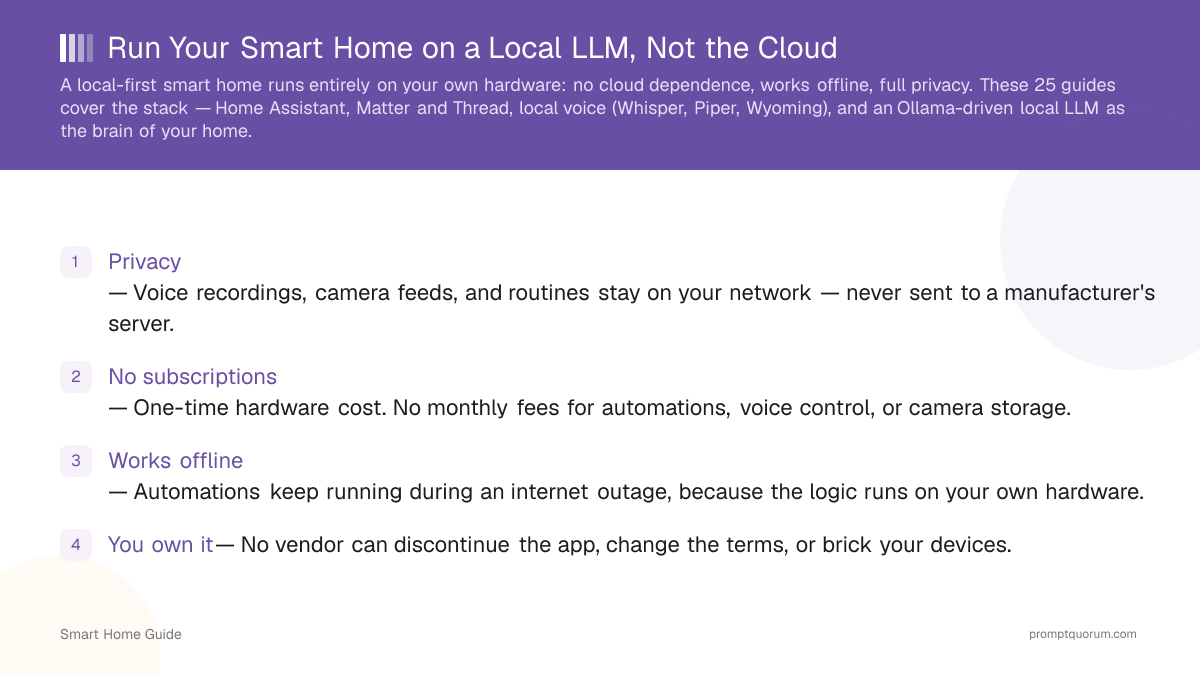
A local-first smart home runs entirely on your own hardware: no cloud dependence, works offline, full privacy. These 25 guides cover the stack β Home Assistant, Matter and Thread, local voice (Whisper, Piper, Wyoming), and an Ollama-driven local LLM as the brain of your home.
Cloud-dependent smart home platforms route your voice recordings, camera footage, and daily routines through a manufacturer's servers β and stop working the moment that company changes its terms, raises prices, or shuts down the service. A local-first setup keeps that data on hardware you control and keeps automations running even without an internet connection.

The slide deck below covers: why local-first beats cloud smart homes (privacy, cost, offline reliability), the Home Assistant + Ollama architecture that runs automations without an internet connection, the local voice stack (Whisper, Piper, Wyoming), and a hardware buying matrix for mini PCs that handle both Home Assistant and a local LLM. Download the PDF as a local smart home planning reference.
High-volume entry guides: what a smart home is, the ecosystems, the protocols, and the privacy risks that make local control matter.
A smart home is a set of connected devices you monitor, automate, and control by app or voice. This beginner's guide explains the core idea, the device categories, how hubs tie devices together, the cloud-versus-local choice that defines privacy in 2026, the major ecosystems, and where to go next if you want a private setup.
Smart home technology evolved from 1970s X10 powerline control through Z-Wave and Zigbee, the cloud era of Nest and Echo, the Matter unifying standard, and now a swing back toward local control with on-device AI. This guide traces that arc and explains why the pendulum is moving away from cloud dependence toward local autonomy.
The four major smart home ecosystems β Amazon Alexa, Google Home, Apple Home, and Home Assistant β differ most on privacy and local control. This comparison covers device support, privacy, local control, voice, cost, and lock-in, and recommends a platform by user type, with Home Assistant positioned as the local and private champion.
Smart home protocols decide how your devices communicate, how far they reach, and whether they work locally. This plain-English guide explains Zigbee, Z-Wave, Thread, and Matter β their range, power use, interoperability, and which are local by default β so you can choose the right ones for a reliable, private setup.
The best smart home devices in 2026 span a hub, a Zigbee/Thread coordinator, lighting, locks, sensors, cameras, and plugs β and the highest-leverage decision is picking your architecture first: local-first, cloud-first, or hybrid. This guide gives a specific pick per category (checked August 25, 2026), a starter kit and a serious kit with real prices, a "what not to buy" list, and a decision tree that maps what you want to what to buy.
The reliable way to start a smart home in 2026 is to pick one hub, set up one room, add a few local-capable devices, and automate a couple of routines before expanding. This beginner's guide gives a step-by-step path, recommends a local-first approach for privacy, and flags the mistakes that lead to a drawer of incompatible gadgets.
Cloud smart home devices collect usage patterns, voice recordings, and camera feeds on company servers β and the fix is local control. This guide covers the real privacy risks, what cloud ecosystems collect, why breaches and data sharing matter, and how a local-first setup with local AI removes the third-party processor entirely.
The core moat: everything runs on your hardware. Home Assistant, Matter local control, GDPR-friendly setups, and migrating off the cloud.
A local smart home runs every device, automation, and voice command on hardware you own, with no cloud account in the loop. This guide defines the local-first model, explains why it is growing in 2026, breaks down the stack layer by layer β hub, protocols, voice, and a local AI brain β and shows what you can run at home today, what it costs, and how to start.
Home Assistant is the leading local-first smart home hub: install it on a Raspberry Pi or mini PC, add integrations, and control everything locally with no cloud. This getting-started guide covers why Home Assistant, the install options, first integrations, the dashboard, your first automation, and where to add local AI later β without re-explaining the LLM mechanics.
A local smart home beats the cloud on reliability, privacy, cost, and longevity: it keeps working when the internet or a vendor cloud goes down, collects no data, needs no subscriptions, and cannot be bricked by a cloud shutdown. This guide makes the case honestly, including the one real trade-off β setup effort.
The best hardware for a local smart home follows one decision: an Intel N100/N150 mini PC or a Raspberry Pi 5 runs the Home Assistant hub, an Intel iGPU (OpenVINO) or a Hailo-8L M.2 module accelerates Frigate camera detection, an SSD or NAS stores recordings, and a used RTX 3090 box is the step-up for running a local LLM. This guide picks each layer, prices every tier at current 2026 rates, and helps you choose for HA-only versus HA-plus-AI so you buy once instead of twice.
A local smart home keeps all processing on your own hardware in your home, supporting GDPR data-minimization and residency by design because no third-party processor is involved. This EU-focused guide explains how GDPR applies to connected devices, where cloud devices send data, how local processing achieves residency, and a buyer checklist for a private, GDPR-friendly setup.
Matter over Thread can run a genuinely local smart home through a local controller like Home Assistant β no manufacturer cloud required. This guide clears up the nuance of whether Matter means local, explains Thread border routers and local-only commissioning, shows how to avoid cloud bridges, and walks through a local Matter setup with Home Assistant.
Migrating from a cloud smart home to local control means auditing your cloud dependencies, moving devices to a local hub, and retiring cloud assistants. This step-by-step guide shows how to audit, which devices can go local, when to replace versus re-pair, how to move to Home Assistant, and how to add a local voice assistant in place of Alexa or Google.
The intersection: run your smart home on a local LLM. Ollama + Home Assistant, fully local voice assistants, AI automations, and private AI cameras.
A local LLM can now act as the brain of your smart home β interpreting natural-language commands, running context-aware automations, and powering a private voice assistant, all on hardware you own with no cloud. This guide explains what that means, why it became practical in 2026, the Home Assistant + Ollama + local-voice architecture, what it unlocks beyond rule-based automation, and the step-by-step path to build it.
Home Assistant has a built-in Ollama integration that turns a locally hosted model into your conversation agent, controlling devices in natural language with no cloud. This guide walks through prerequisites, adding the integration, choosing a model, wiring the conversation agent, controlling devices, and troubleshooting β keeping Ollama setup and model selection linked out, not re-explained.
You can replace Alexa or Google with a fully local voice assistant built from Home Assistant Assist, local Whisper for speech-to-text, Piper for text-to-speech, and a local LLM as the brain. This guide covers the offline voice stack, each component, the Wyoming protocol that connects them, and the hardware you need β all private and working without the cloud.
Local Whisper gives Home Assistant private speech-to-text with no cloud: you pick a Whisper model size for your accuracy, speed, and hardware trade-off, then connect it to Assist over the Wyoming protocol. This guide covers why local STT matters, the Whisper model sizes, Wyoming setup, hardware needs, and how to tune accuracy.
A local LLM enables context-aware home automations described in plain language β going beyond rigid if-this-then-that rules. This guide explains the limits of rule-based automation, what an LLM adds, real example automations with their prompts, the architecture, and the guardrails that keep it reliable, all running locally with no cloud.
Frigate runs local AI object and person detection on your camera feeds with no cloud and no subscription, integrating directly into Home Assistant. This guide covers the cloud-camera privacy problem, what Frigate does, the hardware that accelerates detection (a Coral TPU or GPU), the Home Assistant integration, notifications, and how the cost compares to subscription cameras.
Frigate is an open-source network video recorder that runs AI object detection on your own hardware and hands every detection to Home Assistant as an entity you can automate on. This guide covers detector choice in 2026 β where Google Coral is no longer the default answer β plus camera stream settings, a working config.yml, zones that actually stop false alerts, the Home Assistant integration, and what Frigate 0.16 and 0.17 changed.
The best local LLM models for smart home control are small, fast, instruction-following models with reliable function-calling β not the largest model your hardware can hold. This guide explains what actually matters for home control, gives a shortlist of suitable small models, compares them, and maps picks to hardware budgets, linking out to deeper model guides rather than re-ranking the whole field.
Buyer-intent comparison pages: Home Assistant vs Alexa vs Google, best mini PCs for HA + local AI, local vs cloud voice, and zero-subscription builds.
Home Assistant, Amazon Alexa, and Google Home suit different priorities: Home Assistant wins on privacy and local control, while Alexa and Google win on plug-and-play convenience. This head-to-head compares privacy, local control, device support, voice, AI, cost, and effort, and recommends the right choice by user type.
The best mini PC for Home Assistant plus a local LLM on one box in 2026 is the Beelink SER8 (Ryzen 7 8845HS, Radeon 780M, 32 GB) at about $650, which runs the hub, Frigate, and a 7B model via Ollama. On a budget, an Intel N150 box like the Beelink EQ14 or GMKtec G3 Plus (about $180β230) runs Home Assistant and a small model. For the strongest on-device AI and vision, the GEEKOM A9 Max (Ryzen AI 9 HX 370, about $1,099β1,299) steps up further. This buyer's guide compares all five specific units side by side, gives a direct recommendation for each use case, and covers setup notes β cross-linking to the local-llms hardware guide for VRAM depth.
Local voice assistants win on privacy and cost; cloud assistants still lead on out-of-box polish and broad skills. This decision guide compares a local stack (Home Assistant Assist + Whisper + a local LLM) against cloud assistants (Alexa, Google) across privacy, cost, accuracy, skills, offline operation, and effort, and says when each wins.
You can build a smart home with zero subscriptions by choosing local-capable devices and a local hub, paying one-time hardware costs instead of monthly fees. This guide shows where subscriptions hide, the no-subscription local stack, devices that charge no fees, local camera storage, and the one-time-cost math that makes local cheaper over time.
The GEEKOM A9 Max is a premium mini PC built on the AMD Ryzen AI 9 HX 370 or HX 470 (12 cores, Radeon 890M, up to 128 GB DDR5). For a local-AI smart home it is the headroom pick: it runs Home Assistant, Frigate, and a 7Bβ13B model on Ollama with room to spare. But its price has moved significantly since launch β GEEKOM's own current pricing runs $1,299β1,599 (August 2026, HX 370/32GB/1TB to HX 470/32GB/2TB), well above the $1,099β1,299 this review originally quoted. That gap changes the recommendation: this review verifies current specs and pricing against GEEKOM's own listing, sets honest expectations for local-LLM speed, and says exactly who should still buy it at today's price versus who should buy a Beelink SER8 instead.
The Beelink SER8 (AMD Ryzen 7 8845HS, Radeon 780M, DDR5) is the best-value mini PC for a local-AI smart home in 2026 β the 32 GB / 1 TB configuration runs Home Assistant, Frigate, Whisper, and a 7B model on Ollama on one quiet box for roughly $799β849 (August 2026, price volatile by retailer and config). This review verifies every spec against Beelink and independent sources, sets honest expectations for local-LLM speed as estimates rather than measured benchmarks, and covers what changed since launch β including Beelink's newer SER9 and SER10 lines.
The Beelink EQ14 (Intel N150, 16 GB DDR4, dual 2.5GbE on the mainstream SKU) is a budget mini PC built for a local-first smart home. At about $189β199 for the 16 GB / 500 GB configuration (price checked August 25, 2026) it runs Home Assistant and a small local model well, but its real edge is two 2.5GbE Ethernet ports at a price point where most rivals ship one β or none. This review verifies its specs against the manufacturer and independent sources, sets honest expectations for local-LLM speed, and scores it directly against the GMKtec G3 Plus and the Ryzen-class step-up boxes.
The GMKtec NucBox G3 Plus (Intel N150, single-channel DDR4 upgradeable to 32 GB) is a budget mini PC built for a local-first smart home. At about $180β200 for the 16 GB / 512 GB configuration (price checked August 25, 2026) it runs Home Assistant and a small local model, with a genuine advantage over some rivals: its RAM is a replaceable SO-DIMM, not soldered. This review verifies its specs against the manufacturer and independent sources, sets honest expectations for local-LLM speed, and scores it directly against the Beelink EQ14 and the Ryzen-class step-up boxes.
The Minisforum UM890 Pro (Ryzen 9 8945HS, Radeon 780M, up to 96 GB DDR5, OCuLink eGPU) is the expandable mini PC for Home Assistant and local AI. This review covers verified specifications sourced from the official Minisforum product page, current pricing, configuration options, and honest performance expectations so you can decide if it is worth the step-up from a Beelink SER8.
Connecting solar, batteries, and heat pumps into a local-first smart home: Matter device integration, Home Assistant energy dashboards, and microgrid setups.
Local smart home energy management means tracking and automating solar, battery, and appliance usage entirely on your own hardware, with Home Assistant's Energy dashboard as the hub β no usage data leaves your network. This guide covers why cloud energy apps expose granular usage patterns, how a local setup replaces them device by device, and where to go next for inverter/heat-pump integration, the dashboard setup itself, and whole-home battery backup.
Matter's specification has defined device types for energy-management hardware β solar inverters, battery storage, EV chargers, and heat pumps β since Matter 1.4+ (per the Connectivity Standards Alliance's own roadmap announcement), but as of write-time no shipping, Matter-certified inverter, battery, or heat pump product from any manufacturer has been confirmed. This is an early-mover explainer: what the spec defines today, and what to watch for before it becomes a real buying option, not a guide to hardware you can use right now. It also explains how this differs from the monitoring-and-dashboard integrations already covered for balcony solar, which do work today.
Home Assistant's built-in Energy dashboard tracks grid consumption, solar generation, battery state, and individual-device usage in one local view β the setup takes adding a few sensor entities, not writing any automation code. This guide walks through adding a grid sensor, solar and battery sensors if you have them, individual device tracking, and reading the resulting cost and usage charts.
A home energy "microgrid" in the consumer sense means solar generation plus battery storage plus local automation that can keep essential circuits running during a grid outage β not a true islanded utility-scale microgrid, which is a different, commercial-scale engineering problem. This guide scopes what's realistically achievable with home battery + inverter + Home Assistant automation, and where to go for the hardware specifics.
What changed in 2026: Matter 1.6, Thread 1.4 and Wi-Fi 7 networking, the EU Data Act, and the IKEA Matter ecosystem.
Matter 1.6, released June 17, 2026, is the current version of the Matter smart home standard. Its headline additions are NFC-based device setup, Joint Fabric (letting multiple ecosystems co-administer the same device), and Thermostat Suggestions β not new energy-management device types, which arrived earlier across Matter 1.3-1.5 and are covered elsewhere in this cluster. This article explains what changed in 1.6 specifically and how it differs from the general protocol primer and local-control guide already on this site.
A smart home's networking layer needs two things: a Thread border router for low-power mesh devices (sensors, locks, some lighting), and enough Wi-Fi bandwidth/low latency for cameras and voice. Thread 1.4.0 and Wi-Fi 7 (802.11be) are both current, real specifications β but which specific router chipsets and models actually ship both, and at what price, is not covered here; that needs a dedicated hardware-sourcing pass rather than a spec-version check. This guide explains what to look for rather than naming unverified current models.
The EU Data Act (Regulation (EU) 2023/2854) creates data-access and portability rights for users of connected devices under Chapter II, separate from GDPR's personal-data-processing rules β it addresses whether you can get your device's generated data out and share it with a different service, not how your personal data is processed. Its main obligations have applied since September 12, 2025, and it explicitly covers consumer smart-home devices as "connected products." This article explains the distinction from GDPR and what to watch for as an EU smart home owner.
IKEA sells a Matter-compatible smart home lineup β the DIRIGERA hub ($119.99), plus sensors and lighting β positioned as a lower-cost entry point to local-first smart home control compared to dedicated hub appliances. This guide explains what the ecosystem is for and how it compares to other hub options already covered on this site.
Beyond the basics: small language models for device control, camera-free presence sensing, reducing automation hallucinations, sensor fusion, and digital twins.
Small language models β roughly 1B to 4B parameters β are the practical choice for smart home voice and automation control, not because they are less capable in general but because they run fast enough on modest local hardware and specialize well at the narrow task of turning a spoken command into a device action. This article explains why smart home control favors small over large models, the architecture trade-offs involved, and how this differs from a model-picks shortlist already on this site.
mmWave radar sensors detect room occupancy and even micro-movements like breathing without capturing any image, making them a privacy-friendlier alternative to a camera for presence-based automations. The Aqara FP2 (around $80β85 at major US retailers) is a ready-to-use option, while Hi-Link's LD2410/LD2410C/LD2450 chips (around $15β25 as a DIY ESPHome build with an ESP32 board) are the common lower-cost path. This article covers how radar presence sensing works, where it beats a camera or motion sensor, and how to wire it into Home Assistant.
An LLM hallucination in home automation looks different from a hallucinated fact in a chatbot: it means triggering the wrong device, misreading a sensor's actual state, or referencing an entity that doesn't exist in your Home Assistant setup. This article covers the smart-home-specific failure modes and the grounding techniques β function-calling schemas and entity-list constraints β that reduce them, building on general hallucination-reduction advice already covered elsewhere on this site.
Sensor fusion means combining multiple sensor types β motion, radar, contact, camera, audio β into a single automation decision, rather than triggering off any one sensor alone, which reduces both false positives and false negatives. This article explains the pattern, using radar-plus-motion occupancy detection as the running example, and how to build it in Home Assistant.
A home digital twin is a live, unified model of your home's state β every device, sensor reading, and occupancy signal combined into one representation an automation or local LLM can reason over, rather than checking each entity individually. This is an emerging pattern built on top of existing Home Assistant entities and sensor fusion, not an established off-the-shelf product category β this article scopes what's realistically achievable today versus what remains conceptual.
Product roundups for local-first smart home hardware: cameras, locks, thermostats, Zigbee/Thread dongles, hubs, edge-AI boards, and energy-monitoring plugs.
The best local security camera isn't the one with the best cloud subscription β it's the one that gives you the most control over your own footage. Reolink, Amcrest, Ubiquiti UniFi Protect, Eufy, and Aqara's Camera Hub G5 Pro each offer confirmed local-storage options without a mandatory cloud subscription for basic recording, but they differ sharply in whether they also expose RTSP/ONVIF for Frigate and Home Assistant β verified 2026-08-25 against official sources; prices are snapshots, not fixed figures. This guide is a hardware-buying complement to the Frigate how-to guide already on this site, and treats the decision as a system (cameras plus a PoE switch, storage, and a Frigate-capable box), not a single purchase.
The best smart locks for a local-first smart home support Zigbee, Z-Wave, or Matter-over-Thread for lock/unlock and status without requiring a manufacturer cloud account for basic operation. Confirmed current picks (re-checked 2026-08-25): Aqara's Smart Lock U200 (Matter over Thread, $169.99), Yale's Assure Lock 2 with a Z-Wave module ($190-230 depending on finish), Schlage's Sense Pro (Matter over Thread plus UWB, $399), Nuki's Smart Lock Go/Pro (Matter over Thread, β¬149/β¬269), and SwitchBot's Lock Pro Matter Enabled (Matter over Wi-Fi, no separate hub, $129.99). Level Lock's ongoing 2026 corporate uncertainty is a live example of why local control matters even when a manufacturer's future is unclear.
The best smart thermostats for local AI control expose a local protocol (Zigbee, Z-Wave, or Matter over Thread) or a documented local API, letting Home Assistant β and by extension a local LLM automation β adjust temperature without a cloud round-trip. Confirmed local options (re-checked 2026-08-25): SinopΓ©'s Zigbee thermostats ($104.99β109.99), Aqara's Thermostat Hub W200 (Matter, $159.99, North America only for now), the 2GIG-STZ-1 (Z-Wave Plus, $123.60), tadoΒ° X (Matter over Thread, from β¬99.99), and Eve Thermostat (Matter over Thread, $129.95/β¬119.95). Ecobee remains confirmed cloud-polling per Home Assistant's own docs; Nest is cloud-only except the new 4th-generation Learning Thermostat, which adds a genuine local Matter path.
A Zigbee coordinator dongle or Thread border router dongle is what turns a mini PC or Raspberry Pi running Home Assistant into a hub that can pair Zigbee and Thread/Matter devices directly. This guide compares five confirmed-current USB and Ethernet/PoE options (checked 2026-08-25): Home Assistant's own Connect ZBT-2 ($49/β¬45), SONOFF's ZBDongle-E (~$20β27) and Dongle Plus MG24 (~$35.50, the only one here that runs Zigbee and Thread at once), Dresden Elektronik's ConBee III (~β¬40), and SMLIGHT's SLZB-06 Ethernet/PoE family. None of these have been tested or benchmarked by PromptQuorum β every compatibility and range claim below comes from the manufacturers' own documentation and independent published reviews, cited inline.
Choosing a smart home hub in 2026 comes down to one question most buyers skip: do you want the platform with the most local-AI headroom and zero lock-in (Home Assistant Green), the one that behaves like a simple appliance and stays out of your way (Hubitat Elevation C-8 Pro), or the one that pays for convenience with a much higher price tag (Homey Pro)? Aqara's Hub M3 and IKEA's DIRIGERA round out the field for buyers already committed to a specific device ecosystem. This guide is the commercial parent page for this site's local-smart-home cluster β every price and spec below was checked against manufacturer sources on 2026-08-25, and none of this hardware has been tested or benchmarked by PromptQuorum; every capability claim is a research-based assessment from official documentation, not a lab result.
The NVIDIA Jetson Orin Nano Super Developer Kit ($249, 8GB) is a GPU-inference edge board β a fundamentally different hardware class from the x86 mini-PCs reviewed elsewhere in this cluster β built around CUDA/TensorRT-accelerated inference rather than general-purpose computing. Ollama has official Jetson support, and Frigate can use its GPU via a dedicated TensorRT build, though both come with more setup friction than the x86 path. This review scopes who it fits versus the existing x86 mini-PC roundup.
The best energy-monitoring smart plugs report wattage/kWh directly into Home Assistant's Energy dashboard over a local integration, rather than gating usage data behind a manufacturer's cloud app. Confirmed current picks (re-checked 2026-08-25): Aqara's Zigbee Smart Plug ($20-35), Zooz's ZEN15 800LR (Z-Wave Long Range, $37.95-48.95), and Shelly's Plug US Gen4 (Wi-Fi/Matter/Zigbee, $19.99-24.99). Sonoff's own lineup shows why checking the specific model matters: its Wi-Fi S31 ($9.90-23.90) has energy monitoring, but its Zigbee sibling (S31 Lite ZB) does not.
Frequently Asked Questions
A local-first smart home runs its automation logic, voice processing, and device control entirely on hardware you own β typically a mini PC or NAS running Home Assistant β instead of routing commands through a manufacturer's cloud server.
No. Home Assistant's setup wizard and Home Assistant Operating System installer handle most of the configuration through a web interface. Coding only becomes useful for advanced custom automations.
A mini PC with at least 8 GB of RAM handles Home Assistant and basic automations. Running a local LLM for AI-driven automations needs 16 GB or more RAM and, ideally, a discrete GPU or an Apple Silicon Mac for acceptable response times.
Keeping data on local hardware satisfies most data-residency requirements under GDPR Article 28, since no personal data β voice recordings, camera footage β leaves the property. You remain the data controller and must still document your setup.
Yes. Home Assistant integrates with most existing smart speakers and can bridge cloud devices into a hybrid setup while you migrate privacy-sensitive automations to the local-first stack.