Key Takeaways
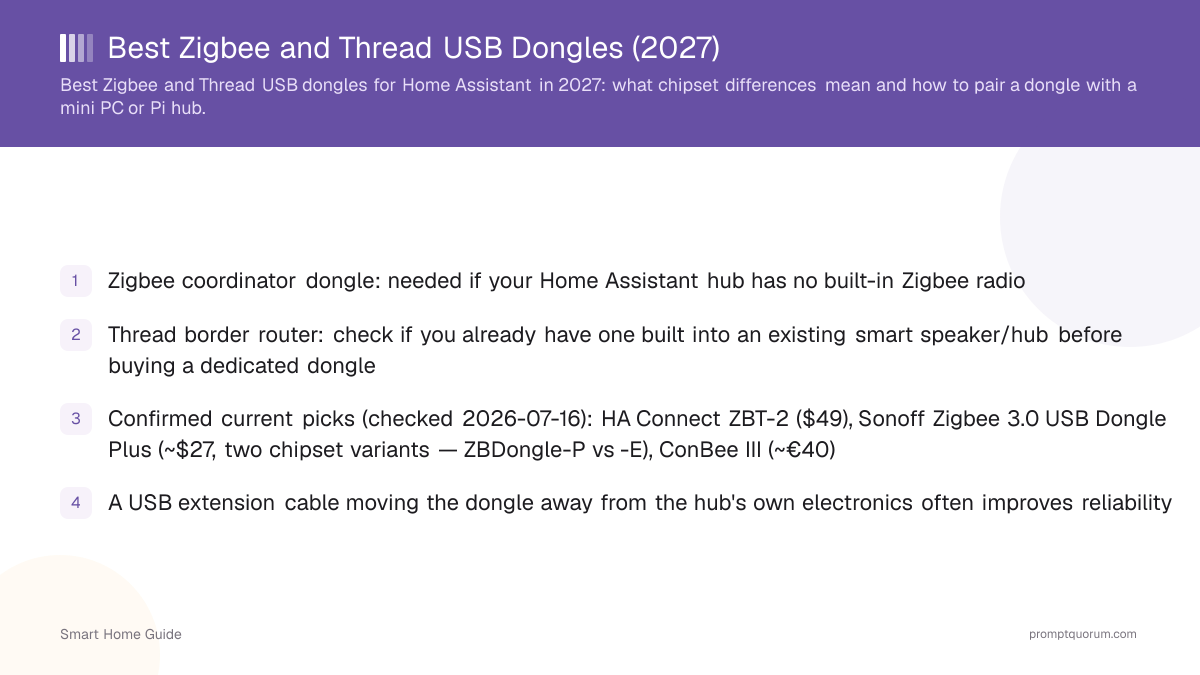
- Best overall: Home Assistant Connect ZBT-2 ($49/€45) — official MG24 hardware, Zigbee or Thread (not both at once)
- Best budget: SONOFF ZBDongle-E (~$20–27) — Zigbee-only, EFR32MG21 chipset, +20dBm output
- Best for simultaneous Zigbee + Thread on one dongle: SONOFF Dongle Plus MG24 (~$35.50) — the ZBT-2 cannot do this
- Best Ethernet/PoE: SMLIGHT SLZB-06 family — for large homes, multi-floor coverage, or a server-cabinet install
- You might not need to buy anything: check whether an existing smart speaker or hub is already a Thread border router first
- Every price and spec below was checked 2026-08-25 against manufacturer sources — none of this hardware has been tested by PromptQuorum
Our Top Picks
Start here if you just want the answer: buy the ZBT-2 unless you have a specific reason not to.
- Best overall — Home Assistant Connect ZBT-2 ($49/€45): current-generation Silicon Labs MG24 radio, first-party Home Assistant integration, replaces the discontinued Connect ZBT-1. Editorial rating: 9.4/10 (spec and compatibility research, not a lab benchmark).
- Best budget — SONOFF ZBDongle-E (~$20–27): the cheapest reliable Zigbee-only coordinator here, EFR32MG21 chipset with +20dBm output. Editorial rating: 9.0/10.
- Runner-up worth knowing about — SONOFF Dongle Plus MG24 (~$35.50): the only dongle in this guide confirmed to run Zigbee and Thread at the same time. If your household genuinely needs both protocols from one device, this beats the ZBT-2 on that specific point.
Award | Product | Best for |
|---|---|---|
| Best overall | HA Connect ZBT-2 ($49/€45) | Most buyers, official support |
| Best budget | SONOFF ZBDongle-E (~$20–27) | Zigbee-only, lowest cost |
| Best Zigbee+Thread | SONOFF Dongle Plus MG24 (~$35.50) | Both protocols at once |
| Best Ethernet/PoE | SMLIGHT SLZB-06 (~$60–85) | Large/multi-floor homes |
| Best deCONZ pick | ConBee III (~€40) | Phoscon/deCONZ users |
Disclosure
This page contains product links, not affiliate links — PromptQuorum has no current affiliate relationship with Home Assistant/Nabu Casa, SONOFF/Itead, Dresden Elektronik, SMLIGHT, Amazon, or any vendor named on this page, and earns no commission from clicks or purchases. Links carry rel="nofollow". We link to manufacturer stores and major retailers because they are the actual purchase channels, not because of any paid arrangement.
Do I Even Need to Buy a Dongle?
Check what you already own before buying anything — many households already have a Thread border router, and some Home Assistant hardware ships with a radio built in.
- Home Assistant Yellow shipped with a built-in Zigbee/Thread radio, but Nabu Casa discontinued it in October 2025 — it's now available only as remaining stock or secondhand, so most current buyers need a separate dongle.
- Home Assistant Green has no built-in radio at all — it always needs an external Zigbee or Thread dongle.
- Thread border routers are already built into a lot of existing hardware: Apple HomePod mini and Apple TV 4K (2nd gen+), Google Nest Hub (2nd gen) and Nest Wifi Pro, and Amazon Echo (4th gen+) and eero 6/Pro 6E all function as Thread border routers on their respective networks — check your existing devices before buying a dedicated one.
- You can run multiple Thread border routers at once without conflict — they cooperate to extend mesh coverage, so adding a dedicated one (like the ZBT-2 in Thread mode) is additive to an existing Apple/Google/Amazon border router, not a replacement for it.
- If you have zero Zigbee devices and no Thread/Matter devices planned, you don't need this page at all — skip straight to Wi-Fi/Matter-over-Wi-Fi devices, which need no coordinator.
Comparison Table
All five options at a glance — see the individual sections below for the "why" behind each row.
- ZHA and Zigbee2MQTT support: all five products work with both integrations, though ConBee III is deCONZ/Phoscon-first with ZHA and community Zigbee2MQTT support — check the specific integration's current supported-adapter list before buying.
- "✅ (either)" for the ZBT-2 means Zigbee OR Thread, never both on the same dongle at the same time — see the ZBT-2 section below for why this matters.
Dongle | Zigbee | Thread | Ethernet/PoE | Best for | Price |
|---|---|---|---|---|---|
| HA Connect ZBT-2 | ✅ (either) | ✅ (either) | ❌ | Most buyers | $49 / €45 |
| SONOFF ZBDongle-E | ✅ | ❌ | ❌ | Budget Zigbee | ~$20–27 |
| SONOFF Dongle+ MG24 | ✅ | ✅ (both at once) | ❌ | Zigbee+Thread together | ~$35.50 |
| ConBee III | ✅ | ⚠️ (alt firmware) | ❌ | deCONZ/Phoscon | ~€40 |
| SMLIGHT SLZB-06 | ✅ | ⚠️ (SKU-dependent) | ✅ PoE | Large/multi-floor homes | ~$60–85 |
Which One Should I Buy?
Match your actual situation to a recommendation — most buyers overpay for capability they will never use.
Your situation | Buy this |
|---|---|
| Easiest setup, no strong preference | HA Connect ZBT-2 |
| Cheapest reliable option | SONOFF ZBDongle-E |
| Heavy Zigbee2MQTT user | ZBT-2 or ZBDongle-E (both work) |
| Need Zigbee + Thread at once | SONOFF Dongle Plus MG24 |
| Large house, multiple floors | SMLIGHT SLZB-06 (Ethernet/PoE) |
| Mini PC in a server cabinet | SMLIGHT SLZB-06 (Ethernet/PoE) |
| Already have a Thread border router | Skip Thread — see "Do I need one" above |
| deCONZ/Phoscon user | ConBee III |
Home Assistant Connect ZBT-2 — Best Overall
Editorial rating: 9.4/10 (spec and compatibility research, not a lab-tested score). The ZBT-2 is Home Assistant's own first-party Zigbee/Thread coordinator, built around Silicon Labs' current-generation MG24 chip paired with an ESP32-S3 USB-serial bridge. It replaced the Connect ZBT-1 (formerly SkyConnect), which Home Assistant confirms is now discontinued — a real, current example of why this whole category needs checking before buying, not just a general warning.
- The catch: the ZBT-2 runs Zigbee OR Thread, not simultaneously — Home Assistant's own FAQ states plainly that it "cannot do both Zigbee and Thread simultaneously." If you need both at once from one dongle, buy the SONOFF Dongle Plus MG24 instead (see below).
- Price: $49 (US, excludes tax) / €45 (EU, tax included) — official MSRP, checked 2026-08-25.
- Antenna: omnidirectional, 2400–2483.5 MHz, 10dBm (EU) / 8dBm (rest of world) transmit power, rated 4.16dBi peak gain.
- Why buy it: first-party Home Assistant support means firmware updates and compatibility fixes ship through Home Assistant itself, not a third-party changelog you have to track separately.
- Why not: if you specifically need simultaneous Zigbee+Thread on one device, this is the wrong pick — see the Dongle Plus MG24 below. Also skip it if your only goal is the cheapest possible Zigbee coordinator; the ZBDongle-E does that job for less.
- Compatibility: Zigbee ✅ · Thread ✅ (one at a time) · ZHA ✅ · Zigbee2MQTT ✅ · Ethernet/PoE ❌ · Setup difficulty: easy (official HA onboarding flow).
- Verdict: the right default pick for most Home Assistant users who want one well-supported dongle and don't specifically need simultaneous dual-protocol operation.
SONOFF ZBDongle-E — Best Budget
Editorial rating: 9.0/10. SONOFF's Zigbee 3.0 USB Dongle Plus (model ZBDongle-E) is a Zigbee-only coordinator built on Silicon Labs' EFR32MG21 chipset with a +20dBm output stage, confirmed via SONOFF's own product documentation and independent community write-ups (openHAB, CNX Software).
- Important warning, kept from the previous version of this page because it's real and still true: SONOFF sells multiple dongles under the "Zigbee 3.0 USB Dongle Plus" name with different internal chipsets — ZBDongle-P uses a Texas Instruments CC2652P, ZBDongle-E uses this Silicon Labs EFR32MG21. Confirm you're buying the exact model "ZBDongle-E," not just "Dongle Plus," before checkout.
- Price: roughly $19.90–$26.99 depending on retailer (Itead's own store has listed it near $19.90; Walmart has listed it at $26.99) — check current price, this range moves.
- No Thread support on this model — it's Zigbee-only. For Thread, use the ZBT-2 or the Dongle Plus MG24.
- Why buy it: the lowest reliable price per Zigbee coordinator in this guide, with a chipset that's well-supported by both ZHA and Zigbee2MQTT.
- Why not: no Thread capability at all, and no Ethernet/PoE option — if you need either, look elsewhere on this page.
- Compatibility: Zigbee ✅ · Thread ❌ · ZHA ✅ · Zigbee2MQTT ✅ · Ethernet/PoE ❌ · Setup difficulty: easy, sometimes needs a one-time firmware flash — check the current setup docs for your target integration.
- Verdict: the right pick if your only need is Zigbee, at the lowest realistic price, and you don't plan to add Thread devices through this same dongle.
SONOFF Dongle Plus MG24 — Best for Zigbee + Thread Together
Editorial rating: 8.8/10. This is the newer SONOFF dongle, built on Silicon Labs' EFR32MG24 chip — and per independent testing coverage (SmartHomeScene's review, CNX Software's writeup), it is the one product in this guide confirmed to run Zigbee and Thread simultaneously from the same USB dongle, with a documented minor performance trade-off versus running each protocol alone.
- Price: approximately $35.50 at SONOFF's own store, with volume discounts sometimes available for two-packs — check current price.
- Hardware upgrade over the ZBDongle-E: roughly 3x the RAM (256KB) and 2x the flash (1536KB), plus a rotatable antenna rated up to 4.5dBi versus the older 2dBi design.
- This is the specific answer to "can one dongle do both Zigbee and Thread at once" — the ZBT-2 cannot, this can, with a documented small performance cost for running both protocols concurrently versus dedicating the dongle to one.
- Why buy it: you have or plan devices on both protocols and don't want two separate dongles competing for USB ports and antenna placement.
- Why not: if you only need one protocol, the dedicated ZBT-2 (Zigbee or Thread) or the cheaper ZBDongle-E (Zigbee only) is a better fit — simultaneous operation isn't free, and you're paying for capability you won't use if you only need one radio.
- Compatibility: Zigbee ✅ · Thread ✅ (simultaneous) · ZHA ✅ · Zigbee2MQTT ✅ · Ethernet/PoE ❌ · Setup difficulty: moderate — check SONOFF's current multi-protocol firmware setup guide.
- Verdict: the right pick specifically for households that need Zigbee and Thread running at the same time from one USB port — not a general "better than ZBT-2" upgrade.
Dresden Elektronik ConBee III — Best for deCONZ/Phoscon
Editorial rating: 8.3/10. ConBee III is Dresden Elektronik's current-generation coordinator, the confirmed successor to the older ConBee II, built on the same Silicon Labs EFR32MG21 chipset family used in the SONOFF ZBDongle-E. It's the coordinator most associated with Dresden Elektronik's own deCONZ software and Phoscon app, though it also works with ZHA and (via community integration) Zigbee2MQTT.
- Thread: ConBee III ships with Zigbee 3.0 firmware by default; an alternative OpenThread Border Router firmware is available, but per Dresden Elektronik's own product page this is a separate firmware you flash, not simultaneous Zigbee+Thread operation on one dongle — same one-mode-at-a-time limitation as the ZBT-2, not the MG24's simultaneous mode.
- Price: commonly cited around €40 in the EU; US listings vary more widely (one Newegg listing showed $84.41, well above typical EU pricing) — check current price at Dresden Elektronik's own store or a trusted local retailer before buying, this is the one price in this guide we could not pin to a single confirmed current number.
- Why buy it: if you're already in the deCONZ/Phoscon ecosystem, or specifically want that software's feature set (its own automation engine, REST API), this is the natural coordinator choice.
- Why not: for a typical ZHA or Zigbee2MQTT setup with no deCONZ requirement, the ZBT-2 or ZBDongle-E is simpler and has fewer integration edge cases to debug.
- Compatibility: Zigbee ✅ · Thread ⚠️ (alternative firmware, not simultaneous) · deCONZ ✅ (native) · ZHA ✅ · Zigbee2MQTT ⚠️ (community-maintained) · Ethernet/PoE ❌ · Setup difficulty: moderate, easiest if using deCONZ/Phoscon directly.
- Verdict: the right pick for deCONZ/Phoscon users specifically; for everyone else, it doesn't clearly beat the ZBT-2 or ZBDongle-E on price or simplicity.
SMLIGHT SLZB-06 — Best Ethernet/PoE (Large Homes)
Editorial rating: 8.9/10. SMLIGHT's SLZB-06 family is a genuinely different category from the USB dongles above: an Ethernet + USB + Wi-Fi gateway with 802.3af PoE support, sold in several chipset variants — the baseline SLZB-06 uses a Texas Instruments CC2652P, with EFR32MG21 ("-M") and EFR32MG24 ("-MG24") variants also in SMLIGHT's current lineup per their own product page.
- Why this category matters: a USB dongle ties the radio's physical location to wherever your mini PC sits. An Ethernet/PoE coordinator can be mounted anywhere on your network — a central hallway, a different floor, away from the mini PC's own Wi-Fi and USB 3.0 interference — powered by a single PoE Ethernet cable with no separate power adapter.
- Price: roughly $60–85 depending on chipset variant and PoE support level — SMLIGHT's own store (smlight.tech) has the current per-SKU pricing; we could not confirm one single hard number across the whole family in this pass.
- It arrives pre-flashed and supports both ZHA and Zigbee2MQTT, with remote firmware updates for the radio chip and the ESP32 control chip separately.
- Thread support varies by SKU — check the specific model's current spec sheet before assuming Thread capability; the CC2652P baseline model is Zigbee-only.
- Why buy it: a large or multi-floor house where a single USB dongle's placement, tied to the mini PC, can't give every room good Zigbee coverage. PoE also means one cable does power and network together — useful for mounting the coordinator inside a server cabinet or a central utility closet.
- Why not: it's more expensive and more setup steps than a USB dongle, and it needs a PoE switch or injector if your network doesn't already have PoE — not worth it for a small apartment where the mini PC's own location already covers every device.
- Compatibility: Zigbee ✅ · Thread ⚠️ (SKU-dependent, check listing) · ZHA ✅ · Zigbee2MQTT ✅ · Ethernet ✅ · PoE ✅ (802.3af) · USB ✅ (also works as a plain USB dongle) · Setup difficulty: moderate — network configuration adds a step versus plug-and-go USB.
- Verdict: the right pick specifically for placement flexibility — large houses, multi-floor coverage, or a server-cabinet install where a USB dongle's fixed location is the actual problem.
Zigbee vs Thread: Which Should You Choose?
Neither protocol is strictly "better" — they solve overlapping problems differently, and the honest answer for most households in 2027 is "both," not "pick one."
- Device selection today: Zigbee has the larger installed base of sensors, bulbs, and plugs as of this check; Thread's catalog is smaller but growing specifically because Matter-certified devices increasingly ship with Thread as their radio layer — check current device listings for your specific product category rather than trusting a one-time snapshot, this shifts.
- You very likely already have Thread coverage: unlike Zigbee, which always needs a dedicated coordinator, Thread border routers are commonly built into existing smart speakers and mesh routers — see "Do I even need one?" above before buying dedicated Thread hardware.
- Best choice today for a new smart home: don't choose one exclusively. Use Zigbee for the large, mature device catalog (sensors, bulbs, plugs) and rely on Thread/Matter for newer devices that specifically ship Thread-first — the ZBT-2 or Dongle Plus MG24 both let you cover Zigbee immediately and add Thread later or simultaneously.
Factor | Zigbee | Thread |
|---|---|---|
| Ecosystem maturity | Longer track record | Newer, growing fast |
| Device selection | Very broad today | Smaller, growing via Matter |
| Standard behind it | Zigbee Alliance / CSA | Thread Group, pairs with Matter |
| Coordinator needed | Always (dongle/hub) | Often already built in |
| App-layer standard | None (vendor-specific) | Matter runs on top of it |
USB vs Ethernet/PoE: Which Coordinator Type?
USB is simpler and cheaper; Ethernet/PoE buys you radio placement independent of the mini PC's location.
Factor | USB dongle | Ethernet/PoE |
|---|---|---|
| Price | $20–50 typical | $60–85 typical |
| Installation | Plug in, done | Needs network cabling/PoE |
| Large house fit | Limited by mini PC location | Mount anywhere on the network |
| Server cabinet | Radio stuck in the cabinet | Radio lives outside it |
| Radio interference | Needs an extension cable | Naturally away from mini PC |
| PoE power | No | Yes (802.3af, on SLZB-06) |
| Best for | Apartments, small homes | Large/multi-floor homes |
| Skill level | Beginner-friendly | Comfortable with basic networking |
Setup & Architecture
The physical setup is simple once you see the flow — and one specific placement detail (USB 3.0 interference) is the single most common avoidable mistake.
- Zigbee path: Mini PC/Pi (Home Assistant) → USB extension cable (1–2m) → Zigbee coordinator dongle → Zigbee mesh (routers + end devices, e.g. bulbs and plugs act as repeaters) → your sensors, bulbs, and plugs.
- Thread path: Thread border router (built into an existing smart speaker, or the ZBT-2/Dongle Plus MG24 in Thread mode) → Thread mesh → Matter-over-Thread devices.
- Don't plug the coordinator directly into the mini PC's own USB port. SONOFF's own documentation, and community reports on the ZBT-2, both flag that a mini PC's USB 3.0 ports and internal Wi-Fi radio can interfere with the 2.4GHz band Zigbee and Thread both use — a basic USB extension cable moving the dongle 1–2 meters away is real, well-documented advice, not a marketing add-on.
- Avoid USB hubs for the radio dongle specifically — a hub can add latency that a direct connection (via the extension cable) doesn't have.
- Some coordinators need a one-time firmware flash before first use to run the exact firmware your chosen integration (ZHA or Zigbee2MQTT) expects — check the specific product's current setup documentation rather than assuming it arrives pre-flashed for your integration.
How Many Devices Can One Coordinator Support?
Don't buy based on a single marketing device-count number — actual capacity depends on the coordinator, how many powered "router" devices are in your mesh, and physical placement, not the dongle alone.
- Zigbee is a mesh network: mains-powered devices (bulbs, plugs, many in-wall switches) act as routers that relay signal and extend range, while battery devices (most sensors) are end devices that only talk to the nearest router — more powered devices generally means a stronger, larger-capacity mesh, not just more strain on the coordinator.
- The coordinator itself has a direct-child limit that's real but is not the whole story — Zigbee2MQTT's and Home Assistant's own documentation both frame practical network size as a function of mesh health (router density and placement), not a single number you can shop by.
- If you're planning a large device count (100+), prioritize router-capable devices spread through the house over trusting one coordinator's spec sheet number — a dense mesh with an ordinary coordinator will outperform a high-spec coordinator with a thin mesh.
- This is also a real advantage of the Ethernet/PoE SMLIGHT option for large houses: central placement plus a healthy router mesh does more for reliable coverage than any single coordinator's on-paper device limit.
How We Evaluated These
This is PromptQuorum's editorial methodology for comparing this hardware category — based on manufacturer specs, official documentation, and independent published reviews, not PromptQuorum lab testing or benchmarking. We have not tested, benchmarked, or implemented any of the products on this page ourselves.
Criterion | Weight | What we check |
|---|---|---|
| Compatibility | 25% | ZHA / Zigbee2MQTT / deCONZ support |
| Chipset & specs | 20% | Verified against manufacturer docs |
| Official support | 20% | First-party vs community-maintained |
| Placement flexibility | 15% | USB vs Ethernet/PoE options |
| Firmware clarity | 10% | Model-naming risk, update process |
| Price/value | 10% | Current price vs capability |
Frequently Asked Questions
What is the best Zigbee dongle for Home Assistant in 2026?
The Home Assistant Connect ZBT-2 ($49/€45) is the best overall pick for most buyers — official first-party hardware on current-generation Silicon Labs MG24 silicon. See "Our Top Picks" above for budget and specialist alternatives.
ZBT-2 vs SONOFF ZBDongle-E — which should I buy?
Buy the ZBT-2 for official Home Assistant support and Thread capability (one mode at a time). Buy the ZBDongle-E if you only need Zigbee and want the lowest reliable price (~$20–27 vs $49/€45).
Does the ZBT-2 support Zigbee and Thread simultaneously?
No — confirmed on Home Assistant's own FAQ, the ZBT-2 runs one protocol at a time. For simultaneous Zigbee+Thread on one dongle, buy the SONOFF Dongle Plus MG24 instead.
Do I need a Thread border router if I already have a smart speaker?
Often no. Apple HomePod mini/Apple TV 4K, Google Nest Hub (2nd gen)/Nest Wifi Pro, and Amazon Echo (4th gen+)/eero already function as Thread border routers — check your existing hardware before buying a dedicated dongle.
Do I need a coordinator dongle at all?
Only if you have Zigbee devices, or want a dedicated Thread border router independent of another ecosystem's hardware. Wi-Fi/Matter-over-Wi-Fi devices need no coordinator.
ZHA or Zigbee2MQTT — does the dongle I buy matter?
All five products in this guide support both, but check the specific integration's current supported-adapter list before buying — not every dongle is supported identically by both, and ConBee III is deCONZ/Phoscon-first with Zigbee2MQTT via community integration.
Does the SONOFF ZBDongle-E work with Zigbee2MQTT?
Yes — its EFR32MG21 chipset is well-supported by Zigbee2MQTT and ZHA alike, confirmed via Zigbee2MQTT's own device documentation.
Do I need a USB extension cable?
It's cheap, real advice, not an upsell — a mini PC's own USB 3.0 ports and Wi-Fi radio can interfere with the 2.4GHz band Zigbee and Thread both use. A $5–10 extension cable moving the dongle 1–2 meters away commonly improves range and reliability.
Ethernet/PoE vs USB coordinator — which is better?
USB is simpler and cheaper for apartments and small homes. Ethernet/PoE (like SMLIGHT's SLZB-06) is worth the extra cost and setup step for large or multi-floor houses, or a server-cabinet install, because it decouples radio placement from the mini PC's location.
How many Zigbee devices can one coordinator support?
It depends on your mesh, not just the coordinator — powered "router" devices (bulbs, plugs, in-wall switches) extend the network, and a dense mesh with an ordinary coordinator outperforms a high-spec coordinator with few router devices. Don't shop by a single device-count number.
Can I run multiple Thread border routers at once?
Yes — they cooperate to extend mesh coverage rather than conflict, so adding a dedicated one (ZBT-2 or Dongle Plus MG24 in Thread mode) alongside an existing Apple/Google/Amazon border router is additive, not a replacement requirement.
Zigbee or Thread for a new smart home in 2026?
Don't choose exclusively — use Zigbee for its larger current device catalog and Thread/Matter for newer devices that ship Thread-first. The ZBT-2 or Dongle Plus MG24 let you cover both from day one.
Final Buying Decision (2026)
PromptQuorum's 2026 buying recommendation, in one table.
- The hardware landscape this guide describes (ZBT-2 as current-gen, ZBT-1 discontinued) is accurate as of this 2026-08-25 check.
You are… | Buy this |
|---|---|
| Most people, no strong preference | HA Connect ZBT-2 ($49/€45) |
| On a tight budget, Zigbee only | SONOFF ZBDongle-E (~$20–27) |
| Running a large/advanced setup | SMLIGHT SLZB-06 (Ethernet/PoE) |
| Focused specifically on Thread | HA Connect ZBT-2, or Dongle Plus MG24 for simultaneous Zigbee |