Sponsored
Buy If / Skip If
Quick decision guide — does an energy-monitoring smart plug fit what you actually need? PromptQuorum's assessment based on published specs and documentation, not hands-on testing.
Buy an energy-monitoring smart plug if:
- You want per-device wattage/kWh data feeding Home Assistant's Energy dashboard locally
- You have specific high-value devices worth tracking (washer, dryer, server, fridge)
- You already run Zigbee or Z-Wave and want a plug that matches your existing coordinator
- You want a local LLM automation to summarize "what used the most electricity yesterday"
- You want to catch a fault early (e.g. a fridge drawing more than usual)
Skip smart plugs if:
- You want whole-house or whole-circuit visibility — get a CT clamp system on the breaker panel instead
- You want solar production monitoring — same answer, a CT clamp system, not a plug
- You just want on/off control with no energy data — a much cheaper plain smart plug covers that
- You want to monitor a device that draws more than a plug's rated max load — check ratings first
Energy-Monitoring Smart Plug Scorecard
PromptQuorum's assessment, based on manufacturer specifications and Home Assistant's own integration documentation — not a hands-on lab test of a physical unit. Scores reflect fit for local-first energy monitoring specifically.
Plug | Local energy data | Value | Best for |
|---|---|---|---|
| Aqara Smart Plug | 9.5/10 | 9/10 | Zigbee households, buying several at once |
| Zooz ZEN15 800LR | 9/10 | 7.5/10 | Z-Wave households, long-range coverage |
| Shelly Plug US Gen4 | 9/10 | 8.5/10 | No existing coordinator, widest protocol flexibility |
| Sonoff S31 (Wi-Fi) | 7.5/10 | 9/10 | Cheapest confirmed option, budget multi-plug setups |
These scores are PromptQuorum's editorial assessment derived from verified specifications and Home Assistant's own integration docs (see "How We Evaluate" below) — they are not the result of PromptQuorum physically testing these units.
Key Takeaways
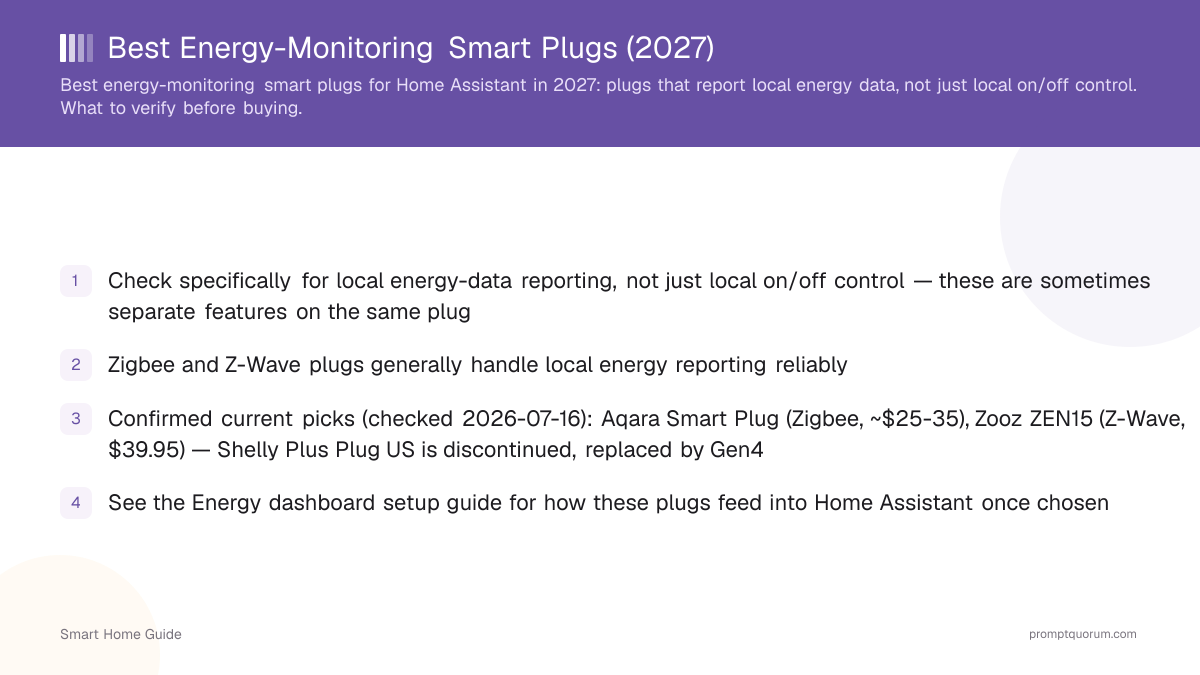
- Check specifically for local energy-data reporting, not just local on/off control — these are sometimes separate features on the same plug
- Zigbee and Z-Wave plugs generally handle local energy reporting reliably; Shelly is a confirmed local-API Wi-Fi/Matter/Zigbee exception
- Confirmed current picks (re-checked 2026-08-25): Aqara Smart Plug (Zigbee, $20-35), Zooz ZEN15 800LR (Z-Wave Long Range, $37.95-48.95), Shelly Plug US Gen4 (Wi-Fi/Matter/Zigbee, $19.99-24.99), Sonoff S31 (Wi-Fi, $9.90-23.90)
- Buy the plug that fits the protocol you already run, not the one with the most features — an extra radio ecosystem is its own cost
- A smart plug measures one device; for whole-house or whole-circuit monitoring, use a CT clamp system instead
- This page contains product links, not affiliate links — see the disclosure below
Disclosure
This page contains product links, not affiliate links. PromptQuorum has no current affiliate relationship with Aqara, Zooz, Shelly, or Sonoff/ITEAD, and earns no commission from clicks or purchases on this page. Prices and specifications were checked against official manufacturer and retailer sources on 2026-08-25 and can change without notice — verify current pricing before buying. PromptQuorum has not tested these plugs directly; recommendations here are based on published specifications and Home Assistant's own integration documentation, not hands-on review.
Quick Picks
Confirmed local energy-reporting plugs by category, with current prices as of 2026-08-25. These reflect published specs and documentation, not PromptQuorum hands-on testing.
Pick | Protocol | Price |
|---|---|---|
| Best Zigbee option | Zigbee 3.0 | $20-35 |
| Best Z-Wave option | Z-Wave Long Range (800 series) | $37.95-48.95 |
| Best multi-protocol Wi-Fi option | Wi-Fi / Matter / Zigbee | $19.99-24.99 |
| Cheapest confirmed option | Wi-Fi | $9.90-23.90 |
Head-to-Head Comparison
All four confirmed plugs, side by side, checked 2026-08-25.
- Our pick if you have no existing coordinator: Shelly Plug US Gen4 — the only plug here confirmed to work across three protocols (Wi-Fi, Matter, Zigbee) with a documented local API, so it fits almost any setup.
- Our pick for the lowest per-unit cost across several devices: Aqara Smart Plug — cheap enough to buy 3-4 for the devices in "What to Monitor" below without a large outlay.
- None of these four differ meaningfully on whether local energy reporting actually works — they all confirm it. The real decision is protocol fit and price, not capability.
Plug | Protocol | Max load | Local energy data | Price |
|---|---|---|---|---|
| Aqara Smart Plug | Zigbee 3.0 | 1875W | Yes (ZHA/Zigbee2MQTT) | $20-35 |
| Zooz ZEN15 800LR | Z-Wave Long Range (800 series) | Check listing | Yes (W/A/V/kWh) | $37.95-48.95 |
| Shelly Plug US Gen4 | Wi-Fi / Matter / Zigbee | Check listing | Yes (documented local API) | $19.99-24.99 |
| Sonoff S31 | Wi-Fi | Check listing | Yes — but NOT the S31 Lite ZB | $9.90-23.90 |
Local On/Off vs Local Energy Reporting
A smart plug can be locally controllable (on/off works through Home Assistant without the cloud) while still reporting its detailed energy-usage data only through the manufacturer's cloud API — these are separate capabilities that don't always come together.
- This distinction matters specifically for feeding the Energy dashboard (see that setup guide) — a plug that only controls locally but reports energy via cloud won't give you fully local monitoring for that device.
- Check Home Assistant's own integration documentation for the specific plug model, which typically states explicitly whether energy attributes are available locally or require the cloud integration.
- Sonoff's own lineup is a real, current example of this exact split: the Wi-Fi S31 has built-in energy monitoring, but the Zigbee S31 Lite ZB does not, per Sonoff's own product pages — the same brand, a different capability by model, not just by protocol.
What the Numbers Mean
"Energy monitoring" bundles several different readings — knowing which one you're looking at matters for automation.
- Watts (W): power draw right now — e.g., a PC pulling 180 W. Useful for detecting whether a device is idle, running, or in an unusual state.
- Kilowatt-hours (kWh): energy consumed over time — e.g., a washing machine cycle using 1.2 kWh. This is what feeds cost estimates and the Energy dashboard's historical view.
- Voltage (V) and current/amperage (A): the underlying electrical readings some plugs expose alongside watts and kWh — useful for diagnostics, not usually needed for basic automation.
- Cost: Home Assistant can combine kWh readings with your electricity tariff in the Energy dashboard to show an estimated cost figure, not just raw consumption — check that guide for setup.
What to Monitor (and What Not To)
Prioritize devices where the reading can actually trigger a useful automation or catch a real problem — monitoring every small device adds cost and clutter without adding much value.
- Good candidates: washing machines and dryers (detect cycle completion via a consumption drop), dishwashers (same pattern), servers and always-on PCs (track 24/7 baseline draw), refrigerators and freezers (a sudden change can flag a fault), heaters and dehumidifiers (catch excessive runtime).
- Weaker candidates: devices with near-constant, uninteresting draw where you're unlikely to act on the reading — a lamp or a phone charger rarely justifies its own monitoring plug.
- For EV charging specifically, a dedicated EV energy solution is usually a better fit than a general-purpose smart plug — check the charger's own reporting or a purpose-built monitoring product.
- Don't buy a dozen monitoring plugs just because they're inexpensive — start with two or three high-value devices and expand only if the data changes what you actually do.
Smart Plug vs Whole-House Monitor
A smart plug measures one device plugged into it; it cannot substitute for whole-house or whole-circuit monitoring.
If you want to monitor a single appliance, a smart plug is the simpler and cheaper tool. If you want whole-house or whole-circuit visibility — including solar production or overall load — a CT clamp system on the breaker panel is the right tool, not a stack of individual plugs.
Factor | Smart plug | CT clamp system |
|---|---|---|
| Measures one device | Yes | No |
| Measures whole house/circuit | No | Yes |
| Installation | Plug in, no wiring | Clamps on breaker panel wiring |
| Typical cost | $10-50 | Higher, varies by channel count |
| Good for appliance-level detail | Yes | Limited without per-circuit clamps |
| Good for solar/whole-home view | No | Yes |
Local AI and Energy Data
Home Assistant collects the energy data locally; a local LLM can interpret it in natural language — this pairing is where the plugs become more useful than a raw number in an app.
- Example query pattern: "what used the most electricity yesterday?" — Home Assistant's Energy dashboard already has the per-device history; a local LLM automation can summarize it in plain language without sending the data to a cloud AI service.
- This works because the energy sensor entities are already local (per the protocols above) — the LLM is reading data Home Assistant already has, not fetching anything new from the plug or the manufacturer.
- Useful automations built on this data: notify when a high-value appliance (washer, dryer, dishwasher) finishes based on a consumption drop, flag unusually high overnight draw, or shift a load (like a dishwasher) to run when solar production is highest — see the AI automations guide for the general pattern.
What to Check Before Buying
Confirm local energy-reporting specifically (not just on/off), check the protocol, verify current Home Assistant integration support for the exact model, and confirm the plug's rated load fits your device.
- Search Home Assistant's integration documentation for the exact plug model and confirm energy/power sensor entities are listed as locally available, not cloud-only.
- Zigbee and Z-Wave energy-monitoring plugs generally have a more consistent track record of fully local reporting than Wi-Fi plugs. Aqara's Smart Plug ($20-35, confirmed via Aqara/Amazon) exposes full energy sensors locally via ZHA or Zigbee2MQTT and handles up to 1875W; Zooz's ZEN15 800LR (Z-Wave Long Range 800 series, $37.95-48.95, confirmed via getzooz.com/thesmartesthouse.com) reports wattage, amperage, voltage, and kWh.
- Shelly's Plug US Gen4 documents a local API across Wi-Fi, Matter, and Zigbee (a real upgrade over the discontinued, Wi-Fi-only Plus Plug US it replaced), MSRP $19.99 with some retailers listing $24.99 — check us.shelly.com for current stock and price before buying.
- Don't exceed a plug's rated maximum load — check the wattage/amperage rating against the device you're monitoring before buying, especially for heavy-duty appliances.
- Confirm your outlet/plug standard (US NEMA vs EU Schuko/CEE 7 vs UK BS 1363, etc.) — a plug rated for one region's voltage and socket format generally will not work safely in another without a proper regional variant.
Which Plug Should You Buy
A short buying filter based on the protocol you already run, not brand preference.
- Already running Zigbee → Aqara Smart Plug ($20-35) — no new radio ecosystem needed, and inexpensive enough to buy several for multiple devices.
- Already running Z-Wave → Zooz ZEN15 800LR ($37.95-48.95) — established local reporting track record on Z-Wave.
- No existing coordinator, or want the widest protocol flexibility → Shelly Plug US Gen4 ($19.99-24.99) — documented local API across Wi-Fi, Matter, and Zigbee.
- Want the cheapest confirmed option and don't mind Wi-Fi-only → Sonoff S31 ($9.90-23.90) — just make sure you buy the S31, not the Zigbee S31 Lite ZB, if energy monitoring is the point.
- Want to track 4+ devices on a budget → Aqara Smart Plug × several — the lowest per-unit cost of the confirmed options.
- Want whole-house or whole-circuit visibility → skip smart plugs entirely and use a CT clamp system on the breaker panel instead — see the local energy management overview.
How We Evaluate Energy-Monitoring Smart Plugs
This review has not been hands-on tested by PromptQuorum on physical units. It is built from manufacturer-published specifications, retailer listings, and Home Assistant's own integration documentation, clearly separated below so you know what's confirmed versus assessed.
- Manufacturer-confirmed: protocol, max load rating, and official pricing — sourced directly from Aqara, Zooz, Shelly, and Sonoff/ITEAD's own product pages and store listings, checked 2026-08-25.
- Home Assistant documentation-confirmed: whether the energy sensor entities (watts, kWh, voltage, amperage) are exposed locally via the relevant integration (ZHA, Zigbee2MQTT, Z-Wave JS, or a local Wi-Fi/Matter API) versus requiring a cloud connection — sourced from Home Assistant's own integration docs, not the manufacturer's marketing claims.
- PromptQuorum assessment: the scorecard, buy/skip recommendations, and "which plug should you buy" filter — PromptQuorum's editorial judgment applied to the confirmed specs and documentation above, not a new physical test.
- We evaluate energy-monitoring smart plugs on: confirmed local energy-data reporting (not just local on/off), protocol fit for existing setups, max load rating, price, and documented Home Assistant integration support for the exact model.
Frequently Asked Questions
Does local on/off control mean energy data is also local?
Not necessarily — some plugs separate these, controlling on/off locally while still routing detailed wattage data through the manufacturer's cloud. Check specifically for local energy-reporting support.
Are Zigbee plugs better than Wi-Fi plugs for energy monitoring?
Generally, yes, for confirmed local reporting — Zigbee and Z-Wave plugs have a more consistent track record here than Wi-Fi plugs, though Shelly is a confirmed exception with a documented local API, and you should check the specific model rather than assuming based on protocol alone.
What is the best energy-monitoring smart plug overall?
For most buyers already on Zigbee, the Aqara Smart Plug ($20-35) offers the best combination of confirmed local reporting and low per-unit cost. If you have no existing coordinator, the Shelly Plug US Gen4 ($19.99-24.99) is the most protocol-flexible confirmed option, working across Wi-Fi, Matter, and Zigbee.
How do these plugs connect to the Energy dashboard?
Once confirmed to report locally, add the plug's energy sensor entity under "Individual Devices" in the Energy dashboard setup — see that guide for the full walkthrough.
Can I mix protocols (some Zigbee, some Wi-Fi plugs)?
Yes — Home Assistant can combine sensor entities from different protocols into the same Energy dashboard view without issue, as long as each individually reports locally.
Do I need one plug per appliance, or can I monitor a whole circuit?
Smart plugs monitor individual appliances plugged into them; for whole-circuit or whole-home monitoring, a CT clamp on the breaker panel (see the local energy management overview) is the appropriate tool instead.
Does every plug in a product line have the same features?
No — Sonoff's Wi-Fi S31 has built-in energy monitoring, but its Zigbee sibling, the S31 Lite ZB, does not, per Sonoff's own product pages. Check the specific model page, not just the brand or family name.
Will monitoring my devices automatically save me money?
No — the plug measures consumption; the savings come from what you do with that information (spotting waste, automating loads, shifting usage to cheaper or solar-covered hours). Treat the plug as a data source, not a savings device by itself.
Can a local AI use this energy data?
Yes — since the energy sensor entities are already local in Home Assistant, a local LLM automation can summarize or answer questions about the data (e.g., "what used the most electricity yesterday?") without sending anything to a cloud AI service.
How many energy-monitoring plugs should I buy to start?
Two or three, on your highest-value devices (a washer/dryer, a server or always-on PC, a fridge or freezer). Expand only if the data actually changes what you do — monitoring every small device adds cost without adding much value.
Is a smart plug good for monitoring EV charging?
Usually not the best fit — a dedicated EV energy solution or the charger's own reporting is a better match than a general-purpose smart plug, since EV charging load and duration patterns differ from typical appliance monitoring.
What should I check before buying any energy-monitoring plug?
Confirm local energy-reporting specifically (not just on/off) in Home Assistant's integration docs for the exact model, check the plug's rated max load against your device, and confirm your outlet/plug standard (US NEMA, EU Schuko/CEE 7, UK BS 1363, etc.) matches your region.