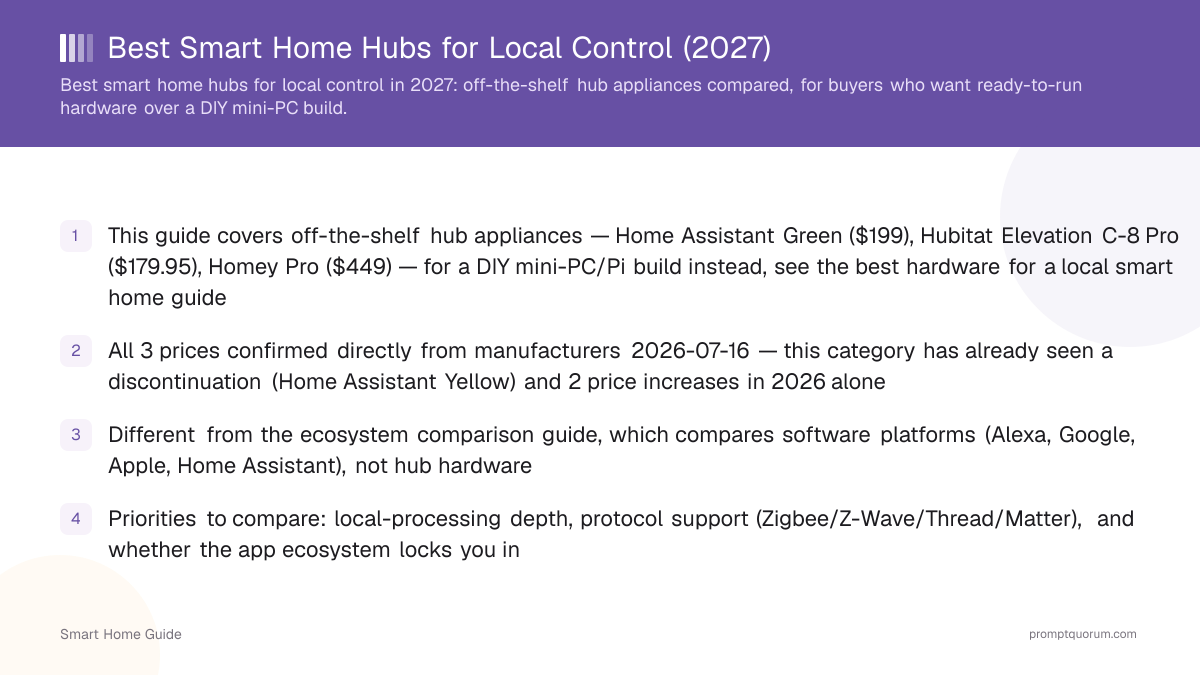
Key Takeaways
- Home Assistant Green ($199/€179) — best overall and best local-AI potential, but needs a separate Zigbee/Thread/Z-Wave USB dongle
- Hubitat Elevation C-8 Pro ($184.95, US-only shipping) — best appliance-like local automation, least tinkering
- Homey Pro ($449) — best premium all-in-one, broadest built-in radios, roughly 2.3x Home Assistant Green's price
- Aqara Hub M3 (MSRP $219.99, often ~$159.99) — best fit for households already invested in Aqara devices, not an open platform
- IKEA DIRIGERA ($139.99) — cheapest genuine ecosystem hub, see this site's dedicated DIRIGERA guide
- None of these hubs has been tested or benchmarked by PromptQuorum — every claim is sourced from manufacturer documentation, checked 2026-10-18
Quick Verdict
All five hubs at a glance — verified independently against manufacturer sources, not copied from any single review.
- *"Mixed" local rating: Homey, Aqara, and IKEA run cloud-connected companion apps for setup/remote access alongside local automation execution — none is fully offline-only the way a self-hosted Home Assistant instance can be. See "What Does Local Actually Give You?" below for the nuance.
- Every cell above was checked independently against each manufacturer's own current product page on 2026-10-18 (the Aqara Hub M3 price was last confirmed 2026-08-25 — Aqara's current product page lists no price) — do not copy these figures without re-verifying: prices in this category moved twice since August (Hubitat down, IKEA DIRIGERA up).
Hub | Best for | Local rating | Zigbee | Z-Wave | Matter/Thread | AI potential | Price |
|---|---|---|---|---|---|---|---|
| Home Assistant Green | Max control/AI | Highest | Via dongle | Via dongle | Via dongle | Highest (Ollama) | $199/€179 |
| Hubitat C-8 Pro | Simple local automation | High | Built-in 3.0 | Built-in 800 LR | Matter 1.5 (no Thread radio) | Low (appliance) | $184.95 |
| Homey Pro | Premium all-in-one | Mixed* | Built-in 3.0 | Built-in 700 | Matter 1.5 + Thread BR | Low (appliance) | $449 |
| Aqara Hub M3 | Aqara ecosystem | Mixed* | Built-in | None | Matter controller + Thread | None (bridge) | $219.99 MSRP |
| IKEA DIRIGERA | Budget ecosystem | Mixed* | IKEA devices only | None | Matter 1.4 + Thread BR | None (bridge) | $139.99 |
Top 3 Picks
Start here if you just want the answer.
- Best overall — Home Assistant Green ($199/€179): runs the real Home Assistant platform, the most integration-rich and open system in this comparison. Editorial rating: 9.3/10 (research-based assessment from official documentation, not a lab-tested score).
- Best simpler alternative — Hubitat Elevation C-8 Pro ($184.95): local automation that behaves like an appliance, not a Linux box you maintain. Editorial rating: 8.7/10.
- Best all-in-one — Homey Pro ($449): broadest built-in protocol support of any hub here, at a real price premium worth naming plainly. Editorial rating: 8.5/10.
Disclosure
This page contains product links, not affiliate links — PromptQuorum has no current affiliate relationship with Nabu Casa/Home Assistant, Hubitat, Athom/Homey, Aqara, IKEA, Amazon, or any vendor named on this page, and earns no commission from clicks or purchases. Links carry rel="nofollow". We link to manufacturer stores and major retailers because they are the actual purchase channels, not because of any paid arrangement. PromptQuorum has not tested, benchmarked, or implemented any hub on this page — every capability, ease-of-use, and local-control claim below is a research-based assessment from official manufacturer documentation and published specifications.
Which Smart Home Hub Should You Buy?
Match your actual situation to a hub — most buyers overpay for capability they will never use, or underbuy and hit a wall in six months.
Your situation | Buy this |
|---|---|
| Max local control + flexibility, some tinkering OK | Home Assistant Green |
| Local automation, minimal tinkering | Hubitat Elevation C-8 Pro |
| Easiest premium all-in-one, budget not a concern | Homey Pro |
| Already own many Aqara devices | Aqara Hub M3 |
| IKEA ecosystem, tightest budget | IKEA DIRIGERA |
| Want local AI (Ollama) on the same box | Home Assistant Green (or a separate AI mini PC — see below) |
Home Assistant Green — Best Overall
Editorial rating: 9.3/10 (research-based assessment, not a lab-tested score). Home Assistant Green ($199 US, excludes tax / €179 EU, tax included — confirmed on home-assistant.io and Nabu Casa's own 2026-01-08 pricing post) runs the real Home Assistant operating system on a Rockchip RK3566 quad-core Cortex-A55 processor with 4GB LPDDR4X RAM and 32GB eMMC storage. Nabu Casa has raised this price twice since a $99 2023 launch, citing RAM component costs that have nearly doubled the device's build cost.
- The important limitation: Green ships with NO built-in Zigbee, Thread, or Z-Wave radio — confirmed directly on home-assistant.io. It is a compute box, not a multi-radio hub out of the box; budget for a USB dongle (see the shopping list below) before you can pair most Zigbee or Thread devices.
- Why buy it: it runs actual Home Assistant, the platform with by far the largest integration library, the most active community, and the only realistic path to local-LLM automations (see the local-AI section below) on the same hub hardware if you scale up to a more capable box later.
- Why not: if you want zero tinkering, budget for the dongle and initial setup time is a real cost — Hubitat is the better fit for a buyer who wants to plug in and be done.
- Compatibility: Zigbee via dongle · Thread via dongle · Z-Wave via dongle · Matter via dongle or software · Ethernet ✅ · Setup difficulty: moderate (guided onboarding, but you're assembling a system, not unboxing a finished one).
Complete Home Assistant Green Shopping List
Green alone cannot pair Zigbee, Thread, or Z-Wave devices — here is what to add and where this site already covers each category.
- Zigbee/Thread radio: this site's Zigbee & Thread USB dongle guide covers the current Home Assistant Connect ZBT-2 and SONOFF alternatives in detail — read that guide before buying, it's a full buying decision on its own.
- Z-Wave radio: if you specifically need Z-Wave (many households don't — Zigbee and Matter cover most current devices), a dedicated Z-Wave USB controller exists as a category, but this site does not yet have a dedicated Z-Wave-controller product guide — check current options directly from a Z-Wave-certified retailer rather than following a specific link from here.
- Local AI hardware: Green's 4GB RAM is not sized for running a local LLM alongside the hub — see the one-box-vs-two-box section below and this site's mini PC guide for a separate or combined AI box.
- Storage/backup: Green's 32GB eMMC is enough for the OS and configuration but not much recording; this site does not currently have a dedicated NAS/backup guide for this cluster, so treat this as a generic recommendation — a network share or USB drive for Home Assistant's built-in backup feature covers most households.
"Green Plus Accessories" — A Realistic Starter Package
Home Assistant Green is a $199/€179 line item, not a $199/€179 smart home — budget for the full package before comparing it against Hubitat or Homey on price alone.
- Hub: Home Assistant Green — $199/€179
- Zigbee/Thread coordinator: Home Assistant Connect ZBT-2 — $49/€45 (see this site's dongle guide for alternatives)
- A handful of sensors and smart plugs — realistically $60-150 depending on quantity and brand (Aqara's Zigbee lineup is a common, well-supported starting point)
- A smart lock, if wanted — this site's smart lock guide's current top pick is the Aqara Smart Lock U200 (Matter over Thread, $169.99)
- Realistic total for a genuinely useful starter setup: roughly $400-800+ depending on how many devices and which categories (locks, thermostats, cameras) you add — not a single $199 purchase.
Hubitat Elevation C-8 Pro — Best Simpler Local Alternative
Editorial rating: 8.7/10 (research-based assessment, not a lab-tested score). Hubitat's Elevation C-8 Pro ($184.95, confirmed on hubitat.com on 2026-10-18 — slightly down from the $188.95 this page cited in August; Hubitat ships to the 48 contiguous US states only) runs Hubitat's own local-automation platform, not Home Assistant. It supports Zigbee 3.0, Z-Wave 800 Long Range, Matter 1.5 as a controller, and Bluetooth, all built in.
- Best for users who want an appliance-like local automation experience, not a Linux-style system to maintain — Hubitat's rule engine, web interface, and update process are designed to feel closed and stable, not like a general-purpose computer you're administering.
- Why Home Assistant wins instead: far larger integration count, native Frigate/camera-AI support, deep customization via YAML and community add-ons, and a realistic path to local-LLM automation. Hubitat's own platform is not built for any of that.
- Why Hubitat wins instead: less setup effort, no separate dongle to buy for Zigbee or Z-Wave (both built in), and a smaller, more predictable attack surface if you don't want to manage software updates yourself.
- Compatibility: Zigbee 3.0 ✅ built-in · Z-Wave 800 LR ✅ built-in · Matter 1.5 ✅ (controller only, no Thread radio) · Bluetooth ✅ · Setup difficulty: easy.
Homey Pro — Best Premium All-in-One
Editorial rating: 8.5/10 (research-based assessment, not a lab-tested score). Homey Pro (2026) is $449 (confirmed on homey.app, up from $399 after a June 1, 2026 price change) with 4GB RAM, 8GB eMMC, and a 1.5GHz quad-core ARMv8 processor. It has the broadest built-in radio set of any hub in this guide: Wi-Fi, Bluetooth 5.0, Matter v1.5, a Thread border router, Zigbee 3.0, Z-Wave 700, 433MHz, and infrared.
- Name the price gap plainly: $449 is roughly 2.3x Home Assistant Green's $199 and about 2.4x Hubitat's $184.95 — that premium buys built-in radios you'd otherwise assemble yourself, not a fundamentally different capability tier.
- Best for buyers who want the single broadest out-of-box radio set with no dongle shopping at all, and who value Homey's own app ecosystem and polish over Home Assistant's much larger open community.
- Why Home Assistant/Hubitat win instead: at this price, a Home Assistant Green plus a Connect ZBT-2 dongle ($199 + $49 = $248) still undercuts Homey Pro by roughly $200 while adding local-AI headroom Homey's own platform doesn't offer.
- Compatibility: Zigbee 3.0 ✅ built-in · Z-Wave 700 ✅ built-in · Matter v1.5 ✅ · Thread border router ✅ built-in · 433MHz ✅ · IR ✅ · Setup difficulty: easy.
Homey Pro Alternatives and Hubitat vs Homey
The best Homey Pro alternative depends on what you are avoiding: the $449 price, the closed app platform, or the need to buy radios separately. Hubitat and Home Assistant Green each answer one of those, and Homey's own cheaper Pro mini answers the price question inside the same platform.
- Hubitat vs Homey, price: Hubitat Elevation C-8 Pro ($184.95) costs less than half of Homey Pro ($449), and both include Zigbee 3.0, Z-Wave and a Matter controller.
- Hubitat vs Homey, radios: Homey Pro adds a Thread border router, 433MHz and infrared; Hubitat has no Thread radio. Homey's Z-Wave is the 700 series, Hubitat's is 800 series with Long Range.
- Hubitat vs Homey, platform: Hubitat is a closed rule-engine appliance with a web interface; Homey is app- and flow-based with a polished mobile app and a community app store. Neither runs a local LLM integration on its own platform.
- Homey Pro mini ($249, confirmed on homey.app 2026-10-18) runs the same Homey Pro OS with Zigbee 3.0, Matter v1.5 and a Thread border router built in, but Z-Wave, Bluetooth, 433MHz and infrared need the separate $69 Homey Bridge, so it only saves money if you do not need those radios.
- If the reason you are leaving Homey is lock-in rather than price, the practical alternative is Home Assistant Green — the only option here where the platform is open source and portable to other hardware.
Alternative | Price | Trade-off vs Homey Pro |
|---|---|---|
| Hubitat Elevation C-8 Pro | $184.95 | Zigbee/Z-Wave built in, no Thread radio, US-only shipping |
| Home Assistant Green + ZBT-2 | $248 total | Most open, more setup, Z-Wave needs a second dongle |
| Homey Pro mini | $249 | Same Homey OS, but no Z-Wave, Wi-Fi or Bluetooth built in |
| IKEA DIRIGERA | $139.99 | Matter/Thread only, IKEA-first, no Z-Wave |
Aqara Hub M3 — Best Aqara Ecosystem Hub
Editorial rating: 8.0/10 (research-based assessment, not a lab-tested score). Aqara's Hub M3 (MSRP $219.99, confirmed on aqara.com — commonly discounted to roughly $159.99 on Amazon per price-history trackers, so treat the sale price as the realistic figure, not the MSRP) combines a Zigbee/Thread radio (802.15.4), Wi-Fi, Bluetooth 5.1, PoE input, an IR blaster, and Matter-controller functionality in one mains-powered box.
- The important caveat: this is fundamentally an Aqara-ecosystem hub/bridge, not an open platform equivalent to Home Assistant — its own automation engine and app are built around Aqara's device catalog first.
- Matter integration claim, verified: Aqara's own product page confirms the M3 functions as a Matter controller for onboarding Matter-over-Thread accessories through the Aqara Home app — and separately, Home Assistant's Matter integration can bring Matter-certified Aqara devices under Home Assistant's own local control once paired, per Home Assistant's standard Matter support (verify this against current release notes for your exact device before buying, since Matter device-class support varies).
- No Z-Wave support at all — if any current or planned device in your home uses Z-Wave, the M3 will not control it.
- Best for households that already own several Aqara sensors, plugs, or locks and want one hub that manages them plus onboards other Matter devices — not a first hub purchase for someone starting from zero with no ecosystem preference.
- Compatibility: Zigbee/Thread ✅ built-in · Z-Wave ❌ · Matter controller ✅ · Wi-Fi/BLE ✅ · PoE ✅ · Setup difficulty: easy.
IKEA DIRIGERA — Best Affordable Ecosystem Hub
Editorial rating: 7.8/10 (research-based assessment, not a lab-tested score). IKEA's DIRIGERA ($139.99, confirmed on ikea.com) is the cheapest genuine Matter/Thread hub in this comparison. It became a full Matter controller and Thread Border Router via a 2025 firmware update, letting it onboard some third-party Matter devices, not only IKEA's own line. This site has a dedicated DIRIGERA guide with the full ecosystem breakdown.
- Buy if: you want the lowest-cost genuine entry point into local Matter/Thread control, are fine with IKEA's own app and device range as the primary experience, and don't need Hubitat/Home Assistant-level customization.
- Don't buy if: you want a single hub to also manage non-Matter Zigbee devices from other brands, need Z-Wave, or want the integration depth of Home Assistant — DIRIGERA's own automation engine is intentionally simple.
- Price comparison, stated plainly: DIRIGERA ($139.99) is about $59 cheaper than Home Assistant Green ($199) and about $45 cheaper than Hubitat ($184.95) — the tradeoff is a far smaller, IKEA-first device and automation ecosystem.
- Compatibility: Matter 1.4 ✅ controller · Thread Border Router ✅ · Zigbee ✅ (IKEA devices, via Matter bridging for some third-party) · Z-Wave ❌ · Setup difficulty: easy.
Full Comparison Table
Home Assistant Green vs Hubitat vs Homey Pro on the dimensions that actually decide a purchase.
Local automation depth
- Home Assistant Green:
- Deepest — full YAML, scripts, add-ons
- Hubitat C-8 Pro:
- Strong rule engine, less deep than HA
- Homey Pro:
- App-based flows, moderate depth
Ease of setup
- Home Assistant Green:
- Moderate — assembling a system
- Hubitat C-8 Pro:
- Easy — appliance-like
- Homey Pro:
- Easy — most radios built in
Customization
- Home Assistant Green:
- Highest — open source, huge community
- Hubitat C-8 Pro:
- Moderate — closed platform
- Homey Pro:
- Moderate — app ecosystem
Zigbee
- Home Assistant Green:
- Via USB dongle
- Hubitat C-8 Pro:
- Built-in 3.0
- Homey Pro:
- Built-in 3.0
Z-Wave
- Home Assistant Green:
- Via USB dongle
- Hubitat C-8 Pro:
- Built-in 800 LR
- Homey Pro:
- Built-in 700
Matter
- Home Assistant Green:
- Via software/dongle
- Hubitat C-8 Pro:
- Built-in 1.5 (controller)
- Homey Pro:
- Built-in v1.5
Thread
- Home Assistant Green:
- Via USB dongle
- Hubitat C-8 Pro:
- No Thread radio
- Homey Pro:
- Built-in border router
Local AI (Ollama/LLM)
- Home Assistant Green:
- Yes, on a scaled-up box; not Green's 4GB alone
- Hubitat C-8 Pro:
- Not supported by the platform
- Homey Pro:
- Not supported by the platform
Frigate / camera AI
- Home Assistant Green:
- Yes, via Home Assistant add-on
- Hubitat C-8 Pro:
- No native support
- Homey Pro:
- No native support
Ecosystem freedom
- Home Assistant Green:
- Highest — no vendor lock-in
- Hubitat C-8 Pro:
- Moderate — Hubitat-specific
- Homey Pro:
- Moderate — Homey-specific
Price
- Home Assistant Green:
- $199 / €179
- Hubitat C-8 Pro:
- $184.95
- Homey Pro:
- $449
Hub vs Controller vs Coordinator vs Matter Controller vs AI Server — What Each Word Actually Means
These terms get used interchangeably in marketing copy, but they describe different jobs — knowing which is which prevents buying the wrong thing.
- Hub: the general term for the box that runs your automation logic and talks to your devices — Home Assistant Green, Hubitat, and Homey Pro are all hubs.
- Coordinator: the specific radio chip/software that manages a Zigbee mesh network — this is what a USB dongle like the Connect ZBT-2 provides for Home Assistant, or what's built into Hubitat and Homey.
- Controller (Matter controller): the software role that can commission and manage Matter devices — Home Assistant, Hubitat, Homey, Aqara Hub M3, and IKEA DIRIGERA can all act as Matter controllers, but with different device compatibility.
- Border router (Thread): a device that bridges the Thread mesh network to your regular Wi-Fi/Ethernet network — Homey Pro and IKEA DIRIGERA have one built in; Home Assistant Green needs a dongle for this role.
- AI server: a separate role entirely — the machine (or add-on) running a local LLM via Ollama. This can be the same box as your hub (one-box) or a dedicated machine the hub talks to (two-box) — see the next section.
One-Box vs Two-Box Architecture
Should your hub and your local-AI server be the same machine? For casual setups, yes. For a serious local-AI-focused setup, this site's own hardware guide treats a dedicated AI box as the more resilient choice — worth doing the same here.
- One-box: a single mini PC running Home Assistant, Zigbee/Thread coordination, Frigate camera detection, and a local LLM via Ollama all on one machine. Cheap and simple, but every one of those jobs competes for the same RAM/CPU, and a crash or update to any one component can take down your whole smart home at once.
- Two-box: Home Assistant Green (or a similar lightweight hub) stays dedicated to hub duties and stays stable, while a separate, more powerful local-AI PC — see this site's mini PC guide, with the Beelink SER8 (~$650) as the current all-round pick — runs the heavier local-LLM workload and talks to the hub over the local network.
- Text-flow for two-box: [Home Assistant Green: devices + automations] → network → [AI mini PC: Ollama + LLM] → response → [Home Assistant Green: executes action].
- Why two-box is the more resilient architecture for local-AI-focused readers: a local LLM update, crash, or resource spike on the AI box never takes down basic lighting, locks, or security automations running on the hub — the hub keeps working even if the AI box is rebooting.
- Choose one-box if you're on a tight budget or a small/simple setup where downtime risk is low; choose two-box once you're running anything you'd genuinely miss if it went offline.
Which Smart Home Hub Should You Buy? (Decision Recap)
The same mapping from earlier in this guide, restated as a clean decision block now that you've seen the full comparison.
Your situation | Buy this |
|---|---|
| Max local control + flexibility | Home Assistant Green |
| Local automation, minimal tinkering | Hubitat Elevation C-8 Pro |
| Easiest premium all-in-one | Homey Pro |
| Heavy Aqara device investment | Aqara Hub M3 |
| IKEA ecosystem, tightest budget | IKEA DIRIGERA |
Don't Buy a Hub Yet If This Is You
Good-faith buyer protection: if you already run Home Assistant on other hardware, you may not need to buy anything on this page.
- If you already run Home Assistant on a mini PC, Raspberry Pi, or NAS, you already have a hub — see this site's best hardware for a local smart home guide for the DIY path instead of buying Green specifically for the hardware.
- Home Assistant Green's actual product is the pre-built, pre-flashed appliance convenience, not unique software — the same Home Assistant OS runs on hardware you may already own.
- If you're not sure whether your existing box (an old PC, a NAS with virtualization support) can run Home Assistant OS, check this site's hardware guide's minimum requirements before spending on new hardware.
Protocol Decision Tree
Match your actual devices to the hub that supports them without extra dongles.
If you are | Best-fit hub(s) |
|---|---|
| Mostly Zigbee devices | Hubitat, Homey, or HA Green + dongle |
| Mostly Z-Wave devices | Hubitat (800 LR) or Homey (700) |
| Starting fresh with Matter | Any of the five — all act as Matter controllers |
| Thread-heavy (Matter over Thread) | Homey or DIRIGERA (built-in border router) |
| Want maximum future flexibility | Home Assistant Green + dongle |
Best Smart Home Hub in Japan: Which Hubs Work With Most Devices
In Japan, choose a hub by radio and by whether it can legally be bought and used there: Zigbee, Thread and Matter run on 2.4GHz worldwide, but Z-Wave uses a separate Japanese band and several hubs here are sold for the US market only.
- Z-Wave is the regional trap: Japan's Z-Wave band is 922–926 MHz (ARIB STD-T108, per Z-Wave.me's documentation), not the 908.4 MHz US band. Hubitat's C-8 Pro Z-Wave radio is the US frequency and Hubitat ships only to the 48 contiguous US states, so it is not a practical Japan purchase.
- Homey says its Pro antennas switch with local regulations, but its page lists no Japan-specific Z-Wave variant — confirm Japanese Z-Wave support with Athom before buying Homey Pro for Z-Wave devices in Japan.
- Zigbee 3.0, Thread and Matter need no regional hardware: Home Assistant Green plus a Connect ZBT-2, Aqara Hub M3 (Aqara lists a 110-household Japanese deployment) and IKEA DIRIGERA all cover these protocols.
- Best fit for 'works with the most devices': Home Assistant Green, because its integration library covers Matter, Zigbee and cloud-less local devices alike. At $199 plus about $49 for the ZBT-2 it is roughly $248 before shipping and import costs.
- Check each device's own Japanese radio-law certification (the technical conformity mark) — a device or dongle bought abroad may not be legally usable in Japan. This is general guidance, not legal advice; PromptQuorum has not tested any hub in Japan.
Which Hub Is Best for Local AI?
Home Assistant wins for local AI for a specific reason: the hub doesn't have to BE the AI server. Home Assistant's open integration with Ollama lets you route natural-language commands to a local LLM without sending anything to a cloud API — see this site's Home Assistant + Ollama integration guide for the setup itself; this section covers why the architecture works, not the how-to.
- Text-flow: Home Assistant → device state/events → local LLM via Ollama → natural-language interpretation → back to Home Assistant → automation executes.
- Hubitat and Homey do not offer an equivalent local-LLM integration path on their own platforms — this is the single biggest reason Home Assistant Green leads this guide for AI-focused readers specifically, not a general claim that Home Assistant is superior for every buyer.
- This site's small-language-models article explains why small models (roughly 1B-4B parameters) are often the right fit for smart-home command interpretation specifically — the task is narrow (parse a command, call a function), and that lets the model run on modest local hardware rather than needing a large general-purpose model.
Example Local-AI Smart Home Commands
These are illustrative example use cases for a Home Assistant + local LLM setup, not features PromptQuorum has built, tested, or verified end-to-end.
- "Turn off all the lights downstairs"
- "Is the garage door open?"
- "Which room is using the most electricity right now?" (requires an energy-monitoring device — see the energy-monitoring plugs guide)
- "Lock all the doors"
- "Nobody is home — switch heating to eco mode"
- "Why did the living room temperature increase this afternoon?"
Local Smart Home Starter Kit
A realistic, complete local-first smart home — reusing the specific products this site's own category guides already recommend, not inventing new picks here.
- Realistic total for this full kit: roughly $1,170-1,250 before sensors, additional plugs, or a thermostat — squarely in the $500-1,000+ tier of the budget ladder below once you scale ambitions up or down.
Category | Pick | Price |
|---|---|---|
| Hub | Home Assistant Green | $199/€179 |
| Zigbee/Thread coordinator | Home Assistant Connect ZBT-2 | $49/€45 |
| Security camera | Reolink PoE line (this site's cameras guide) | from ~$80 |
| Smart lock | Aqara Smart Lock U200 (Matter/Thread) | $169.99 |
| Energy-monitoring plug | Aqara Smart Plug | ~$25-35 |
| AI mini PC (two-box setup) | Beelink SER8 | ~$650 |
| Software | Home Assistant + Frigate + Ollama | Free |
Budget Ladder
What each price tier actually buys.
Budget | What you get |
|---|---|
| Under $150 | IKEA DIRIGERA ($139.99) — entry-level Matter/Thread ecosystem |
| $150-250 | Home Assistant Green ($199) or Hubitat C-8 Pro ($184.95) — one hub, no radios/sensors yet |
| $250-500 | HA Green + dongle + a few sensors, or Homey Pro ($449) alone |
| $500-1,000+ | HA Green + dedicated AI mini PC + cameras + sensors + a lock (see starter kit above) |
Hub Longevity
Software updates, ecosystem openness, and vendor dependence — the factors that decide whether today's hub is still useful in five years.
- Home Assistant: strongest independence — open source, self-hostable, no dependency on any single company staying in business (Nabu Casa sells the hardware and an optional cloud add-on, but the core software runs without either).
- Hubitat: strong convenience with moderate vendor dependence — the platform is closed-source and tied to Hubitat as a company, but its local-processing design means most automations keep working even if the company's cloud services go away.
- Homey: more ecosystem-dependent — Athom (Homey's maker) controls the app store and platform updates; migrating away means rebuilding automations on a different platform.
- Aqara/IKEA: different tradeoffs, not necessarily worse for their intended use — both are primarily device-ecosystem bridges rather than general automation platforms, so their longevity question is really "will this brand's specific devices keep working," not "will this platform keep evolving."
What Else Do I Need? (Hardware Dependency Table)
What each hub requires beyond the box itself.
- For the Zigbee/Thread dongle decision specifically, see this site's dedicated dongle guide — it covers the current Home Assistant Connect ZBT-2 and SONOFF alternatives in full detail.
- No dedicated Z-Wave-controller product guide exists on this site yet — check a Z-Wave-certified retailer directly for current USB controller options if you need one.
Hub | Additional hardware needed |
|---|---|
| Home Assistant Green | Zigbee/Thread/Z-Wave dongle depending on your devices |
| Hubitat C-8 Pro | Usually none — Zigbee/Z-Wave/Matter built in |
| Homey Pro | Usually none — broadest built-in radio set |
| Aqara Hub M3 | Primarily Aqara-brand devices for full functionality |
| IKEA DIRIGERA | Primarily IKEA-brand devices for full functionality |
What Does a Local Hub Actually Give You?
Local control means automations keep running during an internet outage, your device state stays on your own network, you're not dependent on a vendor's servers staying online, and there's no mandatory subscription for core automation.
- Reliability: your lights, locks, and climate automations keep working during an internet or vendor-cloud outage if the logic runs locally on the hub.
- Privacy: device state and automation logic stay on your own network rather than routing through a manufacturer's servers.
- Lower recurring cost: no mandatory subscription for core local automation on any of the five hubs here (though optional cloud add-ons exist, e.g. Nabu Casa's remote-access service).
- The crucial honest caveat: a local hub does not automatically make every connected device local. A cloud-dependent camera or lock stays cloud-dependent even when a local hub is nominally "controlling" it — this is the same nuance behind the 4-level local rating this site's security cameras guide uses (storage, streaming, processing, and control can each be local or cloud independently). Check each specific device's own local-control claims, not just the hub's.
Don't Buy Based on Protocol Count Alone
A hub that supports six protocols is worthless if it doesn't support your exact devices — ask these questions before buying.
- Does my exact device model work with this hub — not just "supports Zigbee" in general, but this specific product?
- Is the integration actually local, or does it route through the device manufacturer's cloud even when connected to a local hub?
- Can I migrate my devices and automations to a different hub later if I change my mind?
- Does this hub expose the specific features I need (e.g. energy monitoring, not just on/off control)?
- Is a subscription required for any function I consider essential, not just for optional extras?
- What happens to my devices if this company disappears or discontinues the product line — does local control keep working?
Final Verdict
Five hubs, five different buyer profiles — the right pick depends on what you actually need, not which one scores highest on paper.
- Home Assistant Green ($199/€179) — best overall. Editorial rating: 9.3/10. Buy it if you want the most open platform and real local-AI headroom, and don't mind assembling a dongle-and-sensor system.
- Hubitat Elevation C-8 Pro ($184.95) — best local appliance. Editorial rating: 8.7/10. Buy it if you want local automation with the least tinkering and don't need Home Assistant's integration breadth.
- Homey Pro ($449) — best premium all-in-one. Editorial rating: 8.5/10. Buy it if built-in radio breadth and Homey's own app polish are worth roughly 2.3x Home Assistant Green's price to you.
- Aqara Hub M3 ($219.99 MSRP, often ~$159.99) — best Aqara ecosystem hub. Editorial rating: 8.0/10. Buy it if you're already invested in Aqara devices specifically.
- IKEA DIRIGERA ($139.99) — best simple ecosystem hub. Editorial rating: 7.8/10. Buy it if budget is the deciding factor and you're fine centering the IKEA app.
- The key buying rule for this site's local-AI-focused audience: recommend the platform with the least ecosystem lock-in, which is Home Assistant Green — but that's not the right call for every buyer. If appliance-simplicity or built-in radio breadth matters more to you than openness, Hubitat or Homey are the honestly correct choice, not a consolation prize.
Frequently Asked Questions
What is the best hub for Home Assistant?
Home Assistant Green ($199/€179) is the official first-party hardware — it runs Home Assistant OS out of the box but needs a separate Zigbee/Thread/Z-Wave USB dongle since none is built in.
Is Home Assistant Green worth it?
Yes, for buyers who want the most open, integration-rich platform and real local-AI headroom — but budget for a dongle (~$49) and expect a moderate setup process, not a plug-and-play experience like Hubitat or Homey.
Is Hubitat fully local?
Hubitat's core automation execution runs locally on the hub, which is why automations keep working during an internet outage — but Hubitat as a company still provides cloud services for remote access and some integrations, so it isn't a fully offline system in every respect.
Is Homey local?
Homey Pro executes core automations locally on the hub itself, similar to Hubitat, while its companion app and some integrations depend on Athom's cloud services for remote access and setup.
Does Home Assistant need internet to work?
No — core local automations continue running without internet access once set up. Internet is needed for remote access (unless self-configured), voice assistant cloud integrations, and any cloud-dependent device integrations.
Do I need a Zigbee dongle with Home Assistant Green?
Yes, if you have or plan to buy any Zigbee devices — Green has no built-in radio. See this site's Zigbee & Thread dongle guide for current options like the Home Assistant Connect ZBT-2 ($49/€45).
Does Home Assistant Green support local AI?
Home Assistant's software supports local LLM integration via Ollama, but Green's own 4GB RAM is not sized to also run a local LLM well — pair it with a separate, more powerful AI mini PC (two-box architecture) for genuine local-AI use, rather than expecting Green alone to handle both jobs.
Home Assistant Green vs Hubitat — which should I buy?
Home Assistant Green if you want maximum openness, integration breadth, and local-AI potential and don't mind assembling a dongle-based system. Hubitat Elevation C-8 Pro if you want local automation that behaves like a simple appliance with built-in Zigbee/Z-Wave and minimal setup.
What is the best Homey Pro alternative?
Hubitat Elevation C-8 Pro ($184.95) is the closest built-in-radio alternative at under half the price; Home Assistant Green plus a ZBT-2 dongle ($248) is the open-platform alternative; Homey Pro mini ($249) keeps the Homey platform but drops Z-Wave, Wi-Fi and Bluetooth unless you add the $69 Homey Bridge.
Hubitat vs Homey — which is better?
Hubitat is cheaper ($184.95 vs $449) and an appliance-like local rule engine with no Thread radio; Homey Pro adds Thread, 433MHz and infrared and a more polished app. Neither is fully offline, and neither offers a native local-LLM integration.
What is the best smart home hub for Japan?
For breadth of device support, Home Assistant Green with a Zigbee/Thread dongle, since Zigbee, Thread and Matter are global 2.4GHz standards. Z-Wave in Japan uses 922–926 MHz, and Hubitat's C-8 Pro uses the US frequency and ships only within the contiguous US, so verify regional Z-Wave support before buying any Z-Wave hub.
What is the best home automation hub for beginners?
Hubitat Elevation C-8 Pro ($184.95) if you are in the US and want local automation with Zigbee and Z-Wave built in; Homey Pro ($449) if you want the easiest setup and will pay for it; Home Assistant Green if you accept a longer setup for the most flexibility.
What is the best hub for Matter?
All five hubs in this guide (Home Assistant Green, Hubitat, Homey Pro, Aqara Hub M3, IKEA DIRIGERA) can act as Matter controllers, but Homey Pro and IKEA DIRIGERA have a Thread border router built in, while Home Assistant Green needs a dongle for that role — check the specific Matter device's supported controller list before buying.