Key Takeaways
- Prioritise RAM and a capable integrated GPU or NPU over raw CPU clock
- A low-power Intel N150 mini PC (~$180–220) runs Home Assistant and a small model
- A Ryzen 7/9 mini PC with a strong iGPU (~$799–849) handles a 7B model alongside the hub
- A Ryzen AI NPU-equipped mini PC (~$1,299+) is the strongest option for on-device AI and vision
- One mini PC can run Home Assistant, Ollama, Whisper, and Frigate together
- See the cross-cluster local-llms hardware guide for VRAM specifics
Quick Picks
Three configurations cover most Home Assistant + local AI setups. Pick by budget and the model size you want to run.
- Best overall — Beelink SER8 (32 GB): runs Home Assistant, Frigate, and a 7B model on Ollama on one box. Around $799–849 for the 32 GB / 1 TB configuration, though listings vary — check the current price.
- Best budget — Beelink EQ14 or GMKtec G3 Plus (Intel N150): runs Home Assistant plus a small model (1–3B) for about $180–220.
- Best for local AI — GEEKOM A9 Max (Ryzen AI 9 HX 370): the strongest iGPU and an NPU for on-device vision; typically $1,299–1,599 depending on configuration and retailer.
What You Need for HA + LLM on One Box
You need enough RAM to hold the model plus Home Assistant, and a capable iGPU or NPU to keep the model responsive. CPU clock is secondary for this workload.
- RAM: enough headroom for the model size you want plus the hub and add-ons.
- Graphics/NPU: a capable integrated GPU or NPU lowers LLM and Whisper latency.
- Storage: room for recordings if you also run Frigate — see local AI security cameras.
The 5 Mini PCs Compared
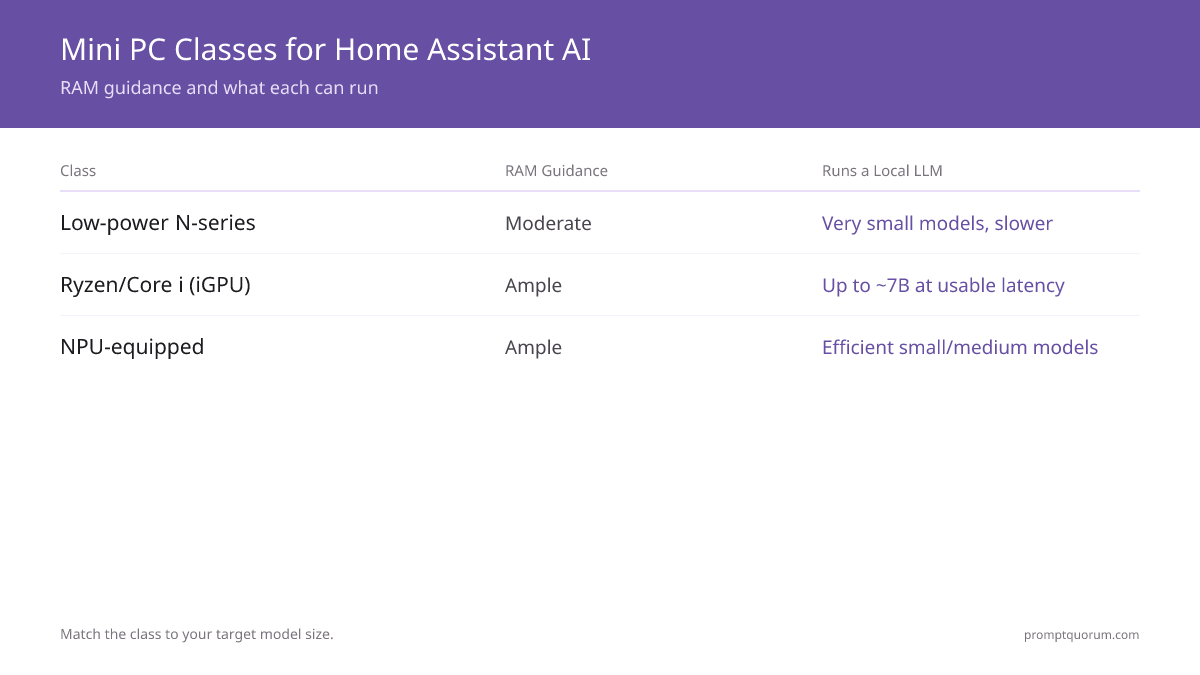
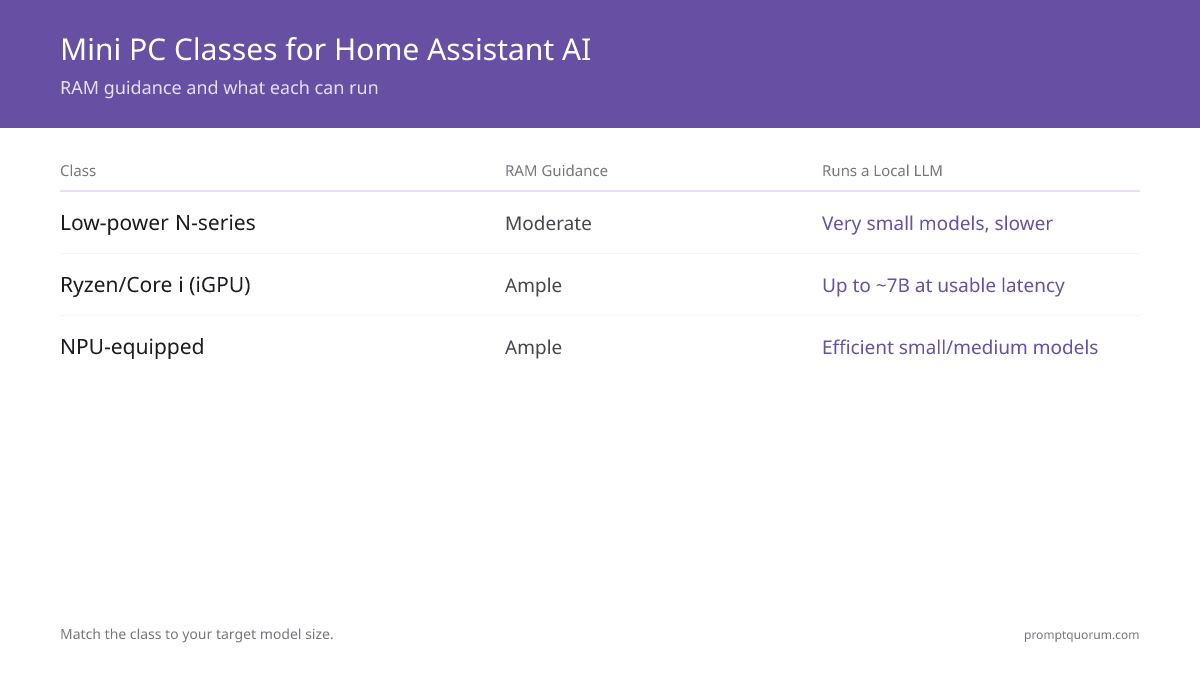
Three classes cover most needs: low-power N-series for light AI, Ryzen/Core i-series with a strong iGPU for a 7B model, and NPU-equipped mini PCs for efficient on-device AI. Below is what each of the five specific units in this guide is built for, based on their published specifications — not independent testing by PromptQuorum.
Comparison
Match the unit to your target model and budget. Prices, power figures, and connectivity specs are approximate, drawn from manufacturer listings and independent hardware reviews — confirm the current listing before buying.
- For VRAM and quantization depth, see the cross-cluster best mini PCs for local LLMs.
- Networking note: every unit here ships at least one 2.5GbE port — the EQ14 and Minisforum UM890 Pro even ship two — for Home Assistant plus camera streams, a wired 2.5GbE connection reduces the chance of the network becoming the bottleneck.
Beelink EQ14
- CPU:
- Intel N150
- GPU/iGPU:
- Intel UHD (integrated)
- RAM (as tested / max):
- 16 GB / 16 GB max (1 SO-DIMM)
- Ethernet:
- Dual 2.5GbE
- Storage:
- 2x M.2 NVMe SSD
- Approx. price (Aug 2026):
- ~$189–220
- Idle / typical power:
- ~5–12W idle, ~15–25W under load
- Best for:
- HA + a small model
GMKtec G3 Plus
- CPU:
- Intel N150
- GPU/iGPU:
- Intel UHD (integrated)
- RAM (as tested / max):
- 16 GB / officially 16 GB, up to 32 GB reported (1 SO-DIMM)
- Ethernet:
- 1x 2.5GbE
- Storage:
- Dual M.2 (2280 NVMe up to 4TB + 2242 SATA up to 2TB)
- Approx. price (Aug 2026):
- ~$180–230
- Idle / typical power:
- ~5–12W idle, ~15–25W under load
- Best for:
- HA + a small model, budget flexibility
Beelink SER8
- CPU:
- Ryzen 7 8845HS
- GPU/iGPU:
- Radeon 780M
- RAM (as tested / max):
- 32 GB / up to 256 GB (2x DDR5 SO-DIMM)
- Ethernet:
- 1x 2.5GbE
- Storage:
- Dual M.2 PCIe 4.0 (up to 8TB combined)
- Approx. price (Aug 2026):
- ~$799–849
- Idle / typical power:
- ~7–10W idle, ~45W+ under sustained AI load
- Best for:
- HA + Frigate + a 7B model
Minisforum UM890 Pro
- CPU:
- Ryzen 9 8945HS
- GPU/iGPU:
- Same class as SER8
- RAM (as tested / max):
- 32 GB / up to 96 GB (2x DDR5 SO-DIMM)
- Ethernet:
- Dual 2.5GbE
- Storage:
- Dual M.2 NVMe + OCuLink for external expansion
- Approx. price (Aug 2026):
- ~$649 (32GB) / ~$439 barebones
- Idle / typical power:
- ~7–9W idle, ~54–90W under sustained load
- Best for:
- Similar to SER8, more configurable
GEEKOM A9 Max
- CPU:
- Ryzen AI 9 HX 370
- GPU/iGPU:
- Radeon 890M + NPU
- RAM (as tested / max):
- 32 GB / up to 128 GB (2x DDR5 SO-DIMM)
- Ethernet:
- Dual 2.5GbE
- Storage:
- Dual M.2 NVMe SSD
- Approx. price (Aug 2026):
- ~$1,299–1,599
- Idle / typical power:
- ~7–9W idle, ~20–34W typical use
- Best for:
- Strongest on-device AI + vision
Suitability at a Glance
Ratings below reflect expected suitability based on each unit's published specifications and component class, not independently measured benchmarks by PromptQuorum on these exact units — treat this as a starting point for sizing your setup, not a guarantee. ★★★★★ = excellent fit, ★★☆☆☆ = usable but limited.
Mini PC | Local AI (7B+) | Frigate (cameras) | Noise | Price tier |
|---|---|---|---|---|
| Beelink SER8 | ★★★★☆ | ★★★★☆ | Low (small fan) | $$$ |
| Beelink EQ14 | ★★☆☆☆ | ★★★☆☆ | Near-silent | $ |
| GMKtec G3 Plus | ★★☆☆☆ | ★★★☆☆ | Near-silent | $ |
| Minisforum UM890 Pro | ★★★★☆ | ★★★★☆ | Low-moderate (higher under load) | $$$ |
| GEEKOM A9 Max | ★★★★★ | ★★★★★ | Low-moderate | $$$$ |
Frigate camera-count guidance (from Frigate's own planning documentation, not PromptQuorum testing): CPU-only detection struggles beyond a couple of cameras regardless of the box — Frigate's docs recommend hardware-accelerated detection (via the iGPU, a Coral USB accelerator, or an OpenVINO-compatible NPU) once you go past light, occasional-motion use. As a rough guide: N150-class boxes are comfortable with a handful of cameras (2–4) using GPU/Coral-assisted detection; Ryzen 780M/890M-class boxes with GPU-accelerated detection can reasonably handle a mid-size camera count (roughly 6–10) before you should plan for dedicated NVR hardware. Confirm against Frigate's planning guide for your specific camera count, resolution, and frame rate.
Best For…
- Budget under $250: an Intel N150 box (Beelink EQ14 or GMKtec G3 Plus) covers Home Assistant plus a small model.
- Want a 7B model and Frigate together: step up to a Ryzen 7/9 mini PC with a strong iGPU — the Beelink SER8 or Minisforum UM890 Pro.
- Want a quiet, low-power 24/7 box and don't need a large model: an N150 box draws the least power at idle and is often near-silent.
- Want the strongest on-device AI and vision: the GEEKOM A9 Max's combination of a strong iGPU and NPU is the most capable option here, at the highest price.
Budget vs Performance
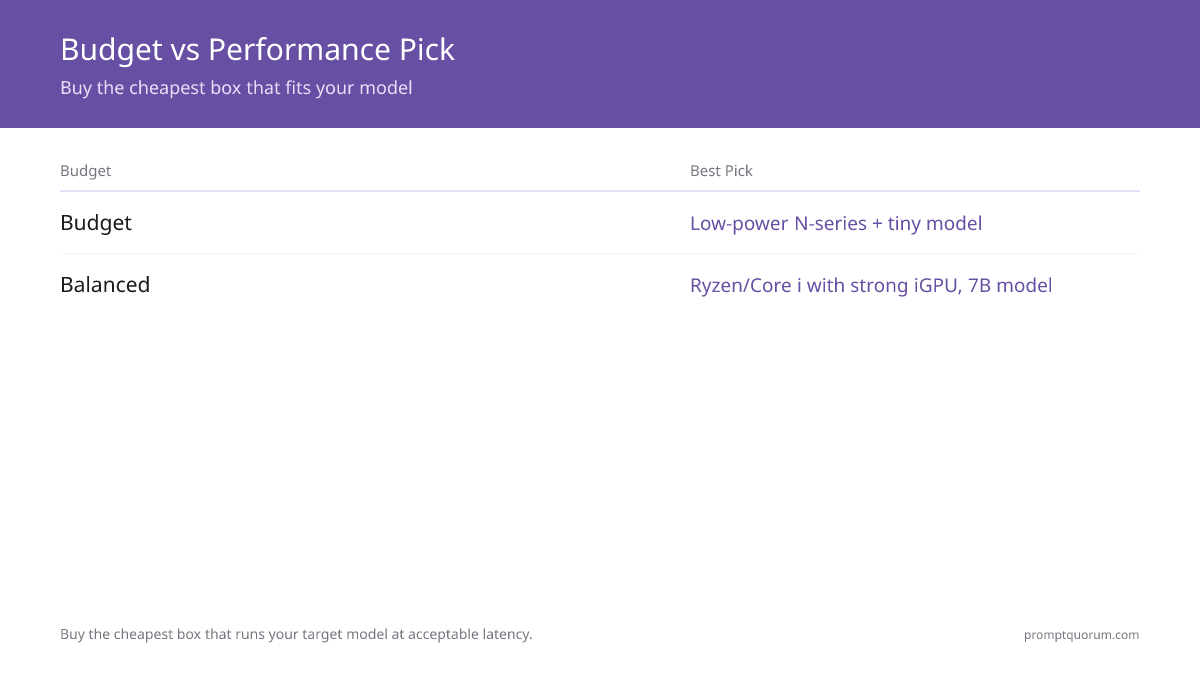
Buy the cheapest box that runs your target model at acceptable latency — usually a Ryzen/Core i mini PC with a strong iGPU for a 7B model. Do not overspend on CPU or NPU capability you will not use — see Which One Should You Buy? below for a direct recommendation by use case.
- Budget: a low-power N150 box for HA plus a tiny model.
- Balanced: a Ryzen 7/9 mini PC with a strong iGPU for a 7B model.
- For the broader hardware decision (Pi vs mini PC vs NAS), see best hardware for a local smart home.
Which One Should You Buy?
Match the box to your actual workload rather than buying the most capable unit available.
- If Home Assistant is your only workload: buy the Beelink EQ14 or GMKtec G3 Plus.
- If you want Home Assistant plus a local 7B model on one box: buy the Beelink SER8 (32 GB configuration).
- If local AI performance is the priority and budget allows: step up to the GEEKOM A9 Max or Minisforum UM890 Pro.
- If you are running Frigate with several cameras: prioritise RAM and storage for recordings over raw CPU speed — see local AI security cameras for storage planning.
⚠️Warning: Don't buy the SER8 or a similarly priced box if you only want Home Assistant and a handful of automations — an N150 box is considerably cheaper and sufficient for that workload.
⚠️Warning: Don't buy an N150 box if your goal is a responsive 7B-class model, Whisper, and Frigate running at the same time — expect it to feel slow at that combined workload.
⚠️Warning: Don't buy the GEEKOM A9 Max expecting its NPU to accelerate local-LLM chat — the iGPU does most of that work; the NPU's benefit shows up mainly in vision tasks like Frigate.
Total Cost and Power Considerations
Hardware is the only real cost — the software stack is free. Home Assistant, Ollama, a local model, and Frigate are all free and open-source; the mini PC itself is the entire budget line.
- Hardware cost by tier: budget N150 box ~$180–230; balanced Ryzen 7/9 box (32 GB) ~$799–849; step-up NPU box ~$1,299–1,599.
- Power for a 24/7 box: idle draw is broadly similar across all five units in this guide (roughly 5–10W), but sustained AI-inference load varies more — an N150 box draws noticeably less under load (~15–25W) than a Ryzen 7/9 box running a 7B model (~45W or more). For a box that runs around the clock, that difference adds up over a year more than peak benchmark performance does.
- Manufacturer-published TDP figures set the upper bound (N150: 6W; 8845HS/8945HS: 45W, configurable up to 70W on some boards; HX 370: configurable 15–54W) — actual draw depends on workload and BIOS power-mode settings.
Setup Notes
Run Home Assistant OS or a container, install Ollama, and confirm the iGPU/NPU is used for inference. Keep the box wired to your network for reliability.
- Install Home Assistant — see getting started.
- Install Ollama and pull a small model — see how to install Ollama.
- Wire Ollama into Home Assistant — see the Ollama integration guide.
Frequently Asked Questions
Can one mini PC do both Home Assistant and a local LLM?
Yes. A mini PC with enough RAM and a capable integrated GPU or NPU runs Home Assistant and a small local LLM together, and can add Whisper and Frigate. This single-box approach is the simplest way to get a local-AI smart home.
How much RAM do I need?
Enough to hold your target model plus Home Assistant and any add-ons. A small model needs only modest RAM, while running a 7B model comfortably alongside the hub benefits from ample RAM. Match RAM to the largest model you plan to run.
Intel or AMD for a Home Assistant mini PC?
Both work. A low-power Intel N-series box is cheapest for light use; an AMD Ryzen or Intel Core i mini PC with a strong integrated GPU handles a 7B model better. Choose based on the model size and latency you want.
What is the cheapest mini PC that runs a local LLM?
A low-power Intel N-series mini PC is the cheapest that can run Home Assistant plus a very small model, though responses are slower. For a snappier 7B-class assistant, step up to a Ryzen or Core i mini PC with a strong iGPU.
How much does the whole setup cost, including software?
The mini PC is the only real cost. Home Assistant, Ollama, a local model, and Frigate are all free and open-source, so the total is whatever you pay for the hardware — from about $180 for an N150 box to around $1,200+ for the strongest NPU-equipped option in this guide.
Full Reviews of Each Mini PC
Each mini PC below has a dedicated page covering configuration, compatibility, and buying considerations.