Key Takeaways
- Home Assistant has a built-in Ollama integration; a local model becomes the conversation agent
- You control devices in natural language instead of memorising exact command phrases
- The model can run context-aware automations that rigid rules cannot express
- Everything runs on your hardware — no cloud, no usage data leaving the house
- A small function-calling model on a mini PC is enough; a GPU or capable iGPU/NPU lowers latency
- Build order: Home Assistant first, then Ollama, then wire the conversation agent, then add local voice
What Running Your Smart Home on a Local LLM Means
It means a locally hosted language model sits between you and your devices, translating plain-language intent into Home Assistant actions and making automation decisions a fixed rule could not. The LLM plays two roles: conversation agent (you talk, it acts) and automation brain (it reasons over context).
- Conversation agent: You say or type "make the living room cosy" and the model maps that intent to concrete device calls — dim lights, set a warm colour, lower the blinds.
- Automation brain: Instead of one trigger → one action, the model can weigh context: time of day, who is home, sensor states, and a natural-language goal.
- Local by design: The model runs through Ollama on your own machine, so neither your commands nor your home state are sent to a third party.
Why It's Possible in 2026
Three things converged: small models got capable enough for home control, they gained reliable function-calling, and Home Assistant shipped a first-class LLM integration. None of these existed together for home users a few years ago.
- Capable small models: Models in the 3B–8B range now follow instructions well enough to map intent to device actions, and they fit on modest hardware. For model mechanics and sizing, see what local LLMs are — this guide does not re-explain them.
- Function-calling / tool use: Home control depends on the model emitting structured calls (turn on, set temperature). Modern local models support this, which is what makes reliable control possible.
- Home Assistant integration: Home Assistant exposes a conversation-agent interface and an Ollama integration, so wiring a local model to your devices is a configuration step, not a custom build.
The Architecture: Home Assistant + Ollama + Local Voice
The stack is three components on your own hardware: Home Assistant (devices + automations), Ollama (the local model runtime), and a local voice pipeline (Assist + Whisper + Piper). Data flows in a loop that never leaves your network.
- 1Home Assistant
Why it matters: Owns your devices, entity states, and automations, and exposes the conversation-agent interface. It is the hub the model acts through — start at [Home Assistant getting started](/smart-home/home-assistant-getting-started). - 2Ollama
Why it matters: Runs the local model and serves it to Home Assistant. For installing and choosing models, link out to [how to install Ollama](/local-llms/how-to-install-ollama); this guide stays focused on the smart-home wiring. - 3Conversation agent
Why it matters: The Home Assistant setting that points Assist at the Ollama model so natural language becomes device actions — the step-by-step is in [connecting Ollama to Home Assistant](/smart-home/home-assistant-ollama-integration). - 4Local voice (optional)
Why it matters: Whisper transcribes speech and Piper speaks responses, so you get a fully offline voice assistant — see [build a fully local voice assistant](/smart-home/local-voice-assistant-smart-home).
What It Unlocks vs Rule-Based Automation
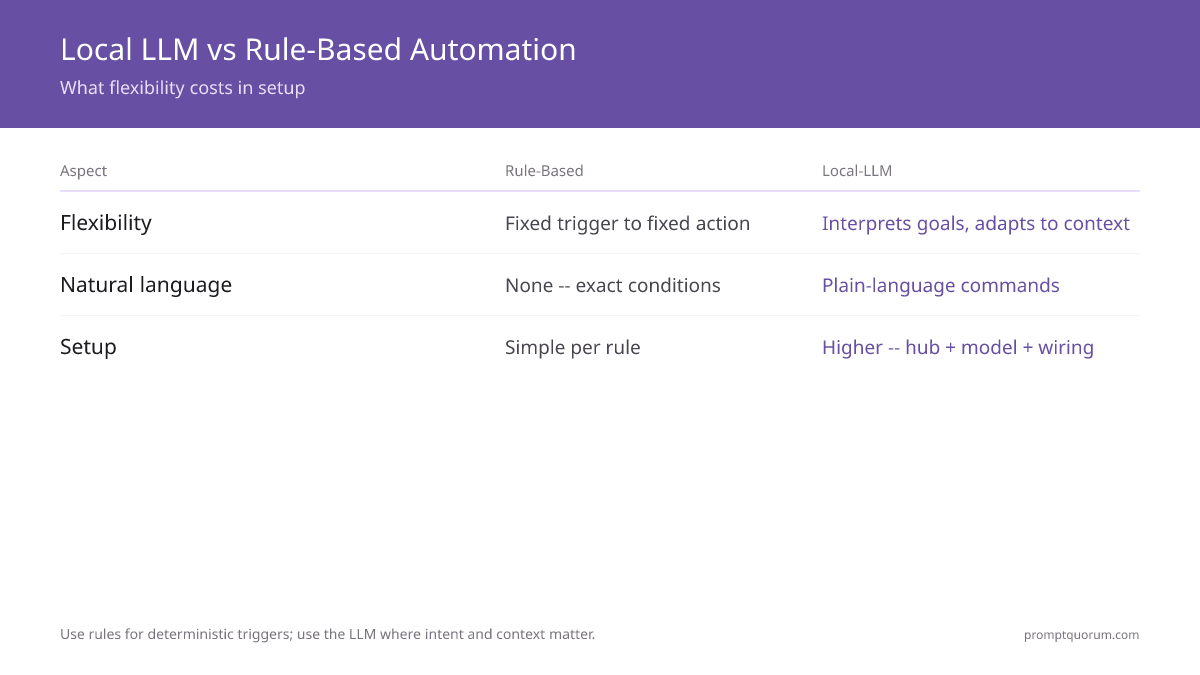
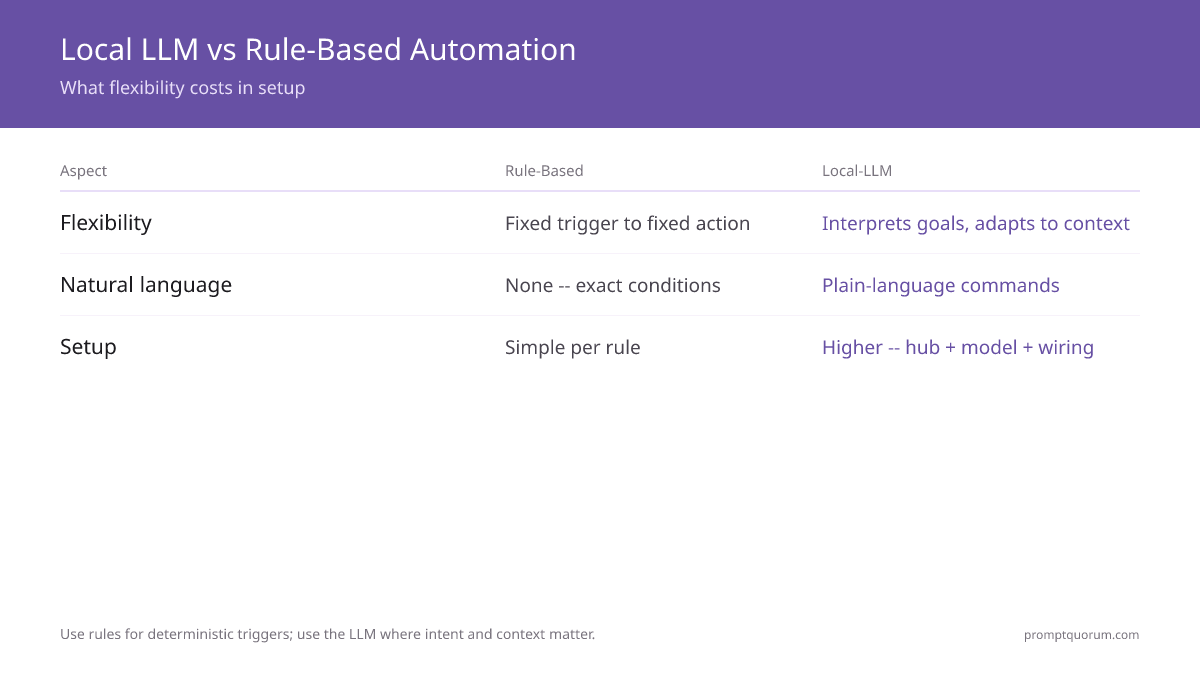
A local LLM adds flexibility, natural language, and context that rule-based automation cannot express — at the cost of more setup and hardware. Use rules for deterministic triggers; use the LLM where intent and context matter.
- For concrete automation examples and the prompts behind them, see smarter automations with a local LLM.
- Keep deterministic safety automations (smoke alarm, door locks) as plain rules — do not route them through the model.
Aspect | Rule-based automation | Local-LLM automation |
|---|---|---|
| Flexibility | Fixed trigger → fixed action | Interprets goals and adapts to context |
| Natural language | None — you wire exact conditions | Plain-language commands and intents |
| Context-awareness | Only the states you script | Reasons over time, presence, sensors |
| Setup | Simple per rule | Higher — hub + model + wiring |
| Hardware need | Minimal (a Pi) | A mini PC; GPU/NPU helps latency |
The Hardware Reality
You can run Home Assistant and a small local model on a single mini PC; a GPU, capable iGPU, or NPU lowers response latency. This guide does not re-explain VRAM or model quantization — link out for that depth.
- One box is enough: A mini PC can host Home Assistant plus a small model via Ollama. For picks, see best mini PCs for Home Assistant + local AI.
- Latency scales with hardware: Larger models and CPU-only inference respond more slowly; a GPU or modern iGPU/NPU shortens the gap to a snappy assistant. For VRAM and model-sizing depth, see best hardware for a local smart home.
- Pick the model for the job: Home control rewards small, fast, function-calling models over the largest available — see best local LLM models for smart home control.
Your Step-by-Step Path
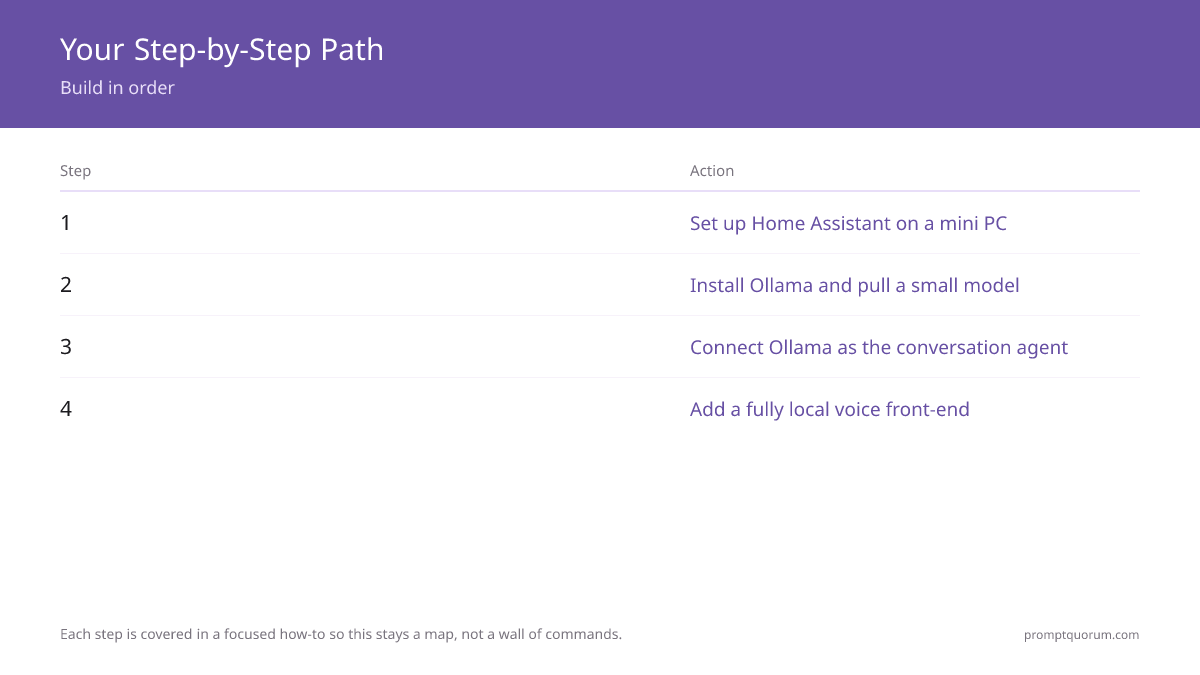
Build in order: Home Assistant, then Ollama, then the conversation agent, then voice and automations. Each step is covered in a focused how-to so this flagship stays a map, not a wall of commands.
- 1Set up Home Assistant on a mini PC — getting-started guide.
- 2Install Ollama and pull a small model — how to install Ollama.
- 3Connect Ollama to Home Assistant and set it as the conversation agent — integration how-to.
- 4Choose a model tuned for home control — best local LLM models for smart home.
- 5Add a fully local voice front-end — local voice assistant.
- 6Design context-aware automations — AI automations with a local LLM.
Frequently Asked Questions
Which local model is best for home control?
A small instruction-following model with reliable function-calling — typically in the 3B to 8B range — is the best fit, because home control needs fast, structured responses rather than the largest model. The right pick depends on your hardware; see the best local LLM models for smart home guide for current options.
Do I need a GPU to run a local LLM smart home?
No, but it helps. A small model runs on a modern CPU or capable integrated GPU; a discrete GPU or NPU mainly lowers response latency so the assistant feels snappier. Match the model size to your hardware rather than buying the biggest GPU.
Does a local LLM smart home work offline?
Yes. The model runs locally through Ollama and Home Assistant controls devices over your LAN, so natural-language control and automations work with no internet. Only remote access from outside the home needs connectivity.
Is a local LLM faster than Alexa?
It depends on hardware and model size. Cloud assistants like Alexa are tuned for low latency, while a local LLM trades some speed for privacy and offline operation; on a GPU-equipped mini PC the gap narrows. The decisive advantage is privacy and control, not raw speed.
Can a local LLM smart home run on a Raspberry Pi?
A Raspberry Pi runs Home Assistant well, but LLM inference on a Pi is limited to very small models and is slow. For a responsive local-LLM assistant, a mini PC with a capable iGPU/NPU or a discrete GPU is the better choice.