Key Takeaways
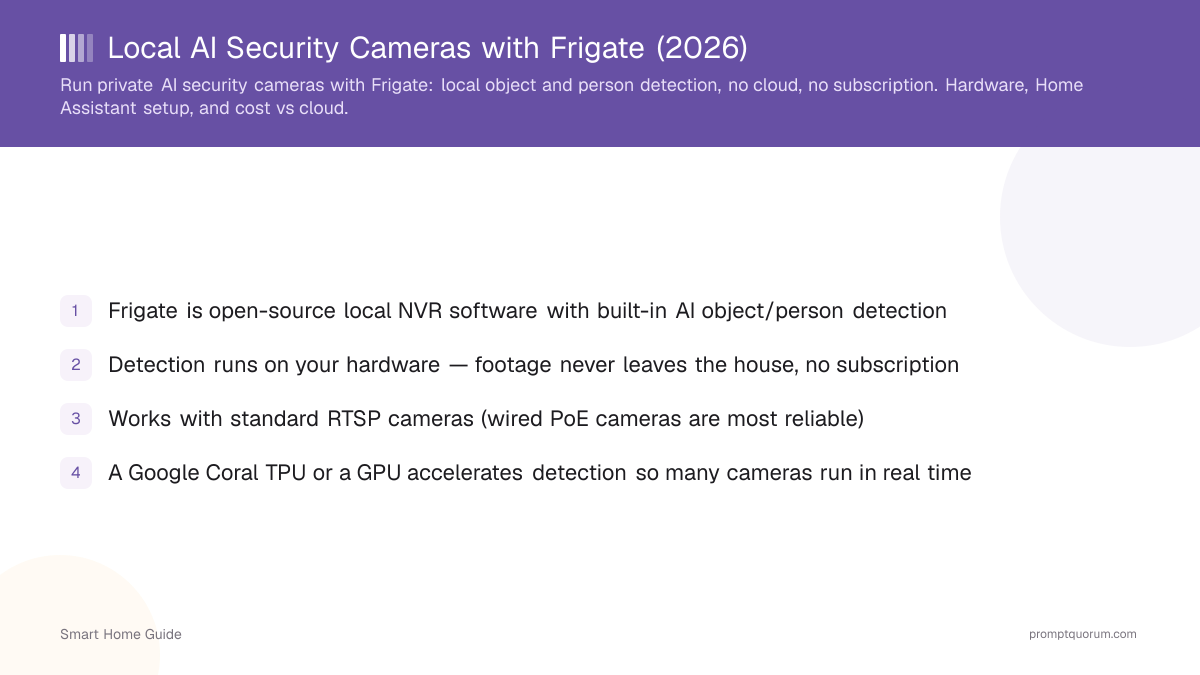
- Frigate is open-source local NVR software with built-in AI object/person detection
- Detection runs on your hardware — footage never leaves the house, no subscription
- Works with standard RTSP cameras (wired PoE cameras are most reliable)
- A Google Coral TPU or a GPU accelerates detection so many cameras run in real time
- Integrates with Home Assistant for notifications, snapshots, and automations
- One-time hardware cost replaces recurring cloud-camera fees
The Cloud-Camera Privacy Problem
Cloud cameras upload your footage to a vendor and often lock AI detection and video history behind a subscription. That means your home video lives on someone else's servers and stops working if you cancel.
- Footage off-site: recordings sit in a vendor data centre, exposed to breaches and policy changes — see smart home privacy risks.
- Subscriptions: person detection and recording history typically require a monthly fee.
- Lock-in: features can disappear if the vendor changes plans or shuts the service.
What Frigate Does
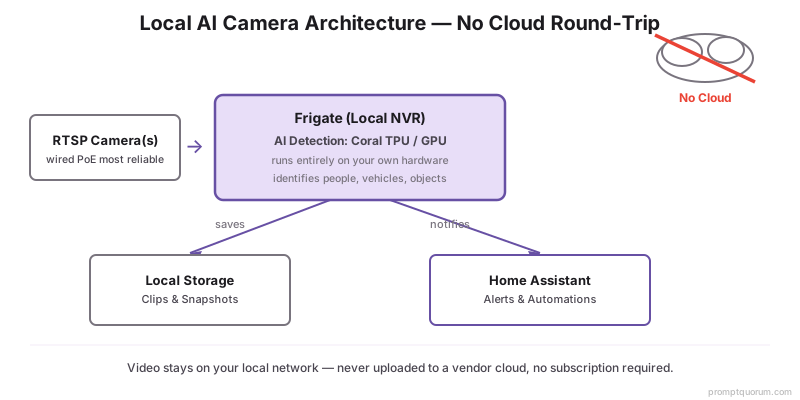
Frigate ingests camera streams, runs AI detection locally to identify people, vehicles, and objects, and records only clips that matter. It exposes events and snapshots to Home Assistant.
- Real-time object detection on RTSP streams, filtering false motion (trees, shadows).
- Records event clips and snapshots locally; you control retention.
- Zones and object filters reduce noise — for example, alert only on people in the driveway.
What Hardware Does Frigate Need?
Frigate runs detection efficiently on a Google Coral TPU or a GPU; CPU-only detection works but limits how many cameras you can run. Pair it with a host that has enough storage for recordings.
- Coral TPU: a Google Coral USB or M.2 accelerator handles detection for several cameras with low power draw.
- GPU: a discrete GPU also accelerates detection and is useful if you already run a local LLM on the same box — see best hardware for a local smart home.
- Storage: plan local disk for event recordings; wired PoE cameras give the most reliable streams.
- One box: Frigate can share a mini PC with Home Assistant — see best mini PCs for Home Assistant + local AI.
Home Assistant Integration
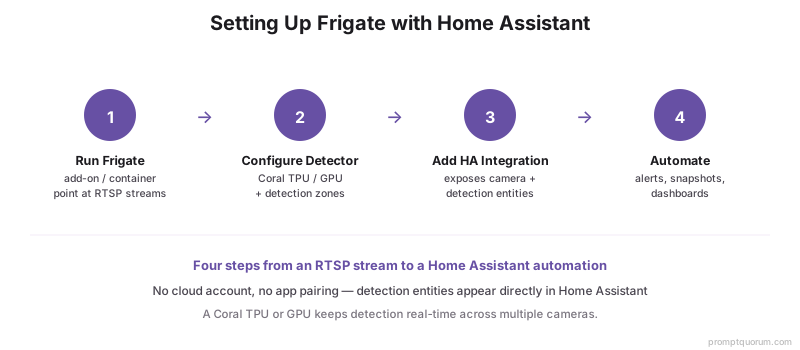
Frigate integrates with Home Assistant so detections become entities you can automate on. Install Frigate, then add the Frigate integration in Home Assistant.
- 1Run Frigate (as an add-on or container) and point it at your camera RTSP streams.
- 2Configure detectors (Coral/GPU) and detection zones in the Frigate config.
- 3Add the Frigate integration in Home Assistant to expose camera and detection entities.
- 4Use the detection entities in automations and dashboards.
Notifications and Automations
Use Frigate detection events to send local notifications with a snapshot and trigger automations — no cloud notification service required. Combine with a local LLM for natural-language alerts if you want.
- Send a snapshot notification when a person is detected in a specific zone.
- Trigger lights or sirens on detection as a deterministic automation.
- Optionally pass an event to a local LLM for a plain-language summary — see AI automations with a local LLM.
Cost vs Cloud Cameras
Frigate replaces recurring cloud-camera fees with a one-time hardware cost (accelerator + storage). Over time, a no-subscription local setup is cheaper and keeps footage private.
Aspect | Cloud cameras | Frigate (local) |
|---|---|---|
| Privacy | Footage on vendor servers | Footage stays in your home |
| Subscription | Monthly fee for AI + history | None |
| Detection | Cloud AI | Local AI (Coral/GPU) |
| Offline | Limited without internet | Works on your LAN |
Frequently Asked Questions
Do I need a Coral TPU for Frigate?
Not strictly, but it is recommended. A Google Coral TPU handles AI detection for several cameras efficiently and with low power. A GPU works too, and CPU-only detection is possible but limits how many cameras you can run in real time.
Does Frigate work offline?
Yes. Detection, recording, and Home Assistant notifications all run on your local network, so Frigate keeps working during an internet outage. Only remote viewing from outside the home needs connectivity.
Which cameras work with Frigate?
Frigate works with cameras that provide an RTSP stream, which covers most IP and PoE cameras. Wired PoE cameras give the most reliable streams for continuous detection.
Is there a subscription for Frigate?
No. Frigate is open-source and runs on your hardware with no subscription. You pay a one-time cost for a detection accelerator and storage instead of recurring cloud fees.