Key Takeaways
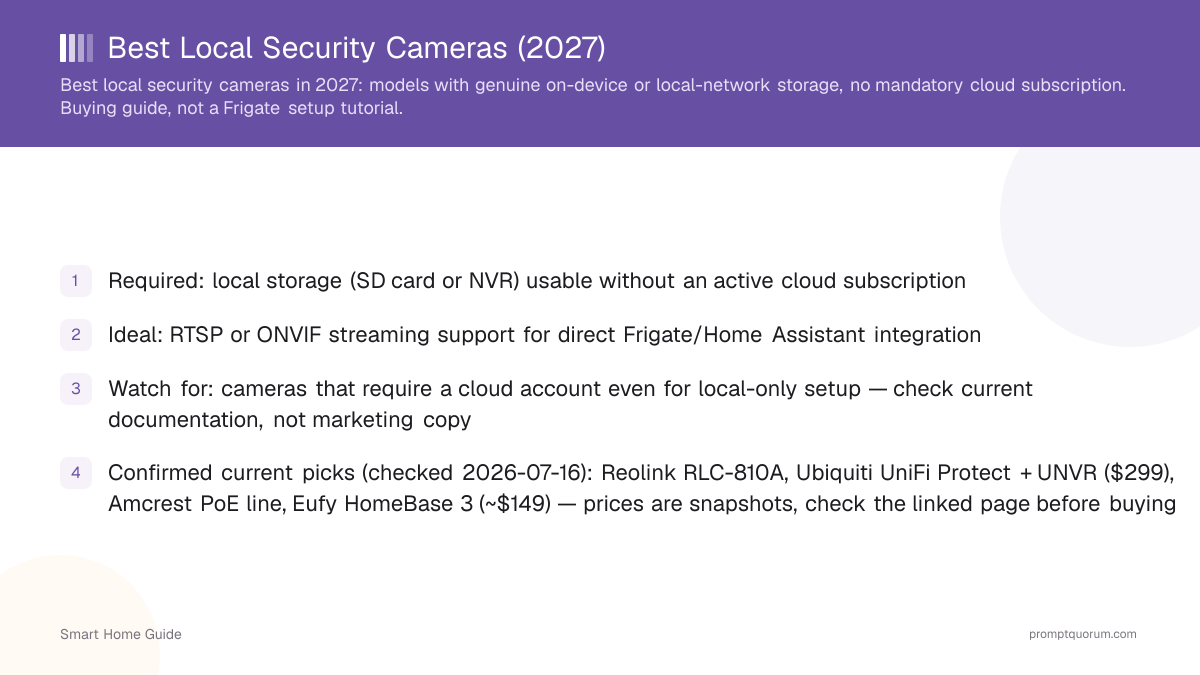
- Best overall: Reolink PoE line (RLC-810A/RLC-820A, ~$80–90) — confirmed RTSP + ONVIF, no subscription, ~$300 for the triple-lens OMVI 3i PoE
- Best premium ecosystem: UniFi Protect + UNVR ($199–499) — fully local NVR, but a proprietary protocol, not open RTSP
- Best open IP-camera / DIY build: Amcrest PoE line (~$100–200) — broadest ONVIF Profile S/T/G/M support, most Frigate-friendly
- Best easy local-storage setup: Eufy HomeBase 3 (~$150) — simplest setup, no open RTSP/ONVIF, not built for Frigate
- Best smart-home integration: Aqara Camera Hub G5 Pro PoE (~$200) — built-in Zigbee/Thread hub, but connect via RTSP/Frigate — Home Assistant's native Matter camera support is currently limited
- This is a system decision, not a single purchase — cameras plus a PoE switch, storage, and a Frigate-capable box; see the multi-camera bundle and hardware guide below
Quick Picks
"Local storage" and "local streaming" are not the same thing — a camera can save footage locally while still requiring the manufacturer's app for every live view. Every claim below was checked against current manufacturer documentation for this update; verify the specific model/firmware before buying, since support can change after launch.
Reolink RLC-810A / RLC-820A (PoE)
- Best For:
- Best overall, budget PoE
- Local Recording:
- SD card + optional local NVR — no subscription required
- RTSP / ONVIF:
- RTSP confirmed on every current PoE/Wi-Fi model; ONVIF Profile S confirmed
- Frigate Fit:
- Strong — stable PoE stream, confirmed RTSP
- Subscription:
- Not required; optional cloud add-on exists
Reolink OMVI 3i PoE (triple-lens)
- Best For:
- Wide multi-angle coverage, on-device AI
- Local Recording:
- SD/local recording, on-device AI (ReoNeura)
- RTSP / ONVIF:
- RTSP confirmed; verify ONVIF per lens/firmware before buying — newer model
- Frigate Fit:
- Workable, but check current firmware notes first
- Subscription:
- Not required for local recording
UniFi Protect (UNVR / UNVR Pro)
- Best For:
- Premium, centrally-managed ecosystem
- Local Recording:
- Every camera records to a local NVR by default
- RTSP / ONVIF:
- Proprietary UniFi protocol — not ONVIF, no native RTSP export
- Frigate Fit:
- Weak — not built for third-party stream access
- Subscription:
- None required for core Protect functionality
Amcrest PoE line (IP8M-series)
- Best For:
- Open IP-camera / DIY NVR builder
- Local Recording:
- SD + third-party NVR (Blue Iris, Synology, Frigate)
- RTSP / ONVIF:
- ONVIF Profile S/T (G/M on some models); RTSP open
- Frigate Fit:
- Strong — deepest third-party support of this list
- Subscription:
- Not required
Eufy HomeBase 3 (S380) + cameras
- Best For:
- Easiest local-storage setup, non-technical buyers
- Local Recording:
- Local storage on the HomeBase, up to 16TB expandable
- RTSP / ONVIF:
- No official open RTSP/ONVIF — closed app ecosystem
- Frigate Fit:
- Not designed for Frigate integration
- Subscription:
- Optional cloud backup only; core local storage is free
Aqara Camera Hub G5 Pro (PoE)
- Best For:
- Deep Zigbee/Thread smart-home integration
- Local Recording:
- 32GB onboard eMMC + SMB NAS support
- RTSP / ONVIF:
- RTSP supported; no ONVIF; Home Assistant Matter camera support currently limited
- Frigate Fit:
- Workable via RTSP + Frigate today, not via Matter yet
- Subscription:
- Not required for local storage
Top Picks — Where to Start
If you just want a starting point: Reolink for most buyers, Amcrest if you're building a DIY NVR/Frigate stack from scratch, UniFi Protect if you want one console managing a larger property. All three confirm local recording without a mandatory subscription for basic use — check the specific model's current price and firmware notes before buying.
- Reolink — RTSP + ONVIF confirmed on every current model, no subscription required, prices from ~$80 to $299.99
- Amcrest — broadest third-party ONVIF/RTSP support of any brand on this page, built for Blue Iris/Synology/Frigate pairing
- UniFi Protect — best pick if you want one app managing many cameras and already run UniFi networking gear
- Skip all three if you specifically want the absolute simplest out-of-box experience with zero NVR software — Eufy HomeBase 3 is the easier day-one setup, at the cost of Frigate compatibility
What "Local Security Camera" Actually Means
"Local" is not one thing — it can mean local storage, local streaming, local AI processing, or local control, and a camera can have some of these without the others. This guide rates every brand on all four separately using a 4-level scale, instead of one vague "local" label.
- Local storage: footage is written to an SD card or a local NVR/hub instead of (or in addition to) the cloud.
- Local streaming: the camera exposes an open protocol (RTSP/ONVIF) so Frigate or Home Assistant can pull the live feed directly, without going through the manufacturer's cloud.
- Local AI: object/person detection runs on local hardware (a GPU, an Intel iGPU, or an accelerator like Hailo), not on the manufacturer's servers.
- Local control: the camera can be viewed, configured, and managed entirely on the local network, without a mandatory manufacturer account.
- Level 4 — Truly local: local storage AND local streaming (RTSP/ONVIF) AND works without a mandatory cloud account. Example: Reolink PoE line, Amcrest PoE line.
- Level 3 — Mostly local: local storage and reliable local recording, but the console/app still has cloud-linked account elements. Example: UniFi Protect.
- Level 2 — Hybrid: local storage works well, but the open streaming protocol is missing or currently limited for third-party access. Example: Aqara G5 Pro (RTSP works, Matter camera support in Home Assistant is limited), Eufy (strong local storage, no open RTSP).
- Level 1 — Cloud-first: local storage is a backup feature at best; the primary access path is the manufacturer's app/cloud. Not covered as a primary pick on this page.
Why Reolink Is the Best Overall Pick
Reolink ships RTSP and ONVIF Profile S on essentially every current PoE and Wi-Fi model, doesn't gate local SD-card or NVR recording behind a subscription, and covers a wide range of use cases from an ~$80 bullet camera to a $299.99 triple-lens system — Local Rating: Level 4.
- PoE models power and network the camera over one cable — no Wi-Fi dependency for the wired line
- RTSP + ONVIF Profile S confirmed via Reolink's own support documentation on current PoE/Wi-Fi models — verify the specific model's firmware notes before buying, since manufacturers can change this after launch
- Local recording to SD card or an optional Reolink NVR, no subscription required for basic recording
- On-device person/vehicle/animal detection on current models, filtering false motion before the clip reaches Frigate
- Current PoE lineup (Aug 2026): RLC-810A (~$80, 4K bullet), RLC-820A (~$90, 4K turret, color night vision), Duo 3 PoE (~$230, dual-lens 180° coverage), TrackMix PoE (~$230, dual-lens with auto-tracking), OMVI 3i PoE (triple-lens, 18MP combined, on-device ReoNeura AI, $299.99)
- Not every Reolink model is identical — always confirm current ONVIF support and firmware notes for the specific SKU before buying, especially newer multi-lens models like the OMVI series
Which Reolink Should You Buy?
Reolink's current lineup covers most single-camera needs — match your scenario to the model below rather than defaulting to the flagship.
Cheapest PoE entry point
- Recommended Model:
- RLC-810A (~$80)
- Why:
- 4K, RTSP + ONVIF confirmed, lowest price in the current PoE line
4K outdoor all-rounder
- Recommended Model:
- RLC-820A (~$90)
- Why:
- Turret form factor, color night vision, same protocol support as the RLC-810A
Wide coverage, no blind spot
- Recommended Model:
- Duo 3 PoE (~$230)
- Why:
- Dual-lens, 16MP combined, 180° blended panoramic view
Auto-tracking a moving subject
- Recommended Model:
- TrackMix PoE (~$230)
- Why:
- Dual-lens system with auto-tracking that follows people/vehicles in frame
Maximum single-camera coverage
- Recommended Model:
- OMVI 3i PoE (~$300)
- Why:
- Triple-lens, 18MP combined, on-device AI — newest model, verify current ONVIF support before buying
Large property, multiple angles
- Recommended Model:
- 2–3× RLC-810A/RLC-820A
- Why:
- Cheaper per angle than one multi-lens unit when you need coverage in several directions
PoE vs. Wi-Fi: Which Should You Buy?
PoE is the stronger choice for a permanent, 24/7 Frigate/Home Assistant installation. Wi-Fi is the practical choice for renters or temporary setups. Neither is universally "better" — match the choice to your install, not to a general preference.
- PoE (Power over Ethernet): one cable carries power and data — more reliable for continuous recording and Frigate detection, since it doesn't depend on Wi-Fi signal strength or router uptime. Requires a PoE switch or injector.
- Wi-Fi: no cabling to run, faster to install, the better option for renters or apartments where drilling isn't possible or a lease prohibits permanent wiring.
- PoE is the stronger choice for a permanent Frigate/Home Assistant installation; Wi-Fi is the practical choice for a temporary or rental setup — this is a real trade-off, not a sales pitch for PoE.
- If you're unsure, start with one PoE camera at the highest-value angle (front door, driveway) and expand — a PoE switch is a one-time cost shared across every future camera you add.
What Frigate Actually Needs From a Camera
The best camera for Frigate is not necessarily the "best" camera overall — Frigate specifically needs a stable RTSP stream, not the flashiest resolution or the best mobile app. This matches the requirements covered in the Frigate how-to guide already on this site.
- Open RTSP stream: the one hard requirement — without it, Frigate cannot pull the feed at all.
- Stable connection: PoE is more reliable than Wi-Fi for the continuous stream Frigate needs for real-time detection.
- Substream availability: a lower-resolution second stream for the detection model to analyze, keeping the full main stream reserved for recording — most PoE cameras with RTSP support this.
- ONVIF (helpful, not required): makes camera discovery and PTZ control easier from Frigate/Home Assistant, but RTSP alone is enough for basic detection.
- Local authentication: avoid cameras that force every stream request through a cloud relay even for local network access — that defeats the purpose of a local setup.
- See the local AI security cameras with Frigate guide for the full setup process, hardware acceleration options (Hailo, Intel iGPU), and Home Assistant integration once you've picked cameras.
System Architecture: How It All Connects
A local camera system is a chain — each step stays on your local network, with no cloud round-trip required at any point:
- Camera: captures video and exposes it as an RTSP stream — this is the only hard link in the chain.
- Frigate: pulls the RTSP stream, runs local object detection (person/car/animal) on a GPU, Intel iGPU, or Hailo accelerator, and saves clips locally.
- Home Assistant: receives detection events from Frigate over the local network and triggers automations.
- Alert: a local notification, light, or speaker action — the entire chain can run with the router unplugged from the internet, once initial setup and firmware are done.
PoE Camera  --RTSP stream-->  Frigate (local AI: person / car / animal detection)
  --MQTT / API-->  Home Assistant
  --automation-->  Local alert (phone push via local network, speaker, light)

No step in this chain requires an internet connection once it is configured.
UniFi Protect — Best Premium Ecosystem
UniFi Protect is the best premium, centrally-managed ecosystem — Local Rating: Level 3. Every UniFi Protect camera records to a local NVR (UNVR Instant $199, UNVR $299 with four drive bays supporting up to 18 4K cameras, UNVR Pro $499 with seven bays supporting up to 24 4K cameras) with no recurring fee for core recording and viewing functionality — confirmed on Ubiquiti's own store pages. You are not buying the cheapest camera per dollar here — you are buying one console across every camera and NVR, and tight integration if you already run UniFi networking gear.
- Pricing (Aug 2026): UNVR Instant $199 (PoE, local storage, entry NVR); UNVR $299 (4 drive bays, up to 18 4K cams); UNVR Pro $499 (7 bays, up to 24 4K cams)
- Local recording confirmed — no mandatory cloud subscription for core Protect functionality
- Trade-off: UniFi cameras use Ubiquiti's own protocol, not open RTSP/ONVIF — third-party software like Frigate cannot pull the stream directly the way it can from Reolink or Amcrest
- Best for: buyers who want one console managing many cameras and are already invested in UniFi networking — not the pick if your main goal is a DIY Frigate build
- Skip if: you specifically want RTSP/ONVIF for Frigate — pick Reolink or Amcrest instead
Amcrest — Best Open IP-Camera Approach
Amcrest is the best open, traditional IP-camera approach for a DIY build — Local Rating: Level 4. Its PoE line carries broad ONVIF Profile S (basic streaming) and Profile T (H.265, motion alarms) support, plus Profile G and M on parts of the range, confirmed via Amcrest's own documentation — the deepest third-party ONVIF/RTSP support of any brand on this page.
- Current 4K PoE models include the IP8M-2493EW, IP8M-T2599EW, and IP8M-2796EB, alongside older 4MP/5MP models still sold at lower prices for budget builds
- Broad ONVIF Profile S/T (and G/M on some models) support makes Amcrest cameras a common pairing with Frigate, Blue Iris, and Synology Surveillance Station
- A documented HTTP CGI API is available for advanced/scripted integrations, beyond what most consumer brands expose
- Best for: buyers who want maximum third-party software flexibility and don't need a polished single-app ecosystem
- Skip if: you want the simplest possible out-of-box experience with no NVR software to configure — Eufy or Reolink's own app is simpler on day one
Eufy — Best Easy Local-Storage Setup
Eufy is the best easy local-storage option for buyers who want local recording without configuring anything else — Local Rating: Level 2 (strong local storage, no open streaming). Eufy earns its "local" reputation on storage: the HomeBase 3 (S380, ~$150) stores footage on up to 16TB of local, expandable storage with no monthly fee required for core functionality, confirmed on Eufy's own product page and current retail listings. What Eufy does not offer is an open streaming protocol — there is no official RTSP or ONVIF export, so Frigate and Home Assistant cannot pull the feed directly the way they can from Reolink or Amcrest.
- Local storage: strong — HomeBase 3 (~$150), up to 16TB expandable, no monthly fee required for footage to be recorded and reviewed locally
- Open streaming: weak — no official RTSP/ONVIF, so third-party software (Frigate, Blue Iris) cannot access the feed directly
- An optional cloud backup plan exists (~$14/month) for off-site copies, but it is genuinely optional — core local recording works without it
- Best for: buyers who want it to just work locally out of the box and don't need Frigate/Home Assistant camera integration
- Skip if: your goal is a Frigate detection pipeline — pick Reolink or Amcrest instead
Aqara Camera Hub G5 Pro — Best Smart-Home Integration
Aqara's Camera Hub G5 Pro (PoE, ~$200) is the best smart-home-integration pick, but the connection path matters — Local Rating: Level 2 for Matter, Level 4 for RTSP. It combines a PoE security camera with a built-in Zigbee and Thread hub, 32GB of encrypted local eMMC storage, and SMB NAS support for expanded local storage.
- Hardware: 4MP true-color night vision, PoE power, built-in Zigbee/Thread border router, RTSP streaming support
- Local storage: confirmed — 32GB onboard eMMC plus SMB NAS backup, no cloud account required for local recording
- Matter/Home Assistant caveat (verify before buying): as researched for this guide, Home Assistant's native Matter integration for this camera exposes very limited functionality — largely a device-identify control, not full camera streaming or event access. Camera video access into Home Assistant currently works better through RTSP and Frigate than through Matter.
- Best for: buyers already invested in the Zigbee/Thread ecosystem who want one device to add a camera plus a hub — connect it via RTSP/Frigate rather than waiting on Matter camera support
- Skip if: you specifically want Matter to be the connection method today — that path isn't ready yet; RTSP works now
How We Compared These
This isn't a lab-tested ranking. These comparisons are put together from publicly available manufacturer specifications, official documentation, and independently published reviews — PromptQuorum has not tested, benchmarked, or installed any camera on this page. We prioritized, roughly in this order: local storage and recording, RTSP/ONVIF openness, Frigate/Home Assistant compatibility, image quality as described in published specs, local control (no mandatory cloud account), and value for the stated use case.
Reolink PoE line
- Research Rating:
- 9.2/10 (research-based, not lab-tested)
- Why:
- Confirmed RTSP + ONVIF on essentially every model, no subscription for local recording, broad range of use cases and prices
Amcrest PoE line
- Research Rating:
- 9.0/10 (research-based, not lab-tested)
- Why:
- Deepest third-party ONVIF/RTSP support, most Frigate-friendly, less polished single-app experience
UniFi Protect (UNVR)
- Research Rating:
- 8.6/10 (research-based, not lab-tested)
- Why:
- Fully local NVR and strong ecosystem, but a proprietary protocol limits Frigate/third-party use
Aqara G5 Pro PoE
- Research Rating:
- 8.2/10 (research-based, not lab-tested)
- Why:
- Strong local storage and smart-home hub features, held back by currently limited Home Assistant Matter camera support
Eufy HomeBase 3
- Research Rating:
- 7.6/10 (research-based, not lab-tested)
- Why:
- Best-in-class ease of local setup, but no open streaming protocol limits it to a closed ecosystem
5-Year Cost: Cloud Subscription vs. Local System
This is an illustrative example, not a universal calculation — your actual cost depends on camera count, resolution, retention period, and which cloud plan you'd otherwise pay for. Compare a typical single-camera cloud subscription against a one-time local system over 5 years.
- The gap widens with every camera you add — a fourth cloud subscription is a fourth monthly fee; a fourth local camera is a fraction of the one-time storage/switch cost you already paid for
- This does not include your own setup and maintenance time for a local system, which is a real cost some buyers should weigh against the convenience of a managed cloud plan
Cloud subscription (1 camera, mid-tier plan ~$10/mo)
- 5-Year Cost (est.):
- ~$600
- Notes:
- Recurring fee; footage typically deleted after a retention window unless you pay for a higher tier
Local system (4 PoE cameras + NVR/NAS + PoE switch)
- 5-Year Cost (est.):
- ~$700–1,200 one-time
- Notes:
- Higher upfront cost, no recurring fee, scales better per added camera than four separate cloud subscriptions
Building a Multi-Camera System
A serious local camera setup is a system, not a single purchase: cameras, a PoE switch, cabling, a Frigate-capable box, and storage. Complete shopping list for a 4-camera build:
- 4× PoE cameras (e.g., Reolink RLC-810A or Amcrest IP8M-series) — the eyes of the system
- A PoE switch (8-port, sized to your camera count plus headroom) — powers and networks every camera over one cable run
- Ethernet cabling (Cat5e/Cat6) from each camera location to the switch
- A Frigate-capable mini PC or server — see the best hardware for local smart home guide and the best mini PC for Home Assistant + local AI guide for picks by camera count
- Storage: an SSD for a handful of cameras, or a NAS once you're running many cameras continuously — the hardware guide above covers both tiers
- Home Assistant for alerts and automations once Frigate is running
Related PromptQuorum Guides
This page is the hardware-buying half of a larger local smart-home camera setup. These are the actual related guides currently on this site:
- Best Hardware for a Local Smart Home — picks the Frigate accelerator, the Home Assistant hub, and the storage tier (SSD vs. NAS) for your camera count
- Local AI Security Cameras with Frigate — the software setup once you have cameras: Frigate installation, hardware acceleration, Home Assistant integration
- Best Mini PC for Home Assistant + Local AI — the hub/box picks referenced in the bundle above
- Best Zigbee/Thread Dongles — relevant if you pick the Aqara G5 Pro and want to compare its built-in hub against a dedicated coordinator
- Smart Home Privacy Risks — the broader privacy context behind choosing local-capable cameras
How Many Cameras Can Your Hardware Handle?
Rough tiers only — exact camera counts a box can handle depend on resolution, frame rate, codec, and how many detection zones/objects you configure, not camera count alone.
- 1–2 cameras: an Intel N100/N150 mini PC's built-in iGPU (via OpenVINO) is enough for Frigate detection
- Frigate no longer recommends the Google Coral for new builds — it currently steers new users toward Hailo accelerators or a host's built-in Intel iGPU
- 3–6 cameras: same mini PC class, add a Hailo-8L M.2 accelerator (~$70) for more detection headroom
- 6–12 cameras: a more powerful server or mini PC plus a Hailo-8 M.2 accelerator (~$170–200)
- 12+ cameras: a dedicated, purpose-sized server — resolution, frame rate, and codec choice matter more than camera count at this scale
- See the best hardware for local smart home guide for full sizing detail and current pricing per tier
Buying Checklist
Confirm each of these for the specific model before buying — not from marketing copy, from the manufacturer's current spec sheet or documentation:
- RTSP support confirmed for the exact model
- ONVIF support confirmed (helpful, not mandatory)
- Local recording (SD card or NVR) works without an active subscription
- microSD card slot or NVR compatibility
- PoE power (preferred for permanent/24-7 installs) or confirmed reliable Wi-Fi
- H.264/H.265 codec support
- A substream available for lighter-weight AI detection
- Night vision (color or IR) suited to your install location
- Person and vehicle detection, on-device preferred over cloud-only
- Home Assistant compatibility confirmed
- Frigate compatibility confirmed — RTSP is the hard requirement
- No mandatory cloud subscription for basic local recording
Final Buying Decision
Best overall
- Pick:
- Reolink PoE line
- Why:
- RTSP + ONVIF confirmed, no subscription, wide range of models and prices
Best open IP-camera approach
- Pick:
- Amcrest PoE line
- Why:
- Deepest ONVIF/RTSP support, most Frigate-friendly
Best smart-home integration
- Pick:
- Aqara Camera Hub G5 Pro (PoE)
- Why:
- Built-in Zigbee/Thread hub — connect via RTSP/Frigate today
Best easy local-storage system
- Pick:
- Eufy HomeBase 3
- Why:
- Simplest local setup, no configuration required, not built for Frigate
Frequently Asked Questions
Which camera works without a subscription?
Reolink, Amcrest, UniFi Protect, Eufy, and the Aqara Camera Hub G5 Pro all support local recording without a mandatory subscription for basic use — verify the specific model's current terms before buying. Check Reolink's current price.
Which camera is best for Frigate?
Amcrest and Reolink's PoE lines have the most consistent confirmed RTSP + ONVIF support, making them the most Frigate-friendly cameras on this page. Check Amcrest's current PoE lineup.
Which cameras support RTSP?
Reolink (all current PoE/Wi-Fi models), Amcrest (full PoE line), and the Aqara Camera Hub G5 Pro (confirmed) support RTSP. UniFi and Eufy do not expose an open RTSP stream.
Which cameras support ONVIF?
Amcrest (Profile S/T, and G/M on some models) and Reolink (Profile S) confirm ONVIF support. UniFi uses its own proprietary protocol; Eufy has no official ONVIF; the Aqara G5 Pro does not support ONVIF (RTSP only).
Does Reolink work with Home Assistant?
Yes — via its RTSP stream (through Frigate or a generic camera integration) or Reolink's own Home Assistant integration for select models; check current compatibility for your specific model before buying.
Does Reolink work with Frigate?
Yes — RTSP is confirmed on every current PoE/Wi-Fi Reolink model, which is Frigate's core requirement.
Is UniFi Protect fully local?
Recording and core viewing are fully local — every camera records to a local NVR with no recurring fee — but the camera protocol itself is proprietary, not open RTSP/ONVIF, and some setup/app features are cloud-linked. Check current UNVR pricing.
Is Eufy actually local?
Storage is genuinely local (up to 16TB on the HomeBase, no monthly fee), but there is no official open streaming protocol — "local" here means local storage, not local streaming access for third-party software like Frigate.
Can these cameras work without internet access?
Yes, once configured — local storage and RTSP-based Frigate detection work entirely on the local network. Initial setup and firmware updates for most brands still require an internet connection at least once.
What's the best PoE camera for a local NVR setup?
Amcrest's PoE line, given its broad ONVIF Profile S/T support for third-party NVR software (Blue Iris, Synology Surveillance Station), or Reolink if you prefer a simpler out-of-box NVR pairing.
How much storage do I need for four 4K cameras?
Roughly 1–4TB for one to two weeks of continuous recording at 4K, depending on codec (H.265 uses meaningfully less than H.264), frame rate, and how much motion-only vs. continuous recording you configure — size storage after testing your actual settings, not from a generic number.
How many cameras can Frigate handle?
It depends on your detection hardware, not a fixed number — an Intel iGPU handles a handful of cameras, and a Hailo-8L or Hailo-8 accelerator scales further. See the hardware-capacity section above and the local hardware guide for sizing.
Is local AI detection as accurate as cloud AI?
Modern local detection (Frigate with a capable accelerator) is generally comparable for common categories like person/vehicle/animal detection. Cloud services may have an edge on more specialized recognition, but that comes with the cloud dependency this guide is about avoiding.
Do I need a Coral TPU for Frigate in 2026?
No — Frigate no longer recommends the Google Coral for new builds. It currently steers new users toward a Hailo-8L or Hailo-8 M.2 accelerator, or a host's built-in Intel iGPU via OpenVINO for lighter loads.
Final Summary
- Best camera: Reolink PoE line — confirmed RTSP + ONVIF, no subscription
- Best premium system: UniFi Protect (UNVR) — fully local NVR, centralized management
- Best open IP camera: Amcrest PoE line — deepest third-party ONVIF/RTSP support
- Best smart-home camera: Aqara Camera Hub G5 Pro — Zigbee/Thread hub built in
- Best software: Frigate — local AI detection, no cloud, no subscription
- Best hub: Home Assistant — local automations and alerts
- Best architecture: PoE camera → RTSP → Frigate (local AI) → Home Assistant → local alert, no cloud round-trip