Sponsored
Buy If / Skip If
Quick decision guide — does the EQ14 fit your needs? PromptQuorum's verdict: recommended for Home Assistant, home networking, light local models, and 24/7 low-power use.
Buy the EQ14 if:
- You want Home Assistant on a cheap, always-on box
- You want dual 2.5GbE networking — rare at this price
- You want two M.2 slots for flexible storage
- You want to experiment with a small (1B–3B) local model
- You want the lowest electricity draw in this class (~6 W idle)
- You do not need more than 16 GB of RAM
- You do not need fast 7B+ local inference
Skip the EQ14 if:
- You want a genuinely fast local AI assistant — get a Beelink SER8 instead
- You need more than 16 GB RAM — the GMKtec G3 Plus reaches 32 GB
- You need a USB-C port with video output or Power Delivery (this one is data-only)
- You only found the dual-1GbE SKU and specifically need 2.5GbE — check the listing carefully
- You want gaming performance
Beelink EQ14 Scorecard
PromptQuorum's assessment, based on manufacturer specifications and independent review sources — not a hands-on lab test of a physical unit. Scores reflect fit for a Home Assistant + networking + light-AI hub role specifically, not general PC performance.
Category | Score | Why |
|---|---|---|
| Home Assistant | 9.5/10 | Runs the hub and add-ons comfortably at very low idle power |
| Networking | 10/10 | Dual 2.5GbE (on the mainstream SKU) is rare at this price and genuinely useful |
| Power efficiency | 9.5/10 | ~6 W idle, cheap to run 24/7 |
| Storage | 9/10 | Two M.2 2280 PCIe 3.0 slots, up to 8 TB combined |
| Upgradeability | 6/10 | RAM is a replaceable SO-DIMM but hard-capped at 16 GB — no headroom |
| Local AI | 5/10 | Small models only; single-channel DDR4 and no NPU cap it hard |
| 24/7 server use | 9/10 | Low power draw and passable thermals make always-on use cheap |
| Value | 9/10 | Strong price for dual 2.5GbE plus a capable Home Assistant hub |
| Overall | 8.4/10 | The best budget N150 box for networking-heavy Home Assistant setups — not for AI headroom |
These scores are PromptQuorum's editorial assessment derived from verified specifications and independent reviews (see "How We Evaluate" below) — they are not the result of PromptQuorum physically testing this unit.
Key Takeaways
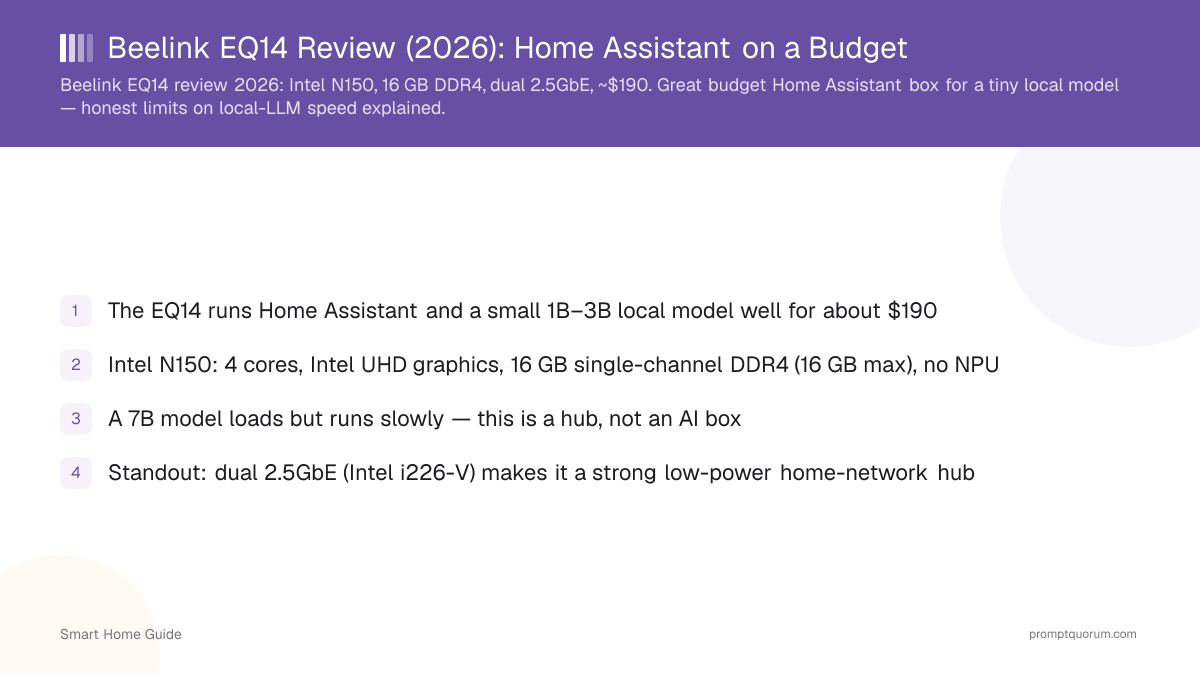
- The EQ14 runs Home Assistant and a small 1B–3B local model well for about $189–199 (16 GB / 500 GB, checked August 25, 2026)
- Intel N150: 4 cores, Intel UHD graphics, 16 GB single-channel DDR4 (hard-capped, no upgrade path), no NPU
- A 7B model loads but runs slowly — this is a hub, not an AI box
- Standout: dual 2.5GbE (Intel i226-V) on the mainstream SKU makes it a strong low-power home-network hub
- Important: Beelink also sells a dual-1GbE EQ14 SKU that looks nearly identical — verify the LAN spec on the exact listing before buying
- Standout vs the GMKtec G3 Plus: dual 2.5GbE ports (the G3 Plus has only one, but reaches 32 GB RAM)
- For a responsive 7B assistant, step up to a Beelink SER8
- Made in China — landed cost reflects 2026 import measures; check the live price before buying
Verdict — Who Should Buy It
Buy the Beelink EQ14 if you want a cheap, efficient box to run Home Assistant plus a small local model, and you value real dual-Ethernet networking. It is a fine entry point to a local-first smart home for about $189–199. Do not buy it expecting a fast local assistant — the Intel N150 with single-channel DDR4 is fine for a 1B–3B model but slow with anything larger, and the 16 GB RAM ceiling has no upgrade path at all.
The Beelink EQ14 isn't the best cheap mini PC because of its N150 — plenty of budget boxes share that chip. It's the best budget choice when you want Home Assistant, very low power consumption, and two 2.5GbE ports in the same small machine. That combination is genuinely uncommon below $200.
If you need more than 16 GB of RAM, the GMKtec G3 Plus is the better pick. If you want real local-AI speed, move up to a Ryzen box like the Beelink SER8.
Why Dual 2.5GbE Matters
Most people don't need two Ethernet ports for Home Assistant — but if you're building a serious local-first smart-home server, dual 2.5GbE opens up setups a single-NIC box can't do. This is the feature that makes the EQ14 more interesting than a generic N150 mini PC.
- Home Assistant + isolated network: one interface for the main LAN, a second for an isolated IoT or guest VLAN.
- Router/firewall-adjacent installation: the EQ14 can act as a compact network appliance alongside Home Assistant duties — verify your specific firewall/routing software's driver support before relying on this.
- NAS or server connectivity: a dedicated high-speed interface can simplify network architecture when the EQ14 also serves files or backups.
- Virtualization or multiple Docker networks: two NICs become genuinely useful once the box hosts several isolated services.
- ⚠️ Confirm the SKU first: Beelink sells the EQ14 N150 in both a dual-2.5GbE configuration and a separate dual-1GbE ("Dual LAN 1000Mbps") configuration that looks nearly identical in listings. If dual 2.5GbE is the reason you're buying this box, check the exact listing's Ethernet spec before checkout.
Which Configuration Should You Buy?
Beelink sells the EQ14 N150 pre-configured at 16 GB RAM with 500 GB or 1 TB storage — there is no 8 GB or 32 GB SKU, and RAM cannot be expanded beyond 16 GB on this platform. Prices below checked against Beelink's own store and independent US retailers on August 25, 2026 — always confirm the live price and LAN variant before buying.
- This is the configuration PromptQuorum would buy: the 16 GB / 500 GB dual-2.5GbE SKU — it's the balance of price and networking capability that makes the EQ14 worth choosing over a generic N150 box.
- Don't pay extra expecting more RAM. The EQ14's single DDR4 SO-DIMM slot tops out at 16 GB — that's a hardware ceiling, not a config choice. If you want up to 32 GB, the GMKtec G3 Plus is the better pick.
- Beelink's own direct storefront has shown a $375 list price (marked down from $429) for the 16 GB/500 GB SKU before any coupon — that figure is well above every independent retailer price found and should not be treated as the real market price; use it only as a ceiling, not a reference. Coupon-adjusted Beelink-store pricing and independent retailer listings both converge closer to $189–199.
Configuration | Approx. Price (Aug 2026) | Best For |
|---|---|---|
| 16 GB / 500 GB, dual 2.5GbE | ~$189–199 | Recommended for most buyers — HA, Docker, small local model, real dual-NIC |
| 16 GB / 1 TB, dual 2.5GbE | ~$210–230 | More storage — worth it for Frigate recordings or extra containers |
| 16 GB / 500 GB, dual 1GbE | Often similar or slightly cheaper | Only if you don't need 2.5GbE — check the listing carefully first |
EQ14 vs GMKtec G3 Plus — Which Should You Buy?
Both use the same Intel N150 and cost about the same — the decision comes down to networking versus RAM ceiling.
- Our pick: choose the EQ14 if you want dual 2.5GbE or a USB-C port. Choose the G3 Plus if you value RAM headroom up to 32 GB and don't need a second Ethernet port — see the full GMKtec G3 Plus review.
- Neither box meaningfully outruns the other on Home Assistant or small-model AI performance — the CPU and iGPU are identical.
Feature | EQ14 | G3 Plus | Winner |
|---|---|---|---|
| CPU | Intel N150 | Intel N150 | Tie |
| Max RAM | 16 GB (hard-capped) | 32 GB (replaceable) | G3 Plus |
| Ethernet | 2× 2.5GbE (mainstream SKU) | 1× 2.5GbE | EQ14 |
| USB-C | Yes (10 Gbps, data-only) | None | EQ14 |
| Storage | 2× NVMe (PCIe 3.0), up to 8 TB | 1× NVMe + 1× SATA M.2 | Depends on use |
| Idle power | ~6 W | ~6 W | Tie |
| Price (Aug 2026) | ~$189–199 | ~$180–200 | Roughly tied |
| Best for | Network-heavy Home Assistant, dual-NIC setups | Upgradeable RAM, single-LAN setups | Depends on your priority |
Specifications
Manufacturer-confirmed specifications below, verified against Beelink's own listings and cross-checked with independent reviews as of August 25, 2026. The RAM is DDR4, single-channel, and hard-capped at 16 GB — a real constraint for AI work with no upgrade path. Storage capacity ships by SKU, and — importantly — so does the LAN configuration.
- The USB-C port is data-only — no DisplayPort-Alt output and no Power Delivery.
- Dual displays run from the two HDMI 2.0 ports at up to 4K/60.
- PromptQuorum assessment (not manufacturer-stated): the 16 GB hard RAM cap is the clearest hardware gap versus the GMKtec G3 Plus, which reaches 32 GB.
Spec | Beelink EQ14 (N150) |
|---|---|
| CPU | Intel N150 (Twin Lake / Alder Lake-N) |
| Cores / threads | 4 cores / 4 threads, up to 3.6 GHz |
| iGPU | Intel UHD Graphics, 24 EU |
| NPU | None |
| RAM | 16 GB DDR4-3200, single channel, single SO-DIMM — hard-capped at 16 GB, no upgrade path |
| Storage | 500 GB–1 TB by SKU; 2× M.2 2280 PCIe 3.0; up to 8 TB combined |
| Ports | USB-A 10 Gbps ×3+, USB-A 2.0, USB-C 10 Gbps (data only), 2× HDMI 2.0, 3.5 mm |
| Networking | Model-dependent — mainstream: 2× 2.5GbE. Dual-1GbE SKU exists too. Wi-Fi 6, BT 5.2. |
| TDP | ~6 W base; configured to ~20–25 W; ~6 W idle at the wall |
| Dimensions | 126 × 126 × 39 mm, ~432–490 g |
| OS | Windows 11 Home (Linux/Home Assistant OS supported) |
| Price (16 GB / 500 GB, dual 2.5GbE) | ~$189–199 (checked August 25, 2026 — volatile, verify before buying) |
Local AI & LLM Performance
The Beelink EQ14 is a Home Assistant and networking computer that can run local AI — not a local AI computer that happens to run Home Assistant. A 1B–3B model at 4-bit is the realistic sweet spot; a 7B model will load within 16 GB but generates slowly because of single-channel DDR4 bandwidth and four efficiency cores. All figures below are estimated from the verified hardware specs, not a measured benchmark on a physical unit.
- Good for lightweight local assistants, classification, and summarization on small models.
- For interactive local AI, PromptQuorum recommends staying around 1–3B on this hardware — a 7B model loading successfully should not be read as a good chat experience.
- There is no NPU, so nothing offloads the model; the CPU does the work, and the Intel UHD graphics offer little LLM acceleration.
- Unlike the G3 Plus, there is no RAM upgrade path here — 16 GB is a hard hardware ceiling on this platform.
- For camera object detection, pair Home Assistant with a more capable box — see local AI security cameras.
- See how to install Ollama to try a small model, and the local LLM hardware guide for context.
Model size | Fit on EQ14 | Recommendation |
|---|---|---|
| 1–2B | Good | Runs responsively — the sweet spot for this hardware |
| 3B | Good/light | Comfortable, still responsive for lightweight assistants |
| 4B | Usable | Works, noticeably slower than 1–3B |
| 7B | Works, slow | Fits in 16 GB but "fits" is not "good user experience" — usable for non-interactive tasks only |
| 8B+ | Don't buy this PC | Get a Ryzen box (SER8/UM890 Pro) — no RAM upgrade path exists on the EQ14 |
What You Can Build With It
What the EQ14 can actually run, grouped from excellent fit to poor fit.
- Excellent fit: Home Assistant, ZHA, Zigbee2MQTT, Mosquitto, Node-RED, AdGuard Home, Docker, dashboards, databases, general automation services.
- Good fit: Ollama with a small (1–3B) local model, local voice components, lightweight AI-assisted automation.
- Limited: a 7B local LLM (works, but slow for interactive use), heavier Frigate object-detection workloads, running AI inference and video analysis simultaneously.
- Poor fit — buy different hardware: large local LLMs (8B+), serious AI vision workloads, GPU-heavy inference. See the Beelink SER8 review for a box built for this instead.
- Bonus fit (thanks to dual 2.5GbE): light network-appliance duty alongside Home Assistant — DNS filtering, VLAN-segmented IoT traffic, or a dedicated high-speed link to a NAS. See Why Dual 2.5GbE Matters above.
Power Consumption & Annual Cost
A Home Assistant server does not run occasionally — it typically runs all 8,760 hours in a year, so idle efficiency is a real purchasing criterion, not a footnote. At roughly 6 W idle, the EQ14 is one of the cheapest boxes in this class to leave on permanently, and that's exactly why an N150 platform makes sense as an always-on hub.
- The calculation: 6 W × 24 hours × 365 days ÷ 1000 = 52.6 kWh/year. Multiply by your local electricity price to get an actual annual figure — the $/kWh figures above are illustrative only, not a specific-market claim.
- The gap between N150-class and Ryzen-class idle power is real but small in absolute dollar terms over a year — the bigger cost driver between these classes is purchase price and AI capability, not electricity.
Scenario | Annual energy | Approx. annual cost (illustrative) |
|---|---|---|
| EQ14, mostly idle (~6 W avg.) | ~52.6 kWh/year | ~$13–19 at $0.25–0.35/kWh (varies widely by region and local tariff) |
| GMKtec G3 Plus, mostly idle (~6 W avg.) | ~52.6 kWh/year | Essentially the same as the EQ14 |
| Ryzen mini PC (e.g. SER8-class, ~8 W avg.) | ~70 kWh/year | Modestly higher, but still small in absolute terms |
Pros & Cons
The EQ14 is a budget hub with one genuine standout — its networking. Balanced view below.
Pros
- Very affordable — about $189–199 for a capable Home Assistant + networking hub
- Dual 2.5GbE (Intel i226-V, mainstream SKU) — rare at this price and genuinely useful
- Low power: roughly 6 W idle, cheap to run 24/7
- Two M.2 slots and dual HDMI for a small, flexible box
- RAM is a replaceable SO-DIMM (though capped at 16 GB)
Cons
- 16 GB single-channel DDR4 ceiling — hard limit, no upgrade path at all
- No NPU and weak iGPU acceleration — slow beyond a 3B model
- USB-C is data-only (no video out, no Power Delivery)
- A separate dual-1GbE SKU exists and looks similar — easy to buy the wrong LAN variant by mistake
- Not the right box if a responsive 7B assistant is the goal
Where to Buy & Current Price
Prices move week to week — check the live price rather than trusting a fixed figure. Price checked: August 25, 2026. Configuration checked: 16 GB RAM / 500 GB SSD, dual 2.5GbE.
- ⚠️ Confirm the LAN variant before ordering. Not every EQ14 listing has the same networking hardware — some SKUs ship dual 1GbE instead of dual 2.5GbE. If 2.5GbE is why you're buying this box, verify the exact listing's spec sheet before checkout.
- Ignore Beelink's own $375–429 list price as a reference — that figure sits well above every independent retailer price found for the same configuration; treat it as a ceiling, not a market price.
- Shipping, tax & availability: as a China-manufactured product, US and EU landed cost includes 2026 import measures (Section 301 tariffs in the US, the end of the EU's €150 duty-free parcel threshold) — factor this into the price you actually pay, not just the listed price.
Signal | Guidance |
|---|---|
| Good deal | Below ~$179 for 16 GB / 500 GB, dual 2.5GbE |
| Fair price | ~$179–220 for 16 GB / 500 GB, dual 2.5GbE |
| Too expensive | Above ~$240 for 16 GB / 500 GB — wait, or compare the G3 Plus |
Alternatives to Consider
Under about $250, the EQ14 and GMKtec G3 Plus are the two budget picks. Above that, the decision changes.
- Under ~$250, need dual Ethernet or USB-C → the Beelink EQ14 (this page).
- Under ~$250, need upgradeable RAM → GMKtec G3 Plus — same N150 CPU, up to 32 GB.
- Want fast 7B local AI → Beelink SER8 — Ryzen 7 8845HS, about $650, a real step up in AI speed.
- Want serious local AI or larger models → Minisforum UM890 Pro (Ryzen 9, dual 2.5GbE, eGPU port) or GEEKOM A9 Max (128 GB RAM ceiling).
- Only want Home Assistant, nothing else → a Raspberry Pi 5 remains attractive and cheaper if you don't need x86 compatibility, multiple NICs, or local AI experimentation — the EQ14 is the better pick once any of those matter.
- Still comparing? Start from the best mini PCs for Home Assistant + local AI roundup.
How We Evaluate Mini PCs
This review has not been hands-on tested by PromptQuorum on a physical unit. It is built from manufacturer-published specifications and independent third-party reviews, clearly separated below so you know what's confirmed versus estimated.
- Manufacturer-confirmed: CPU, RAM type and ceiling, storage interfaces, ports, dimensions, official pricing tiers, and the existence of separate LAN-variant SKUs — sourced directly from Beelink's product listings.
- Independent observations (third-party reviews, not PromptQuorum): idle/load power draw figures, thermal and noise behavior, and real-world benchmark scores — cross-referenced from independent reviewers who have physically tested units.
- PromptQuorum assessment: Home Assistant and networking suitability, local-AI suitability, the scorecard, and the buy/skip recommendations — PromptQuorum's editorial judgment applied to the confirmed specs and independent findings above, not a new physical test.
- We evaluate mini PCs for local smart-home use on: Home Assistant compatibility, networking capability, RAM ceiling, storage expansion, idle power, sustained CPU performance, local LLM capability, thermal/noise characteristics, Docker/server suitability, and price/value.
Frequently Asked Questions
Is the Beelink EQ14 good for Home Assistant?
Yes. It runs Home Assistant and common add-ons (ZHA, Zigbee2MQTT, Node-RED, AdGuard) comfortably at low idle power. Its dual 2.5GbE ports (on the mainstream SKU) make it a strong low-power hub and network box, well beyond what most budget mini PCs offer.
Does the Beelink EQ14 have a USB-C port?
Yes — one USB-C port at 10 Gbps, but it is data-only: no DisplayPort-Alt video output and no Power Delivery/charging support.
What is the current price of the Beelink EQ14?
As of August 25, 2026 the 16 GB / 500 GB dual-2.5GbE configuration runs about $189–199 at independent retailers. Beelink's own direct storefront has shown a higher $375–429 list price before coupons — treat that as a ceiling, not the real market price, and always check the live price before buying.
Beelink EQ14 N150 — is it worth buying in 2026?
For its stated job — a cheap, low-power Home Assistant and networking hub with room to try a small local model — yes. For anyone who wants fast local AI or more than 16 GB of RAM, no; that budget is better spent on a GMKtec G3 Plus (RAM headroom) or a Ryzen box like the Beelink SER8 (AI speed).
Can the Beelink EQ14 run local LLMs?
It can run small ones. A 1B–3B model at 4-bit is the realistic sweet spot. A 7B model will load within 16 GB but generates slowly because of single-channel DDR4 bandwidth and the four-core N150. This is estimated from its verified hardware, not a fixed benchmark.
How big a model fits in its RAM?
With 16 GB total (shared with the operating system) a 1B–3B model is comfortable and a 7B 4-bit model just fits but runs slowly. The 16 GB ceiling is a hard limit — the N150 platform and single SO-DIMM slot cannot go higher, unlike the GMKtec G3 Plus.
Does the Beelink EQ14 really have dual 2.5GbE?
The mainstream N150 EQ14 SKU does, using an Intel i226-V controller on both ports. However, Beelink also sells a separate dual-1GbE ("Dual LAN 1000Mbps") configuration that looks nearly identical in some listings — always check the Ethernet spec on the exact SKU you're buying before checkout.
Does the EQ14 have an NPU for AI?
No. The Intel N150 has no NPU or AI accelerator, and the integrated graphics give little help with LLMs. Any AI model runs on the CPU, which is why only small models are practical.
Is the EQ14's RAM upgradeable?
The RAM is a replaceable DDR4 SO-DIMM, but the platform caps hard at 16 GB — there is no meaningful upgrade path for larger models. If you need more memory for AI, choose the GMKtec G3 Plus (up to 32 GB) or a Ryzen box instead.
How much power does the EQ14 use?
About 6 W at idle and roughly 20–25 W under load, so running it continuously costs very little — around 52.6 kWh over a full year if left mostly idle. This efficiency is a key reason to choose an N150 box as a hub.
Beelink EQ14 or GMKtec G3 Plus?
Both use the Intel N150 and cost about the same. The EQ14 has dual 2.5GbE and a USB-C port, which suits a networking-heavy hub; the G3 Plus has only one 2.5GbE port but supports up to 32 GB of RAM. Pick by whether you value networking or memory headroom — see the full comparison table above.
Beelink EQ14 vs Raspberry Pi 5 for Home Assistant?
Both handle Home Assistant well. The EQ14 adds x86 compatibility, dual 2.5GbE networking, two M.2 storage slots, and room for a small local LLM — the Pi 5 is cheaper and smaller but more constrained for anything beyond Home Assistant itself. If you only need Home Assistant and nothing else, the Pi remains attractive.
Is the Beelink EQ14 good for 24/7 operation?
Yes. At roughly 6 W idle it is inexpensive to leave running continuously, and independent reviews report modest thermals under sustained light load. No long-term durability data is available since PromptQuorum has not run one continuously itself.
Where is the Beelink EQ14 made, and does that affect price?
It is manufactured in China. In 2026 US import measures (Section 301 tariffs, the end of the sub-$800 de minimis exemption) and the EU removal of the €150 low-value parcel exemption can affect landed cost, so check the current retailer price rather than relying on a fixed number.