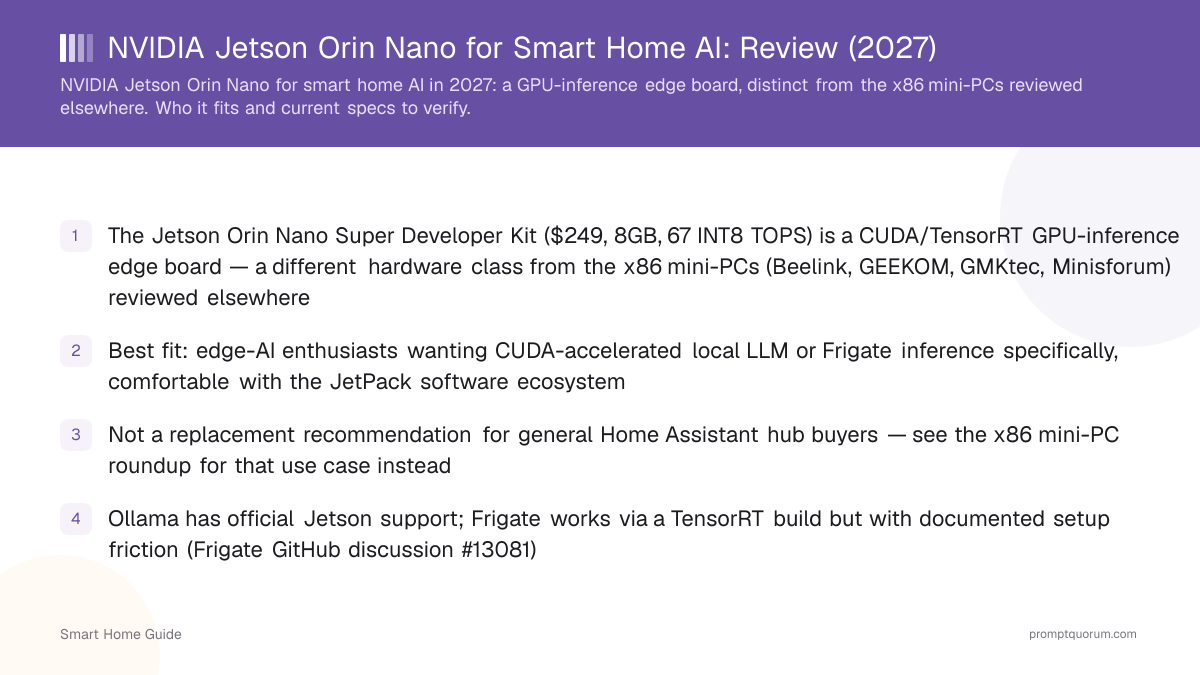
Key Takeaways
- The Jetson Orin Nano Super Developer Kit ($399, 8GB, 67 INT8 TOPS) is a CUDA/TensorRT GPU-inference edge board — a different hardware class from the x86 mini-PCs (Beelink, GEEKOM, GMKtec, Minisforum) reviewed elsewhere
- Best fit: edge-AI enthusiasts wanting CUDA-accelerated local LLM or Frigate inference specifically, comfortable with the JetPack software ecosystem
- Not a replacement recommendation for general Home Assistant hub buyers — see the x86 mini-PC roundup for that use case instead
- Ollama has official Jetson support; Frigate works via a TensorRT build but with documented setup friction (Frigate GitHub discussion #13081)
What Makes This a Different Hardware Class
The Jetson Orin Nano centers on an NVIDIA GPU with CUDA/TensorRT acceleration built specifically for AI inference workloads, running NVIDIA's own JetPack software stack — a fundamentally different design goal from a general-purpose x86 mini PC.
- The x86 mini-PCs reviewed elsewhere in this cluster (Beelink SER8, GEEKOM A9 Max, GMKtec G3 Plus, Minisforum UM890 Pro) run standard operating systems and general software, with Frigate/LLM acceleration coming from an integrated GPU or NPU as a secondary feature.
- The Jetson's design center is the opposite: AI inference acceleration is the primary purpose, and general-purpose computing (running Home Assistant itself) is what it also happens to be capable of.
- The Super Developer Kit's SoM packs 1024 CUDA cores and 32 tensor cores alongside the 6-core Cortex-A78AE CPU and 8GB of 128-bit LPDDR5 (102 GB/s memory bandwidth) — specs confirmed directly against NVIDIA's own product page, not carried over from an earlier Jetson generation.
Running Home Assistant on a Jetson
Home Assistant runs on a Jetson Orin Nano as a standard Linux-hosted install, but the board's ARM architecture and Jetson-specific OS image mean less plug-and-play familiarity than an x86 mini-PC for buyers used to standard PC hardware.
- Setup generally requires working with NVIDIA's JetPack OS image and ARM-specific package availability, which is a less mainstream path than installing Home Assistant OS on standard x86 hardware.
- Home Assistant itself doesn't publish a Jetson-specific install image the way it does for a Raspberry Pi or generic x86 hardware — running it means installing as a generic Linux container or Supervised setup on top of JetPack, which takes more manual steps than the x86 getting-started path.
- If straightforward Home Assistant installation is your priority over AI acceleration, an x86 mini-PC (see the getting-started guide and hardware guide) is the more mainstream, better-documented path.
Local LLM and Frigate Performance
The Jetson's GPU is built for accelerated inference, which can benefit both local LLM inference and Frigate object detection — but real-world performance depends heavily on current software-stack compatibility, which should be checked rather than assumed.
- Ollama has an official Jetson support path (its own installer, or a Docker container, documented on NVIDIA's own Jetson AI Lab site) — but the generic ARM64 Ollama tarball lacks Orin GPU acceleration; you need the JetPack-specific build for CUDA-accelerated inference to actually work, not just the standard install.
- For LLM sizing on the 8GB Super Developer Kit: NVIDIA's own guidance puts this class of board at up to roughly 4B-parameter models (e.g., Gemma-3 4B) at usable speed — larger models will be slow or won't fit, similar to the RAM-sizing trade-offs already covered in the small language models guide.
- Frigate supports the Jetson via a dedicated TensorRT-JP6 build with YOLOv9 ONNX models, but a public Frigate GitHub discussion (#13081) documents real friction getting hardware acceleration working at all, plus current limitations with multiple cameras or higher-resolution (640x640) detection models — compare this against the Intel iGPU/Hailo M.2 path in the best hardware guide, which has a more established, lower-friction track record in this cluster.
- Frigate's current 0.18.2 release still publishes a
tensorrt-jp6image tag for JetPack 6 boards, but a public Frigate discussion (#22696) shows an Orin Nano Super user on 0.17 whose detection stayed off untilenabled: truewas added under each camera'sdetectsection — a maintainer confirmed that fix, so check it before assuming the GPU path is broken.
Who This Fits
This board fits buyers who specifically want to experiment with CUDA-accelerated edge AI and are comfortable with NVIDIA's Jetson ecosystem — not buyers who want the simplest path to a working Home Assistant hub with cameras.
- Good fit: edge-AI enthusiasts, developers already familiar with CUDA/TensorRT, or buyers specifically wanting to experiment with GPU-accelerated local inference on ARM hardware.
- Less of a fit: buyers who primarily want a straightforward Home Assistant hub — the x86 mini-PC roundup covers that use case with a more mainstream setup experience.
- At $399, the Super Developer Kit sits below the Beelink SER8 (~$799–849) reviewed elsewhere in this cluster, but that price gets you a narrower-purpose board with a less mature Home Assistant/Frigate setup path — weigh the lower cost against the added setup friction documented above, not just the price tag alone.
Frequently Asked Questions
Is the Jetson Orin Nano a replacement for the mini-PC roundup?
No — it's a genuinely different hardware class (GPU-inference edge board vs. general-purpose x86 mini PC) serving a different buyer intent, not a 6th entry in that roundup.
Can I run Ollama on a Jetson Orin Nano?
Yes — Ollama has an official Jetson support path with its own installer or Docker container, documented on NVIDIA's Jetson AI Lab site. Use the JetPack-specific build, not the generic ARM64 tarball, which lacks Orin GPU acceleration.
Is this a good first Home Assistant hub for a beginner?
Not recommended as a first choice — Home Assistant OS doesn't publish a Jetson-specific install image (its official board list covers Raspberry Pi, generic x86-64, ODROID, and Tinker Board), so running it means a more manual Linux/Supervised install on top of JetPack. See the getting-started guide for the more common x86/Pi path.
Does the Jetson accelerate Frigate better than a Hailo M.2 module?
Not necessarily — Frigate does have a Jetson-specific TensorRT build, but a public Frigate GitHub discussion (#13081) documents real friction getting hardware acceleration working, plus current limits with multiple cameras or higher-resolution models. The Hailo M.2 path (see the best hardware guide) has a more established, lower-friction track record in this cluster.
What is JetPack?
NVIDIA's software stack for Jetson boards, bundling the Linux-based OS, CUDA, and AI libraries. The Jetson Orin Nano Super Developer Kit ships running JetPack — check NVIDIA's current JetPack release notes for compatibility with the specific tools (Ollama, Frigate) you intend to run, since minimum JetPack versions matter for GPU support.
How much does the Jetson Orin Nano Super cost in 2026?
NVIDIA's developer FAQ lists the Jetson Orin Nano Super Developer Kit at $399. It launched at $249 in December 2024, and NVIDIA raised Jetson prices across the lineup in 2026 without stating a reason. Some retailers may still show the old $249 price, but those listings have been reported as backordered, so check stock before budgeting around it.
Is the Jetson Nano the same as the Jetson Orin Nano Super?
No. The original Jetson Nano is an older 2019 board; searches for "Jetson Nano Super" almost always mean the Jetson Orin Nano Super Developer Kit reviewed here. Its "Super" mode is a software unlock (JetPack 6.1 or later) on the same hardware as the earlier Orin Nano kit, so existing owners get it through an update.