Key Takeaways
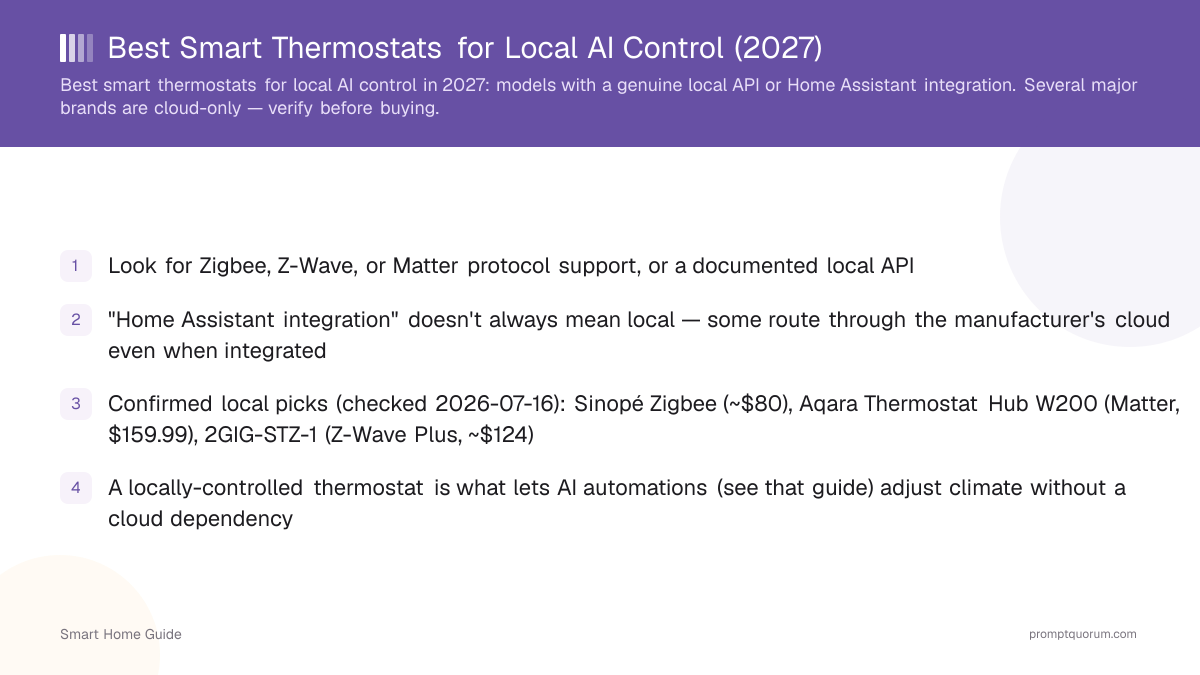
- Look for Zigbee, Z-Wave, or Matter over Thread, or a documented local API
- "Home Assistant integration" doesn't always mean local — some route through the manufacturer's cloud even when integrated
- Confirmed local picks, US pricing (re-checked 2026-08-25): Sinopé Zigbee ($104.99–109.99), Aqara Thermostat Hub W200 (Matter, $159.99), 2GIG-STZ-1 (Z-Wave Plus, $123.60)
- Confirmed local picks, EU pricing: tado° X (from €99.99), Eve Thermostat (€119.95)
- Ecobee is confirmed cloud-polling; standard Nest is cloud-only, but the new 4th-gen Learning Thermostat adds a genuine local Matter option
- This page contains product links, not affiliate links — see the disclosure section below
Disclosure
This page contains product links, not affiliate links. PromptQuorum has no current affiliate relationship with Sinopé, Aqara, 2GIG, tado°, Eve, Ecobee, or Google/Nest, and earns no commission from clicks or purchases on this page. Prices and specifications were checked against official manufacturer and retailer sources on 2026-08-25 and can change without notice — verify current pricing before buying. PromptQuorum has not tested these thermostats directly; recommendations here are based on published specifications and Home Assistant's own integration documentation, not hands-on review.
Quick Picks
Confirmed local-control thermostats by category, with current prices as of 2026-08-25.
Pick | Product | Protocol | Price |
|---|---|---|---|
| Best for electric baseboard/floor heat (US/CA) | Sinopé Zigbee thermostat | Zigbee | $104.99–109.99 |
| Best Matter hub + thermostat (US/CA) | Aqara Thermostat Hub W200 | Matter | $159.99 |
| Best Z-Wave option (US/CA) | 2GIG-STZ-1 | Z-Wave Plus | $123.60 |
| Best for European radiators | tado° X (Radiator Thermostat X) | Matter over Thread | from €99.99 |
| Best minimalist wall thermostat (EU/US) | Eve Thermostat | Matter over Thread | $129.95 / €119.95 |
| Watch for — cloud-dependent | Ecobee (standard integration) | Cloud Polling | varies |
| Watch for — mostly cloud | Nest (except 4th-gen Learning Thermostat) | Cloud SDM API / Matter on 4th-gen only | varies |
Local vs Cloud-Relayed Integration
A thermostat's Home Assistant integration can be genuinely local (Zigbee/Z-Wave/Matter, or a local API) or cloud-relayed (the integration works, but every command still round-trips through the manufacturer's servers) — check which type before assuming full local control. "Works with Home Assistant" is not the same claim as "works locally," and the two get conflated in marketing copy often enough that it's worth checking directly.
- Genuinely local: the thermostat communicates directly with your Home Assistant instance over your local network, continuing to work during an internet outage. Sinopé's Zigbee thermostats (via ZHA or Zigbee2MQTT), Aqara's Thermostat Hub W200 (Matter), the 2GIG-STZ-1 (Z-Wave Plus), tado° X (Matter over Thread), and Eve Thermostat (Matter over Thread) all confirm this.
- Cloud-relayed: Home Assistant talks to the manufacturer's cloud API, which then talks to the thermostat — this stops working if your internet or the manufacturer's service is down, even though it looks integrated day-to-day. Ecobee is the clearest current example: Home Assistant's own integration page lists its IoT class as "Cloud Polling." Standard Nest thermostats work the same way through Google's paid SDM API.
- The exception worth knowing: Google's newest Nest, the 4th-generation Learning Thermostat (released late 2025), adds native Matter over Thread — a genuine local option that older and standard-tier Nest models don't have. If local control matters and you specifically want a Nest, this is the model to check for, not the SDM-API-only older generations.
- Check Home Assistant's own integration documentation for the specific model's IoT class (local push, local polling, or cloud polling) — this is stated explicitly on each integration's page and is more reliable than a manufacturer's marketing claims.
European Radiator Thermostats
Much of Europe heats with hydronic radiators rather than the central forced-air systems common in North America, so a wall thermostat isn't always the right form factor — tado° X and Eve Thermostat both ship radiator-valve versions built for this.
- tado° X Radiator Thermostat X: from €99.99 each (multi-packs discounted), Matter over Thread, mounts directly on a radiator valve. Requires a tado° Bridge X or another compatible Thread border router for full Matter/local operation — legacy tado° accounts without Matter should note that tado°'s own cloud API has been rate-limited since January 2026, which is a further reason to use the Matter integration path in Home Assistant rather than the older cloud-based tado° integration.
- tado° also sells a Wired Smart Thermostat X (€134.99) for homes with a central wall-mounted boiler control rather than individual radiator valves.
- Eve Thermostat: $129.95 in the US, €119.95 in Germany/Austria/Switzerland, Matter over Thread, designed to run without a subscription or account. Basic local schedules work without an additional hub, but remote access and cross-room automations need a Thread border router (Apple TV, HomePod, or a Home Assistant-recognized one).
- Aqara's Thermostat Hub W200 is US/Canada-only as of this check (launched April 2026) — it is not yet available through Aqara's European store, so it isn't a European radiator option today.
What to Verify Before Buying
Check Home Assistant's own integration documentation for the specific thermostat model to see whether it's listed as local push/local polling versus cloud-dependent, before relying on general marketing claims.
- Home Assistant's integration listings typically specify the connection type (local push, local polling, or cloud) for each supported device — this is the most reliable source, more so than the thermostat manufacturer's own marketing.
- Check for discontinuations before buying based on an older recommendation: the once-common GoControl GC-TBZ48 Z-Wave thermostat is discontinued, replaced by the 2GIG-STZ-1 — the same model name doesn't always stay purchasable, so confirm current availability at a retailer, not just a product's existence.
- Regional availability varies by brand: Aqara's Thermostat Hub W200 is North America-only right now; Sinopé and 2GIG ship primarily to US/Canada; tado° and Eve are the more European-focused options. Check your region before assuming a product is orderable.
- If a local LLM automation adjusting climate settings matters to you specifically, prioritize confirmed local push/polling support (or native Matter over Thread) over other features when comparing models.
Which One Should You Buy
A short buying filter based on heating system and region, not brand preference.
- Electric baseboard or in-floor heating, US/Canada: Sinopé's Zigbee thermostats are purpose-built for line-voltage electric heat, which most other smart thermostats on this list don't support.
- Central forced-air system with a C-wire, US/Canada, want a Matter hub too: Aqara Thermostat Hub W200 doubles as a Matter controller and presence sensor.
- Central system with an existing Z-Wave setup, US/Canada: 2GIG-STZ-1, especially if you already run a Z-Wave Plus 700-series network.
- European radiator valves: tado° X Radiator Thermostat X, or the Wired Thermostat X if you control a central boiler rather than individual radiators.
- Want the simplest, subscription-free wall thermostat and already have a Thread border router: Eve Thermostat.
- Already own an Ecobee or a non-4th-gen Nest and don't want to replace it: it will still work with Home Assistant, just understand that control depends on cloud connectivity — confirm you're comfortable with that trade-off rather than assuming local operation.
Frequently Asked Questions
Does "works with Home Assistant" mean a thermostat is local?
Not always — some integrations relay through the manufacturer's cloud even when Home Assistant support exists. Check whether the specific integration is documented as local push/polling or cloud-dependent.
Are Zigbee or Z-Wave thermostats always local?
Generally yes, since those protocols communicate directly with a local coordinator rather than a manufacturer cloud service — this is one of the more reliable signals of genuine local control.
Is Matter over Thread also local?
Yes, when paired with a local Thread border router (such as a HomePod, Apple TV, Nest Hub, or a Home Assistant-recognized router) — tado° X and Eve Thermostat both work this way.
Can a local LLM adjust my thermostat directly?
Yes, if the thermostat is exposed as a standard Home Assistant entity via local integration — see the AI automations and home-assistant-ollama-integration guides for how this connects.
What happens to a cloud-relayed thermostat during an internet outage?
It typically stops responding to Home Assistant commands until connectivity is restored, since the command has to round-trip through the manufacturer's servers.
Is the Aqara Thermostat Hub W200 available in Europe?
Not as of this check (2026-08-25) — it launched in North America in April 2026 and is not yet sold through Aqara's European store.
Is any Nest thermostat genuinely local?
The 4th-generation Learning Thermostat, released late 2025, supports native Matter over Thread for local control. Standard and older Nest models rely on Google's cloud-based SDM API.
Does this affect energy-dashboard integration too?
If the thermostat reports usage/state locally, yes, it can feed into the Energy dashboard the same way — see that setup guide for details.
Do these prices include installation?
No — prices listed are for the device itself as sold by the manufacturer or a major retailer, checked 2026-08-25. Installation (especially for wired/line-voltage models) may require an electrician depending on local code and your comfort with wiring.