Key Takeaways
- Home Assistant vs Google Home: local, open-source control on your own hardware against an app-guided Google account and Gemini for Home
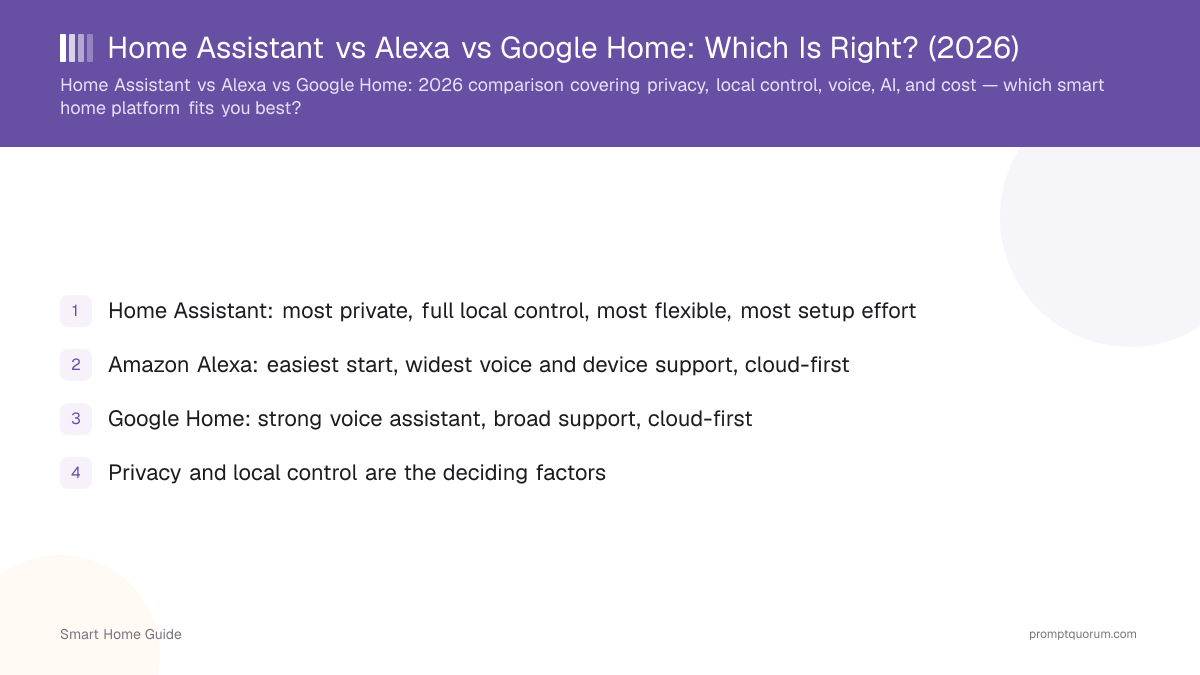
- Home Assistant: most private, full local control, most flexible, most setup effort
- Amazon Alexa: easiest start, widest voice and device support, cloud-first
- Google Home: strong voice assistant, broad support, cloud-first
- Privacy and local control are the deciding factors
- Home Assistant adds local AI (Ollama + voice) that the cloud assistants do not match privately
- Home Assistant can bridge Alexa and Google, lowering the cost of choosing it
The Three Options
Home Assistant is local-first and private; Alexa and Google Home are cloud-first and convenient. Each fits a different priority.
- Home Assistant: open-source, local-first, the most flexible and private — see getting started.
- Amazon Alexa: widest device and voice-skill support, easiest start, cloud-first.
- Google Home: strong voice and broad support, cloud-first.
The Comparison
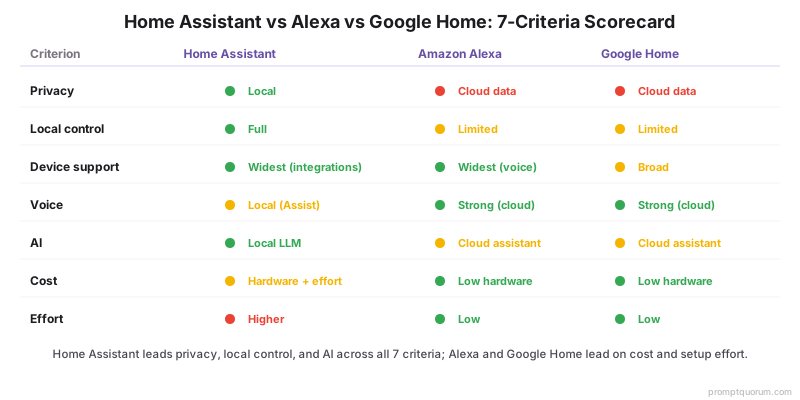
Home Assistant leads on privacy, local control, and AI; Alexa and Google lead on ease and voice breadth. Use the table to match a platform to your priority.
Criterion | |||
|---|---|---|---|
| Privacy | Best (local) | Cloud data | Cloud data |
| Local control | Full | Limited | Limited |
| Device support | Widest via integrations | Widest voice | Broad |
| Voice | Local (Assist) | Strong (cloud) | Strong (cloud) |
| AI | Local LLM (Ollama) | Cloud assistant | Cloud assistant |
| Cost | Hardware + effort | Low hardware | Low hardware |
| Effort | Higher | Low | Low |
Home Assistant vs Google Home: Local Control Against Google Convenience
Home Assistant runs on your own hardware and keeps data local; Google Home runs through the Google Home app and a Google account and is easier to start. The table covers the points that decide most Home Assistant vs Google Home choices.
- Local vs cloud: Home Assistant describes itself as open source home automation that puts local control and privacy first and says its smart home data stays local. Google documents a local fulfillment path on the home network, but the initial device sync and the fallback still use the cloud (Google Local Home SDK).
- Privacy: Home Assistant sends analytics only if you opt in (Home Assistant privacy). Gemini for Home requires a personal Google account, so your home is tied to Google's services — see smart home privacy risks.
- Matter and Thread: Home Assistant runs its own Matter controller, and Matter devices keep local control without an internet connection; Thread devices need a Thread border router (Home Assistant Matter docs). Google lists Matter as a supported way to control devices in the Google Home app.
- Voice: Home Assistant Assist can run fully on your own hardware and can optionally use a local or cloud LLM (voice control docs). Google is replacing Google Assistant with Gemini for Home, which is in early access in select languages and countries, and a home that switches cannot switch back (Google Home Help).
- Cost: Home Assistant software is open source, but you supply hardware such as a Raspberry Pi 4 or 5 or the preinstalled Home Assistant Green (installation guide). Google Home's core features are free, while features such as Gemini Live require a Google Home Premium subscription.
- Use both: Home Assistant can expose its devices to Google Home through Home Assistant Cloud, a paid subscription after a 30-day trial, or through a manual setup that needs an externally reachable instance. Both routes depend on the internet (Google Assistant integration).
Criterion | Home Assistant | Google Home |
|---|---|---|
| Where it runs | Your own hardware | Google Home app + Google account |
| Data | Stays local; analytics opt-in | Tied to your Google account |
| Matter / Thread | Own Matter controller; Thread needs a router | Matter devices in the Google Home app |
| Device coverage | Over a thousand devices and services | Matter and Works with Google Home devices |
| Voice | Assist, can run fully local | Gemini for Home (replacing Assistant) |
| AI | Optional local or cloud LLM | Gemini; Gemini Live needs Premium |
| Cost | Open source; you supply hardware | Core features free; Premium is paid |
| Setup effort | Higher; OS install or Green hub | App-guided |
| Offline | Matter devices stay locally controllable | Local path exists; cloud sync and fallback |
Alexa vs Google Home: The Choice Follows Your Voice Ecosystem
Alexa vs Google Home mostly comes down to the speakers, displays, and app you already use; both are cloud-first and both support Matter. Neither is local-first the way Home Assistant is.
- Matter: Amazon says the Echo device acts as the Matter administrator that connects Matter devices to Alexa locally (Alexa Matter docs). Google says Matter products work with Google Home.
- Thread: Amazon says Thread-enabled Echo and eero devices act as Thread border routers; Home Assistant lists the Nest Hub (2nd gen) as a Thread border router on the Google side.
- Assistant direction: Google is moving its speakers and displays from Google Assistant to Gemini for Home; check the Google Home Help page for what your devices support.
- Home Assistant bridges both: it connects to Alexa through a Smart Home Skill or Home Assistant Cloud (Alexa integration), so you can keep either voice assistant while moving control local.
Privacy Winner: Home Assistant
Home Assistant wins on privacy because control, voice, and AI all run locally with no vendor data collection. Choose it if privacy is your top priority.
- No usage data, recordings, or footage leaves your home — see smart home privacy risks.
- Add a local voice assistant and LLM for private natural-language control.
- Accept more setup effort in exchange.
Convenience Winner: Alexa or Google
Amazon Alexa and Google Home win on convenience because setup is app-guided and devices are widely supported out of the box. Choose them if minimal effort matters most.
- Use Alexa for the widest voice-skill ecosystem.
- Use Google Home if you prefer Google's assistant and services.
- Accept cloud dependence and the privacy trade-off — see why local beats cloud.
AI and Voice
Alexa and Google offer polished cloud voice; Home Assistant offers private local voice and a local LLM brain. The choice is cloud polish versus private control.
- Cloud assistants are tuned for low-latency, broad voice skills.
- Home Assistant runs Assist + Whisper + Piper + a local LLM privately — see running your smart home on a local LLM.
- Compare voice approaches in local vs cloud voice assistants.
Recommendation by User
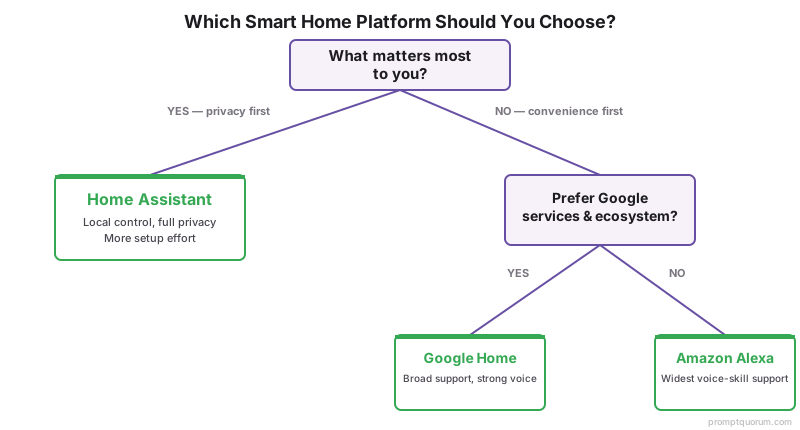
Privacy-focused or tinkerer → Home Assistant; convenience-first beginner → Alexa or Google; unsure but privacy matters → start with Home Assistant. You can bridge the cloud assistants into Home Assistant later.
- Privacy / control: Home Assistant.
- Easiest start: Amazon Alexa or Google Home.
- Best private AI: Home Assistant with a local LLM.
- Want the full platform comparison? See smart home ecosystems compared.
Frequently Asked Questions
Which is most private?
Home Assistant is the most private because control, voice, and AI run locally on your own hardware with no vendor data collection. Alexa and Google Home are cloud-first and send usage and voice data to vendor servers.
Which is easiest?
Amazon Alexa and Google Home are easiest because setup is app-guided and cloud-managed, with broad out-of-the-box device support. Home Assistant offers more privacy and control but takes more setup effort.
Which has the best AI?
For private AI, Home Assistant leads because it can run a local LLM as a conversation agent with no cloud. Alexa and Google have polished cloud assistants, but those process your data on vendor servers.
Can I switch platforms later?
Yes, though it takes effort. Home Assistant can integrate and bridge Alexa and Google, so you can adopt it gradually. Moving from a cloud ecosystem to local control is a manageable, room-by-room migration.
Is Home Assistant better than Google Home?
It depends on your priority. Home Assistant is better for local control, privacy, and flexibility because it runs on your own hardware and keeps data local. Google Home is better for an easy, app-guided start. Home Assistant takes more setup effort.
Can Home Assistant work with Google Home?
Yes. Home Assistant can expose devices to Google Home through Home Assistant Cloud, a paid subscription after a 30-day free trial, or through a manual setup that needs an externally reachable instance. Both routes depend on an internet connection.
Alexa vs Google Home: which should I choose?
Choose by the speakers, displays, and app you already use. Both are cloud-first and both support Matter, with Echo devices acting as a local Matter controller for Alexa. If privacy and local control matter most, Home Assistant is the stronger fit.
Is Google Assistant being replaced by Gemini?
Google is replacing Google Assistant with Gemini for Home on its speakers and displays. The rollout is in early access in select languages and countries, and once a home switches it cannot switch back. Some features, such as Gemini Live, require Google Home Premium.