Key Takeaways
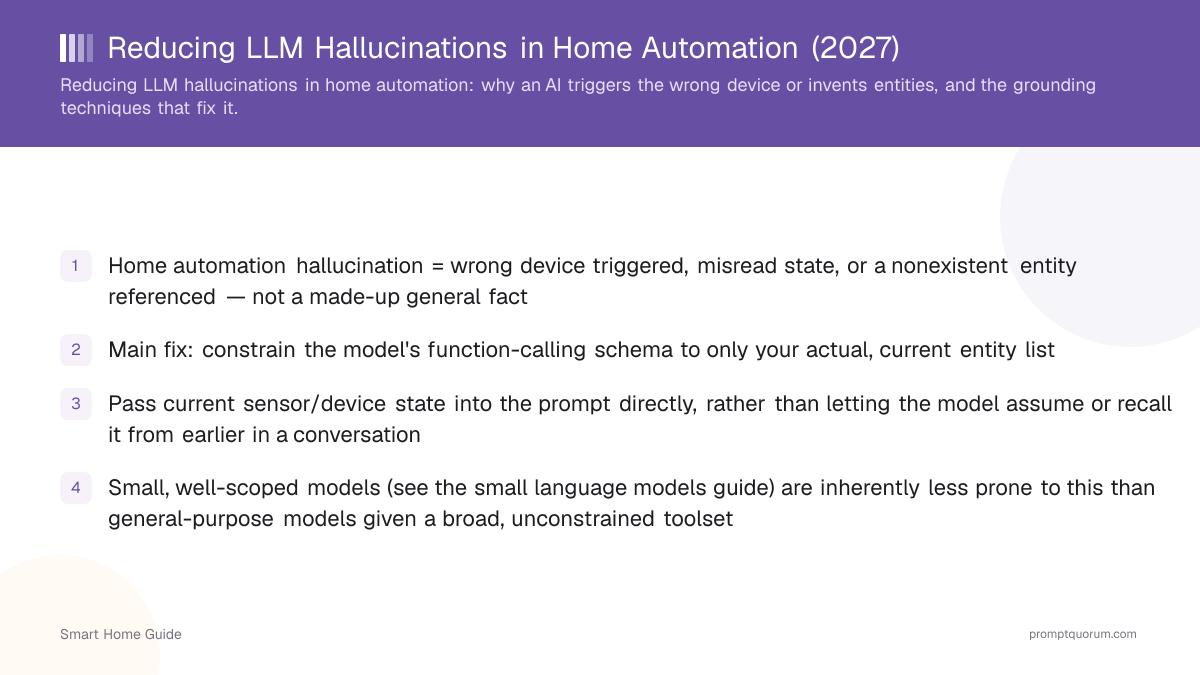
- Home automation hallucination = wrong device triggered, misread state, or a nonexistent entity referenced — not a made-up general fact
- Main fix: constrain the model's function-calling schema to only your actual, current entity list
- Pass current sensor/device state into the prompt directly, rather than letting the model assume or recall it from earlier in a conversation
- A narrow entity list matters more than model size: Home Assistant's Ollama documentation notes that smaller models are more likely to make mistakes, so pair any model with a tightly scoped entity list and pick one that supports tool calling (see the small language models guide)
- Test automations against edge cases (renamed entities, offline devices) before trusting them unsupervised
What Hallucination Looks Like in Home Automation
The three common failure modes are: triggering a similarly-named but wrong device, acting on an assumed rather than actual sensor state, and referencing an entity that doesn't exist in your setup at all.
- Wrong-device triggering: asking to turn off "the lamp" when you have several lamps, and the model picks one based on a guess rather than clarifying or using context correctly.
- Assumed state: an automation acting as if a window is closed because that's the common case, rather than checking the actual current sensor reading.
- Nonexistent entity: the model references a device name that sounds plausible (because it's common in training data) but was never actually set up in your Home Assistant instance.
Grounding: Constrain to Real Entities
The primary fix is a function-calling schema that only ever exposes your actual, current entity list to the model — it can only call functions for devices that genuinely exist, eliminating the "invented entity" failure mode structurally.
- Generate the function-calling schema (or entity list passed to the model) dynamically from Home Assistant's actual current entity registry, rather than a hand-written or stale list that can drift out of sync as you add/remove devices.
- If your setup has ambiguous entity names (multiple "light" entities), rename them to be more distinct rather than relying on the model to disambiguate correctly — this is a configuration fix, not a prompting fix, and is more reliable.
- The home-assistant-ollama-integration guide covers the practical setup of connecting Ollama to Home Assistant's conversation agent, which handles much of this schema generation automatically.
- In Home Assistant the model can only act on entities you expose to it (Settings > Voice assistants > Expose), so exposing fewer, deliberately chosen entities shrinks the set of possible wrong answers. The Ollama integration's "Controlling Home Assistant" option is documented as experimental, requires a model with tool support, and defaults to an 8k context window that larger homes may need to raise.
Passing Current State, Not Assumed State
Automations that depend on sensor state should query the actual current reading at execution time, not rely on the model's memory of an earlier conversation turn or an assumption about typical state.
- For any automation where "is the window open" or "is the light already on" matters to the decision, fetch that state directly as part of the automation logic, rather than trusting the model to have tracked it correctly across a conversation.
- This is a general principle from reducing prompt brittleness (see the cross-cluster guide on that topic), applied specifically to sensor-backed smart home state.
- Combining multiple sensor readings (sensor fusion) before acting can also reduce single-sensor misreads feeding into a decision — see the sensor fusion in the smart home guide.
Testing and Catching Errors
Test automations against edge cases — a renamed entity, a temporarily offline device, an ambiguous command — before trusting them to run unsupervised, the same way you'd test any automation logic.
- Deliberately test a command that references a recently renamed or removed entity to confirm the automation fails safely (asks for clarification or does nothing) rather than guessing at a similarly-named device.
- Log automation-triggered actions during an initial trial period so you can review what the model actually did versus what you intended, catching silent misfires before they become routine.
- Start new LLM-driven automations on low-stakes devices (lighting) before extending the pattern to higher-stakes ones (locks, security systems) where a wrong action has more consequence.
How to Reduce LLM Hallucinations: The Short List
The general techniques for reducing LLM hallucinations — ground the model in real data, constrain its output, verify before acting and fail safely — each have a direct smart-home form in Home Assistant.
- Ground in real data: the smart-home version of retrieval is passing the live entity list and current states into the model's context, instead of relying on what it remembers from training.
- Constrain the output: use tool (function) calling so the model can only return a call to an existing entity and service, not free-form text that a script then has to interpret.
- Shrink the surface area: expose only the entities you want controlled. Home Assistant requires entities to be exposed to Assist before they can be controlled, and its Ollama documentation recommends exposing fewer than 25 entities while experimenting.
- Choose a model that can call tools: Home Assistant's Ollama documentation states that only models supporting tools can control the home, and that smaller models are more likely to make mistakes than larger ones.
- Verify and fail safely: check the target entity's state before acting, read it back afterwards, and ask for clarification or do nothing when the match is uncertain.
Frequently Asked Questions
How is this different from general AI hallucination advice?
General hallucination-reduction advice (see the AI hallucinations guide) covers made-up facts in open-ended text generation. This article is specific to the function-calling failure modes that occur when an LLM maps a command to a device action.
Does a smaller model hallucinate more or less in this context?
It depends on scope, not size alone. A small model limited to a narrow set of exposed entities can handle simple commands, but Home Assistant's Ollama documentation notes that smaller models are more likely to make mistakes than larger ones, and only models that support tools can control the home at all. Narrow the entity list first, then test the model on your own commands — see the small language models guide.
Can I completely eliminate wrong-device triggers?
Not completely, but constraining the function-calling schema to your real current entity list, using distinct entity names, and testing edge cases significantly reduces the failure rate — treat it as risk reduction, not a guarantee.
Should I let an LLM control locks and security systems?
Start with lower-stakes devices (lighting) to build confidence in your specific setup's reliability before extending LLM control to higher-consequence devices like locks — this is a risk-management choice, not a technical requirement.
Does Home Assistant's Ollama integration handle entity grounding automatically?
It generates the available-entity list dynamically from your current setup for the conversation agent, which handles much of the grounding described here — see the Home Assistant + Ollama integration guide for the setup details.
What should an automation do if it can't confidently identify the right entity?
Fail safely — ask for clarification or take no action — rather than guessing at a similarly-named entity. This is a design choice in how you structure the automation's function-calling logic.
How do I reduce LLM hallucinations in Home Assistant?
Expose only the entities you want controlled, constrain the model to tool calls for those entities, pass current state instead of relying on memory, use a model that supports tool calling, test edge cases, and have the automation fail safely when unsure. No single step removes the risk; together they reduce it.
How many entities should I expose to an LLM in Home Assistant?
Home Assistant's Ollama integration documentation recommends exposing fewer than 25 entities while experimenting. Start with the few devices you actually want to control, add more as you verify reliability, and note that entities must be exposed explicitly, which is also what keeps locks and garage doors from being controlled by accident.