Key Takeaways
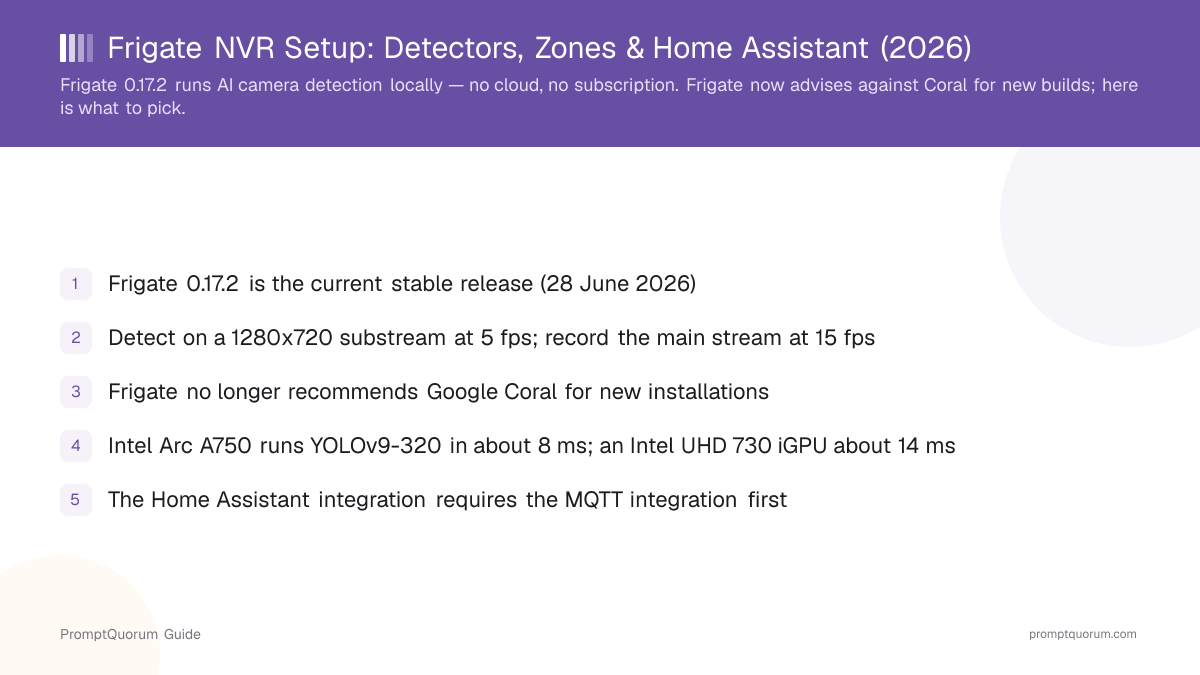
- Frigate 0.17.2 (28 June 2026) is the current stable release; 0.18.0 is in beta as of 8 August 2026
- Detector first: an Intel iGPU with the OpenVINO detector is the cheapest credible start; a Hailo-8 or NVIDIA GPU scales further
- Coral is now the fallback, not the default — Frigate recommends it only where power draw is the binding constraint
- Use two streams per camera: 1280x720 at 5 fps for detection, the full-resolution main stream at 15 fps for recording
- Zones plus required_zones, loitering_time, and inertia are what actually kill false alerts — not a better model
- The Home Assistant integration needs the MQTT integration configured first, or no entities appear
- Semantic search needs 8 GB RAM minimum, 16 GB and a GPU to be pleasant, and a CPU with AVX2
- Frigate+ is $50/yr for up to 12 fine-tuned models; face recognition and license plate reading work without it
What Does Frigate Actually Do That a Normal NVR Does Not?
Frigate runs a two-stage pipeline: cheap motion detection finds regions worth looking at, then a real object-detection model decides whether those regions contain a person, car, dog, or package. A conventional NVR triggers on pixel change, which is why it alerts on headlights, rain, and moving shrubs.
📍 In One Sentence
Frigate uses low-cost motion detection to select regions of the frame, then runs an object-detection model only on those regions, which is why a single small accelerator can serve many cameras at once.
- Motion first, AI second: low-overhead motion detection decides *where* to run the detector, so a small accelerator can cover many cameras.
- Object-level recording: retention is driven by what was detected, not by a continuous 24/7 buffer, so storage goes further.
- Restreaming via go2rtc: Frigate pulls each camera once and rebroadcasts it, instead of five clients hammering the camera directly.
- MQTT out: every tracked object, zone entry, and object count is published, which is what makes Home Assistant automations possible.
- Review items: detections are separated into *alerts* (things you asked to be told about) and *detections* (logged but silent).
📌Note: The alerts-versus-detections split is the single most useful concept in Frigate. Alerts are what wake your phone; detections are the searchable record. Tune them separately.
Which Detector Should You Buy for Frigate in 2026?
Buy an Intel iGPU box and use the OpenVINO detector if you are starting from nothing; buy a Hailo-8 module if you need the lowest latency per watt; use an NVIDIA GPU with the ONNX detector if the machine already has one. Frigate's documentation states that Coral is no longer recommended for new installations except where power requirements are unusually tight.
💬 In Plain Terms
The detector is the chip that answers "is that a person?". You can use the graphics chip already inside an Intel CPU, a dedicated NVIDIA card, or a small M.2 AI module. The USB stick everyone recommends (Google Coral) still works but is no longer the recommended starting point.
- Use OpenVINO if your host has any 6th-gen-or-newer Intel CPU — the iGPU is already paid for and needs no extra hardware.
- Use ONNX if the box already has an NVIDIA or AMD GPU; Frigate auto-detects the platform.
- Use Hailo-8 / Hailo-8L if you want accelerator-class latency in an M.2 slot at low power.
- Use TensorRT specifically on NVIDIA Jetson boards — see the NVIDIA Jetson Orin Nano review for smart home AI.
- Use edgetpu (Coral) only when watts are the binding constraint and you accept an ageing model lineup.
- Avoid the cpu detector entirely — Frigate states OpenVINO in CPU mode is more efficient than the dedicated CPU detector.
Detector | Hardware | Inference (published) |
|---|---|---|
| openvino | Intel Arc A750 | ~4 ms MobileNetV2 / ~8 ms YOLOv9-320 |
| openvino | Intel NPU | ~6 ms MobileNetV2 / ~11 ms YOLOv9-320 |
| openvino | Intel UHD 730 iGPU | ~10 ms MobileNetV2 / ~14 ms YOLOv9-tiny |
| hailo8l | Hailo-8 | ~6 ms SSD MobileNet / ~7 ms YOLOv6n |
| hailo8l | Hailo-8L | ~10 ms SSD MobileNet / ~11 ms YOLOv6n |
| onnx | NVIDIA RTX 3070 | ~6–8 ms YOLOv9 tiny→small 320 |
| onnx | NVIDIA RTX 3050 | ~8–10 ms YOLOv9 tiny→small 320 |
| onnx | AMD Radeon 780M | ~14 ms YOLOv9-tiny-320 |
| zmq | Apple M3 Pro | ~6 ms YOLOv9-tiny-320 |
Figures are Frigate's published per-detector numbers, not PromptQuorum benchmarks. Frigate also ships rknn (Rockchip NPUs), memryx, synaptics, deepstack, and degirum detector types.
⚠️Warning: Most Frigate tutorials still open with "buy a Coral". That advice predates the OpenVINO, Hailo, and ONNX work in 0.16 and 0.17, and Frigate's own hardware page now contradicts it for new builds.
💡Tip: Camera capacity on a Coral is roughly 1000 / inference_speed in frames per second, shared across all cameras. At 5 fps detect, a 10 ms inference budget covers about 20 camera-streams of headroom on paper — thermal throttling and USB power cut into that.
What Does the Frigate Server Itself Need?
A small Intel N-series or Core i-series mini PC with 8–16 GB of RAM, an SSD for the OS, and a separate spinning disk for recordings covers a typical four-to-eight camera house. The constraint is rarely CPU — it is shared memory, disk write endurance, and whether you also want semantic search.
- Shared memory (
shm): the 128 MB default only covers about two cameras at 720p. Frigate budgets roughly 66.63 MB per 1280x720 camera with logs, so eight such cameras need about 253 MB. - Set
--shm-sizeexplicitly:--shm-size=512mbis a safe figure for most builds; too small shows up as cameras dropping out, not as a clear error. - Three mount points:
/configfor the YAML and database,/media/frigatefor clips, recordings and exports,/tmp/cachefor in-flight segments. - Recordings on an HDD: continuous writes eat consumer SSD endurance; put
/media/frigateon a hard disk and keep/tmp/cacheon fast storage. - RAM for AI extras: semantic search needs 8 GB minimum and a CPU with AVX and AVX2; 16 GB plus a GPU is the recommended configuration.
Build | Detector | Suits |
|---|---|---|
| Intel N100/N150 mini PC, 16 GB | openvino (iGPU) | 2–6 cameras, no semantic search |
| Intel Core i5 mini PC, 32 GB | openvino (iGPU) | 6–12 cameras + semantic search |
| Any host + Hailo-8 M.2 | hailo8l | Low power, high camera count |
| Desktop with RTX 3050+ | onnx | Frigate plus a local LLM on one box |
| Raspberry Pi 5 | edgetpu / hailo8l | 1–3 cameras, tight power budget |
Frigate supports Docker on bare-metal Debian, the Home Assistant add-on, Kubernetes via Helm, Unraid, Synology and QNAP NAS units, ESXi, and macOS on Apple Silicon. On Proxmox, use a QEMU VM — LXC is explicitly unsupported.
⚠️Warning: Running Frigate in a Proxmox LXC container is unsupported. Passing a Coral or iGPU through an LXC appears to work and then fails in ways nobody can debug for you. Use a VM.
🛠️Practice: If you want one box for Frigate, Home Assistant, and a local LLM, size it from the LLM side first — see the mini PC picks for Home Assistant plus local AI.
💡Tip: Sizing the recording drive by hand from camera count, bitrate, and retention time is tedious — EncajaKit's free CCTV storage calculator does the math for you (the tool itself is in Spanish only).
How Should You Configure Your Cameras for Frigate?
Configure two streams in the camera's own firmware: a 1280x720 substream at 5 fps for detection, and the native-resolution main stream at 15 fps for recording — both H.264, with matching aspect ratios. Frigate's detection model works on a 320x320 input, so a 4K detect stream buys nothing and costs a great deal of decoding.
- Use H.264, not H.265 — browser support for H.265 is limited and live view suffers first.
- Change frame rate in the camera, never in Frigate: downsampling in software burns CPU for no benefit.
- Prefer wired PoE over Wi-Fi; a dropped substream shows up as missed detections, not as an obvious outage.
- For camera hardware that exposes RTSP and ONVIF properly, see the local security camera buying guide for Frigate builds.
- 1In the camera firmware, set the sub stream to 1280x720, 5 fps, H.264, with an I-frame interval of 5 (one keyframe per second).
- 2Set the main stream to the camera's native resolution — 2688x1520 on a common 4 MP sensor — at 15 fps, H.264, I-frame interval 30.
- 3Keep both streams on the same aspect ratio (16:9 with 16:9) so bounding boxes map cleanly between detect and record.
- 4Point Frigate's
detectrole at the sub stream and therecordrole at the main stream. - 5Raise detect to 10 fps only for genuinely fast subjects such as a car crossing a narrow driveway view.
💡Tip: If objects at the far end of your driveway are never detected, the cause is usually resolution, not the model: at 1280x720 scaled to a 320x320 input, a distant person is a handful of pixels. Split that view into a second camera or a zoomed stream instead of raising detect resolution globally.
📌Note: Frigate re-streams each camera once and serves every other client from that copy, which is why you should point Home Assistant at Frigate rather than at the camera directly.
How Do You Install Frigate?
Use Docker Compose on a bare-metal Debian host if you want the supported path; use the Home Assistant add-on if you accept less control in exchange for a one-click install. Both need the same config.yml and the same MQTT broker.
- 1Install Docker on a Debian-based host, then create directories for
/configand/media/frigate. - 2Write a minimal
config.ymlwith one camera and no detector block, so Frigate starts on the default and you can confirm the stream works. - 3Start the container with an explicit
shm_sizeand a mounted/dev/dri(Intel), GPU runtime (NVIDIA), or/dev/hailo0(Hailo). - 4Open the web UI on port 5000 and confirm the camera image, the detect FPS, and the inference speed shown on the System page.
- 5Add the real
detectorsblock, restart, and check that inference speed drops to the figure published for your hardware. - 6Configure the MQTT broker in
config.yml, then add the Frigate integration in Home Assistant.
services:
  frigate:
    container_name: frigate
    image: ghcr.io/blakeblackshear/frigate:0.17.2
    restart: unless-stopped
    privileged: true
    shm_size: "512mb"
    devices:
      - /dev/dri/renderD128:/dev/dri/renderD128   # Intel iGPU (OpenVINO)
    volumes:
      - /etc/localtime:/etc/localtime:ro
      - ./config:/config
      - /srv/frigate/media:/media/frigate
      - type: tmpfs
        target: /tmp/cache
        tmpfs:
          size: 1000000000
    ports:
      - "8971:8971"   # authenticated web UI
      - "8554:8554"   # RTSP restream
      - "8555:8555/tcp"
- "8555:8555/udp"⚠️Warning: Pin the image tag to a specific version rather than stable. Frigate config schemas change between minor releases, and an unattended docker compose pull on a 0.17 to 0.18 boundary can leave you with a container that refuses to start against your existing YAML.
🛠️Practice: Bring up one camera before you add the rest. Nearly every "Frigate is broken" thread turns out to be one camera's substream URL, and that is much easier to see with a single entry in the config.
What Does a Working Frigate config.yml Look Like?
A working config has four blocks: mqtt, detectors, cameras with two stream roles, and per-camera zones and review filters. Everything else has defaults that are fine on day one.
subtype=1andsubtype=0are the Dahua/Amcrest convention for sub and main stream; Reolink usesh264Preview_01_subandh264Preview_01_main.retain.mode: motionkeeps continuous footage only where motion occurred, which is the main storage lever.review.alerts.required_zonesis what stops a car on the public road from waking your phone.- Frigate 0.17 added full UI-based configuration, so most of this can now be edited in the web interface rather than by hand.
mqtt:
  host: 192.168.1.10
  user: frigate
  password: "{FRIGATE_MQTT_PASSWORD}"

detectors:
  ov:
    type: openvino
    device: GPU

cameras:
  driveway:
    ffmpeg:
      inputs:
        - path: rtsp://user:pass@192.168.1.51:554/cam/realmonitor?channel=1&subtype=1
          roles: [detect]
        - path: rtsp://user:pass@192.168.1.51:554/cam/realmonitor?channel=1&subtype=0
          roles: [record]
    detect:
      width: 1280
      height: 720
      fps: 5
    record:
      enabled: true
      retain:
        days: 3
        mode: motion
      alerts:
        retain:
          days: 30
    snapshots:
      enabled: true
    motion:
      mask:
        - 0,0,0.35,0,0.35,0.12,0,0.12   # timestamp overlay
    zones:
      driveway_apron:
        coordinates: 0.14,0.98,0.62,0.55,0.95,0.72,0.88,1.0
        loitering_time: 4
        inertia: 3
    review:
      alerts:
        labels: [person, car]
        required_zones: [driveway_apron]
      detections:
labels: [person, car, dog, cat]💡Tip: Frigate 0.17 also added Profiles — named config overrides you can switch between without restarting the container. A "guests staying" profile that widens required_zones is a better pattern than editing YAML twice a week.
How Do Zones and Masks Stop False Alerts?
Zones filter which detections matter; motion masks stop Frigate from looking at a region at all. Use a zone when the object is real but irrelevant, and a mask when the movement is not an object. Zone presence is evaluated on the bottom-centre point of the bounding box, so a zone must cover the ground where feet or wheels are, not where heads are.
📍 In One Sentence
In Frigate, a motion mask stops detection running in a region entirely, while a zone plus required_zones lets detection run but restricts which detections are allowed to raise an alert.
❌ Bad approach
“Alerts on every person, every camera, all day — then muting notifications after two days because the pavement outside generates forty alerts a night.”
✅ Good approach
“A driveway_apron zone covering only the ground inside the property line, review.alerts.required_zones set to that zone, loitering_time: 4, and detections (no notification) left switched on for everything else so the searchable record stays complete.”
- Motion mask: covers timestamp overlays, a busy tree, a flag. Frigate never runs detection there. Use it for movement that is never an object you care about.
- Object filter mask: suppresses a specific label in a specific region — the parked neighbour car that is permanently detected as
car. - Zone +
required_zones: the object is genuinely a person, but a person on the pavement is not an alert. This is the correct fix for pavement traffic. loitering_time: requires the object to stay in the zone for N seconds before it counts — a delivery driver who walks up the path qualifies, someone walking past does not.inertia: requires the object to remain inside the zone for N consecutive frames (default 3) so bounding-box jitter at the boundary does not fire an alert.- Speed estimation: a zone with exactly four ground-aligned points plus a
distanceslist yields a speed value in the UI and over MQTT.
⚠️Warning: Drawing a zone across the upper half of the frame does nothing useful. Presence is judged by the bottom-centre of the bounding box — draw zones on the ground plane.
🔍Insight: False alerts are almost never a model-quality problem. In a typical residential install, zones and required_zones remove more noise than any detector upgrade will.
How Do You Connect Frigate to Home Assistant?
Configure the MQTT integration in Home Assistant first, point Frigate at the same broker, then install the Frigate integration — it creates camera, image, sensor, switch, and binary_sensor entities per camera and per zone. Without MQTT configured beforehand, the integration installs and produces nothing.
- 1Install an MQTT broker (the Mosquitto add-on is the usual choice) and add the MQTT integration in Home Assistant.
- 2Set the
mqttblock in Frigate's config.yml to the same broker, with its own username and password. - 3Install the Frigate integration through HACS, or add it as a core integration, and point it at the Frigate host.
- 4Enable the Media Source integration so recordings and snapshots appear in the Media Browser.
- 5Build automations on the per-zone binary sensors rather than on the per-camera ones.
binary_sensor
- What you get:
- Motion and object presence per camera, per zone, and per object label
- What to use it for:
- The trigger for essentially every automation — a person in a specific zone is a far better trigger than motion on a camera
camera
- What you get:
- Live stream entity served from Frigate's restream on port 8554
- What to use it for:
- Dashboard cards and casting; pointing Home Assistant here instead of at the camera avoids a second connection to the camera
image
- What you get:
- The latest snapshot of the most recent detected object per camera
- What to use it for:
- Attaching a picture to a mobile notification without calling the snapshot API by hand
sensor
- What you get:
- Object counts per zone and per camera, plus detector and process performance figures
- What to use it for:
- Occupancy logic and a system health dashboard — inference speed here is your early warning that a detector has fallen back to CPU
switch
- What you get:
- Toggles for detection, recording, and snapshots per camera
- What to use it for:
- Privacy automations, such as disabling indoor detection whenever presence says somebody is home
The integration also exposes camera.turn_on and camera.turn_off actions, supports multiple Frigate servers with separate MQTT configurations, and lets you override the RTSP URL template with Jinja2.
⚠️Warning: If the Frigate integration installs but no entities appear, the cause is almost always MQTT: either the integration was never added in Home Assistant, or Frigate and Home Assistant are talking to two different brokers.
🛠️Practice: Trigger automations from the zone binary sensor plus a condition on the object label. A raw camera motion sensor will fire on rain; binary_sensor.driveway_driveway_apron_person will not.
What Do Semantic Search, Face Recognition, and LPR Add?
Semantic search lets you type "black van in the driveway at night" and get matching clips; face recognition and license plate recognition turn anonymous detections into named ones — and both work without a Frigate+ subscription. These features cost RAM, not money.
- Semantic search: needs 8 GB RAM minimum, a CPU with AVX and AVX2, and ideally 16 GB plus a dedicated GPU. It will not run usefully on a Raspberry Pi.
- Embedding model: Jina CLIP V1 is the default; the
smallvariant is quantized and runs acceptably on CPU, thelargevariant uses the GPU when one is present. - Jina CLIP V2 supports 89 languages instead of English only, but Frigate documents it as roughly 3% better for substantially more RAM and inference time, with CPU inference not recommended.
- Reindexing is manual: enabling semantic search does not index existing objects. Use the Reindex button in the UI or set
reindex: True, and expect heavy CPU load while it runs. - Face recognition and LPR run locally and need no subscription, though Frigate+ models improve efficiency.
- GenAI descriptions: 0.17 added multi-provider support and a dedicated llama.cpp integration, so descriptions can come from a model on your own hardware — see running local LLM automations in Home Assistant.
💡Tip: Turn semantic search on before you accumulate a year of clips. Reindexing 200,000 tracked objects on a CPU-only mini PC is an overnight job.
📌Note: Frigate 0.16 added semantic search triggers — an action fires when a tracked object matches a saved image or description. That is the bridge between "search my footage" and "automate on what my footage means".
Is Frigate+ Worth $50 a Year?
Frigate+ is worth it once you have a specific, repeatable false positive that the stock model will not fix — otherwise the free models plus good zones do the job. It costs $50/yr and includes up to 12 fine-tuned models per year, with additional fine-tunings at $5 each.
Frigate+ or stock models?
Use a local LLM if:
- •A specific object is repeatedly misclassified on your property
- •You have unusual camera angles the stock model handles poorly
- •You want AI-suggested labels to speed up your own uploads
- •You want to fund continued open-source development
Use a cloud model if:
- •Your false alerts are pavement traffic — zones fix that for free
- •You need labels outside Frigate's supported list; custom labels are not available yet
- •You only run one or two cameras on simple views
Quick decision:
- →Fix zones first, then re-evaluate after two weeks
- →If alerts are still wrong on real objects, subscribe
- →Models you trained stay downloadable after you cancel
- The Frigate+ base model was updated to 2026.0, built on YOLOv9, with new candidate labels including
lawnmowerandheron. - You cannot add arbitrary custom labels yet — training is limited to Frigate's supported label set.
- Face recognition and license plate recognition do not require the subscription.
🔍Insight: Subscribing before tuning zones is the most common way to spend $50 and see no improvement. A fine-tuned model makes correct detections more reliable; it does not make a correctly-detected pedestrian stop being a pedestrian.
How Does Frigate Compare on Cost to Subscription Cameras?
Frigate converts a recurring per-camera cloud fee into a one-off hardware cost that does not scale with camera count. The break-even is usually inside the first year for anything past two cameras.
Aspect | Cloud camera service | Frigate |
|---|---|---|
| Recurring cost | Monthly, often per camera | None |
| Up-front cost | Camera only | Host + detector + storage |
| AI detection | Vendor cloud | Local (OpenVINO/Hailo/ONNX) |
| Footage location | Vendor data centre | Your disk |
| Internet outage | Degraded or dead | Fully functional on LAN |
| Feature removal risk | Vendor can change plans | Version you run keeps working |
Adding a camera to Frigate costs the camera. Adding a camera to a subscription service usually costs the camera plus another line on the bill — this is where the gap widens. See also running a smart home without subscriptions.
📌Note: Count electricity honestly: an always-on mini PC plus disks is roughly 15–30 W, which is real money over five years but still well under most multi-camera cloud plans.
Common Mistakes When Setting Up Frigate
Five mistakes account for most failed Frigate builds, and only one of them is about hardware.
- Running detection on the main stream: pointing the
detectrole at a 4K stream multiplies decode cost for zero accuracy gain, because the model input is 320x320. Always detect on the substream and record on the main stream. - Leaving
shm_sizeat the default: 128 MB covers roughly two 720p cameras. Cameras beyond that drop out intermittently with no obvious error. Set--shm-size=512mband move on. - Installing the Home Assistant integration before MQTT: the integration will install cleanly and create nothing. Configure the MQTT integration in Home Assistant and the
mqttblock in Frigate first, pointing at the same broker. - Fixing false alerts by changing detectors: a pedestrian on the pavement is a correct detection. The fix is a zone plus
required_zonesandloitering_time, not a faster accelerator or a paid model. - Recording to the SSD that runs the OS: continuous video writes consume consumer SSD endurance quickly. Put
/media/frigateon a hard disk, keep/tmp/cachefast, and setretain.mode: motion. - Deploying in a Proxmox LXC: device passthrough appears to work, then breaks in ways that are unsupported and undiagnosable. Use a QEMU VM.
Final Verdict: What Should You Actually Build?
Buy an Intel mini PC with 16 GB of RAM, run the OpenVINO detector on its iGPU, use PoE cameras with a 720p/5 fps substream, and spend your first week on zones rather than on hardware. That build handles a normal house and leaves room to add a Hailo-8 later if camera count grows.
- Use OpenVINO on an Intel iGPU if you are starting from zero — lowest cost, no extra hardware, ample headroom for 2–6 cameras.
- Use a Hailo-8 M.2 module if you are past eight cameras or power draw matters.
- Use ONNX on an existing NVIDIA GPU if the machine already has one, particularly if it also runs a local LLM.
- Use a Coral only when watts are the hard constraint and you accept it is no longer the recommended path.
- Avoid the cpu detector; OpenVINO in CPU mode is the better fallback.
- If unsure, start with an Intel N150 mini PC and two cameras, get zones right, then scale.
🛠️Practice: Budget order that actually works: cameras and PoE switch first, then the host, then storage, then an accelerator if the numbers on the System page say you need one. Buying the accelerator first is the classic inversion.
Frequently Asked Questions
What is Frigate NVR?
Frigate is an open-source network video recorder that runs AI object detection locally on IP camera streams using OpenCV and TensorFlow. It records clips based on what was detected rather than on raw motion, and publishes every detection over MQTT so Home Assistant can automate on it. There is no cloud service and no subscription for the core software.
Do I still need a Google Coral TPU for Frigate in 2026?
No. Frigate's own hardware documentation states that Coral is no longer recommended for new installations, except where power requirements are unusually tight. For a new build, the OpenVINO detector on an Intel iGPU, a Hailo-8 module, or the ONNX detector on an existing NVIDIA GPU are the recommended paths.
Which Frigate version should I run?
Frigate 0.17.2, released 28 June 2026, is the current stable release. Version 0.18.0 has been in beta since July 2026 — the third beta appeared on 8 August 2026 — so run 0.18 only if you are comfortable with config changes between minor versions.
How much RAM does Frigate need?
Base object detection and recording run comfortably in 8 GB. Semantic search raises the floor: Frigate documents 8 GB as the minimum, 16 GB or more plus a dedicated GPU as the recommendation, and requires a CPU supporting AVX and AVX2 instructions.
Why does Frigate keep alerting on people walking past my house?
Because those are correct detections. Draw a zone covering only the ground inside your property, set review.alerts.required_zones to that zone, and add loitering_time so a passer-by has to stop before an alert fires. Zone presence is judged on the bottom-centre of the bounding box, so the zone must cover the ground plane.
Does Frigate work without an internet connection?
Yes. Detection, recording, MQTT, and Home Assistant automations all run on your LAN. Only remote viewing from outside the house and optional cloud-hosted GenAI providers need connectivity — and 0.17 added a llama.cpp integration so descriptions can be generated locally too.
What is the difference between a zone and a mask in Frigate?
A motion mask stops Frigate running detection in that region at all, which suits timestamp overlays and permanently moving foliage. A zone lets detection run normally but restricts which detections are allowed to raise an alert, via required_zones. Use a mask for non-objects, a zone for real objects you do not care about.
How many cameras can one Frigate server handle?
It depends on inference speed rather than camera count directly — usable detections per second is roughly 1000 divided by the inference time in milliseconds, shared across cameras. At 5 fps detect per camera and an 8 ms detector such as an Intel Arc A750 on YOLOv9-320, there is substantial headroom for a typical residential install.
Do I need Frigate+ for face recognition or license plate reading?
No. Face recognition and license plate recognition run locally without a subscription, though Frigate+ models can improve efficiency. Frigate+ costs $50 per year and includes up to 12 fine-tuned models, with extra fine-tunings at $5 each — worth it for repeated misclassification, not for pavement traffic.
Can I run Frigate in a Proxmox LXC container?
No — Proxmox LXC is explicitly unsupported. Use a QEMU virtual machine instead. Device passthrough for an iGPU, Coral, or Hailo module can appear to work in an LXC and then fail in ways that are not supportable.
Sources
- Frigate Recommended Hardware — docs.frigate.video/frigate/hardware — published per-detector inference speeds and the statement that Coral is no longer recommended for new installations.
- Frigate Object Detectors configuration — docs.frigate.video/configuration/object_detectors — the full list of detector
typevalues and the note that the CPU detector is not recommended. - Frigate Camera Setup — docs.frigate.video/frigate/camera_setup — detect and record stream resolutions, frame rates, and I-frame interval guidance.
- Frigate Zones configuration — docs.frigate.video/configuration/zones — required_zones, loitering_time, inertia defaults, and speed estimation requirements.
- Frigate Semantic Search — docs.frigate.video/configuration/semantic_search — RAM and AVX2 requirements, Jina CLIP V1/V2 comparison, and reindexing behaviour.
- Frigate Home Assistant integration — docs.frigate.video/integrations/home-assistant — MQTT prerequisite and the entity types the integration creates.
- Frigate releases on GitHub — github.com/blakeblackshear/frigate/releases — version numbers and release dates for 0.17.x and the 0.18.0 betas.
- Frigate+ — frigate.video/plus/ — subscription price, included fine-tunings, and label limitations.