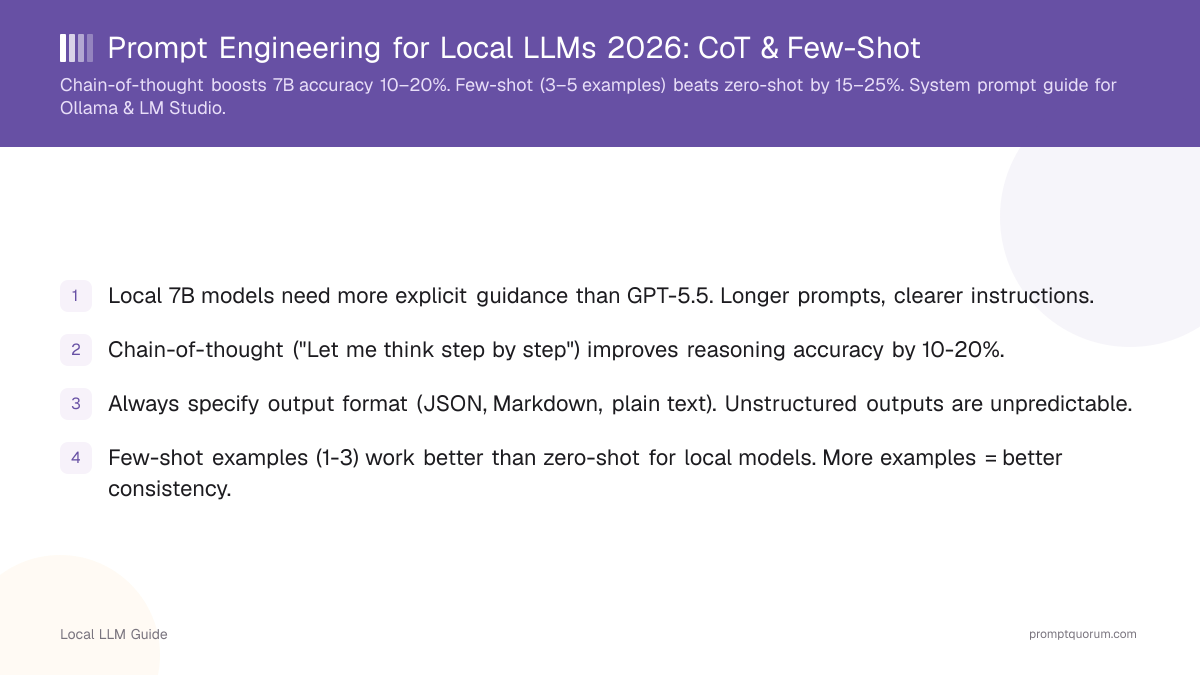
Key Takeaways
- Local 7B models need more explicit guidance than GPT-5.6. Longer prompts, clearer instructions.
- Chain-of-thought ("Let me think step by step") improves reasoning accuracy by 10-20%.
- Always specify output format (JSON, Markdown, plain text). Unstructured outputs are unpredictable.
- Few-shot examples (1-3) work better than zero-shot for local models. More examples = better consistency.
- Role definition ("You are a Python expert") improves domain-specific responses.
Quick Facts
- Accuracy boost with CoT: 10–20% improvement on reasoning tasks
- Few-shot requirement: Local 7B needs 3–5 examples vs cloud APIs need 1–2
- Context consumption: Each example uses 50–200 tokens
- Temperature impact: Lowering from 0.8 to 0.3 improves factual accuracy 15–25%
- Model size difference: 7B models need more explicit guidance than 70B models
- Output format consistency: JSON specifications improve reliability 30–40%
How Are Local Models Different?
Aspect | GPT-5.6 (ChatGPT Plus) | Local 7B (Llama 3.1 8B) | Local 70B (Llama 3.3) |
|---|---|---|---|
| Context window | 128K tokens | 4K–128K tokens | 128K tokens |
| Instruction following | Excellent | Good with explicit prompts | Very good |
| Few-shot learning | 1–2 examples | 3–5 examples needed | 2–3 examples |
| Reasoning | Multi-step implicit | Step-by-step explicit required | Moderate implicit |
| System prompt | Handled by API | Must configure per tool | Must configure per tool |
| Temperature default | 1.0 (API) | 0.8 (Ollama default) | 0.8 (Ollama default) |
How Does Chain-of-Thought Prompting Improve Accuracy?
Chain-of-thought (CoT) prompting asks the LLM to show its reasoning step-by-step before answering. This technique is especially effective for local 7B–13B models because they lack the implicit reasoning ability of larger cloud models. For a mathematical problem like "17 × 24", local models without CoT often guess incorrectly. With explicit step-by-step reasoning, they break the problem into parts and achieve 10–20% higher accuracy.
Without CoT: "What is 17 × 24?" → Model answers directly, often wrong.
With CoT: "Solve this step-by-step: 17 × 24" → Model shows: 17 × 20 = 340, 17 × 4 = 68, total = 408. More accurate.
Learn how this technique extends to local AI agents that use reasoning internally to select tools.
📍 In One Sentence
Chain-of-thought prompting instructs the model to decompose reasoning into explicit steps before answering, improving accuracy by 10–20% on complex tasks.
# Prompt with CoT
prompt = """
You will answer a question by thinking step-by-step.
Let me think about this:

Question: Why do local LLMs require more explicit prompting than cloud APIs?

Thinking:
1. First, consider the differences in model size...
2. Then, think about training data and fine-tuning...
3. Finally, consider the architecture and inference optimization...

Answer:
"""

# This guides the model to reason through the problem•💡: Pro Tip: CoT works best when you prime the output with partial reasoning. Example: "Let me break this down step by step: first, I notice..."
Why Is Specifying Output Format Critical for Local Models?
Specifying exact output format (JSON, Markdown, plain text) is critical for local models because they produce unpredictable outputs without explicit instructions. Cloud models like GPT-5.6 can infer intent from vague requests; local 7B–13B models cannot. For local RAG systems that need structured document extraction, JSON format specifications prevent parsing errors and increase extraction accuracy 30–40%.
Example: "Extract entities from the text" might return narrative text instead of a list.
Better: "Extract entities as JSON with keys: person, location, organization".
# Bad: ambiguous output
prompt = "Summarize this text"

# Good: explicit format
prompt = """
Summarize the text in EXACTLY 3 bullet points.
Format as a JSON list:
{
  "summary": [
    "- Point 1",
    "- Point 2",
    "- Point 3"
  ]
}
"""•⚠️: Common Issue: Local models sometimes refuse to output raw JSON. Add "Output ONLY JSON, no markdown fence" to the prompt to bypass this.
How Does Assigning Roles Improve Local Model Responses?
Assigning a specific role ("You are a Python expert with 10 years experience") dramatically improves domain-specific responses compared to generic prompts. This technique, called persona prompting, works by anchoring the model's response generation to a specific expertise domain. Local models respond 15–25% better to role definition than cloud models do, because they lack robust RLHF alignment that allows generic prompts to work. Examples:
- "You are a Python expert" → better code explanations
- "You are a medical researcher" → more detailed biomedical responses
- "You are a skeptical analyst" → more critical thinking
Combine role definition with fine-tuning for even stronger domain alignment if you deploy across many use cases.
💬 In Plain Terms
In everyday terms, persona prompting tells the model which "hat" to wear when answering. A Python expert hat produces different (and better) code than a generic assistant hat.
•🎯: Best Practice: Specificity matters. "You are an expert" is weak; "You are a Python expert with 10 years backend experience, focused on async/await patterns" is strong.
How Do You Set System Prompts in Ollama, LM Studio, and llama.cpp?
The system prompt defines the model's role and constraints before the user's message, and each tool (Ollama, LM Studio, llama.cpp) requires a different format to set it.
# Ollama (Modelfile)
FROM llama3.1:8b
SYSTEM """You are a Python expert with 10 years experience. Answer only Python questions. Provide code examples. Use type hints."""
PARAMETER temperature 0.7
PARAMETER top_p 0.9
PARAMETER repeat_penalty 1.1

# Ollama (API / OpenAI SDK)
response = client.chat.completions.create(
  model="llama3.1:8b",
  messages=[
    {"role": "system", "content": "You are a Python expert..."},
    {"role": "user", "content": "Write a FastAPI endpoint"}
  ],
  temperature=0.7
)

# LM Studio (GUI)
# Settings → System Prompt field (paste your prompt)
# Or via API at localhost:1234 — same format to Ollama

# llama.cpp (CLI)
./main -m llama-3.1-8b.gguf \
  --system-prompt "You are a Python expert..." \
  --temp 0.7 --top-p 0.9 --repeat-penalty 1.1 \
  -p "Write a FastAPI endpoint"
How Do Temperature and Sampling Parameters Impact Output Quality?
Tuning temperature, top_p, and repeat_penalty has more impact on local 7B output quality than prompt wording alone, and local models require different defaults than cloud APIs.
Key insight for local models: Ollama's default temperature (0.8) is higher than OpenAI's API default (1.0 with nucleus sampling). Lowering temperature to 0.3–0.5 dramatically improves factual accuracy on local 7B models. For coding tasks, set temperature to 0.1–0.2 and repeat_penalty to 1.0 (code needs repetitive patterns like imports and function calls).
Parameter | What it controls | Default (Ollama) | Recommended |
|---|---|---|---|
| temperature | Randomness | 0.8 | 0.3–0.5 for factual, 0.7–0.9 for creative |
| top_p | Vocabulary diversity | 0.9 | 0.8 for consistent, 0.95 for varied |
| repeat_penalty | Repetition avoidance | 1.1 | 1.1–1.2 for chat, 1.0 for code |
•📌: Key Point: Temperature is a multiplier on logits. At 0.0, always pick highest probability token. At 1.0+, randomness increases. Local models saturate above 1.5 temperature.
Why Do Local Models Need More Few-Shot Examples Than Cloud APIs?
Providing 3–5 examples (few-shot learning) to local models improves output consistency 15–25% more than zero-shot, whereas cloud models need only 1–2 examples.
Local models benefit from more examples because they have fewer parameters and less diverse training data. Few-shot learning is an in-context learning technique that shows the model the expected input/output pattern before asking it to solve the real task.
# Few-shot prompt
prompt = """
Classify sentiment. Examples:

"I love this product!" → positive
"Worst experience ever" → negative
"It's okay, nothing special" → neutral

Now classify: "This is amazing!"
Answer: """

# Model learns format and style from examples•🛠️: Implementation Tip: Vary examples (1 easy, 1 medium, 1 hard) better than 3 similar. Diversity improves generalization and prevents overfitting to specific patterns.
Common Prompt Engineering Mistakes
- Verbose prompts without structure. Rambling instructions confuse local models. Be concise and explicit.
- Not using chain-of-thought. CoT improves accuracy 10-20%. Always include for reasoning tasks.
- Assuming one prompt works for all. Iterate and test. Small wording changes cause large output changes.
- Ignoring output format. Without explicit format specification, outputs are unpredictable.
- Using vague role definitions. "You are an expert" is vague. "You are a Python expert with 10 years experience" is better.
•📍: Did You Know? Most effective prompts iterate 3–5 versions. Local model prompting is not "set and forget"—small refinements compound to significant accuracy gains.
Regional Considerations for Prompt Engineering
EU (GDPR): When deploying prompt engineering for local models on EU infrastructure, ensure all training data used for prompt iteration complies with GDPR data minimization principles. Do not export user queries to external APIs for testing; iterate locally.
Japan (APPI): Japanese enterprises using local LLMs for customer data must implement explicit audit logging of all prompts and responses. Prompt quality directly impacts data security — poorly engineered prompts may expose sensitive information in outputs.
China (Data Security Law 2021): Local LLM deployments in Mainland China must keep all inference, prompting, and model tuning on-premises. Qwen and other domestic models are preferred to ensure data residency compliance.
Common Questions About Local LLM Prompting
Why do local LLMs need more explicit prompts than GPT-5.6?
Local 7B–13B models have far fewer parameters and less diverse training data than frontier cloud models like GPT-5.6 (OpenAI does not publish exact parameter counts for current models). They cannot infer ambiguous intent as well. Explicit instructions — format, role, step-by-step reasoning — compensate for this gap. Chain-of-thought prompting improves local model accuracy by 10–20% on reasoning tasks.
How many few-shot examples should I include in prompts for local LLMs?
3–5 examples are optimal for local 7B models. GPT-5.6 typically needs only 1–2 examples. More examples improve consistency but consume context window tokens (4K–32K tokens depending on the model). For Llama 3.1 8B with a 4K context window, limit to 3 examples plus your task. For models with 32K+ context, 5 examples is safe.
Does chain-of-thought prompting work with all local models?
Chain-of-thought works with any instruction-tuned model (Llama 3.x, Qwen 3, Mistral Small). Base models (non-instruction-tuned) do not follow "think step-by-step" instructions reliably. For local models, CoT phrases like "Solve this step by step:" or "Reasoning:" at the start of the expected output work best.
What output format is most reliable for local LLMs?
JSON is the most reliable structured output format for local LLMs. Specify the exact JSON schema in the prompt: "Respond ONLY with a JSON object with keys: name, score, reasoning." Markdown headers (##) are reliable for sections. Avoid asking for XML or custom formats — they require more exact parsing that local models handle inconsistently.
How do I prevent a local LLM from going off-topic?
Add an explicit constraint to the system or instruction prompt: "Answer ONLY about [topic]. If asked about anything else, say: I can only help with [topic]." For Ollama, use the system prompt field. For llama.cpp, prepend as a system message. This boundary-setting works significantly better on local 7B models than on cloud models which have stronger RLHF alignment.
What is the difference between zero-shot and few-shot prompting for local models?
Zero-shot gives no examples: "Classify this email as spam or not spam." Few-shot gives 2–5 labeled examples before the task. For local 7B models, few-shot consistently outperforms zero-shot on classification and extraction tasks by 15–25% accuracy. Zero-shot works well for generation tasks (summarization, translation) where format is less critical.
How do I test and iterate on prompts for local models?
Test on 5–10 diverse examples. Change one variable at a time (role, format, or CoT instruction). Measure accuracy or consistency before/after. Use a simple test set: 2–3 easy examples, 2–3 hard examples. Track which prompt versions work best. Iterate in cycles of 3–5 prompt variations. Document working prompts in a prompt library for reuse.
Should I prompt-engineer or fine-tune for a specific task?
Prompt-engineer first (fast, free, iterative). If accuracy plateaus after 20+ prompt variations, then fine-tune. Fine-tuning requires 500+ task-specific examples and 1–4 hours training time, but yields 10–20% accuracy gains. For general-purpose tasks, prompt engineering usually suffices. For domain-specific tasks (medical, legal, coding), fine-tuning provides lasting improvements.
How do system prompts differ from user instructions in local LLMs?
System prompts define the model's role and constraints before the user message and are part of the request structure (in Ollama, LM Studio, or via API). User instructions are part of the conversation. System prompts set the baseline behavior and are more reliable than embedding instructions in user messages. For local models, a well-written system prompt improves consistency 15–25% because the model prioritizes system-level constraints over user-level text.
Can I use the same prompt across different local models?
Partially. Basic CoT structure and role definitions transfer across models (Llama, Qwen, Mistral). However, each model requires prompt tuning for optimal results. Llama models respond to "Let me think step by step," while Qwen models prefer "First, I need to...". Test your prompt on the exact model you deploy. Larger models (70B) are more forgiving of prompt variations than smaller models (7B).
Sources
- Chain-of-Thought Prompting Paper (Wei et al.) — Seminal research on reasoning through step-by-step instructions.
- Prompt Engineering Guide (DAIR-AI) — Comprehensive collection of prompting techniques and best practices.
- Ollama Modelfile Reference — Official documentation for system prompts, parameters (temperature, top_p, repeat_penalty), and custom model creation.