How These Platforms Connect: Protocol Recap
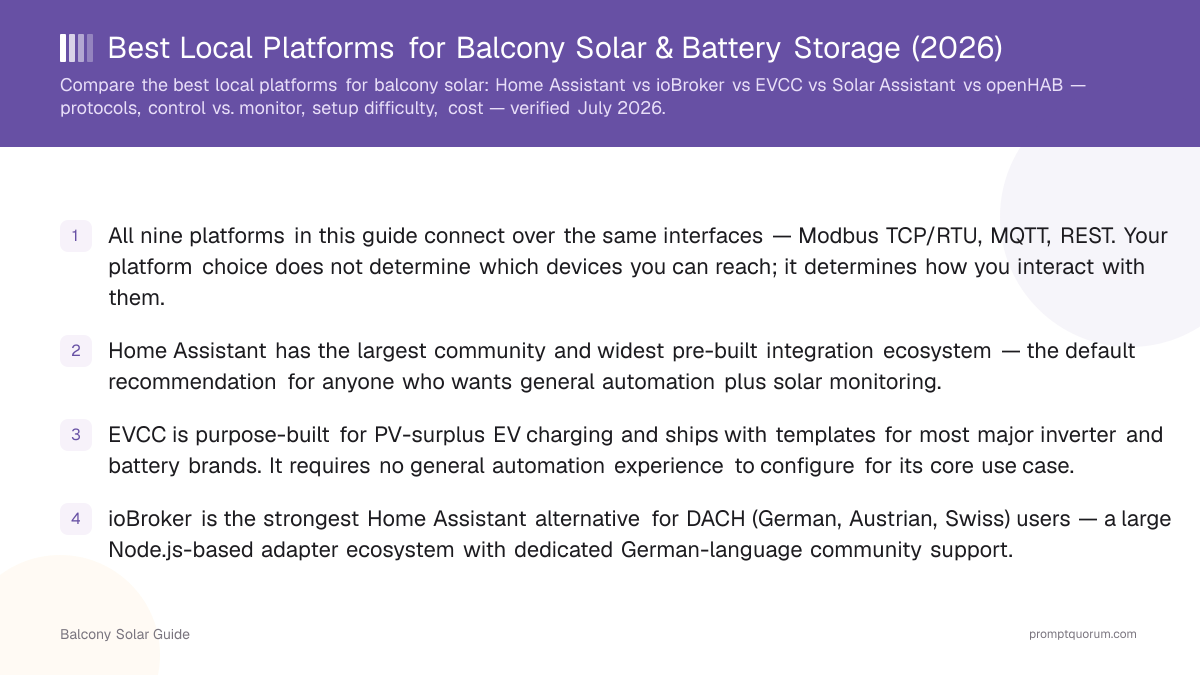
All nine platforms in this guide communicate with balcony solar hardware over one of the same three local protocols: Modbus TCP/RTU, MQTT, or a device's local REST API. Your choice of platform does not change which physical devices you can reach — it changes the tooling you use to read and act on that data. Understanding which protocol your specific device exposes is the upstream question before choosing a platform; the companion article No-Cloud Balcony Solar: Monitor Your System With Home Assistant covers the hardware-level protocol decision (which interface a given brand exposes, and how to verify it). This article assumes a local interface exists and focuses on which software platform to run on top of it.
Modbus RTU (RS-485 serial) and Modbus TCP (Ethernet/WiFi) are the most common read-and-write interfaces on solar inverters and battery systems. Most platforms connect to Modbus TCP natively. Modbus RTU typically requires a serial-to-USB adapter or an ESPHome bridge device (see ESPHome profile below).
MQTT is the lightweight publish/subscribe messaging protocol that most local-API balcony solar devices use for real-time status broadcast. Nearly every platform in this guide can subscribe to an MQTT topic, making it the most broadly compatible connection path when a device supports it.
📍 In One Sentence
Home Assistant, ioBroker, EVCC, openHAB, and Solar Assistant all connect over the same Modbus and MQTT protocols — the platform choice determines how you use that data, not whether you can reach the device.
💬 In Plain Terms
Every platform here plugs into the same solar hardware over the same wires — the difference is what the software does with the data once it arrives.
What to Optimise For
The right platform depends on your use case and tolerance for complexity — not on raw protocol capability, since all platforms handle Modbus and MQTT. Decide which of the following matters most before comparing products:
- Ease of setup vs. flexibility: Solar Assistant and EVCC are low-setup and purpose-specific. Home Assistant and openHAB are highly flexible but require more configuration work.
- Monitoring only vs. active control: Solar Assistant and Grafana/InfluxDB read data and display it — they cannot send commands to devices. Home Assistant, ioBroker, openHAB, EVCC, and Node-RED can all write to devices (if the device allows writes via its local interface).
- Existing ecosystem: Already running Home Assistant? Add a solar integration — no new platform needed. Already on ioBroker? Use the Modbus or brand-specific adapter. Already watching energy in Grafana? Keep it and add a data source.
- DIY tolerance: ESPHome and Node-RED require hands-on work (firmware flashing, visual flow programming). Solar Assistant requires only a Raspberry Pi image flash and guided setup.
- Open-source vs. commercial: Eight of the nine platforms are open-source and free. Solar Assistant is the only paid product (~$30–40 one-time — verify current pricing at solar-assistant.io). Open-source platforms are free but require self-hosting and self-support.
Platform-by-Platform
Each platform is described with its type classification, a concrete solar example, and a best-fit user profile. Capability claims are marked "(verified against public documentation, July 2026)" where confirmed, or "(unverified — check adapter registry)" where the claim could not be confirmed at write time.
Home Assistant — Open-source (Apache 2.0), fully local, Python-based. Runs on a Raspberry Pi, a dedicated HA Green/Yellow device, or a VM. Has official integrations and community HACS integrations covering Modbus TCP, MQTT, REST, and brand-specific integrations for SMA, Fronius, Zendure, Growatt, and others (verify against the HA integration listing for your exact model, as support varies by product line). *Example*: A Zendure SolarFlow hub publishes live SoC and power flow via its local REST/MQTT API; a HACS community integration picks up those values and an HA automation triggers the dishwasher when PV output exceeds 400 W. *Best for*: The default choice — largest community, most integrations, active control and automation.
openHAB — Open-source (EPL 2.0), fully local, Java-based. Has an official Modbus binding (read/write, Modbus TCP and RTU, verified) and HTTP/REST binding. Configuration is largely file-based; the learning curve is steeper than Home Assistant or ioBroker. *Example*: Poll a Fronius inverter's local SolarAPI endpoint every 10 seconds and trigger a rule to shift a buffer-heater schedule to midday production peaks. *Best for*: Power users and integrators who prefer a strict, enterprise-grade automation framework, or who have existing openHAB deployments.
ioBroker — Open-source (MIT), fully local, Node.js-based. The German-language community is the strongest of any platform in this list for DACH users. Has a Modbus adapter (verified), MQTT adapter (verified), and brand-specific adapters including Fronius (fronius adapter, verified), Hoymiles via OpenDTU bridge (verified), and SMA Energy Meter (sma-em adapter — unverified, check ioBroker adapter repository for current maintenance status). VIS dashboard provides visualisation without a separate tool. *Example*: Read a Sungrow inverter via the Modbus adapter and display daily battery SoC as a bar chart in the VIS dashboard. *Best for*: DACH users already in the ioBroker ecosystem, or users who prefer German-language documentation and community forums.
Node-RED — Open-source (Apache 2.0), fully local, Node.js-based visual flow editor. Modbus TCP/RTU nodes are available via the node-red-contrib-modbus npm package (unverified — check current package maintenance status on npm). MQTT nodes are built in. HTTP request nodes support REST. Usually paired with Home Assistant or ioBroker as a data-transformation or automation companion rather than as a standalone platform. *Example*: Pull data from a Hoymiles microinverter via MQTT, compute 15-minute averages, and push the result to an InfluxDB instance for Grafana visualisation. *Best for*: Users who prefer visual flow programming or who need custom data-transformation logic between two systems.
EVCC — Open-source (MIT), German-origin (evcc.io), fully local. Purpose-built for PV-surplus EV charging and zero-feed-in control. Ships with a template library covering dozens of inverter and battery brands including Fronius, SMA, Kostal, Growatt, Huawei SUN2000, Victron, BYD, and many more (verify against evcc.io/docs/devices for your exact model and firmware). Publishes data via MQTT for integration with Home Assistant or ioBroker. *Example*: A Kostal Plenticore Plus inverter and a Volkswagen ID.4 are registered as EVCC devices; EVCC monitors PV surplus every 10 seconds and dynamically adjusts the EV charge rate to keep grid import near zero. *Best for*: EV + balcony solar users who want surplus charging without running a general automation platform; also DACH users (EVCC is German-developed with German-language documentation).
Solar Assistant — Commercial (proprietary licence, one-time ~$30–40 — verify current pricing at solar-assistant.io), locally installed on a Raspberry Pi 3, 4, or 5 via a pre-configured image. Supports many inverter brands via Modbus RTU/TCP (verify the supported-devices list on the Solar Assistant website for your model). Outputs data via MQTT to a local broker; a companion Home Assistant integration is available via HACS (unverified — check HACS for current status). Solar Assistant does not send write commands to inverters — it is monitoring-only. *Example*: Connect a Growatt SPH inverter via Modbus RS-485 cable to the Raspberry Pi; Solar Assistant reads production, battery SoC, and consumption and publishes them via MQTT to Home Assistant for dashboard display and automation. *Best for*: Non-technical users who want a quick, turnkey monitoring setup and are willing to pay once rather than configure a platform from scratch.
Victron Venus OS / Cerbo GX — Open-source base (GPL), sold as vendor hardware (Victron Energy, Netherlands) in the form of the Cerbo GX or Ekrano GX, but also available as a free Raspberry Pi image (VenusOS — verify compatibility with your Pi hardware version at the Victron community forum). Has a built-in local MQTT broker; the optional VRM cloud portal is not required for local use. Reads and writes Victron-brand equipment natively over VE.Can, VE.Direct, or VE.Bus. Third-party devices connect via Modbus TCP or community-written drivers. *Example*: A Victron Cerbo GX acts as the hub for a Victron MPPT charge controller and a BYD battery module; Venus OS publishes all values via local MQTT, which an EVCC instance subscribes to for EV surplus-charging control. *Best for*: Existing Victron equipment owners; off-grid or hybrid systems where Victron is the system integrator.
Grafana + Telegraf + InfluxDB — Open-source monitoring and analytics stack (Grafana OSS, Telegraf, InfluxDB OSS). Telegraf collects data via MQTT subscriber, HTTP scrape, or other input plugins; InfluxDB stores time-series data; Grafana visualises it. No automation or control capability — this is analytics and dashboarding only. *Example*: Telegraf subscribes to the MQTT topic published by a Solar Assistant instance, writes solar yield and SoC values into InfluxDB, and Grafana displays a week-on-week production comparison dashboard. *Best for*: Users who already have data flowing from another platform and want professional historical analytics on top of it.
ESPHome (standalone) — Open-source (MIT), firmware for ESP32 and ESP8266 microcontrollers. ESPHome is not a monitoring platform — it is a bridge: you flash an inexpensive ESP32 board (~€5–15) with ESPHome firmware configured to communicate over Modbus RTU via an RS-485 transceiver, and it exposes that data to the network as MQTT messages or as a Home Assistant native API device. *Example*: A solar inverter exposes only a Modbus RS-485 port with no WiFi or Ethernet. An ESP32 with an RS-485 transceiver module, flashed with ESPHome's modbus_controller component, reads the inverter registers and publishes them to the home MQTT broker that Home Assistant, ioBroker, or EVCC then subscribes to. *Best for*: DIY users where the inverter only exposes Modbus RTU over RS-485 and a hardware WiFi bridge is needed before any software platform can connect.
Comparison Matrix
Platform | Type | Runs locally | Control or monitor | Protocols | Setup difficulty | Cost | Best for |
|---|---|---|---|---|---|---|---|
| Home Assistant | Open-source | Yes | Both | Modbus, MQTT, REST, ESPHome | Medium | Free | All-round: largest ecosystem, general automation |
| openHAB | Open-source | Yes | Both | Modbus, MQTT, REST | High | Free | Enterprise-grade framework, existing openHAB deployments |
| ioBroker | Open-source | Yes | Both | Modbus, MQTT, REST | Medium | Free | DACH users; strong German-language adapter ecosystem |
| Node-RED | Open-source | Yes | Both (with configuration) | Modbus, MQTT, HTTP | Medium | Free | Visual flow programming; companion to HA or ioBroker |
| EVCC | Open-source | Yes | Control (EV + surplus focus) | Modbus, local API, MQTT output | Low–Medium | Free | PV surplus EV charging; DACH users; zero-feed-in control |
| Solar Assistant | Commercial | Yes | Monitor only | Modbus RTU/TCP → MQTT output | Low | ~$35 one-time (verify solar-assistant.io) | Non-technical users; quick turnkey monitoring setup |
| Victron Venus OS | Open-source / vendor hardware | Yes (VRM optional) | Both (Victron hardware) | MQTT, Modbus TCP, VE.Can | Low (with Victron hw) | Free image / €200+ Cerbo GX | Victron equipment owners; off-grid or hybrid systems |
| Grafana + InfluxDB | Open-source | Yes | Monitor only | MQTT, HTTP (via Telegraf) | High | Free | Historical analytics and dashboards on top of another platform |
| ESPHome | Open-source | Yes | Bridge/firmware (not a platform) | Modbus RTU → MQTT / HA native API | High (firmware) | ~€10 ESP32 hardware | DIY Modbus RTU-to-WiFi bridge for RS-485-only devices |
📌Note: All "Runs locally" entries are Yes — that is the shared premise of every platform in this list. No external server is required for any of them. The difference lies in what each platform does with the data once it arrives.
Which Platform for Your Scenario
Match your situation to one of these short scenarios — each maps to a platform recommendation based on verified capabilities.
- "I already run Home Assistant" → Stay on Home Assistant. Add the MQTT integration or a brand-specific HACS integration for your inverter or battery. No new platform needed.
- "I want PV surplus EV charging with minimal setup" → EVCC. It is purpose-built for this use case, ships with templates for most inverter and battery brands, and requires no general automation experience for its core function.
- "I am a DACH user already running ioBroker" → Stay on ioBroker. Add the Modbus adapter or your inverter brand's adapter. Do not migrate to Home Assistant solely for solar — the ioBroker adapter ecosystem covers the same brands.
- "I want dashboards and historical analytics without automation" → Grafana + Telegraf + InfluxDB. Pair with Solar Assistant (simple MQTT data source) or any of the other platforms' MQTT publishers.
- "I want a turnkey setup, minimal DIY, willing to pay once" → Solar Assistant on a Raspberry Pi. It outputs MQTT, so it co-exists with Home Assistant if you later want automation on top.
- "My battery only speaks Modbus RTU over RS-485, no WiFi or Ethernet" → ESPHome bridge first. Flash an ESP32 as a Modbus-to-MQTT bridge, then feed that MQTT stream into whichever platform you prefer. The companion guide No-Cloud Balcony Solar covers verified hardware for this bridge configuration.
- "I run Victron equipment and want local control" → Victron Venus OS (Cerbo GX or Raspberry Pi image). Use EVCC or Home Assistant alongside it via local MQTT if you need EV surplus control or broader automation beyond Victron-native functions.
Common Pitfalls
These are the most common integration mistakes — check each before assuming your setup will work cleanly.
📍 In One Sentence
Running two platforms that both write Modbus commands to the same battery simultaneously will cause conflicting state — assign exactly one writer per device.
💬 In Plain Terms
If both your platform and EVCC try to tell the battery what to do at the same time, the battery gets confused. Pick one controller per device.
- Two controllers writing to the same device simultaneously: if both EVCC and Home Assistant send Modbus write commands to the same battery, you may see conflicting charge targets or protection-trigger faults. Assign exactly one platform as the writer to any given device; the other subscribes as read-only.
- "Local platform" still requires a local-access device: every platform in this guide runs locally, but it still requires the inverter or battery to expose a local interface. A cloud-only device (no Modbus TCP, no MQTT, no local API) cannot be connected by any of these platforms regardless of how capable the software is. Verify device-level local access before choosing a platform — see No-Cloud Balcony Solar: Monitor Your System With Home Assistant for the hardware-interface decision.
- Community adapter ≠ officially maintained: ioBroker adapters, HACS integrations, and Node-RED community nodes are volunteer-maintained. When a vendor changes firmware or API, the adapter may break and may take time to be updated. Assess commit activity and last-updated date in the adapter repository before relying on a community adapter for a critical control function.
- Monitoring vs. control — a meaningful distinction: Solar Assistant and Grafana/InfluxDB cannot send commands to your devices. If you expect to automate charge/discharge after buying Solar Assistant, you will need a second platform (e.g., Home Assistant) for control, with Solar Assistant feeding it data via MQTT.
Trade Note: Hardware Tariffs
The platforms in this guide are software — mostly EU and community open-source — with no direct exposure to trade tariffs. The hardware they connect to is a different matter: dominant balcony-storage brands (Anker, EcoFlow, BYD, Growatt, Marstek, Zendure) are Chinese-manufactured and subject to EU–China anti-dumping measures on cells, inverters, and battery packs, as well as US Section 301 tariffs on Chinese-origin energy storage equipment. European brands (Kostal, SMA DE, Fronius AT, Victron NL) are less directly exposed to these measures.
Platform choice is trade-neutral — the software runs on any hardware once it is connected. But keep hardware pricing dynamic: tariff-affected storage prices can shift on short notice, and prices that appear competitive when you research may not hold by the time you purchase.
Frequently Asked Questions
Is Home Assistant the only option for local balcony solar monitoring?
No. openHAB, ioBroker, EVCC, Node-RED, Victron Venus OS, and Solar Assistant all connect to the same local protocols (Modbus, MQTT) that most balcony solar hardware exposes. Home Assistant has the largest community and broadest integration ecosystem, making it the default recommendation, but it is not the only viable option.
What is ioBroker and is it better than Home Assistant for German users?
ioBroker is an open-source home automation platform written in Node.js with a very strong DACH (German-speaking) community. It is not inherently more capable than Home Assistant — both support Modbus, MQTT, and REST — but German-language documentation, forums, and adapter support are significantly stronger in the ioBroker community. If you are already running ioBroker, there is no strong reason to migrate to Home Assistant solely for solar integration.
Can I use EVCC without Home Assistant?
Yes. EVCC runs as a standalone application and connects directly to your inverter, battery, and EV charger over local protocols. It does not require Home Assistant. Home Assistant can optionally subscribe to EVCC's MQTT output for dashboard display, but that is a complementary integration, not a dependency.
Do I need to write code to use any of these platforms?
Solar Assistant and Victron Venus OS (with Victron hardware) require no coding — they are turnkey. Home Assistant, ioBroker, and EVCC can be configured via web UI and YAML templates without general-purpose programming. openHAB requires more manual file-based configuration. Node-RED uses visual flow programming; ESPHome uses YAML firmware definitions. Neither requires writing code in a traditional programming language, but both have steeper learning curves than HA or ioBroker.
Which platform is best for zero-feed-in or surplus control?
EVCC is purpose-built for this — it was designed specifically to route PV surplus to an EV, a battery, or other loads while holding grid export near zero. Home Assistant can achieve the same outcome through automations, but EVCC's template system and device library make it faster to configure for this use case. ioBroker can also handle surplus control via custom scripts or the built-in scheduler.
Solar Assistant vs. Home Assistant — what is the real trade-off?
Solar Assistant is commercial (~$30–40 one-time), monitoring-only, and low-setup — it reads inverter data and displays it without requiring platform configuration. Home Assistant is free, open-source, supports both monitoring and active automation, but requires more initial configuration. If you only want a display and are not willing to invest in platform setup, Solar Assistant is faster. If you want to automate loads around solar production, Home Assistant (or ioBroker, or EVCC) is the necessary choice.
Can these platforms run alongside each other?
Yes, with one key constraint: only one platform should send write commands to a given device at a time. Multiple platforms can subscribe to read the same MQTT topic or poll the same Modbus registers simultaneously without conflict. A common working setup: Solar Assistant reads the inverter and publishes via MQTT; Home Assistant subscribes to that feed for automation; Grafana subscribes to the same MQTT for historical dashboards.
Does my inverter brand need a specific adapter for each platform?
Not necessarily — most platforms can connect to any Modbus TCP device by manually configuring the register addresses, even without a brand-specific integration. However, a brand-specific adapter or template saves significant configuration work and is less error-prone. Always check whether your exact model is covered by a maintained adapter before assuming generic Modbus access will be sufficient for your use case.