Are local LLMs private and secure?
Local LLMs are private by default because prompts stay on your device, but they are not automatically secure. The main risks are telemetry from tools, untrusted model files, and network exposure. A secure setup requires disabling telemetry, verifying model sources, and isolating the system from external access.
Key Takeaways
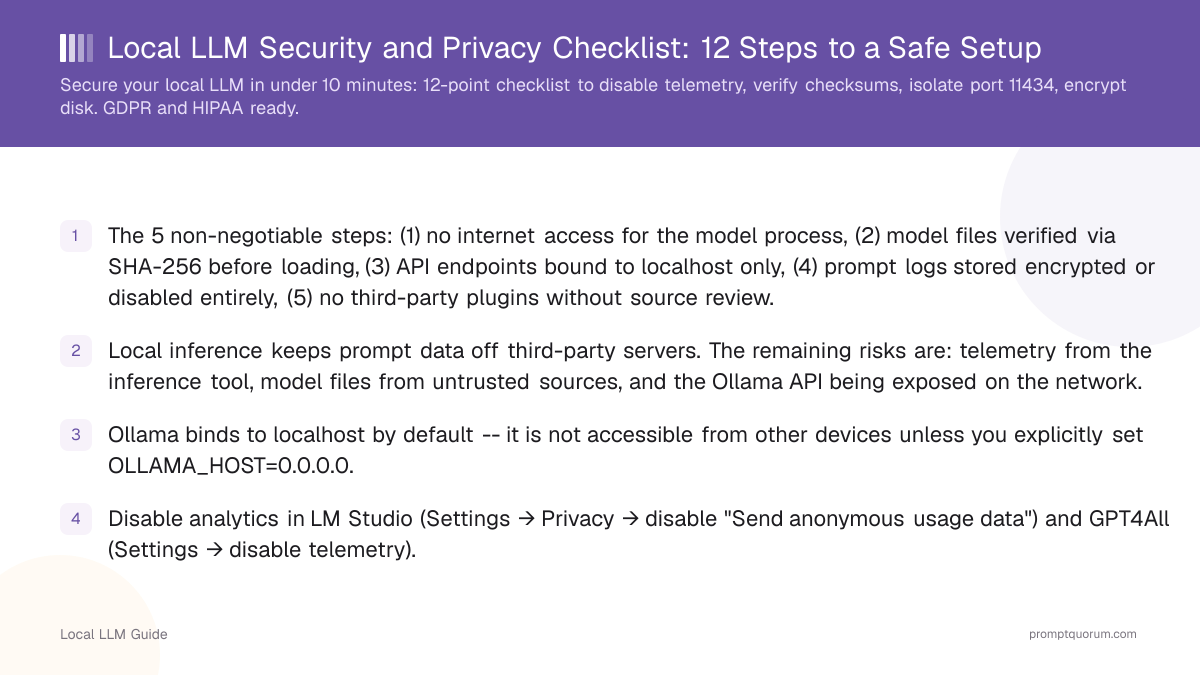
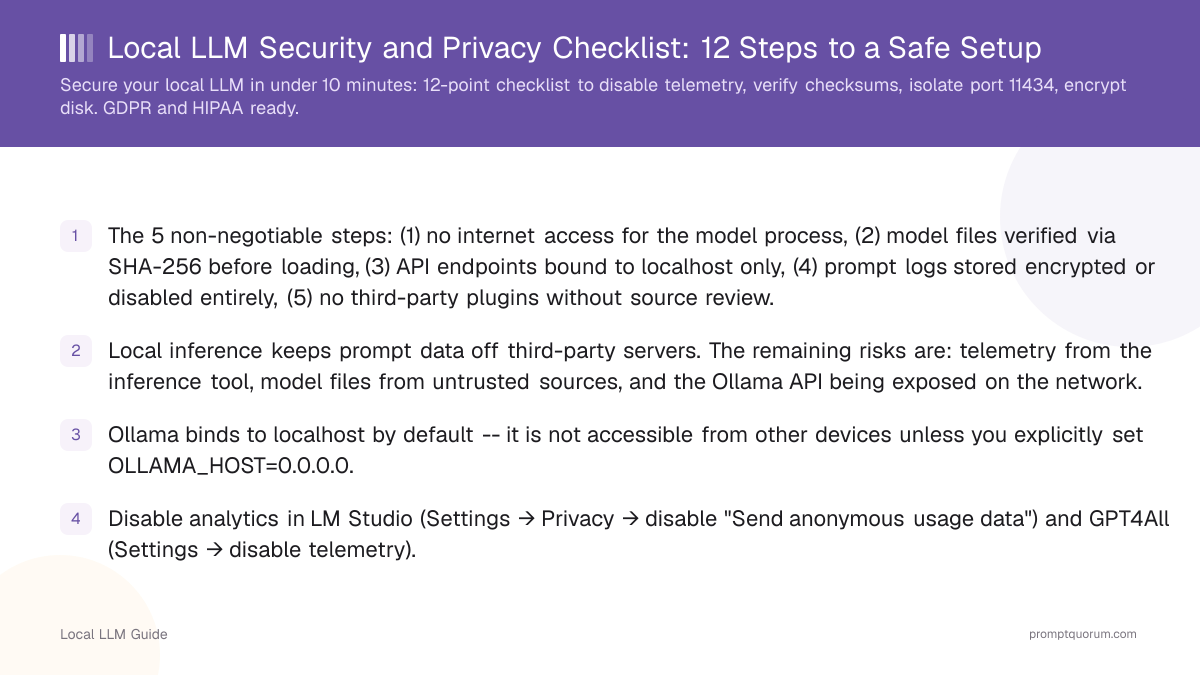
- The 5 non-negotiable steps: (1) no internet access for the model process, (2) model files verified via SHA-256 before loading, (3) API endpoints bound to localhost only, (4) prompt logs stored encrypted or disabled entirely, (5) no third-party plugins without source review.
- Local inference keeps prompt data off third-party servers. The remaining risks are: telemetry from the inference tool, model files from untrusted sources, and the Ollama API being exposed on the network.
- Ollama binds to localhost by default -- it is not accessible from other devices unless you explicitly set OLLAMA_HOST=0.0.0.0.
- Disable analytics in LM Studio (Settings → Privacy → disable "Send anonymous usage data") and GPT4All (Settings → disable telemetry).
- Download model weights only from Hugging Face (huggingface.co) or the official Ollama library. Verify SHA256 checksums for sensitive deployments.
- For regulated data (HIPAA, GDPR, legal privilege): enable full-disk encryption, use an air-gapped machine, and audit all installed extensions.
Why Are Local LLMs Not Automatically Private?
The model inference itself is private -- your prompts are never sent to the model provider's servers. But three other data flows can leak information:
- Application telemetry: LM Studio, GPT4All, and some other tools collect anonymous usage analytics by default. These may include session counts, model names used, and performance metrics.
- Model download sources: malicious GGUF files can contain code that executes during model loading in vulnerable inference engines. An unverified model file is a supply chain risk.
- Network exposure: Ollama's API server is accessible to any process on your machine. If misconfigured with `OLLAMA_HOST=0.0.0.0`, it becomes accessible to your entire network without authentication.
Are local LLMs safer than cloud APIs?
Local LLMs are safer for privacy because data stays on your device, while cloud APIs send prompts to external servers. However, local setups require manual security configuration, while cloud providers handle infrastructure security. The real tradeoff is privacy autonomy vs. delegated security.
What are common misconceptions about local LLM security?
- "Local LLMs are automatically secure" → false, configuration matters most
- "No internet = no risk" → false, malicious files and plugins still apply
- "Open source = safe" → false, code must still be verified
What are the biggest security risks in local LLMs?
- Telemetry leaks → tools like LM Studio may send usage data
- Malicious model files → unverified GGUF files can introduce risk
- Network exposure → APIs like Ollama can be exposed if misconfigured
What should you do in the first 5 minutes?
- 1Disable telemetry in your tool
- 2Download models only from Hugging Face or Ollama
- 3Ensure API is bound to localhost only
- 4Enable full-disk encryption
- 5Do not expose ports to the internet
What Does the Local LLM Security Checklist Include?
Verify every item below before working with sensitive or regulated data. The checklist covers the most common privacy and security gaps in Ollama, LM Studio, Jan AI, and GPT4All setups.
📍 In One Sentence
A local LLM security checklist: isolate network access, verify SHA-256 of model files, bind API to localhost, encrypt or disable prompt logs, audit all third-party plugins.
💬 In Plain Terms
Local LLMs are private by default only if configured correctly — the 5 steps above cover the main attack surfaces for a local inference setup.
- 1Download models only from trusted sources
Why it matters: Prevents malicious model files from untrusted sources. - 2Verify model checksums for sensitive use
Why it matters: Ensures downloaded model files have not been tampered with. - 3Disable telemetry in your inference tool
Why it matters: Prevents usage data and session information from being collected. - 4Confirm Ollama is bound to localhost only
Why it matters: Prevents the API from being exposed to other devices on your network. - 5Enable full-disk encryption
Why it matters: Protects model weights and chat logs if the device is lost or stolen. - 6Store sensitive chat logs in an encrypted folder
Why it matters: Protects conversation history with sensitive data from unauthorized access. - 7Review installed extensions and plugins
Why it matters: Prevents malicious third-party extensions from accessing the network. - 8Use a dedicated user account for LLM work
Why it matters: Isolates model files, chat history, and API keys from your main profile. - 9Do not expose the local API to the internet
Why it matters: Prevents unauthorized remote access to your local inference engine. - 10Audit system prompts in any app using local LLMs
Why it matters: Prevents data exfiltration through browser extensions or productivity tool integrations. - 11Keep inference tools updated
Why it matters: Patches known security vulnerabilities in Ollama, LM Studio, and related tools. - 12For air-gapped or regulated environments: document approved model versions
Why it matters: Ensures compliance with regulatory requirements for data handling and infrastructure isolation.
Where should you download local LLM models safely?
Model weights are large binary files. A malicious GGUF file could exploit vulnerabilities in the parser used by llama.cpp. As of 2026, no widespread GGUF-based malware has been confirmed, but the attack surface exists.
- Hugging Face (huggingface.co): the primary source for open models. Each file has a verified SHA256 hash. Stick to models from well-known publishers (Meta, Google, Microsoft, Mistral AI, Qwen/Alibaba).
- Ollama library (ollama.com/library): Ollama verifies model hashes before storing them. Models pulled via `ollama pull` are safe.
- LM Studio model browser: searches Hugging Face directly. The same trust rules apply -- check the publisher account.
- Avoid: anonymous file sharing sites, Discord file drops, and any source that does not provide a verifiable hash.
How Do You Block Outbound Connections from Local LLMs?
Block outbound connections after the model is downloaded to prevent the inference tool from phoning home. On macOS, use `pf` firewall; on Linux, use `ufw` or OpenSnitch:
# macOS -- block Ollama outbound with pf firewall
# Add to /etc/pf.conf:
block out proto tcp from any to any user ollama

# Linux -- block with ufw
sudo ufw deny out from any to any app ollama

# Or use Little Snitch (macOS) / OpenSnitch (Linux)
# for per-application network control with a GUI
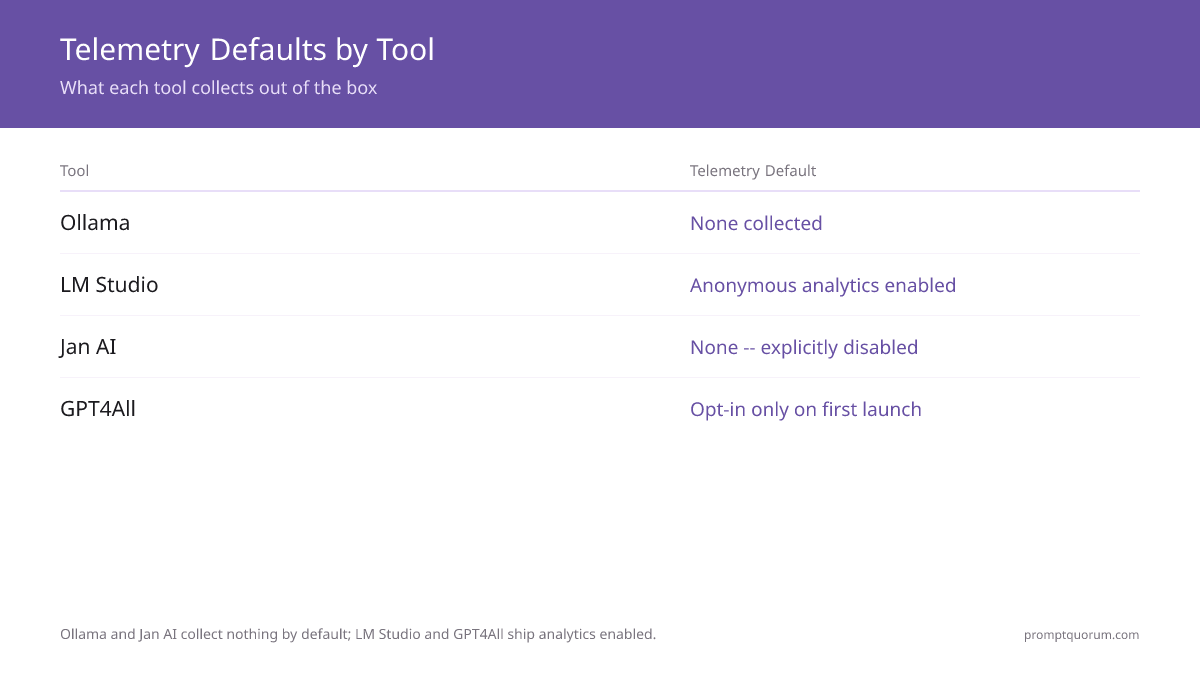
How Do You Disable Telemetry in Local LLM Tools?
Tool | Telemetry Default | How to Confirm/Disable |
|---|---|---|
| Ollama | None collected | Check github.com/ollama/ollama -- no analytics code |
| LM Studio | Anonymous analytics enabled | Settings → Privacy → uncheck "Send anonymous usage data" |
| Jan AI | None -- explicitly disabled | Open source -- audit github.com/janhq/jan |
| GPT4All | Opt-in only at first launch | Settings → Privacy → disable usage analytics |
What threat model should you assume?
Assume your local LLM environment can leak data through tools, plugins, or misconfiguration. Treat the model as untrusted — design your setup so that even if the model is compromised, sensitive data cannot be accessed or transmitted. This means isolating the inference tool from the internet, disabling telemetry, and restricting file system access.
Security is not just about data privacy — prompt injection is a separate attack vector where malicious input manipulates model behavior. For injection defence techniques that apply to both local and cloud models, see prompt injection and security.
What are common security questions about local LLMs?
Can a local LLM access my files or the internet?
No -- the model itself is a static file that generates text. It has no ability to read your file system or make network requests. However, the inference tool running the model (Ollama, LM Studio) has normal OS-level access. Some tools include features that do read files -- such as GPT4All's LocalDocs or LM Studio's file attachment feature. These features are opt-in and explicitly documented.
Is it safe to use a local LLM with HIPAA-covered data?
Local inference removes the third-party data processor risk that cloud APIs create. However, HIPAA compliance requires more than private inference -- you need full-disk encryption, access controls, audit logging, and a Business Associate Agreement if any software vendor could access PHI. Using Ollama with FileVault enabled and telemetry disabled is a reasonable starting point, but formal HIPAA compliance requires a full risk assessment.
Does Ollama send my prompts anywhere?
No. Ollama is open source (github.com/ollama/ollama) and contains no telemetry or data collection code. Prompts are processed locally by llama.cpp and never transmitted. The only outbound network activity from Ollama is model downloads from ollama.com when you run `ollama pull`.
Is using a local LLM more private than using the OpenAI API?
Yes, for prompt privacy. With a local LLM, your prompts never leave your machine. The OpenAI API sends prompts to OpenAI's servers for processing. OpenAI's API Terms of Service state that API input/output is not used to train models by default, but the data does transit their infrastructure. For sensitive or regulated data (medical, legal, financial), local inference is the more conservative choice.
How do I verify that a downloaded model file is safe?
Download models only from Hugging Face (huggingface.co) or the official Ollama library. On Hugging Face, each file shows a SHA256 hash -- verify it with `sha256sum <model_file>` after downloading. Stick to models from known publishers: Meta, Google, Microsoft, Mistral AI, and Qwen/Alibaba. Avoid anonymous file shares or Discord file drops.
What is the difference between privacy and security for local LLMs?
Privacy means your prompts and outputs are not accessible to third parties. Security means your system is protected from threats. A local LLM can be private (no data leaves your machine) but insecure (model downloaded from an untrusted source, or Ollama API exposed on the network). Both must be addressed independently.
Can I use a local LLM for GDPR-regulated data?
Local inference significantly reduces GDPR risk because data does not leave your infrastructure. However, you must still verify that the inference tool (Ollama, LM Studio) has telemetry disabled, that disk encryption is enabled, and that access controls are in place. For Article 35 DPIA requirements, document your data processing setup and confirm no personal data transits third-party servers.
Does LM Studio send data to its servers?
LM Studio collects anonymous analytics by default (session counts, model names used, performance metrics). It does not send prompt content. To disable analytics: Settings → Privacy → uncheck "Send anonymous usage data". Model inference and chat logs stay local regardless of this setting.
How do I prevent Ollama from being accessed by other devices on my network?
By default, Ollama binds to localhost (127.0.0.1:11434) and is not accessible from other devices. If you previously set OLLAMA_HOST=0.0.0.0 to allow network access, revert it: `export OLLAMA_HOST=127.0.0.1:11434`. Verify isolation by attempting to connect from another device on your network -- it should fail.
Which local LLM tool is best for maximum privacy?
Jan AI is the most privacy-focused tool: fully open source (MIT licence), zero telemetry, no account required, all data stored locally in plain JSON files. Ollama is second: open source, no telemetry code, binds to localhost by default. LM Studio collects anonymous analytics by default and requires opt-out in Settings.
Where can you find additional sources?
- OWASP Top 10 for LLM Applications (owasp.org/www-project-top-10-for-large-language-model-applications/) -- Security risks for LLM deployments including prompt injection and supply chain attacks
- Hugging Face Model Card Documentation (huggingface.co/docs/hub/model-cards) -- Model provenance standards and SHA256 hash verification
- VeraCrypt (veracrypt.fr) -- Open-source full-disk and folder encryption for Windows, macOS, and Linux
What Are the Most Common Local LLM Security Mistakes?
Most local LLM security failures come from configuration oversights, not model vulnerabilities. These are the five most frequent mistakes and how to fix each one.
- Mistake: Downloading models from third-party sites (Discord, random GitHub releases). Fix: Use Hugging Face (huggingface.co) or Ollama library only. Verify with `sha256sum`.
- Mistake: Assuming local inference = full privacy. Fix: Disable LM Studio analytics (Settings → Privacy) and GPT4All telemetry. Run `netstat -an | grep 11434` to confirm no unexpected ports.
- Mistake: Leaving `OLLAMA_HOST=0.0.0.0` active after testing. Fix: Revert: `export OLLAMA_HOST=127.0.0.1:11434`. Test from another device — connection should be refused.
- Mistake: Skipping disk encryption for HIPAA/GDPR workloads. Fix: Enable FileVault (macOS) or BitLocker (Windows). Encrypt the LM Studio chat log folder separately.
- Mistake: Not reviewing third-party extensions in Open WebUI or Jan AI. Fix: Audit installed extensions monthly. Remove any requesting network access you don't recognize.
What are the regional compliance considerations?
Local LLM inference reduces data residency risk, but full regulatory compliance requires additional controls per region.
- EU / GDPR (2018): Local inference removes the Article 28 data processor obligation for the model provider. You must still disable LM Studio analytics, enable disk encryption, and document your data processing setup for any DPIA. Perform a legitimate interest assessment before processing personal data.
- United States / HIPAA: HIPAA requires safeguards for PHI: full-disk encryption (the "encryption safe harbor"), access controls, and audit logging. Ollama with FileVault enabled and telemetry disabled is a reasonable HIPAA starting point. Formal compliance requires a full risk assessment.
- Japan / APPI (2022): The Act on the Protection of Personal Information requires personal data protection during processing. Local inference on an air-gapped machine satisfies data localisation. Disable Ollama update checks and LM Studio analytics for APPI compliance.
- China / PIPL (2021): Running a local LLM for internal use does not require CAC registration. If you deploy a local LLM as a public-facing service in China, CAC algorithm registration is required.