Key Takeaways
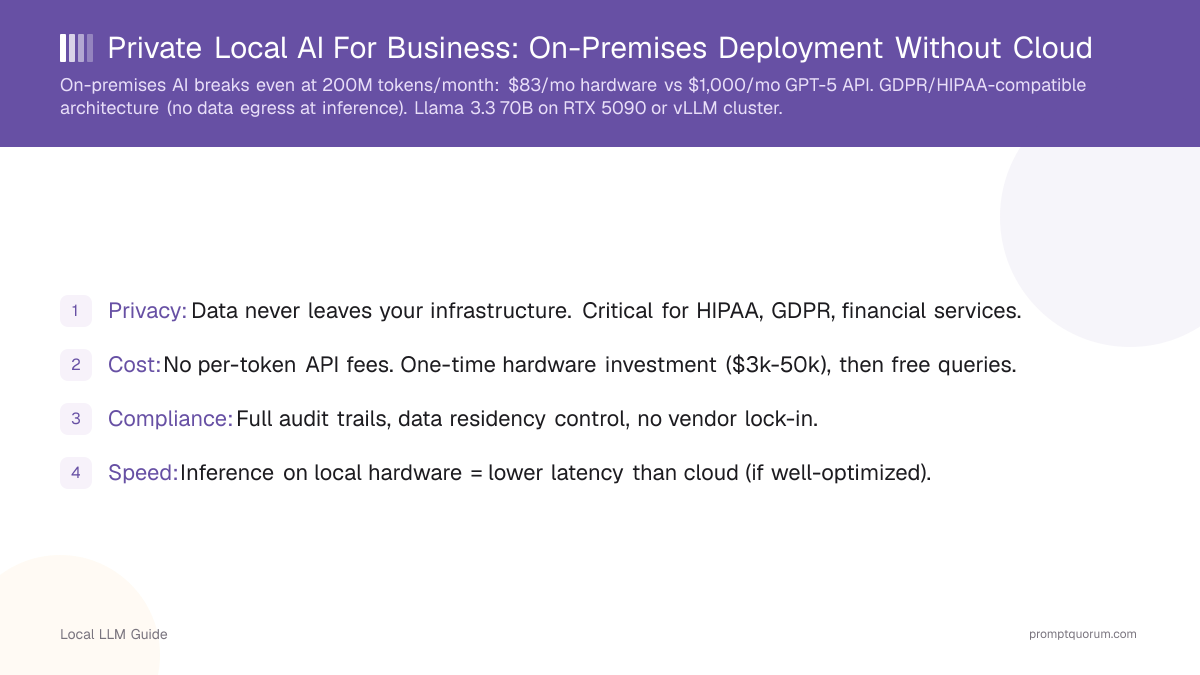
- Privacy: Data never leaves your infrastructure. Critical for HIPAA, GDPR, financial services.
- Cost: No per-token API fees. One-time hardware investment ($3k-50k), then free queries.
- Compliance: Full audit trails, data residency control, no vendor lock-in.
- Speed: Inference on local hardware = lower latency than cloud (if well-optimized).
- On-premises AI is economically viable for organizations processing 100M+ tokens/month.
📍 In One Sentence
Deploying local LLMs on-premises eliminates recurring cloud API costs, keeps sensitive data from ever leaving the building, and simplifies GDPR/HIPAA compliance since no inference data is transmitted to a third party.
💬 In Plain Terms
For a business, running AI on your own servers instead of a cloud API means you're not paying per-token forever, and you don't have to explain to a regulator why customer data was sent to an outside company. It's more upfront setup work, but for companies handling regulated or sensitive data at real volume, it usually pays for itself.
Why Deploy Local AI Instead of Cloud APIs?
Factor | Cloud API (GPT-5.6) | On-Premises AI |
|---|---|---|
| Data privacy | Data sent to OpenAI servers | Data never leaves your network |
| Compliance | Shared responsibility, limited audit | Full control, audit trails, data residency |
| Cost (annual, 500M tok/mo) | $30,000–60,000 | $5,000 (amortized hardware + electricity) |
| Latency (first token) | 200–500ms (network RTT) | 50–150ms (local network) |
| Model choice | GPT-5.x, Claude only | Any open model (Llama, Qwen, Mistral, Gemma) |
| Rate limits | 500–10,000 RPM depending on tier | No limits — hardware is the constraint |
| Vendor lock-in | High — API format changes, pricing changes | None — switch models/frameworks freely |

What Compliance Frameworks Apply to On-Premises AI? (GDPR, HIPAA, SOC2)
GDPR (EU): Data must not leave EU. Local AI ensures compliance if infrastructure is EU-based.
HIPAA (Healthcare): Patient data cannot be sent to third-party APIs. Local AI required for healthcare deployments.
SOC2 (Enterprise): Audit trails, encryption, access controls. Local AI gives you full compliance control.
Document your deployment: encryption at rest/in transit, access logs, data retention policies.

What Is the Typical On-Premises AI Architecture?
Typical deployment: Kubernetes cluster running vLLM inference pods, with Qdrant vector DB for RAG.
Latency benefit: On-premises inference achieves 50–150ms first-token latency vs 200–500ms on cloud APIs, critical for real-time applications and batch processing without API rate limits.
# Example: Kubernetes deployment (August 2026)
apiVersion: apps/v1
kind: Deployment
metadata:
  name: local-llm-inference
spec:
  replicas: 3
  template:
    spec:
      containers:
      - name: vllm
        image: vllm/vllm-openai:latest
        args:
        - --model meta-llama/Llama-3.3-70B-Instruct
        - --tensor-parallel-size 2
        - --gpu-memory-utilization 0.95
        ports:
        - containerPort: 8000
        resources:
          limits:
            nvidia.com/gpu: "2"  # 2× RTX 5090 per pod
Hardware Requirements by Deployment Scale
Scale your deployment based on concurrency and token throughput needs. Start with a single GPU for testing, then add more GPUs for production workloads.

When Does On-Premises AI Become Cost-Effective vs Cloud APIs?
On-premises cost assumes: 1x RTX 5090 ($2,000) amortized over 36 months = $56/month hardware. Add $50/month electricity (US avg), $27/month cooling/networking. Total: ~$133/month fixed regardless of volume. Cloud API pricing based on a ~$0.005/1K blended input/output estimate for GPT-5.6 Terra (OpenAI's own published rates: $2/1M input, $12/1M output, August 2026) -- your actual blend depends on your input:output token ratio. Break-even: ~100M tokens/month.
Volume | Cloud API Cost/Month | On-Premises Cost/Month | Savings |
|---|---|---|---|
| 10M tokens/month | $50 (GPT-5.6 API) | $133 (hardware amortized) | Cloud cheaper |
| 50M tokens/month | $250 | $133 | On-prem 47% cheaper |
| 200M tokens/month | $1,000 | $133 | On-prem 87% cheaper |
| 500M tokens/month | $2,500 | $183 (+ electricity) | On-prem 93% cheaper |
| 1B tokens/month | $5,000 | $233 (+ cooling) | On-prem 95% cheaper |

Which Industries Benefit Most From On-Premises AI?
- Healthcare: Medical NLP (document classification, note summarization) on HIPAA-compliant infrastructure.
- Finance: Compliance analysis, risk assessment, without sending data to cloud.
- Legal: Document review, contract analysis, with full audit trails for regulatory requirements.
- Manufacturing: Predictive maintenance, quality control, keeping proprietary data on-premises.
- Government: Classified document processing, restricted to secure facilities.

What Are the Most Common On-Premises Deployment Mistakes?
- Underestimating infrastructure costs. Hardware is cheap; networking, cooling, and maintenance are expensive. Budget 3-5× hardware cost over 5 years.
- Not planning for scaling. Start small, then plan for growth. Single-GPU setup cannot scale to production.
- Ignoring disaster recovery. Have backup hardware and data replication. Outages cost more than redundancy.
- Poor security posture. Network isolation, encryption, and access controls are critical. Audit regularly.
- Using old open-source models. Models from 2023 are outdated. Retrain or fine-tune regularly as new base models emerge.

Frequently Asked Questions
When does on-premises AI become cheaper than cloud APIs?
Break-even occurs at approximately 200M tokens per month. At $0.005 per 1K tokens (GPT-5.6), 200M tokens costs $1,000/month. An RTX 5090 workstation ($2,000) amortized over 36 months costs ~$56/month plus electricity ($50/month) and cooling ($27/month) = ~$133/month total. At 200M+ tokens/month, local hardware pays for itself within 1–2 months.
Does GDPR require using local AI for EU businesses?
GDPR does not explicitly require local AI. It requires that personal data processed by third parties has adequate protection (GDPR Article 28). However, highly regulated sectors (healthcare, finance, government) in Germany and France increasingly mandate on-premises AI as the safest GDPR compliance path.
What hardware do I need for an on-premises AI deployment?
Small teams (5–20 users): 1× RTX 5090 (32 GB, $2,000) for Llama 3.1 8B or Mistral Small. Production (20–100 users): 2× RTX 5090 (64 GB, $4,000) for Llama 3.3 70B via tensor parallelism. Enterprise (100+ users): 4× RTX 5090 or 2× A100 80GB ($8K–$30K) for high concurrency + RAG. Budget for networking, cooling, and redundant power supplies as well.
How do I comply with HIPAA using a local LLM?
HIPAA compliance for local LLMs requires: (1) data encryption at rest (AES-256) and in transit (TLS 1.3), (2) audit logging of all queries and responses, (3) access controls (role-based, with MFA), (4) a Business Associate Agreement (BAA) if any third-party services are involved, (5) physical security of the server.
Which open-source models are best for business use?
For business deployments: Llama 3.3 70B (Meta, Llama Community License — free for commercial use under 700M users), Qwen3 72B (Alibaba, Apache 2.0), Mistral Small 3.1 24B (Mistral AI, Apache 2.0). For smaller deployments: Llama 3.1 8B, Qwen3 8B, Phi-4 Mini 3.8B. All commercially licensable at no cost. Always verify license before production deployment.
What is the latency of on-premises AI vs cloud APIs?
Cloud APIs (OpenAI GPT-5.6) have 200–500ms first-token latency due to network round-trip. On-premises vLLM on RTX 5090 achieves 50–150ms first-token latency on a local network. Batch processing workloads benefit most from on-premises due to elimination of API rate limits.
Can I use Apple Silicon M5 for on-premises business AI?
Yes — MacBook Pro M5 Max (128 GB, $3,499+) runs Llama 3.3 70B at 25–35 tok/sec. Silent, no GPU cooling needed, macOS-managed. Suitable for small teams (5–10 users) with light workloads. For production (20+ users), NVIDIA RTX 5090 or A100 provides higher throughput and concurrent request handling via vLLM.
How do I ensure audit trails for on-premises AI?
Log every query and response to a structured database (PostgreSQL or Elasticsearch). Include: timestamp, user ID, model name, input tokens, output tokens, response time. vLLM supports request logging natively. For HIPAA: enable AES-256 encryption on the log database. For SOC2: implement role-based access controls on log access. Retain logs for minimum 7 years (financial services) or as required by your regulatory framework.
Sources
- European Commission. (2016). "General Data Protection Regulation (GDPR)" — Official GDPR text including Article 28 (data processor requirements) and Article 5 (data minimization principle).
- U.S. Department of Health and Human Services. (2024). "HIPAA Privacy Rule" — Official HIPAA compliance requirements for healthcare AI deployments.
- AICPA. (2024). "SOC2 Trust Services Criteria" — SOC2 framework for audit trails, access controls, and security policies.
- vLLM. (2026). "Distributed Serving with vLLM" — Official vLLM documentation for multi-GPU tensor parallelism deployment.