Key Takeaways
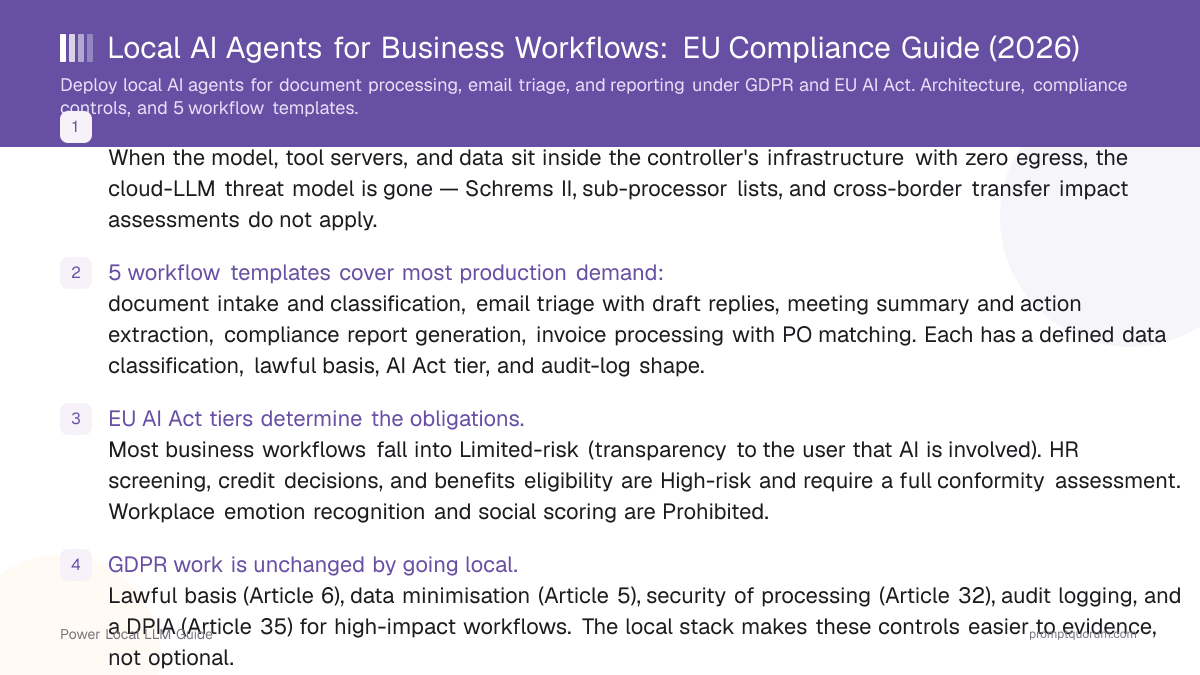
- Local-only architecture is the strongest privacy control. When the model, tool servers, and data sit inside the controller's infrastructure with zero egress, the cloud-LLM threat model is gone — Schrems II, sub-processor lists, and cross-border transfer impact assessments do not apply.
- 5 workflow templates cover most production demand: document intake and classification, email triage with draft replies, meeting summary and action extraction, compliance report generation, invoice processing with PO matching. Each has a defined data classification, lawful basis, AI Act tier, and audit-log shape.
- EU AI Act tiers determine the obligations. Most business workflows fall into Limited-risk (transparency to the user that AI is involved). HR screening, credit decisions, and benefits eligibility are High-risk and require a full conformity assessment. Workplace emotion recognition and social scoring are Prohibited.
- GDPR work is unchanged by going local. Lawful basis (Article 6), data minimisation (Article 5), security of processing (Article 32), audit logging, and a DPIA (Article 35) for high-impact workflows. The local stack makes these controls easier to evidence, not optional.
- DACH adds two layers. Works Council co-determination (BetrVG §87) applies any time the agent touches employee data — even passively. §203 StGB professional confidentiality (lawyers, doctors, auditors, tax advisers) makes the local-only architecture not optional but mandatory.
- The reference stack: Ollama or vLLM serving a tool-calling model (Gemma 4 31B, GLM-4.7 Flash, Qwen3 32B for general work; Llama 3.2 3B for lightweight email triage) with Cline or Goose+MCP as the agent runtime, an immutable append-only audit log, and human approval on every write or send action.
- Three failure modes to avoid: deploying without a DPIA on a workflow that needs one, mixing personal and business data in a single agent workspace, and skipping approval gates on outbound actions (email send, contract sign, payment authorisation).
Quick Facts
- Architecture: Ollama or vLLM + tool-calling model + agent runtime (Cline or Goose+MCP) + audit log + RAG store, all on controller infrastructure.
- Workflows covered: document intake, email triage, meeting summary, compliance reporting, invoice processing.
- EU AI Act distribution across the 5 templates: 4 Limited-risk, 1 High-risk (when used for HR screening), 0 Prohibited.
- DPIA threshold: mandatory for High-risk, trigger-based (Article 35 criteria) for the others. Most teams should run one for any workflow that touches special-category data.
- Hardware sizing: Gemma 4 31B and Qwen3 32B fit on 24 GB VRAM at Q4_K_M; GLM-4.7 Flash and Llama 3.3 70B want 48 GB+ for unconstrained context.
- Audit-log retention: GDPR Article 30 record-of-processing requirements drive the floor; sectoral rules (financial services, health) extend it. 6 years is the safe default for most enterprise contexts.
- Cost: zero in API spend; hardware amortises against an enterprise SaaS-AI subscription bill within 6–12 months for a team of 20+ users.
What Local AI Agents Do for Business Teams
A local AI agent is a tool-calling model running inside the controller's infrastructure with explicit approval gates between read and write actions. It is not a chat assistant, not a workflow automator (n8n, Zapier), and not a fine-tuned classifier — it is the layer that turns a model into something that operates on your systems.
📍 In One Sentence
A local AI agent is a tool-calling model plus a tool surface plus an approval gate, running entirely inside the controller's infrastructure — turning EU compliance from a documentation exercise into an architectural property.
💬 In Plain Terms
An agent is a model that can read your filesystem, query your database, send an email, or call your internal API — with a human approving every action that writes or sends. Run the model, the tools, and the audit log on your own hardware and you replace the entire cloud-LLM compliance stack (Schrems II, sub-processor lists, cross-border transfer assessments) with one architectural fact: nothing leaves your network. The remaining work is the GDPR controls on the data itself, which apply to any system, cloud or local.
- Definition: model + tool surface (filesystem, database, email, calendar, internal API) + approval gate per write = agent. The model proposes; the agent runtime executes; the human approves anything that mutates state or leaves the network.
- Distinction from automation tools. n8n, Zapier, and Make.com are deterministic workflows — explicit triggers, explicit branches, explicit actions. An agent is non-deterministic: the model decides which tool to call and with what arguments, based on the input and the conversation state. Use automation when the path is fixed; use an agent when the path varies per input.
- Distinction from a chat assistant. A chat assistant answers questions; an agent takes actions. ChatGPT-style "summarise this email" returns text; an agent reads the inbox, classifies messages, drafts replies, and queues them for approval. Different surface, different risk profile.
- Why "local" matters specifically for business workflows: data residency is provable (the bytes never leave your network), the audit trail is end-to-end (the same log captures the model invocation, the tool call, and the result), and there is no third-party processor in the chain. The compliance argument writes itself when the architecture itself eliminates entire risk categories.
- Where local agents fit in the org: wherever a workflow handles personal data (GDPR), employee data (Works Council), confidential third-party data (NDAs, §203 StGB), or regulated business data (financial, health, legal). Local agents do not improve workflows that touch only public data — there, cloud agents are usually faster and cheaper.
- For the protocol layer that makes most of this practical, see Connect Ollama to Databases and APIs With MCP: Local Agent Setup 2026.
5 Business Workflow Templates
These five templates cover most production demand for local agents in business teams. Each is described as trigger → tools → model recommendation → approval pattern → AI Act tier.
📍 In One Sentence
The 5 templates differ in trigger and output but share one rule: read steps auto-approve, write or send steps require human approval, every action is captured in an immutable audit log.
💬 In Plain Terms
Pick a template that matches a workflow you already do manually. Wire the agent to read the inputs (filesystem, inbox, transcript folder), classify or draft, then queue for human review before anything is sent or written. The approval gate is the difference between a useful agent and a regulatory incident.
- 1. Document intake and classification. Trigger: PDF or scan lands in a watched folder or email. Tools: filesystem (read), OCR (when needed), classification model, database (write). Model: Gemma 4 31B or Qwen3 32B for tool calling and structured output. Approval pattern: auto for read and classify, manual for routing if the document mentions a person. AI Act tier: Limited-risk. DPIA: trigger-based.
- 2. Email triage with draft replies. Trigger: new message in a monitored inbox. Tools: IMAP/Graph API (read-only), classification model, draft store (write), notification. Model: Llama 3.2 3B is enough for triage; Gemma 4 31B for draft generation. Approval pattern: auto for classify and draft, manual for send (always). AI Act tier: Limited-risk. DPIA: trigger-based; mandatory if the inbox handles employee data.
- 3. Meeting summary and action extraction. Trigger: transcript lands in storage (Whisper or vendor). Tools: filesystem (read), summarisation model, extraction model, output target (Notion/Jira/internal wiki via API). Model: Qwen3 32B for long context (128K) on hour-long transcripts. Approval pattern: auto for summary, manual for action items posted to external systems. AI Act tier: Limited-risk; verify each transcript has consent capture before processing.
- 4. Compliance report generation. Trigger: scheduled (monthly, quarterly). Tools: database (read), report-template store, report renderer, reviewer notification. Model: GLM-4.7 Flash or Llama 3.3 70B — long context, structured output, low hallucination. Approval pattern: auto for data extraction, manual for the published report. AI Act tier: Limited-risk; verify the underlying data sources have a documented lawful basis. Pair with structured output and JSON mode to keep the report shape stable.
- 5. Invoice processing and validation. Trigger: invoice lands in finance inbox or AP folder. Tools: filesystem (read), OCR, ERP integration (read PO and vendor), exception queue (write). Model: Gemma 4 31B for tool calling; Qwen3 32B when invoices have non-standard layouts. Approval pattern: auto for extraction and PO match, manual for any exception (mismatch, new vendor, large amount). AI Act tier: Limited-risk. DPIA: usually not triggered.
- Common pattern across all five: the read steps auto-approve; the write steps that affect external systems or people's rights manually approve. The audit log captures every decision.
💡Tip: Start with one template, not five. Document intake and email triage are the two lowest-risk entry points — both are Limited-risk, both have clear approval boundaries (route, send), and both build the audit-log infrastructure you reuse for the remaining three. Compounding template adoption beats parallel rollout for compliance teams.
EU AI Act Classification for Business Agents
The EU AI Act classifies AI systems by risk to fundamental rights — not by technical sophistication. The same model and stack serves Limited-risk and High-risk workflows; the obligations attach to the use, not the technology.
- Limited-risk (most templates): transparency obligations. The user receiving an AI-generated email or summary must know AI was involved. A clear marker in the message and a one-line disclosure in the system's end-user documentation usually satisfy this. No conformity assessment required.
- High-risk (specific use cases): full conformity assessment, registration in the EU database, post-market monitoring, and a notified body in some sub-categories. The patterns that hit High-risk in business teams are HR screening (CV ranking, candidate scoring), credit decisions, benefits eligibility, and access to public services. Annex III of the Act is the operative list.
- Prohibited (do not deploy): real-time biometric identification in public spaces (some narrow law-enforcement exceptions), social scoring of natural persons, manipulative techniques targeting vulnerabilities, workplace emotion recognition (with limited medical/safety exceptions), predictive policing based on profiling.
- Practical workflow → tier mapping for the 5 templates: document intake (Limited-risk), email triage (Limited-risk), meeting summary (Limited-risk; verify consent), compliance reports (Limited-risk), invoice processing (Limited-risk). The five base templates are all Limited-risk; the same templates re-purposed for HR screening or credit decisions inherit High-risk obligations from the use.
- Provider vs deployer distinction matters. If you build the model into a product sold to others, you are a Provider (more obligations). If you operate the system on your own behalf, you are a Deployer (fewer obligations, but still real). Internal-only local agents usually make you a Deployer.
- Action item for any new workflow: before approving deployment, classify it. The classification is a single decision (Limited / High / Prohibited) with a written justification, signed by the DPO or compliance lead, kept in the AI system's technical file.
⚠️Warning: Timeline update, August 2026: the Digital Omnibus deferred the AI Act's high-risk deadlines. Standalone Annex III high-risk systems now apply from 2 December 2027, and high-risk AI embedded in regulated Annex I products from 2 August 2028 - both were previously 2 August 2026. Prohibited practices, transparency duties and general-purpose AI obligations were NOT deferred and are already in force; generative-AI watermarking applies from 2 December 2026. Confirm the final Official Journal text before relying on these dates in a filing.
📌Note: The EU AI Act's Annex III list of High-risk use cases is the operative reference — read it directly when classifying a workflow. Do not rely on summary articles; the legal text is short and precise enough to use as a checklist.
GDPR Controls for Agent Workflows
Local architecture removes one threat (cloud-LLM data sharing) but does not remove GDPR obligations on the data itself. Six controls handle most agent workflows; the same six map cleanly into the technical file the EU AI Act expects for High-risk systems.
📍 In One Sentence
Local-only architecture removes the cloud-LLM threat model; the GDPR controls on the data itself (lawful basis, minimisation, security of processing, audit log, DPIA) still apply and the technical file documents them in one shape.
💬 In Plain Terms
Going local does not turn off GDPR. It turns off the part of GDPR that worries about Schrems II and processor agreements, and leaves the part that worries about which data the agent sees, why it sees it, and what evidence you keep. The local stack makes that evidence easier to produce — same audit log feeds both the GDPR file and the AI Act technical file.
- 1. Lawful basis (Article 6). Document which basis applies before deployment — consent, contract, legal obligation, legitimate interest, vital interests, or public task. Most business agent workflows run on contract (employee/customer relationship) or legitimate interest (with a documented balancing test). Special-category data (health, biometric, political opinion) needs an Article 9 condition on top of the Article 6 basis.
- 2. Data minimisation (Article 5(1)(c)). The agent must only see the personal data the workflow needs. Practical implication: chunk and filter at the RAG layer, not at the model. Avoid streaming full documents into the conversation when only one section is relevant. Avoid retaining intermediate prompts that contain personal data once the task is complete.
- 3. Purpose limitation (Article 5(1)(b)). The agent must not be re-purposed across tasks without a re-evaluation. A workflow approved for invoice processing cannot quietly absorb employee performance review duties — that is a new purpose, a new lawful basis, a new DPIA decision.
- 4. Security of processing (Article 32). Encryption at rest, access control on the workspace, immutable audit log, and an incident-response plan that includes "the model produced an output that should not have been produced". Local-only architecture covers a lot here; do not assume it covers everything.
- 5. Audit logging. The minimum log fields per agent action: timestamp, user/initiator, model identifier and version, input hash, tool calls and arguments, output hash, approver (when manual approval applied). Append-only storage; integrity protection (hash chain or signed log lines).
- 6. DPIA (Article 35). Mandatory when the workflow involves systematic processing of personal data with significant impact, special-category data at scale, or High-risk under the AI Act. Trigger-based for everything else. The DPIA documents the controls, the residual risk, and the DPO's sign-off.
- For the data-side architecture this builds on, see Local RAG for Private Business Data — the RAG controls feed the same audit pipeline.
- For the prompt and output controls layered on top, see prompt governance in production and prompt injection and security.
⚠️Warning: A common mistake: deploying first and writing the DPIA second. Supervisory authorities expect the DPIA before processing begins (Article 35(1)). For workflows that touch employee data or hit High-risk under the AI Act, write the DPIA at design time — it is short (4–8 pages) and forces decisions that are expensive to revisit later.
Germany Specifics: Works Council Co-Determination and §203 StGB
DACH workflows have two extra layers that English-language guides routinely miss. Both kick in early and both are decision-blocking if missed.
- Works Council co-determination (BetrVG §87(1) Nr. 6). Any technical system that monitors the conduct or performance of employees triggers co-determination. "Monitor" is interpreted broadly by German labour courts — an agent that classifies employee emails or summarises employee meetings counts. The Works Council must be involved at design time, not after deployment. Skipping this step has voided agent rollouts after the fact.
- Practical implication: before you deploy any workflow that processes employee data — even passively, even if the immediate output is for the employee's own benefit — engage the Works Council. The agreement (Betriebsvereinbarung) becomes part of the system's technical file. Most Works Councils are constructive when engaged early; almost none are when engaged late.
- §203 StGB professional confidentiality. Lawyers, doctors, auditors, tax advisers, and certain other professions have criminal liability for unauthorised disclosure of client information. The exception for "assistants" (§203(3)) covers in-house staff but does not automatically cover external service providers. A cloud LLM is an external service provider; that is the legal core of why §203 firms have moved to local stacks.
- Practical implication: for any §203-bound profession, local-only architecture is not a preference, it is the default that allows the workflow to exist at all. The contract with the agent's vendor (if any) must include §203 compliance language; the technical file must document that no client data leaves the firm's infrastructure.
- Austria and Switzerland: Austria mirrors §203 closely (StGB §121); Swiss confidentiality (Article 321 StGB CH) is even broader. The architectural conclusion is the same — local-only, no exceptions for sensitive professional data.
- For the data-side compliance picture on the same controller, see Local RAG for Private Business Data — the RAG and agent stacks share the audit log and the access control layer.
⚠️Warning: Engage the Works Council at design time, not at deployment time. German labour courts have voided agent rollouts that processed employee data without prior Betriebsvereinbarung. The cost of involving the Works Council early is hours; the cost of involving them late is a paused rollout and a renegotiation from a weaker position.
Choosing the Right Model for Business Agents
Tool-call reliability is a model property, not a harness property. The same harness paired with a small general-purpose model fails; paired with a tool-call-tuned 27B+ model it succeeds. Pick the model first.
- Gemma 4 31B (
gemma4:31b). Best general-purpose tool-caller in August 2026. Fits in 16 GB unified memory or 24 GB VRAM at Q4_K_M. Reliable on document intake, email triage, and invoice processing. Slightly conservative on chained tool calls — fine for business workflows where each step has explicit approval anyway. - GLM-4.7 Flash (
glm-4.7-flash). 128K context out of the box. Strong tool-call reliability. The pick for compliance reporting and meeting summarisation where the input is long. Wants 24 GB+ VRAM at Q4_K_M for unconstrained context. - Qwen3 32B (
qwen3:32b). Well-rounded, very reliable on multi-step plans. Good fallback when Gemma 4 is conservative. 32K context out of the box; fine for most business tasks. - Llama 3.3 70B (
llama3.3:70b). Highest ceiling, heaviest hardware. 48 GB+ VRAM or 64 GB unified memory at Q4_K_M. Use for compliance reports and exception handling where reliability matters more than speed. - Llama 3.2 3B (
llama3.2:3b). Lightweight pick for high-volume triage. Runs comfortably on 8 GB VRAM. Good enough for "is this email customer support / sales / spam"; not good enough for drafting replies. Pair with a 27B+ model for the drafting step. - Mistral Large 3. EU-hosted alternative for hybrid setups where pure local is overkill but US cloud is non-starter. Run via Mistral's EU endpoint with a DPA in place; data still stays in EU jurisdiction.
- Avoid for tool-calling work: anything below 7B for production work, any general-purpose model without explicit tool-call training, and quantisations harsher than Q4_K_M on the smaller end. Symptoms are malformed tool calls, hallucinated arguments, and stalled agent loops.
- For the head-to-head data, see Best Local Models for Tool Calling in 2026. For VRAM and hardware sizing across the same models, see Local LLM Hardware Guide 2026.
💡Tip: Q4_K_M is the production floor for tool-calling reliability. Q3 and below degrade tool-call accuracy before they degrade chat quality, which is the wrong way to fail in a regulated workflow. If VRAM is tight, drop a parameter tier (32B → 27B) before dropping a quantisation tier (Q4 → Q3).
Agent Stack Comparison for Business Use
Four agent runtimes are credible for business workflows in 2026. They differ on approval-gate UX, audit-trail richness, and how much custom code each one needs.
- Pick Cline + Ollama if the team is developer-heavy and the workflows fit inside VS Code. Lowest install friction, fastest path to a working agent.
- Pick Goose + MCP if the workflow runs on a headless server (a scheduled compliance report, a folder-watching ingestor) where there is no IDE.
- Pick n8n + Ollama if the workflow has a deterministic shape with one or two model steps. n8n's human-in-the-loop nodes give you approval gates without a custom UI.
- Pick custom LangGraph only when the workflow shape is genuinely incompatible with the above. The build effort is real; the audit-trail and approval-gate code is on you.
- For an honest reliability comparison across these stacks, see Local AI Agents in 2026: What Actually Works (And What Still Fails).
Runtime | Setup | Approval gates | Audit trail | Best for |
|---|---|---|---|---|
| Cline (VS Code) | One extension install | Per-step, in-IDE; auto-approve allow-list | In-extension log; export needed for compliance | Coding-shaped workflows, single-developer audit |
| Goose + MCP | Brew install + mcp.json | CLI prompts; configurable per-tool | CLI log file; rotate to immutable store | CLI workflows, headless servers |
| n8n self-hosted + Ollama | Docker + n8n LLM node | Workflow-level human-in-the-loop nodes | Native n8n execution log + database | Deterministic-shaped workflows with one or two model steps |
| Custom LangGraph + Ollama | Python project, real test suite | Built by you (interrupts API) | Built by you | Production workflows that justify the engineering investment |
💡Tip: Cline is the lowest-friction starting point even for non-coding workflows. Wire MCP servers (filesystem, sqlite, IMAP) and you have document intake, invoice processing, and email triage in one runtime — without writing an orchestrator. Move to LangGraph only when the workflow shape genuinely outgrows Cline's scoped per-step UX.
Common Mistakes Deploying Local Agents in EU Business Workflows
- Mistake 1: deploying without a DPIA. Any workflow touching special-category data or making decisions about people needs a DPIA. The DPIA is short — 4–8 pages for most agent workflows — but it is mandatory and it is what the supervisory authority asks for first. Write it before deployment, not after.
- Mistake 2: using a cloud-connected agent for confidential documents. A local model is not enough if the agent runtime, the audit log, or the embeddings store sit in someone else's cloud. The architecture is end-to-end; one cloud dependency in the chain breaks the local-only argument.
- Mistake 3: no approval gate on write or send actions. The agent reads, classifies, drafts, sends. The send step is the one humans must approve, every time, regardless of how reliable the model has been. Auto-send agents are how the regulator hears about you.
- Mistake 4: mixing personal and business data in one workspace. The agent's working directory and vector store should be scoped per workflow, not shared. Cross-contamination violates purpose limitation; recovery is expensive.
- Mistake 5: skipping the audit log. "We can reconstruct it from the model's conversation history" is not an audit log. Append-only, hash-chained, retained per the relevant retention period, queryable by data-subject-access-request handlers — that is the bar.
Sources
- EU AI Act consolidated text (artificialintelligenceact.eu) — official-track aggregate of the regulation; Annex III is the operative High-risk list.
- GDPR full text (gdpr-info.eu) — Articles 5, 6, 25, 32, 35 are the operative ones for agent design.
- NIST AI Risk Management Framework — non-EU, non-binding, but the structure of GOVERN / MAP / MEASURE / MANAGE is a useful audit-prep checklist.
- EDPB Guidelines 03/2018 on automated individual decision-making — operative for any workflow making decisions about individuals; matters under both GDPR Article 22 and the AI Act.
- BfDI position paper on AI systems (German Federal DPA) — DACH-specific, references §203 StGB and Works Council practice.
Frequently Asked Questions
Are local AI agents GDPR-compliant by default?
No — they are GDPR-compatible by architecture but not GDPR-compliant by default. Local-only architecture removes the cloud-LLM threat model (Schrems II, sub-processor lists, cross-border transfers) but the GDPR controls on the data itself still apply: lawful basis (Article 6), data minimisation (Article 5), security of processing (Article 32), audit logging, and a DPIA where the workflow warrants one. The local stack makes evidencing these controls easier; it does not make them optional.
Which workflows are High-risk under the EU AI Act?
Annex III lists the operative High-risk use cases. The patterns that hit business teams most often are HR (CV screening, candidate ranking, performance evaluation), credit decisions, benefits eligibility, and access to essential services. Most general business workflows (document intake, email triage, meeting summary, invoice processing, compliance reporting) are Limited-risk — transparency obligations only, no full conformity assessment.
Do I need a DPIA for an email triage agent?
Trigger-based. A DPIA is mandatory when the workflow involves systematic processing of personal data with significant impact (Article 35(1)) or hits one of the supervisory authority's mandatory-DPIA lists. A general inbox triage agent often does not trigger automatically; the same agent on an HR or candidate inbox does. Most teams should run a short DPIA on any inbox containing employee data, regardless of strict trigger criteria — the cost is hours, the upside is documented sign-off.
Can a local agent process employee data?
Yes, with two extra steps in DACH. First, Works Council co-determination (BetrVG §87(1) Nr. 6) — engage the Works Council at design time, sign a Betriebsvereinbarung that defines purpose, retention, access, and audit requirements. Second, lawful basis under GDPR — usually contract or legitimate interest with a documented balancing test. Skipping the Works Council step has voided rollouts after the fact in German labour courts.
What model size handles business workflows reliably?
Gemma 4 31B is the reliable default for general-purpose tool-calling. GLM-4.7 Flash is the pick when input is long (compliance reporting, hour-long meeting transcripts) — 128K context out of the box. Qwen3 32B is the well-rounded fallback. Llama 3.3 70B has the highest ceiling but wants 48 GB+ VRAM. Llama 3.2 3B is fine for high-volume classification but not for drafting. Models below 7B emit malformed tool calls regardless of which agent runtime wraps them.
How do I audit what the agent did?
Every agent action writes a log entry: timestamp, user/initiator, model identifier and version, input hash, tool calls with arguments, output hash, approver when manual approval applied. Storage is append-only with integrity protection (hash chain or signed log lines). Retention follows GDPR Article 30 record-of-processing requirements as the floor; sectoral rules (financial services, health) extend it. The audit log answers DSAR queries and feeds the AI Act technical file in one shape.
Can I share one agent across departments?
Architecturally yes, legally messy. Each department has its own purpose, its own lawful basis, its own retention, and potentially its own Works Council agreement. Shared agents blur all of this and create cross-contamination risk under purpose limitation (Article 5(1)(b)). The cleaner pattern: one agent runtime, separate workspaces per workflow, separate audit logs per workflow, single deployment of the underlying model. The model is a shared resource; the workflows are not.
What about cross-border subsidiaries?
If the controller is the EU entity and the data stays in EU infrastructure, the local-only architecture covers most of the cross-border concern by default. Watch two cases: a non-EU subsidiary running the local agent on EU personal data (the data must stay in the EU; the agent can be operated remotely as long as no personal data egresses), and a non-EU support team accessing the agent's output (treat as a transfer; document the legal basis under Chapter V GDPR). Mistral Large 3 on Scaleway is the common hybrid pick when fully local is overkill and US cloud is non-starter.