Key Takeaways
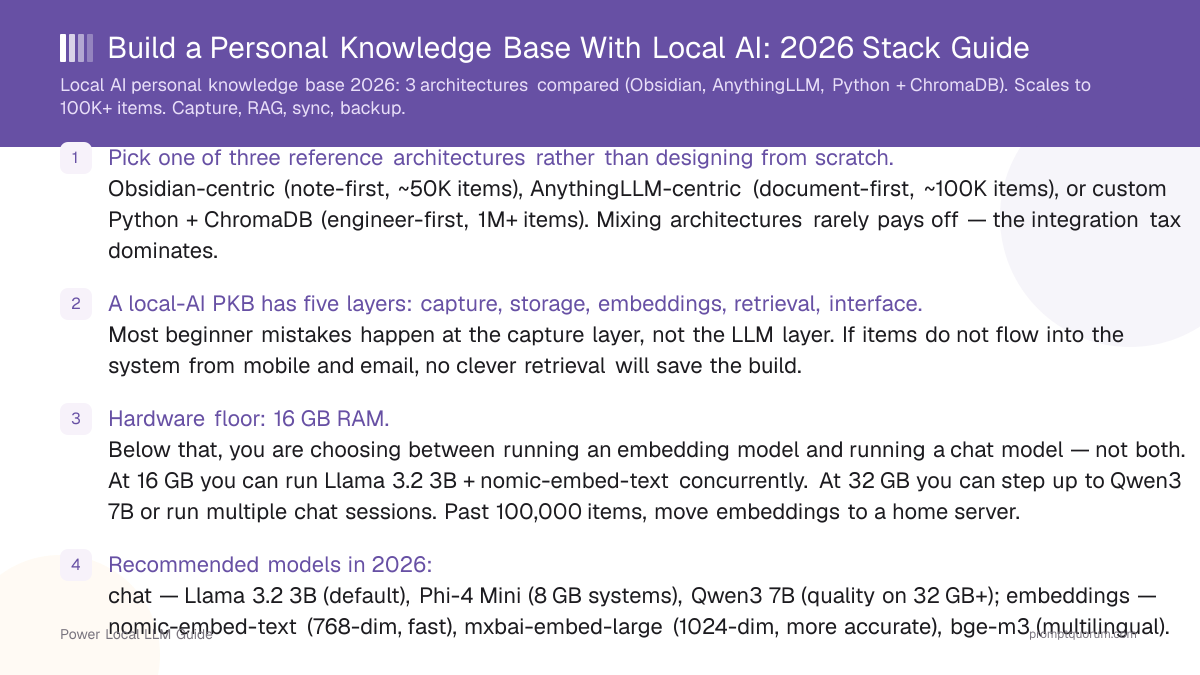
- Pick one of three reference architectures rather than designing from scratch. Obsidian-centric (note-first, ~50K items), AnythingLLM-centric (document-first, ~100K items), or custom Python + ChromaDB (engineer-first, 1M+ items). Mixing architectures rarely pays off — the integration tax dominates.
- A local-AI PKB has five layers: capture, storage, embeddings, retrieval, interface. Most beginner mistakes happen at the capture layer, not the LLM layer. If items do not flow into the system from mobile and email, no clever retrieval will save the build.
- Hardware floor: 16 GB RAM. Below that, you are choosing between running an embedding model and running a chat model — not both. At 16 GB you can run Llama 3.2 3B + nomic-embed-text concurrently. At 32 GB you can step up to Qwen3 8B or run multiple chat sessions. Past 100,000 items, move embeddings to a home server.
- Recommended models in 2026: chat — Llama 3.2 3B (default), Phi-4 Mini (8 GB systems), Qwen3 8B (quality on 32 GB+); embeddings — nomic-embed-text (768-dim, fast), mxbai-embed-large (1024-dim, more accurate), bge-m3 (multilingual).
- Capture is the scaling bottleneck, not retrieval. Most knowledge items arrive on mobile (web clippings, screenshots, voice notes, forwarded emails). Design the mobile share sheet → vault path before tuning the LLM. iOS Shortcuts → Obsidian / Working Copy / a-Shell are the three viable iOS paths.
- Sync method dictates what works on mobile. Obsidian Sync handles binary embedding indexes cleanly; iCloud Drive corrupts them across platforms; Git requires
.gitignorediscipline and per-device re-indexing. Pick sync first, plugins second. - Backup is not optional. Three layers: vault snapshot (Time Machine, Backblaze, restic), Git history of plain-text content, and a quarterly export of embeddings + metadata for a clean rebuild path. Embeddings are regenerable but expensive — back them up too if your vault is over 10,000 items.
Quick Facts
- Architectures covered: Obsidian-centric, AnythingLLM-centric, custom Python + ChromaDB.
- LLM backend: Ollama (recommended) — runs chat and embedding models behind one local endpoint at
http://localhost:11434. - Recommended chat models 2026: Llama 3.2 3B (16 GB systems), Phi-4 Mini (8 GB), Qwen3 8B (32 GB+).
- Recommended embedding models 2026: nomic-embed-text (768-dim, fast), mxbai-embed-large (1024-dim, accurate), bge-m3 (multilingual).
- Item-count targets: Obsidian ~50,000 notes, AnythingLLM ~100,000 documents, custom Python + ChromaDB 1M+ items.
- Hardware floor: 16 GB RAM laptop. Past 10,000 items: 32 GB recommended. Past 100,000 items: home server with 64 GB.
- Mobile capture paths (iOS): Shortcuts → Obsidian, Shortcuts → Working Copy (Git), Shortcuts → a-Shell. Android: Tasker or HTTP Shortcuts.
Which Architecture Should You Build?
Pick the architecture that matches how your knowledge already arrives, not the one that sounds most powerful. If you already write daily notes, build Obsidian-centric. If your knowledge is mostly documents (PDFs, exports, web clippings), build AnythingLLM-centric. Build a custom Python + ChromaDB stack only if you genuinely have 100,000+ items or need multi-user access — the maintenance cost is real and rarely worth it under that threshold.
📍 In One Sentence
Note-first workflows pick Obsidian + Smart Connections + Copilot + Ollama; document-first archives pick AnythingLLM + Ollama; engineers with 100K+ items pick a custom Python + ChromaDB stack.
💬 In Plain Terms
Three roads, one destination. If you live inside a notes app already, Obsidian wraps your existing habit with AI features. If you mostly hoard PDFs and web pages, AnythingLLM is a single app that ingests, indexes, and chats. If you write code and want full control, Python + ChromaDB lets you build exactly what you want — but you maintain it. Pick the road that matches your existing workflow; do not change your habits to fit the architecture.
Decision: Which PKB Architecture?
Use a local LLM if:
- •You already use Obsidian or want a notes-first workflow with Markdown files → Obsidian-centric
- •Your knowledge is mostly PDFs, exports, web clippings, and email archives → AnythingLLM-centric
- •You have 100,000+ items, custom schema needs, or multi-user access → custom Python + ChromaDB
- •You want one app that handles capture, storage, RAG, and chat → AnythingLLM-centric
- •You want full control over chunking, retrieval, and re-ranking → custom Python + ChromaDB
Use a cloud model if:
- •You need GPT-5.6-class reasoning on every query and your archive is small → Notion AI or ChatGPT with custom GPTs (the local stack is ~70% as capable on synthesis)
- •You have no machine with 16 GB+ RAM and no home server → cloud SaaS PKB (Mem, Reflect)
- •Your team needs concurrent multi-user access and you do not want to host services → cloud equivalent
Quick decision:
- →Default for note-first users: Obsidian + Smart Connections + Copilot + Ollama
- →Default for document-first users: AnythingLLM + Ollama
- →Engineer with 100K+ items: custom Python + ChromaDB + Llama 3.2 3B
💡Tip: Do not start with the custom Python stack just because it sounds more powerful. Build Obsidian-centric or AnythingLLM-centric first, run it for two months, find the layer that does not match your workflow, and only then consider replacing that one layer with a custom component. Every PKB project that started "from scratch in Python" and ran for over six months either converged on Obsidian-shaped or AnythingLLM-shaped designs anyway.
Architecture Comparison Table
The three reference architectures differ on five axes that matter to most builders: setup complexity, item-count ceiling, mobile sync, capture flexibility, and maintenance burden. Setup complexity grows roughly linearly with control — and so does the maintenance cost.
📍 In One Sentence
Obsidian is medium-complexity at ~50K items, AnythingLLM is low-complexity at ~100K items, and custom Python + ChromaDB is high-complexity but scales past 1M items.
💬 In Plain Terms
AnythingLLM is the easiest to set up and scales the furthest of the two "off-the-shelf" options — but it is opinionated about how documents are organised. Obsidian gives you the most expressive note-taking layer and an active plugin ecosystem, at the cost of a slightly higher setup tax. Custom Python is unbounded but you maintain everything: chunking, re-ranking, deduplication, sync, backups. Pick by your patience for maintenance, not by item count alone.
Architecture | Setup complexity | Max items | Mobile sync | Best for |
|---|---|---|---|---|
| Obsidian-centric | Medium | ~50,000 | Yes (Obsidian Sync; iCloud / Git with caveats) | Note-first power users with daily writing habit |
| AnythingLLM-centric | Low | ~100,000 | Limited (web UI from phone over LAN / Tailscale) | Document-heavy KBs (PDFs, exports, web clippings) |
| Custom Python + ChromaDB | High | 1M+ | Manual (build your own API + mobile client) | Engineers wanting full control + multi-user |
💡Tip: Mobile sync is the most underrated comparison axis. AnythingLLM is technically easier to set up than Obsidian, but on mobile it is "open the LAN web UI in Safari" — not a native experience. Obsidian Mobile, paired with Obsidian Sync, gives you a near-native iOS / Android app with offline reading. If mobile capture and reading matters, weight Obsidian higher than the table suggests.
The Five Layers of a Local-AI PKB
Every local-AI PKB has the same five layers regardless of architecture: capture, storage, embeddings, retrieval, interface. Failures usually happen because one layer is mismatched with the others — most commonly, a sophisticated retrieval layer paired with a broken capture pipeline that nobody uses.
- 1Capture
Why it matters: How items enter the system. Web clipper, email forwarder, mobile share sheet, voice note, manual paste. The single most-skipped layer in beginner builds — and the layer that determines whether the system survives daily use. If capture takes more than 5 seconds on mobile, the system collects dust. - 2Storage
Why it matters: Where items live on disk. Markdown vault (Obsidian, Logseq), document folder + database (AnythingLLM), or filesystem + manifest (custom Python). Pick a storage format that survives any tool change — plain text Markdown is the most portable; binary databases are the least. - 3Embeddings
Why it matters: Vector representations of items used for semantic search. Generated by a local model (nomic-embed-text or mxbai-embed-large via Ollama). The embedding model can be changed later, but the migration cost is "re-embed everything" — pick once, stick with it. - 4Retrieval
Why it matters: How items are found at query time. Top-k vector search, optional re-ranking, optional metadata filters (tags, dates, sources). The quality difference between a naive top-5 and a tuned top-20-with-reranker is the difference between "useful" and "magical." - 5Interface
Why it matters: How you query and read. Sidebar (Smart Connections), chat (Copilot, AnythingLLM), CLI (custom Python), or API. Most users default to chat — but a "related notes" sidebar surfaces forgotten material that chat cannot, because you do not know what to ask.
⚠️Warning: A common build pattern that fails: pick the most powerful retrieval (custom hybrid search with re-ranking), the smartest chat model (Qwen3 8B), and ignore capture. Three weeks in, the vault has 47 items because nothing flows in from mobile. The fix is always the same: simplify retrieval, simplify chat, fix capture, and accept that 80% of value comes from items being in the system at all.
Architecture A: Obsidian-Centric
Obsidian + Smart Connections + Copilot for Obsidian + Ollama is the default architecture for note-first workflows in 2026. It scales cleanly to ~50,000 notes on a 16 GB Mac M3 Pro or PC, supports mobile reading via Obsidian Mobile, and keeps everything in plain-text Markdown that you can take to any future tool.
- Storage: Markdown files in a folder ("vault"). Plain text, plain folders, no database. Survives tool migration.
- Capture: Obsidian Web Clipper (browser extension), Obsidian Mobile share sheet (iOS / Android), email-to-Obsidian via Mailspike or a custom IFTTT recipe, manual paste.
- Embeddings: Smart Connections plugin → Ollama at
http://localhost:11434/api/embeddings→ nomic-embed-text (default) or mxbai-embed-large (more accurate). Index lives in.smart-env/inside the vault. - Retrieval: Smart Connections sidebar (related-notes view) + Copilot for Obsidian vault QA mode (RAG over the vault for chat queries). Both retrieve over the embedding index.
- Interface: Smart Connections sidebar (passive discovery) + Copilot chat panel (active queries) + Text Generator templates (repeatable workflows like daily summaries).
- Setup time: ~30 min (install Ollama, pull models, install three plugins, configure endpoints, let initial index build).
- Hardware: 16 GB RAM minimum (Llama 3.2 3B + nomic-embed-text concurrently). 32 GB recommended past 10,000 notes. SSD strongly recommended — index re-build is I/O-bound on HDDs.
- Item-count ceiling: ~50,000 notes practical; tested up to 20,000 with sub-second incremental re-index. At 50K+ notes, initial index runs 4–8 hours and you should consider sub-vaults.
- Best for: users with a daily writing habit, Markdown-first preferences, and a desire for a "thinking partner" sidebar that surfaces forgotten notes.
- Not for: users whose knowledge is mostly PDFs and web clippings (use AnythingLLM-centric); users who want a single all-in-one app (Obsidian-centric is "Obsidian + 3 plugins + Ollama").
💡Tip: For a deep-dive on the plugin layer of this architecture (which 5 plugins, configuration steps, vault scale numbers), see the Obsidian + Local LLM plugin guide. This page covers the architecture; the plugin guide covers the configuration.
Architecture B: AnythingLLM-Centric
AnythingLLM + Ollama is the all-in-one option: capture, storage, RAG, and chat are bundled in a single desktop or self-hosted app. It scales to ~100,000 documents (mixed PDFs, web clippings, exports) and is the right pick when your knowledge arrives mostly as documents rather than notes.
- Storage: AnythingLLM internal database (SQLite by default; Postgres for self-hosted multi-user). Documents are ingested via the UI; originals can also stay in a folder you mirror.
- Capture: in-app upload (drag PDFs / files into a workspace), browser extension for web pages, public API for programmatic ingestion (
POST /api/v1/document/upload), email forwarder via the official integration or a custom relay. - Embeddings: AnythingLLM uses your configured embedding provider — pick "Ollama" → endpoint
http://localhost:11434→ modelnomic-embed-text. Embeddings stored in AnythingLLM's built-in vector store (LanceDB by default; ChromaDB / Pinecone optional). - Retrieval: RAG over the workspace. Configurable chunk size, top-k retrieval, optional re-ranking. Multiple workspaces let you partition by topic (e.g., "Work", "Reading", "Projects").
- Interface: AnythingLLM web UI (works on desktop and mobile browsers), public API for custom front-ends, OpenAI-compatible endpoint to plug other tools into your KB.
- Setup time: ~15 min (install AnythingLLM Desktop or Docker, point it at Ollama, drag in documents).
- Hardware: 16 GB RAM minimum. 32 GB recommended past 10,000 documents. AnythingLLM is more memory-efficient than Obsidian + plugins at the same item count because there is one process instead of two.
- Item-count ceiling: ~100,000 documents in a single workspace; partition into multiple workspaces past 50K to keep retrieval latency under ~1 sec.
- Best for: users with PDF-heavy archives, web-clipping-heavy capture, and a preference for one app over a stack of plugins. Also the right pick for small teams self-hosting a shared KB.
- Not for: users who want a notes-first writing surface (Obsidian); users who want to own their storage as plain Markdown (AnythingLLM's vector store is internal).
💡Tip: For step-by-step setup of the RAG layer used here (Ollama + AnythingLLM, ingestion, chunk tuning), see the Local RAG on Your PDFs in 30 Minutes walkthrough. For scaling RAG beyond toy examples to 1,000+ PDFs, see Chat With 1000+ PDFs Locally.
Architecture C: Custom Python + ChromaDB
A custom Python + ChromaDB + Ollama stack is the right pick only if you genuinely have 100,000+ items, multi-user needs, or specific schema requirements that off-the-shelf tools cannot model. The maintenance cost is real: chunking, deduplication, re-ranking, sync, backup — you own it all.
ChromaDB ingestion (Python sketch)
“import chromadb, ollama, pathlib client = chromadb.PersistentClient(path="./chroma") coll = client.get_or_create_collection("kb") for p in pathlib.Path("vault").rglob("*.md"): text = p.read_text() emb = ollama.embeddings(model="nomic-embed-text", prompt=text)["embedding"] coll.upsert(ids=[str(p)], embeddings=[emb], documents=[text], metadatas=[{"source": str(p)}])”
Query with re-rank (sketch)
“q = "What did I write about local RAG sync?" q_emb = ollama.embeddings(model="nomic-embed-text", prompt=q)["embedding"] hits = coll.query(query_embeddings=[q_emb], n_results=20) # pass hits["documents"] through a re-ranker, keep top 5 # send top 5 + question to Llama 3.2 3B via Ollama chat endpoint”
- Storage: filesystem (one folder per source:
notes/,pdfs/,web/,email/) + a metadata manifest (SQLite or JSONL). Source files stay in plain formats so you can swap retrieval layers without re-ingesting. - Capture: scripts triggered by webhooks (web clipper → HTTP endpoint → file write), email forwarder → IMAP poller → file write, mobile share sheet → Tailscale endpoint → file write. Every capture path is a small Python service.
- Embeddings: ChromaDB (local mode, persists to disk) + Ollama embeddings via the OpenAI-compatible endpoint. Re-embed on file change via a watchdog process. ChromaDB scales to millions of vectors on a single machine with HNSW indexing.
- Retrieval: ChromaDB top-k similarity + a re-ranker (BGE Re-ranker or Cohere local equivalent) + metadata filters (date range, tags, source). Optional hybrid search with BM25 over chunks for exact-term matching.
- Interface: any of: a small FastAPI service exposing an OpenAI-compatible
/v1/chat/completionsendpoint, a Streamlit / Gradio UI, a CLI, or all three. Plug Open WebUI in front for a polished chat experience without writing UI code. - Setup time: ~1 day for a working v1; ~2 weeks of iteration to tune chunking, retrieval quality, and capture pipelines for your specific data.
- Hardware: 32 GB RAM laptop for development; home server with 64 GB RAM at 100,000+ items so the embedding service does not compete with your laptop. Consider a dedicated GPU (RTX 4060 or better) past 500K items for chat throughput.
- Item-count ceiling: 1M+ items practical with HNSW + sharding; the bottleneck shifts from retrieval to capture pipeline reliability and re-embedding cost on schema changes.
- Best for: engineers who want to own the stack, teams with custom schema (e.g., "every item has a confidence score, a source, and an author"), or users who hit hard limits in Obsidian or AnythingLLM (50K / 100K respectively).
- Not for: non-engineers; anyone who undervalues the maintenance cost; users for whom an off-the-shelf option already covers the use case.
⚠️Warning: The most common failure pattern in custom builds: re-embedding the entire archive on every code change because the schema is not stable. Lock the embedding model + chunk size before ingesting more than ~5,000 items. Migrating from nomic-embed-text 768-dim to mxbai-embed-large 1024-dim at 100K items takes hours of compute and breaks the ChromaDB collection — you cannot mix dimensions.
Capture Pipeline: Web, Email, Mobile, Voice
The capture layer determines whether your PKB survives daily use. Most knowledge arrives outside the desktop — on mobile, in email, in voice notes — and a capture pipeline that requires opening a desktop app first is a pipeline that gets bypassed. Build for the four main inflows and accept that 80% of items will arrive on mobile.
- Web clipper (desktop + mobile): Obsidian Web Clipper, AnythingLLM browser extension, or a custom bookmarklet that POSTs the current page to your capture endpoint. Mobile share sheet → web clipper extension → vault.
- Email forwarder: dedicated address (e.g.,
kb@yourdomain.com) + IMAP poller → file write. Forward emails you want to keep; the poller handles ingestion. Use a per-source prefix in the filename so retrieval can filter by source. - Mobile share sheet: the most-used capture path. iOS Share → Obsidian (writes a Markdown file), iOS Share → Working Copy (commits to Git), iOS Share → custom Shortcut (POST to your capture API). Android: HTTP Shortcuts or Tasker.
- Voice notes: AudioPen-style capture is increasingly common in 2026. Record on phone → transcribe locally with Whisper.cpp or via a self-hosted Whisper service → write the transcript as a Markdown file → embed.
- Manual paste: the fallback. Always works, never scales. Use it for the long tail.
- Screenshot OCR: screenshots are a lossy capture format. Use Apple Live Text on iOS or a local OCR pipeline (Tesseract, Apple Vision, EasyOCR) to extract text + write a Markdown file with both image and OCR'd text.
💡Tip: Audit your existing capture habits before designing the pipeline. Look at what you already save: browser bookmarks, screenshots, forwarded emails, voice memos. The PKB capture layer should mirror those existing inflows — if you already screenshot constantly, build the OCR path; if you already forward emails to yourself, build the email forwarder. Adding new habits ("now I will manually copy-paste each article into the KB") never works.
Mobile Capture: iOS Shortcuts, Working Copy, a-Shell
iOS has three viable capture paths to a local-AI PKB in 2026: Shortcuts → Obsidian, Shortcuts → Working Copy (Git), or Shortcuts → a-Shell (script-driven). Each pairs naturally with one of the three reference architectures. Pick the path whose sync model matches your overall architecture.
- Shortcuts → Obsidian (Obsidian-centric): the "Append to Note" Obsidian Shortcut writes the captured content directly into the vault. Sync via Obsidian Sync (paid, recommended) or iCloud Drive (free, with caveats). Best for note-first workflows.
- Shortcuts → Working Copy (Git): the captured content is written into a Working Copy repository on the iPhone, then auto-committed and pushed. Desktop pulls. Free, robust, works with any Markdown vault. Caveat: Working Copy is paid (one-time ~$20). Best for Git-synced vaults.
- Shortcuts → a-Shell: a-Shell is a free iOS terminal that runs scripts. Build a Shortcut that pipes the captured text to an a-Shell script, which writes a file and either commits via
git, syncs viarsyncover Tailscale, or uploads to your custom capture endpoint. Best for engineer-built custom architectures. - Android equivalents: Tasker + Termux + Git for parity with the iOS Working Copy path. HTTP Shortcuts for the custom-endpoint path. Obsidian Mobile share sheet for the Obsidian path.
- Latency budget: mobile capture should complete in under 5 seconds end-to-end (share sheet → file written / committed / uploaded). Anything slower and the user opens the app once and never again.
- Offline capture: all three iOS paths queue offline (Shortcuts queues, Working Copy queues commits, a-Shell scripts can write locally and sync later). Essential for capture during flights, transit, and rural areas.
⚠️Warning: Do not build a mobile capture path that requires the desktop to be online (e.g., POST to a Tailscale-protected endpoint that is only reachable when your laptop is awake). You will lose captures during work meetings, while the laptop is in sleep mode, and overnight. Either run the capture endpoint on a home server / NAS that is always-on, or write to a sync-eventually store (Obsidian Sync, Git, iCloud) that buffers offline.
Scaling: 1K, 10K, 100K Items
Scaling a local-AI PKB has three regimes: under 1,000 items everything is fast on any modern laptop; 1,000–10,000 items the embedding index becomes a real artefact you have to manage; past 10,000 items hardware becomes the bottleneck and capture pipeline reliability dominates outcomes. Realistic numbers below assume Mac M3 Pro / RTX 4060 PC with nomic-embed-text and Llama 3.2 3B.
1,000 items
- Recommended architecture:
- Any of the three
- Initial embedding time:
- ~2 min
- Hardware:
- 16 GB RAM laptop
- Notes:
- Everything feels instant. Architecture choice is purely about workflow fit.
10,000 items
- Recommended architecture:
- Obsidian or AnythingLLM
- Initial embedding time:
- ~25 min
- Hardware:
- 16 GB RAM laptop (32 GB recommended)
- Notes:
- Embedding index ~150–250 MB. Re-embed time on edits is sub-second. Sweet spot for most knowledge workers.
50,000 items
- Recommended architecture:
- AnythingLLM or custom Python
- Initial embedding time:
- ~3 hours
- Hardware:
- 32 GB RAM laptop or home server
- Notes:
- Initial index runs overnight. Plan for sub-vaults / workspaces past this point. Disk usage ~1.5–2 GB for embeddings.
100,000 items
- Recommended architecture:
- AnythingLLM (multi-workspace) or custom Python
- Initial embedding time:
- 6–8 hours
- Hardware:
- 32 GB RAM minimum; home server preferred
- Notes:
- Move embeddings to a dedicated home server. Capture pipeline reliability is now the primary failure mode, not retrieval.
500,000+ items
- Recommended architecture:
- Custom Python + ChromaDB
- Initial embedding time:
- 24+ hours
- Hardware:
- Home server with 64 GB RAM + dedicated GPU
- Notes:
- Sharding, deduplication, and incremental re-embed pipelines become necessary. Off-the-shelf tools no longer fit.
💡Tip: The initial embedding cost is a one-time bill. After the first index, only changed items are re-embedded — usually under a second per save even at 100K items. The slow first-time experience is real but not recurring. Run the initial index overnight on a power-connected machine and forget about it.
Backup, Version Control, Multi-Device Sync
A local-AI PKB needs three backup layers: vault snapshots (Time Machine, Backblaze, restic), Git history of plain-text content, and a quarterly export of embeddings and metadata for clean rebuild. Embeddings are technically regenerable, but at 100K+ items the regeneration cost is hours — back them up too.
- Vault snapshots (filesystem-level): Time Machine (macOS) or restic (Linux) every 24 hours. Backblaze or rsync.net for off-site. Captures everything including embeddings.
- Git history (content-only): plain-text Markdown files committed to a Git repo (local + GitHub / Gitea private). Add
.smart-env/,vector_store/, and any other binary index folders to.gitignore. Git gives you per-note version history; vault snapshots give you whole-system rollback. - Embedding export (quarterly): export the vector store to a portable format (ChromaDB → parquet, Smart Connections → JSON dump, AnythingLLM → built-in export). Keep the latest two exports off-site. If a vault snapshot fails or the embedding index corrupts, this is your fast rebuild path.
- Multi-device sync — Obsidian-centric: Obsidian Sync handles plain-text + binary indexes cleanly (E2E encrypted). iCloud Drive works for plain-text but corrupts binary indexes across platforms. Git via Working Copy / Termux works for plain-text only — re-index per device.
- Multi-device sync — AnythingLLM-centric: run AnythingLLM as a self-hosted Docker container on a home server. All devices connect to the same instance via LAN or Tailscale. No client-side sync needed.
- Multi-device sync — custom Python: the architecture you build determines this. Most builds use a central API service (FastAPI on a home server) + clients that POST captures and GET queries. Tailscale provides the network layer.
- Migration to a new computer: restore vault snapshot → restore Git repo → restart Ollama → restart embedding indexer. Embedding regeneration is automatic if you skipped the embedding export step; manual re-index if you backed it up but the format is platform-specific.
- Selective sharing: for sharing parts of a vault (e.g., a research project with a collaborator), use a sub-vault or a tagged-export script. Do not share the whole vault — most local-AI PKBs accumulate sensitive items (medical, financial, personal) that should never leave the local stack.
💡Tip: Test your restore once a quarter. Most "I have backups" claims are aspirational — the test is "can I restore my vault to a fresh laptop in under 2 hours?" Run that test. The first time you do, you will discover that one of the three layers (snapshot, Git, embedding export) was misconfigured for the past six months.
Common Mistakes
- Designing the retrieval layer before the capture layer. A custom hybrid search with re-ranking is wasted on a 47-item vault. Build capture first, accept naive top-5 retrieval, and only optimise retrieval once the vault has 1,000+ items and you can measure retrieval quality on real queries.
- Mixing architectures. "Obsidian for notes + AnythingLLM for PDFs + custom Python for emails" sounds clean but the integration tax dominates. Pick one architecture, accept the limitations, and add a single connector if you absolutely must (e.g., AnythingLLM ingesting an Obsidian vault folder read-only).
- Switching embedding models without re-embedding the archive. Mixing nomic-embed-text 768-dim and mxbai-embed-large 1024-dim vectors in the same store breaks retrieval silently. Pick one embedding model + dimension, lock it, and only switch with a full re-embed of the archive.
- Ignoring backup of the embedding index past 10,000 items. "I can regenerate it" is true but the regeneration is hours. Add the embedding store to your backup strategy past 10K items.
- Designing for desktop-only when 80% of capture happens on mobile. A PKB with no mobile capture path collects dust. Test the mobile capture flow on day one — share sheet to vault should complete in under 5 seconds.
- Relying on iCloud Drive for binary embedding indexes. iCloud handles plain text fine; binary indexes (Smart Connections
.smart-env/, AnythingLLM vector store) corrupt across platforms. Use Obsidian Sync, a self-hosted instance, or accept per-device re-indexing. - Not partitioning at 100K items. A single workspace / vault past 100K items has retrieval latency in the seconds. Partition by topic (Work, Reading, Projects) into multiple workspaces or sub-vaults; query each separately or via a router.
Sources
- Obsidian — obsidian.md and help.obsidian.md (vault structure, mobile sync architecture, plugin docs).
- AnythingLLM — github.com/Mintplex-Labs/anything-llm (open-source self-hosted RAG application).
- Ollama — ollama.com and github.com/ollama/ollama (local LLM runtime; chat + embedding endpoints).
- ChromaDB — trychroma.com and github.com/chroma-core/chroma (open-source local vector database).
- Working Copy — workingcopy.app (iOS Git client used for mobile capture pipelines).
- a-Shell — holzschu.github.io/a-Shell_iOS/ (free iOS terminal for script-driven mobile capture).
Frequently Asked Questions
How do I capture web pages into my knowledge base?
Three options ranked by friction. (1) Browser extension web clipper — Obsidian Web Clipper or AnythingLLM browser extension write the current page directly to your vault / workspace. (2) Mobile share sheet — Safari / Chrome share → Obsidian (writes a Markdown file) or → Working Copy (commits to Git) or → custom Shortcut (POSTs to your capture API). (3) Bookmarklet — for browsers without an extension; POSTs the current URL + selection to your capture endpoint. The mobile share sheet is the most-used path in practice — design it first.
Can I forward emails into the system?
Yes. Set up a dedicated address (e.g., a Fastmail / Migadu alias kb@yourdomain.com) and run an IMAP poller on your home server or laptop that downloads new mail and writes one Markdown file per email into your vault. Add a from-address prefix in the filename so retrieval can filter by sender. AnythingLLM has a first-party email integration; Obsidian users typically build the IMAP poller themselves or use IFTTT / Zapier alternatives like n8n.
How do I sync across desktop and mobile?
Architecture-dependent. Obsidian-centric: Obsidian Sync (paid, handles binary indexes cleanly), iCloud Drive (free, plain-text only — re-index per device), or Git via Working Copy (free + Working Copy one-time fee, plain-text only — re-index per device). AnythingLLM-centric: run AnythingLLM on a home server in Docker, all devices connect via LAN or Tailscale — no client-side sync needed. Custom Python: build a central API service on a home server; clients POST captures and GET queries.
Should I use one big vault or split by topic?
One vault until ~50,000 items. Past 50K, split by topic (Work, Reading, Projects, Personal) for two reasons: retrieval latency stays under ~1 sec, and accidental cross-leak between contexts (e.g., personal notes surfacing in work queries) becomes possible at scale. Splitting earlier than 50K is premature — you lose serendipitous cross-domain connections that are a primary value of a PKB.
How often should I re-embed for accuracy?
Never re-embed for "accuracy drift" — embeddings do not degrade. Re-embed only when you change the embedding model (e.g., upgrading from nomic-embed-text to mxbai-embed-large for better retrieval on technical content). All three architectures handle incremental re-embedding automatically on file change; you do not schedule it. The exception is custom Python stacks where you control the indexer — there, watchdog-driven incremental re-embed on save is standard.
Can I version-control my knowledge base?
Yes for plain-text content (Markdown vault → Git repo, local + GitHub / Gitea private). Add binary index folders (.smart-env/, vector_store/, ChromaDB persistence dir) to .gitignore — they bloat history and cause merge conflicts. Git gives you per-note version history; vault snapshots (Time Machine, restic) give you whole-system rollback. Both layers, not either-or.
How do I handle PDFs in this system?
Obsidian-centric: store PDFs alongside Markdown notes; Smart Connections does not embed PDF content directly — extract text first (e.g., via the PDF++ plugin or a pre-processing script that writes a Markdown summary alongside each PDF). AnythingLLM-centric: drag PDFs directly into a workspace; AnythingLLM handles PDF parsing and chunking automatically. Custom Python: use pypdf or pdfplumber to extract text in your ingestion pipeline, then embed the extracted text. AnythingLLM is the lowest-friction option for PDF-heavy archives.
Can I share parts of my KB selectively?
Yes, but design for it from day one. Use sub-vaults (Obsidian) or workspaces (AnythingLLM) to keep "shareable" and "private" content in separate stores. For one-off sharing, build a tagged-export script that pulls items by tag (e.g., #shareable) into a portable Markdown bundle. Do not share the whole vault — most local-AI PKBs accumulate sensitive items (medical, financial, personal correspondence) that should never leave the local stack.
What backup strategy is best?
Three layers: (1) filesystem snapshot every 24 hours (Time Machine / restic) with off-site copy (Backblaze / rsync.net); (2) Git history of plain-text content for per-note version recovery; (3) quarterly export of embeddings + metadata for fast rebuild path. Test the restore once a quarter — "can I rebuild my vault on a fresh laptop in under 2 hours?" The first restore test usually reveals one of the three layers was misconfigured.
How do I migrate to a new computer?
Restore the vault snapshot → install Ollama and pull the same models → install Obsidian / AnythingLLM / your custom Python stack → restart the embedding indexer. With Obsidian Sync or a self-hosted AnythingLLM, the migration is "install the client and log in" — no manual restore needed. Without those, allow ~30 min for a 10K-item vault, ~2 hours for 50K, and overnight for 100K+ if you skipped the embedding export step.