Key Takeaways
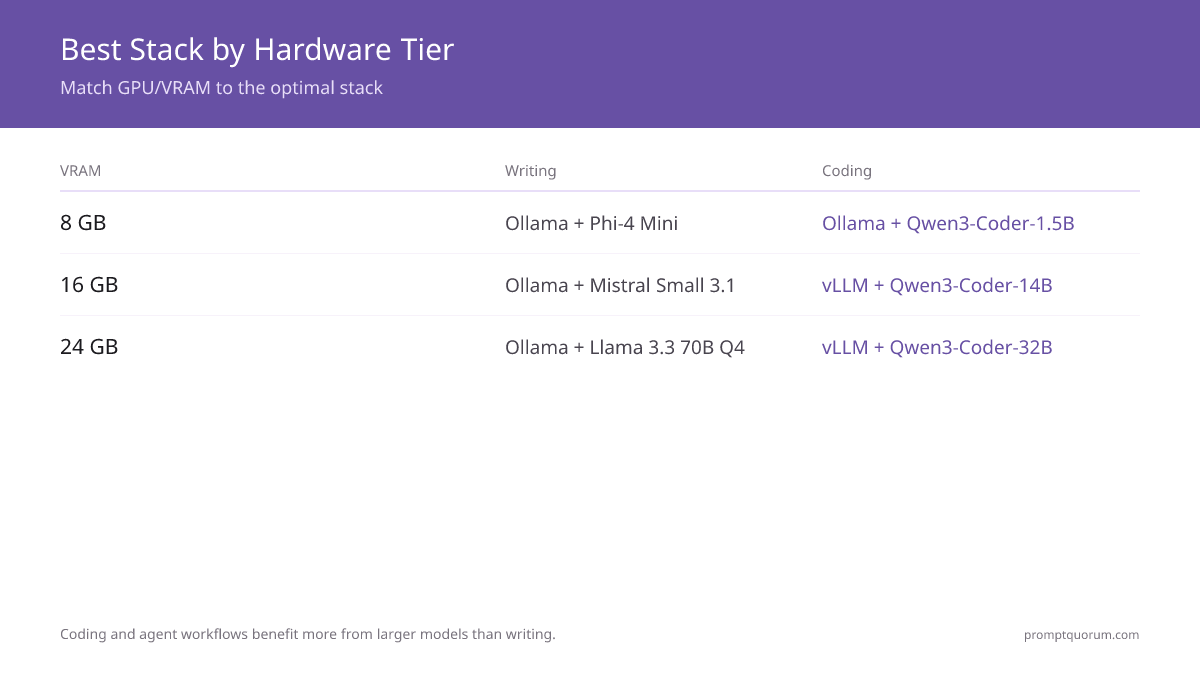
- Writing/content creation: Ollama + OpenWebUI. Zero config, beautiful chat UI, context window adjustable.
- Coding/code review: vLLM + FastAPI + VS Code extension. Batch processing, parallel inference, streaming.
- Local RAG: LlamaIndex + Ollama/vLLM + Qdrant vector DB. Document chunking, embedding, retrieval integrated.
- AI agents: LangGraph + vLLM backend. Tool use, memory, planning loop. Steeper learning curve.
- Multi-user API: vLLM behind load balancer (nginx). Handles 10+ concurrent requests. Most scalable.
- Fine-tuning: HuggingFace Transformers + LoRA + Ollama for inference. Training separate from serving.
- Real-time streaming: Ollama (native streaming) or vLLM + token streaming endpoint. Best UX for chatbots.
📍 In One Sentence
Best local LLM stacks by use case: writing → Ollama + Open WebUI; coding → vLLM + FastAPI + VS Code; local RAG → LlamaIndex + Qdrant; AI agents → LangGraph + vLLM; multi-user API → vLLM + nginx; fine-tuning → HuggingFace Transformers + LoRA.
💬 In Plain Terms
A "stack" is the combination of tools that work together for a specific job. Ollama is the local AI server; Open WebUI is the browser front-end. vLLM is a faster server built for production use. Qdrant stores your documents as vectors so the AI can find the relevant piece to answer a question. LoRA is a method to fine-tune a model on your own data without retraining from scratch.
Quick Decision: Stack by Hardware Tier
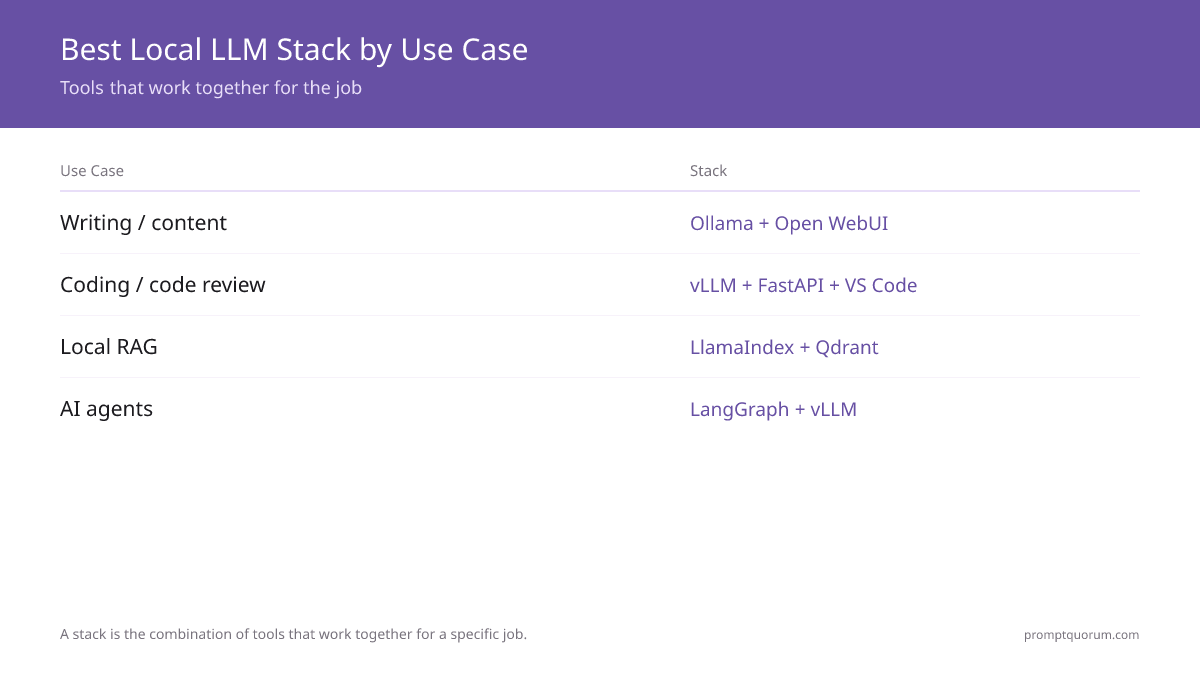
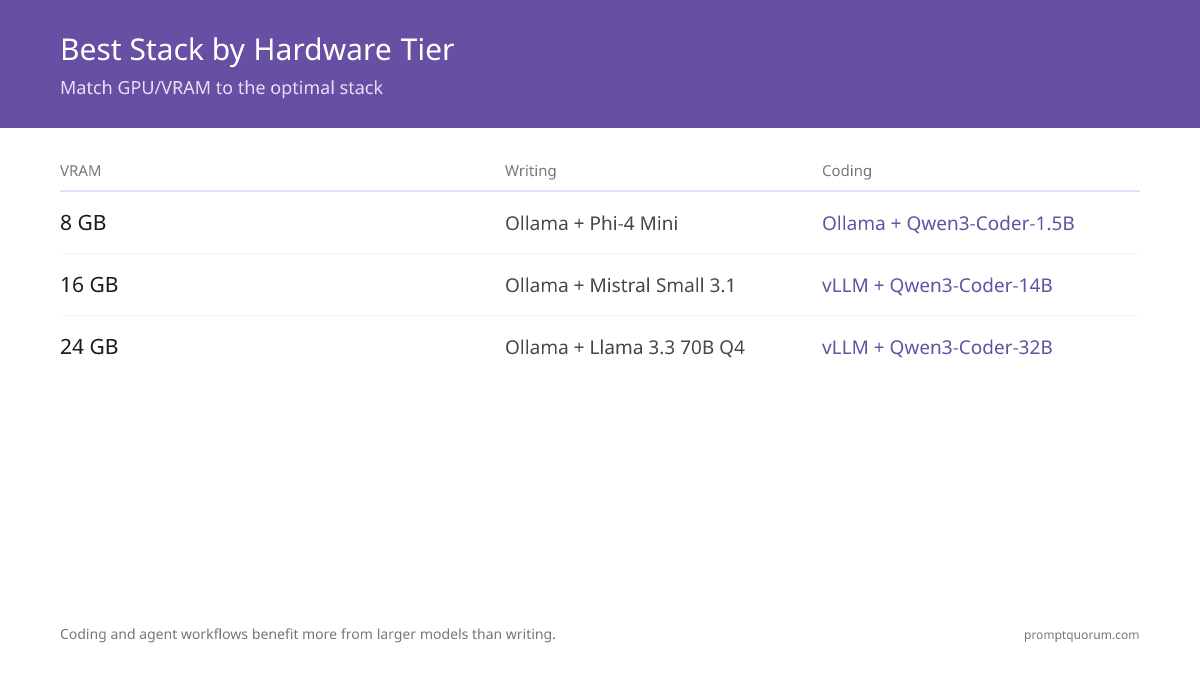
Match your GPU/VRAM to the optimal stack. Each combination is tested against real benchmarks. Coding and agent workflows benefit more from larger models than writing; RAG benefits more from embedding quality than LLM size.
Your Hardware | Writing | Coding | RAG | Agents |
|---|---|---|---|---|
| 4–8 GB VRAM (GTX 1660, RTX 3050) | Ollama + Phi-4 Mini | Ollama + Qwen3-Coder-1.5B | LlamaIndex + Phi-4 Mini | Not recommended |
| 12 GB VRAM (RTX 3060, RTX 4070) | Ollama + Llama 3.1 8B | vLLM + Qwen3-Coder-7B | LlamaIndex + Llama 3.1 8B | LangGraph + Ollama (slower) |
| 16 GB VRAM (RTX 4070 Ti, RTX 4080) | Ollama + Mistral Small 3.1 | vLLM + Qwen3-Coder-14B | LlamaIndex + Mistral 3.1 | LangGraph + vLLM |
| 24 GB VRAM (RTX 3090, RTX 4090) | Ollama + Llama 3.3 70B Q4 | vLLM + Qwen3-Coder-32B | LlamaIndex + Llama 3.3 70B | LangGraph + vLLM (fastest) |
Best stack: Ollama + OpenWebUI + Markdown editor
Why this stack: OpenWebUI has the best chat UX. No coding required. Context window flexibility (4K–32K) beats LM Studio for long-form writing. Cheaper than cloud APIs for writers.
- 1For 24 GB VRAM: `ollama pull llama3.3:70b` — highest quality, matches GPT-4 (2023) on writing benchmarks.
- 2For 16 GB VRAM: `ollama pull mistral-small3.1` — 128K context, best quality under 24 GB.
- 3For 8 GB VRAM: `ollama pull llama3.2:8b` — good writing quality, fast on consumer hardware.
- 4Install OpenWebUI via Docker: `docker run -d -p 3000:8080 ghcr.io/open-webui/open-webui:latest`.
- 5Configure context window (8K–32K tokens) in OpenWebUI settings based on document length.
Best stack: [vLLM + Qwen3-Coder + IDE extension
Why this stack: Qwen3-Coder scores 82% on HumanEval (best open-source coding model, June 2026). vLLM is 3–5× faster than Ollama for batch inference. Native OpenAI API compatibility fits existing IDE tools. Streaming enabled for real-time suggestions.
AI-Powered Code Review for Multiple Files
For automated code review across files, use vLLM's batch processing:
- 1Install vLLM: `pip install vllm`.
- 2Start vLLM server with Qwen3-Coder-7B: `python -m vllm.entrypoints.openai.api_server --model Qwen/Qwen3-Coder-7B-Instruct --port 8000`.
- 3For 16+ GB VRAM, use 14B: `--model Qwen/Qwen3-Coder-14B-Instruct`.
- 4Connect IDE extension (VS Code Continue.dev, Cursor, etc.) to `http://localhost:8000/v1`.
- 5Enable batch processing for code review: process 10 files in parallel via single API call (`vllm` supports batch=10 by default).
# Review 10 files in parallel using vLLM batch processing
from openai import OpenAI

client = OpenAI(base_url="http://localhost:8000/v1", api_key="not-needed")

code_files = [
    ("utils.py", open("utils.py").read()),
    ("models.py", open("models.py").read()),
    # ... up to 10 files
]

# vLLM processes all 10 in parallel (1 batch request)
reviews = []
for filename, code in code_files:
    prompt = f"Review this code for bugs, style, and performance:

{code}"
    response = client.chat.completions.create(
        model="Qwen3-Coder-7B-Instruct",
        messages=[{"role": "user", "content": prompt}],
        temperature=0.2,  # Deterministic for review tasks
    )
    reviews.append((filename, response.choices[0].message.content))

for filename, review in reviews:
    print(f"=== {filename} ===
{review}
")
Best stack: LlamaIndex + Ollama/vLLM + Qdrant + FastAPI UI
Why this stack: LlamaIndex handles chunking + retrieval. Qdrant is fast, local, private. Ollama provides embeddings (free) or use vLLM for LLM inference.
- 1Install LlamaIndex (`pip install llama-index`).
- 2Load documents (PDF, TXT, markdown) into LlamaIndex.
- 3Chunk documents (1024 tokens default), embed with local model or OpenAI (backup).
- 4Store embeddings in Qdrant vector DB (runs locally via Docker).
- 5Query via LlamaIndex: retrieve top-K similar docs, prompt LLM with context.
- 6Wrap in FastAPI endpoint for web UI or IDE integration.
Best stack: LangGraph + vLLM + tool definitions
Why this stack: LangGraph provides structured agent flow. vLLM is fast enough for 10+ sequential LLM calls. Tool use is explicit and debuggable.
- 1Install LangGraph (`pip install langchain langgraph`).
- 2Define tools (web search, calculator, file I/O) as function signatures.
- 3Create agent graph with LLM as decision node, tools as action nodes.
- 4Use vLLM backend for low-latency LLM calls in tight loops.
- 5Run agent loop: LLM → tool selection → tool execution → repeat until done.
Best stack: vLLM + nginx load balancer + monitoring
Why this stack: vLLM supports distributed serving. Nginx multiplexes requests. Scales to 10+ concurrent users on dual-GPU rig. Monitor token throughput per user.
- 1Deploy vLLM with `--served-model-name model-name` on fixed port.
- 2Configure nginx to load-balance across 2+ vLLM instances (one per GPU if multi-GPU).
- 3Use OpenAI-compatible `/v1/chat/completions` endpoint for client compatibility.
- 4Monitor via prometheus scrape endpoint (vLLM exports request latency, throughput metrics).
- 5Set rate limiting per user token bucket algorithm).
Best stack: HuggingFace Transformers + LoRA + Ollama (inference)
Why this stack: LoRA reduces fine-tuning VRAM 10×. Ollama loads fine-tuned models easily. Modular: train on one box, serve on another.
Note (Juni 2026): Meta deprecated Llama 3.3 for commercial fine-tuning. Fine-tune on Llama 3.2 (`meta-llama/Llama-3.2-1B` or larger) or Qwen3 (`Qwen/Qwen3-8B`) for Apache 2.0 / open-source license terms. Both support LoRA and load easily in Ollama.
- 1Fine-tune with `peft` library (LoRA) to reduce VRAM footprint.
- 2Training: 4× model VRAM needed (optimizer state, gradients). Run separately from inference.
- 3Export LoRA adapter to HuggingFace Hub or local filesystem.
- 4Load fine-tuned model in Ollama: `ollama create mymodel -f Modelfile`.
- 5Or use HuggingFace TRL (Transformers Reinforcement Learning) for RLHF.
Best stack: Ollama (native streaming) or vLLM + Server-Sent Events (SSE)
Why this stack: Streaming improves perceived performance (user sees tokens appear). Ollama is simplest. vLLM is fastest token throughput.
- 1Ollama: Call `/api/generate` with `stream: true`. Tokens arrive as newline-delimited JSON.
- 2vLLM: Use `/v1/chat/completions` with `stream: true`. Returns OpenAI-compatible SSE stream.
- 3Frontend: Use EventSource API (JavaScript) to consume stream, update UI per token.
- 4Disable batch processing (batch=1) for lowest latency.
Which local inference stack handles 32K+ context windows best?
vLLM — its PagedAttention KV-cache management scales memory near-linearly with context length instead of over-allocating, so a 32K-context session doesn't blow your VRAM budget the way naive attention implementations do. Ollama and llama.cpp also serve long-context models fine (most current open-weight models ship with 32K-128K native context), but vLLM's continuous batching keeps throughput higher when several long-context requests run concurrently. Whichever backend you pick, remember VRAM cost scales with context length, not just model size — a 32K-context session can use several GB more than the same model at 4K context.
Should I use Ollama or vLLM?
Ollama for chat UI + simplicity. vLLM for API server + batch processing + performance. Not mutually exclusive; can run both.
Can I use Ollama for production API?
Yes, but vLLM is faster (3–5× higher throughput). Ollama is good for <10 req/sec. vLLM for 10+ req/sec.
What's the best local LLM for code review?
vLLM + Qwen3-Coder-7B-Instruct. Qwen3-Coder scores 82% on HumanEval (best open-source). vLLM processes 10 files in parallel. ~30–50 tok/sec on RTX 3060 12GB.
Do I need a vector DB for simple RAG?
For <100 documents: in-memory embeddings (np.ndarray) OK. For >100: use Qdrant or Weaviate to avoid memory bloat.
Is LangGraph overkill for simple chatbots?
Yes. Use Ollama or vLLM alone. LangGraph is for multi-step workflows (agent loops, planning).
Can I mix Ollama and vLLM backends?
Yes. E.g., Ollama for chat UI, vLLM for batch API. They can run on same machine (different ports).
Common Mistakes When Choosing an LLM Stack
- Using Ollama for production API without vLLM: Ollama maxes out at <10 req/sec. For production serving 10+ concurrent users, vLLM is mandatory. Test throughput under load before deploying.
- Running LangGraph without vLLM backend: LangGraph agents make 10+ sequential LLM calls. Ollama introduces latency bottleneck. Always pair LangGraph with vLLM for sub-second round-trip times.
- Mixing Ollama + vLLM on same GPU without memory management: Both tools load weights into VRAM. Running two instances of 70B model consumes 32 GB. Use separate GPUs or quantize heavily (Q2) to fit both.
- Choosing wrong context window for writing: Default 4K context limits brainstorming sessions. For long-form writing, set 16K-32K context window in OpenWebUI. Trade-off: slower inference (2-3× slower per token).
- Assuming all backends are equally fast: vLLM + Ollama use different kernels. On same hardware, vLLM is 2-3× faster for inference. Speed difference is backend, not frontend (OpenWebUI, LM Studio are just UIs).
Sources
- Ollama GitHub — Official documentation, streaming API specification, and model library.
- vLLM GitHub — OpenAI API compatibility, batch processing, and continuous batching documentation.
- Qwen3-Coder Technical Report — Alibaba Qwen. 82% HumanEval score, specialized for coding tasks. Apache 2.0 licensed.
- LlamaIndex documentation — Document indexing, chunking, and RAG retrieval framework.
- LangGraph documentation — Agent workflow framework, state machines, tool use patterns.
- Qdrant documentation — Vector database for local embedding storage, Docker-ready, Apache 2.0.
- Continue.dev documentation — IDE extension for VS Code and JetBrains using local LLM backends.