Overview
Dyad is an AI app builder that runs as a desktop program, with the project kept as files on your computer.
The app is made by Dyad Tech, Inc.; the repository's fair-source license file names it as copyright holder, and Will Chen is described on the homepage as the creator. The latest stable release is version 1.23.0, published on 9 November 2026. A beta, 1.24.0-beta.1, followed on 13 November 2026, and the repository's last commit on its main branch was on 17 November 2026, so development is ongoing and no stale-project warning applies.
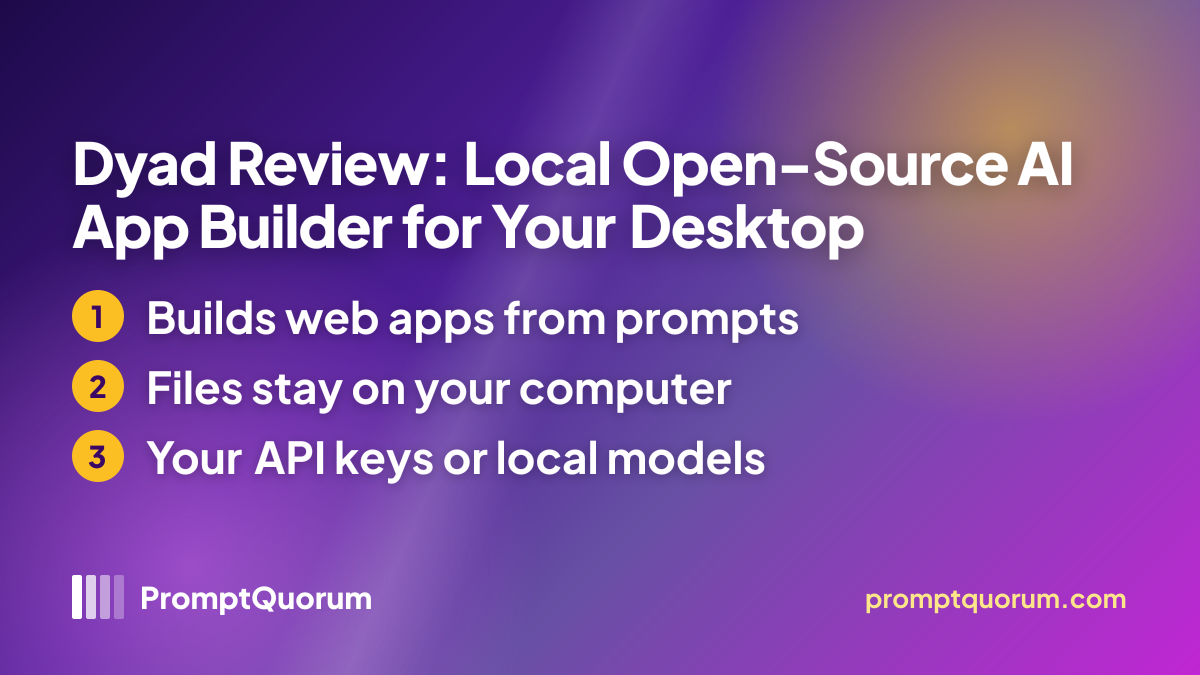
You describe an app in a chat, approve the code Dyad generates and see a preview beside the chat. The README describes it as a local alternative to Lovable, v0 and Bolt, and the homepage says projects can be imported from existing repositories, edited in VS Code and exported as normal code. The homepage graphic mentions standard Next.js, but the quickstart does not say which framework the generated apps use.
These descriptions are maker statements. PromptQuorum has not run the app and has not measured how reliable the generated apps are.
How to Get It
You install Dyad with a normal download from the official website, and no sign-up is required for the free app.
The download page offers a stable channel and a beta channel; the page says the beta gets early features and may be less stable. The quickstart says Node.js, the JavaScript runtime that runs your apps, must be installed separately, and that Windows may show a Microsoft warning where you click "More info" and then "Run anyway". The v1.23.0 GitHub release lists a Windows installer, a .deb, an .rpm, an AppImage and macOS .zip files.
Platform | How to get it |
|---|---|
| macOS | Download for Apple Silicon (M1+) or Intel |
| Windows | Download and run the installer |
| Linux | .deb, .rpm or AppImage |
| Website | Official site, docs and pricing |
| Privacy policy | Maker's policy, last updated June 22, 2026 |
| GitHub | Source code and release downloads |
No hardware figures are stated by the maker; its FAQ says that if you can run Node.js you can use Dyad, and suggests a hosted model if your computer is not powerful.
Features
Dyad combines a chat-driven builder with model choice and a few built-in integrations. All items below are maker claims from the website, docs and FAQ.
- Chat-to-app building with a preview, with the code stored as files you can open in VS Code.
- Model choice: OpenAI, Anthropic, Google, Ollama, LM Studio and others, switchable at any time.
- Supabase or Neon database connection with schemas, migrations and authentication, set up in a few clicks.
- One-click deployment to GitHub and Vercel, or your own cloud.
- A built-in security scan that the maker says checks for issues such as injection and misconfiguration.
- MCP support, so you can plug in tools such as Chrome DevTools or web browsing.
- Dyad Pro adds extra modes for large codebases and Smart Context, per the FAQ.
Privacy and Data Flow
Where your data goes depends on how you connect a model, according to the maker's privacy policy.
In the free desktop app you use your own API keys or local models. With an API key, the policy says prompts and code are sent directly to the model provider; with a local model everything stays on your device; in both cases data never passes through Dyad's servers.
With Dyad Pro, prompts and code are proxied through Dyad's servers to hosted models, and the policy says content may be logged temporarily in limited cases such as abuse or outage investigation. It also says Dyad never uses your data to train its own models and that providers do not train on it, except models labelled in the model interface as allowing provider training.
Telemetry is opt-in, uses PostHog and, per the policy, excludes chat messages, prompts and code. The optional Upload Chat Session feature sends transcripts and parts of your codebase for support and is deleted after about one month. PromptQuorum has not verified these statements.
Who Should Use It
Dyad fits people who want AI-built web apps without handing the code to a hosted builder.
- Non-developers who want to turn an idea into a working web app and can set up Node.js and an API key.
- Developers who want a prompt-to-app tool whose output they can edit in VS Code and push to GitHub.
- Anyone who wants to try local Ollama or LM Studio models for app building and accepts that results vary by model.
Limits and What We Could Not Verify
Dyad has stated limits, and several details remain unverified.
- Stated limit: per its FAQ, Dyad supports only JavaScript-based apps, including hybrid mobile apps built with web technology such as React. It does not support PHP, Ruby or native Swift and Kotlin apps.
- Stated limit: the FAQ says small local models may not follow Dyad's instructions and can produce bad output, and free API keys often have low token limits that cause context errors on larger apps.
- Not a fit: anyone who needs a hosted service with a preview URL and no local setup; Dyad runs on your machine and needs Node.js.
- Unverified: how reliable, secure or maintainable the generated apps are. PromptQuorum has not built apps with Dyad.
- Unverified: hardware needs. No RAM or GPU figure is stated, and the demand depends on the model you use.
- Unverified: the company's street address and city. The privacy policy says Dyad is a U.S. company with infrastructure in the U.S., but gives no address; the terms name no legal entity.
- Unverified: the pricing card on the homepage lists macOS and Windows for the free app, while the download page also offers Linux builds.
- Not checked: independent reviews and user reports. The maker's testimonials on its homepage are its own selection.
Dyad vs Alternatives
Dyad's own docs and README position it against hosted AI app builders. PromptQuorum has not compared it with them hands-on. The comparisons below repeat what Dyad's documentation says; no other prompt-to-app builder has a PromptQuorum review yet.
Dyad
- Noted in Dyad docs:
- Local, open-source, free desktop app
Lovable
- Noted in Dyad docs:
- Named as a product Dyad is an alternative to
v0
- Noted in Dyad docs:
- Named as a product Dyad is an alternative to
Bolt.new
- Noted in Dyad docs:
- Named as a product Dyad is an alternative to
bolt.diy
- Noted in Dyad docs:
- Described as another open-source builder you run yourself
FAQ
Is Dyad free?
The desktop app is free and needs no sign-up, per the homepage. You pay your AI provider if you use a paid API key. Optional plans add hosted credits: Dyad Pro is $20/month with 200 AI credits, and Dyad Max is $79/month with 900 credits.
Can Dyad use local models such as Ollama and LM Studio?
Yes, per the maker; both are named on its homepage. The FAQ advises a larger local model if your machine can run it, because small models may not follow instructions.
Do I own the code Dyad generates?
The homepage says you can export clean, runnable code with no lock-in. The terms do not address ownership of generated code, so read them before commercial use. This is not legal advice.
Which operating systems does it support?
macOS on Apple Silicon and Intel, Windows and Linux, according to the download page. Node.js has to be installed separately.
What is the difference between the stable and beta releases?
The download page describes the beta as more frequent updates with early features that may be less stable. Version 1.23.0 is the latest stable release; 1.24.0-beta.1 is a beta.
Verdict
Dyad is worth a look if you want to build web apps with AI while keeping the code and the model choice on your own computer.
On paper it covers a lot: a free desktop app, an Apache 2.0 core, your own keys or local models, Supabase and Neon, GitHub and Vercel deployment, and MCP. Development is active, with a stable release on 9 November 2026 and a commit on 17 November 2026.
The trade-offs are stated by the maker itself: JavaScript-based apps only, uneven results from small local models, and a Node.js setup. The src/pro folder is fair-source rather than open source. PromptQuorum has not tested the app, so try it on a small project and review the generated code before you rely on it.
Sources
- Dyad website — maker's description, features, plans and prices, checked 18 November 2026.
- Download page — platforms, stable and beta channels, checked 18 November 2026.
- Docs overview — positioning against other builders, checked 18 November 2026.
- FAQ — supported app types, local model advice, Node.js, checked 18 November 2026.
- Quickstart — install steps and Node.js requirement, checked 18 November 2026.
- Privacy policy — data flow, telemetry, U.S. company statement, last updated June 22, 2026, checked 18 November 2026.
- Terms of service — ownership wording, checked 18 November 2026.
- Dyad GitHub repository — README, license files and last commit, checked 18 November 2026.
- Release v1.23.0 — latest stable version, date and downloadable assets, checked 18 November 2026.