What Is OpenCode?
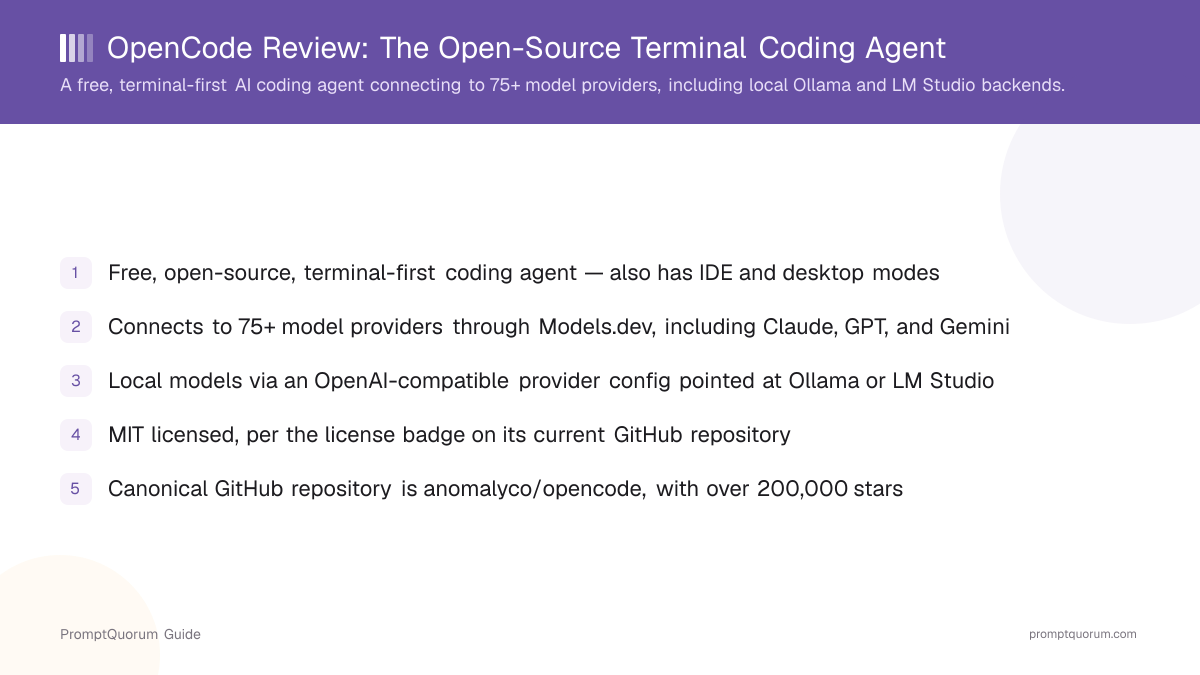
OpenCode is a free, open-source AI coding agent built terminal-first, with additional IDE and desktop modes described on its own site. It reads and edits your project's code directly, rather than only suggesting snippets to paste in.
- Product type: a terminal-native coding agent (a CLI, not a single downloadable installer app), with IDE and desktop interfaces also offered per opencode.ai
- Repository: canonically anomalyco/opencode on GitHub today; PromptQuorum's own directory research found this is a renamed/relocated repository, and flags that a separately named, unrelated smaller project uses a similar name — verify you are on the anomalyco/opencode path before installing
- License: MIT, per the license badge on the current GitHub repository page
- Scale: over 200,000 GitHub stars as of this review; OpenCode's own site also states a contributor count in the high hundreds and a monthly-developer figure in the millions — this review treats both as OpenCode's own claims rather than independently verified numbers
- Pricing model: the core agent is free and open source; OpenCode Zen is a separate, paid hosted model marketplace offered alongside it, per opencode.ai
What Does OpenCode Actually Do?
OpenCode works as an agent from your terminal: it reads your codebase, edits files directly based on your instructions, and can run in IDE or desktop modes as well, per its own site.
- Terminal-first agent: the primary interface is a command-line session inside your project directory
- IDE and desktop modes: OpenCode's own site describes additional ways to use it beyond the terminal, for developers who want it embedded in a graphical workflow
- Provider-agnostic model access: connects to 75+ model providers through Models.dev, per opencode.ai, rather than shipping with one built-in model
- Named provider integrations: OpenCode's own site lists direct support for Claude, GPT, and Gemini, plus GitHub Copilot and ChatGPT Plus/Pro account integrations
- Local model access: an OpenAI-compatible provider configuration lets you point OpenCode at a model running on your own machine — see the local-model section below for the exact configuration
- Privacy positioning: OpenCode's own site describes a "privacy-first" approach with no code storage on its servers; this review did not independently audit that claim and reports it as stated by OpenCode
How OpenCode Connects to Local Models
OpenCode supports local models by letting you define a custom provider in its configuration file that points at an OpenAI-compatible API endpoint — the same mechanism used to connect to a locally running Ollama or LM Studio server. This is not a separate "local mode" toggle; it is a general provider configuration that happens to work with any OpenAI-compatible server, local or remote.
- Configuration file: OpenCode reads a JSON config (referencing the
https://opencode.ai/config.jsonschema) where you declare a customproviderentry - Ollama: set
npmto@ai-sdk/openai-compatibleandoptions.baseURLtohttp://localhost:11434/v1— Ollama's own OpenAI-compatible API port — then list the model names you have pulled locally under that provider'smodelsobject - LM Studio: the same pattern applies with
options.baseURLset tohttp://127.0.0.1:1234/v1, LM Studio's local server address, and the model identifiers LM Studio has loaded - Per OpenCode's own documentation, if tool-calling does not work reliably with a local model, increasing Ollama's
num_ctxcontext-window setting (documentation suggests starting around 16k–32k) is the recommended fix - Because this is a generic OpenAI-compatible provider slot, the same configuration pattern should work with any other backend that exposes an OpenAI-compatible endpoint, not only Ollama and LM Studio specifically
{
  "$schema": "https://opencode.ai/config.json",
  "provider": {
    "ollama": {
      "npm": "@ai-sdk/openai-compatible",
      "name": "Ollama (local)",
      "options": {
        "baseURL": "http://localhost:11434/v1"
      },
      "models": {
        "llama2": { "name": "Llama 2" }
      }
    }
  }
}
Platform, Pricing, and Licensing
Platform
- What OpenCode states:
- Terminal-first, with additional IDE and desktop modes; runs on macOS, Windows, and Linux.
Cost
- What OpenCode states:
- The core agent is free and open source. OpenCode Zen is a separate, paid hosted model marketplace offered alongside it.
Licensing
- What OpenCode states:
- MIT, per the license badge shown on the current GitHub repository page.
Install method
- What OpenCode states:
- Per opencode.ai:
curl -fsSL https://opencode.ai/install | bash, ornpm i -g opencode-ai@latestfor an npm-based install.
Verify the current recommended install method on opencode.ai before running either command, since install instructions can change between releases.
Install OpenCode
OpenCode installs free via a shell script or npm, and its source code is on GitHub. As a terminal-based CLI agent rather than a single downloadable installer app, there is no per-OS download button — the commands below are the actual install path.
Source | Link |
|---|---|
| Official site (install instructions) | opencode.ai |
| Quick install (shell) | curl -fsSL https://opencode.ai/install | bash |
| Quick install (npm) | npm i -g opencode-ai@latest |
| GitHub repository (source code, MIT) | github.com/anomalyco/opencode |
A terminal (and, for the npm route, Node.js) is required — OpenCode has no graphical installer. Always confirm you are on the anomalyco/opencode repository linked from opencode.ai itself before installing, given this project's history of repository moves.
Who Should Use OpenCode?
OpenCode fits developers who want a terminal-based coding agent that is not locked into a single model provider, including those who want to run it against a locally hosted model.
Use OpenCode if you
- Are comfortable working from the command line and want an agent that edits your project files directly
- Want to choose your own model provider — cloud (Claude, GPT, Gemini, and others via Models.dev) or a locally hosted model via Ollama or LM Studio
- Want to avoid vendor lock-in to a single AI coding assistant's bundled model
- Are interested in trying its IDE or desktop modes in addition to the terminal, per opencode.ai
Look elsewhere if you
- Want a single graphical, all-in-one editor rather than a tool built terminal-first
- Are new to git and command-line tools and want the gentlest possible onboarding
- Need to independently verify OpenCode's stated contributor count or monthly-user figures before adopting it at scale — this review could not confirm those numbers from outside sources
- Want a long-established, single-organization track record — this project's repository has moved between GitHub organizations, per PromptQuorum's own directory research
What OpenCode Is Not Good For
OpenCode is not a good fit if you need a single, long-unchanged organizational identity, or if you need PromptQuorum-verified usage statistics rather than OpenCode's own published figures.
- Not a fixed-cost tool for cloud providers — if you connect a cloud model through Models.dev rather than a local one, your costs scale with that provider's own pricing
- Not independently benchmarked by PromptQuorum — this review is based on OpenCode's own site, documentation, and GitHub repository, not hands-on PromptQuorum testing
- Not free of organizational history to check — the canonical repository has moved between GitHub organizations, so always verify you are following the current link from opencode.ai rather than an old bookmark or search result
- Not a single downloadable installer app — if you specifically want a one-click GUI installer rather than a terminal command, this is not that kind of tool
Common Mistakes When Evaluating OpenCode
Most confusion about OpenCode comes from landing on the wrong repository, or treating its own marketing figures as independently verified facts.
Mistake 1: Installing from the wrong GitHub repository
A similarly named, unrelated smaller project exists alongside the canonical anomalyco/opencode repository. Always follow the GitHub link from opencode.ai itself rather than a search result or an old bookmark.
Mistake 2: Treating "local model support" as a one-click toggle
Local models work through a manual provider configuration pointed at an OpenAI-compatible endpoint (Ollama or LM Studio's local API), not a built-in switch. See the local-model configuration section above.
Mistake 3: Citing OpenCode's contributor or monthly-user figures as independently verified
This review reports those numbers as claims made on OpenCode's own site, since no third-party source could confirm them at the time of writing — treat them as OpenCode's own stated figures, not confirmed facts.
Mistake 4: Assuming tool-calling will work out of the box with any local model
Per OpenCode's own documentation, tool calls can fail with some local models until you increase Ollama's num_ctx context-window setting — check the current local-model troubleshooting notes on opencode.ai before assuming a local setup is broken.
Competitors and Alternatives
OpenCode is most often compared to Aider, Cline, OpenHands, and GPT Engineer — its main differentiator is combining a terminal-first agent with broad model-provider access (75+ providers via Models.dev) and explicit, documented local-model configuration for Ollama and LM Studio.
Tool | Best known for | Link |
|---|---|---|
| Aider | Terminal-native, git-centric AI pair programmer with auto-commit | Aider review |
| Cline | Open-source, autonomous agent extension for VS Code and JetBrains | Cline review |
| OpenHands | Free, open-source, self-hosted autonomous coding agent platform | OpenHands review |
| GPT Engineer | CLI tool for generating whole codebases from a natural-language spec | GPT Engineer review |
This list reflects tools commonly compared to OpenCode within the coding-agent segment, not an independent PromptQuorum ranking — verify each tool's current pricing and feature set before choosing.
Frequently Asked Questions
What is OpenCode?
OpenCode (opencode.ai) is a free, open-source, terminal-first AI coding agent, canonically hosted at anomalyco/opencode on GitHub, with additional IDE and desktop modes per its own site.
Is OpenCode free?
The core agent is free and open source (MIT licensed). OpenCode Zen is a separate, paid hosted model marketplace offered alongside it. If you connect a cloud model provider through Models.dev, you pay that provider directly.
Does OpenCode support local models?
Yes. You configure a custom provider in OpenCode's config file pointed at an OpenAI-compatible endpoint — for example Ollama's local API at http://localhost:11434/v1 or LM Studio's at http://127.0.0.1:1234/v1.
How do I install OpenCode?
Per opencode.ai: run curl -fsSL https://opencode.ai/install | bash, or install via npm with npm i -g opencode-ai@latest. Verify current install instructions on opencode.ai before running either command.
What license does OpenCode use?
MIT, per the license badge shown on its current GitHub repository page.
How many model providers does OpenCode support?
More than 75, per opencode.ai, through its integration with Models.dev, including named support for Claude, GPT, and Gemini.
Why does OpenCode's repository say anomalyco/opencode instead of another organization name?
The project's canonical GitHub repository has moved between organizations over its history. Always follow the GitHub link from opencode.ai itself to reach the current canonical repository rather than trusting an older link.
How many GitHub stars does OpenCode have?
Over 200,000 as of this review. Star counts change continuously, so check the current count directly on the anomalyco/opencode GitHub repository.
Are OpenCode's contributor and monthly-user numbers independently verified?
No. This review reports those figures as stated on OpenCode's own site; PromptQuorum could not independently confirm them from a third-party source at the time of writing.
Has PromptQuorum independently tested OpenCode's claims?
This review is based on OpenCode's own site, its documentation, and its GitHub repository, rather than hands-on benchmarking by PromptQuorum.