What Is Open Felix?
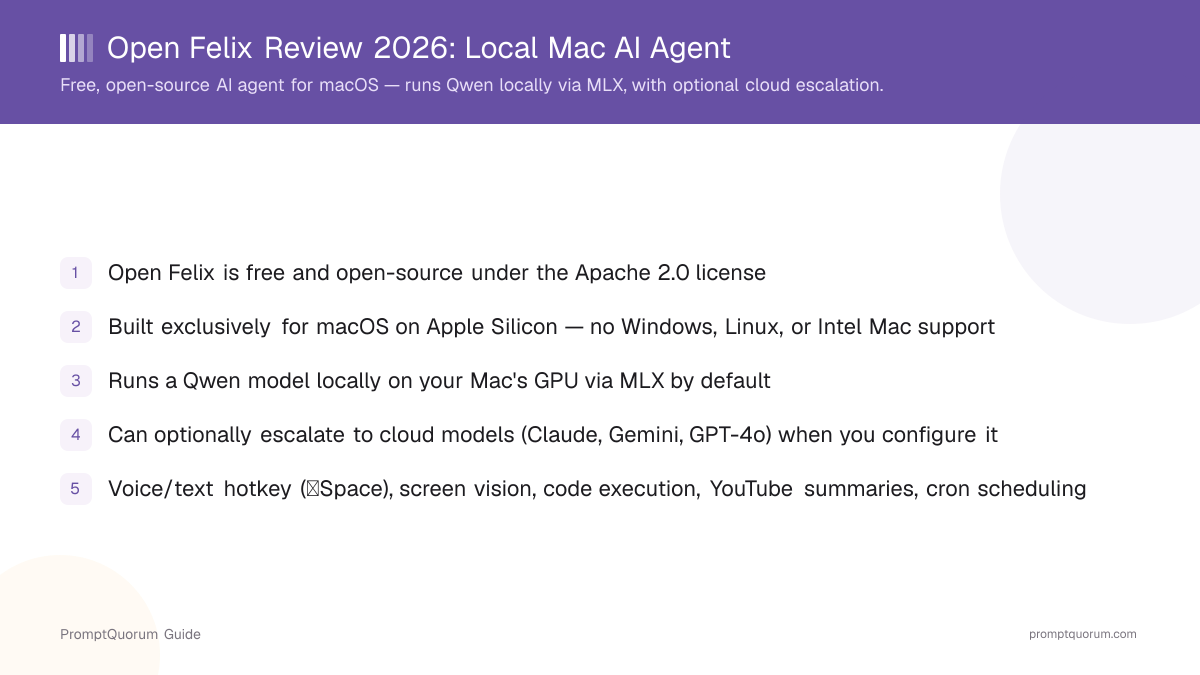
Open Felix is a free, open-source AI agent built specifically for macOS on Apple Silicon. It is released under the Apache 2.0 license, so the source is open for anyone to inspect, modify, or self-host under permissive terms. By default, it processes requests locally — running a Qwen model on your Mac's GPU through MLX, Apple's machine-learning framework for Apple Silicon.
- Free to use and open-source under the Apache 2.0 license
- Built exclusively for macOS on Apple Silicon (M-series chips) — no Windows or Linux support
- Local inference by default: runs a Qwen model on-device via MLX
- Optional escalation to cloud models (Claude, Gemini, GPT-4o) when configured — not a local-only tool
- Distributed from openfelix.com
What Can Open Felix Do?
Open Felix combines voice/text control, screen awareness, code execution, and scheduled automation in one macOS agent. Each feature is aimed at letting you delegate a task instead of switching between apps to do it yourself.
- Voice and text input via a global hotkey (⌥Space) — trigger Open Felix from anywhere on macOS without switching apps first.
- Screen vision — Open Felix can see what is currently on your screen, so you can ask about what you're looking at instead of describing it.
- Code execution — it runs code as part of completing a task, rather than only describing what code you should write.
- YouTube summaries — give it a YouTube link and get a summary back.
- Cron job scheduling — schedule recurring tasks so Open Felix runs them automatically instead of only on-demand.
- Multi-platform notifications — sends results to Telegram, WhatsApp, or Signal, so you don't have to keep the app in the foreground to see the outcome.
- OpenClaw skills ecosystem — connects to OpenClaw, an external marketplace of 50+ skills that extend what Open Felix can do beyond its built-in feature set.
Does Open Felix Run Locally or in the Cloud?
Open Felix is local-by-default, not local-only. Out of the box, it runs a Qwen model directly on your Mac's GPU using MLX, so a typical request is processed on-device. If you configure Open Felix to use a cloud model — Claude, Gemini, or GPT-4o — for specific tasks, those requests are sent to that provider instead.
- Default behavior: local inference via Qwen running on-device through MLX, using your Mac's own GPU
- Optional: cloud escalation to Claude, Gemini, or GPT-4o — but only when you configure Open Felix to use them
- This is a hybrid design, not a cloud-free one — treat "local AI agent" as describing the default path, not a guarantee that no data ever reaches a cloud provider
- If avoiding all cloud calls is a hard requirement, verify your configuration doesn't have any cloud model enabled — the option existing means it can be turned on
What Are Open Felix's Platform and License Requirements?
Open Felix runs only on macOS with Apple Silicon (M-series chips) — there is no Windows, Linux, or Intel Mac build. It is released under the Apache 2.0 license, a permissive open-source license that lets you use, modify, and redistribute the code, including for commercial purposes, as long as you preserve the required license and copyright notices.
Platform
macOS only, and only on Apple Silicon (M-series chips). Intel Macs, Windows, and Linux are not supported.
License
Apache 2.0 — a permissive open-source license. You can inspect the source, self-host it, modify it, and use it commercially, provided you keep the required license and copyright notices in place.
Cost
Free.
Who Should Try Open Felix?
Whether Open Felix fits depends on whether you use Apple Silicon, want a hybrid local/cloud agent rather than a strictly cloud-free one, and are comfortable with an open-source project rather than a commercially supported product.
Try Open Felix if
- You use a Mac with Apple Silicon (M-series) and want an agent that runs inference on-device by default
- You want voice/text control via a global hotkey, screen vision, and code execution in one tool
- You want recurring tasks handled automatically through cron scheduling rather than re-asking manually
- You want task results delivered to Telegram, WhatsApp, or Signal instead of staying inside one app window
- You are comfortable with an Apache 2.0 open-source project and want the option to inspect or self-host the code
Wait, or look elsewhere, if
- You use an Intel Mac, Windows, or Linux — Open Felix does not support any of those
- You need a strictly cloud-free tool with no option to enable cloud models — Open Felix is hybrid by design, and the cloud-escalation option exists even if you choose not to use it
- You need a commercially supported product with guaranteed maintenance rather than an open-source project
- You need documented benchmarks comparing local Qwen inference speed or quality against cloud models before deciding — this review does not include independently measured performance numbers
Common Mistakes When Evaluating Open Felix
Most confusion about Open Felix comes from treating "local" as an absolute guarantee, or assuming it runs on hardware it does not support.
Mistake 1: Assuming Open Felix is fully cloud-free
Open Felix is local-by-default, not local-only. It ships with the option to escalate specific tasks to cloud models (Claude, Gemini, GPT-4o) once you configure it. If a hard cloud-free requirement matters to you, verify your own configuration rather than assuming the default setting is the only setting.
Mistake 2: Assuming it works on any Mac
Open Felix requires Apple Silicon (M-series chips). It does not run on Intel Macs, and there is no Windows or Linux build.
Mistake 3: Treating Apache 2.0 as a support or pricing guarantee
Apache 2.0 is a permissive open-source license covering how the code can be used, modified, and redistributed. It does not by itself guarantee ongoing maintenance, a support channel, or that the project will remain free forever — those are separate questions from the license.
Mistake 4: Confusing OpenClaw with a built-in feature set
OpenClaw is an external skills ecosystem Open Felix connects to, with 50+ skills available — it extends Open Felix's capabilities beyond what ships in the base app, rather than being fully bundled with it.
Frequently Asked Questions
What is Open Felix?
Open Felix (openfelix.com) is a free, open-source AI agent for macOS on Apple Silicon. By default it runs a Qwen model locally on your Mac's GPU via MLX, and it can escalate specific tasks to cloud models when you configure it to do so.
Is Open Felix free?
Yes. Open Felix is free and released under the Apache 2.0 open-source license.
Does Open Felix run entirely locally?
By default, yes — it runs a Qwen model on-device through MLX, using your Mac's own GPU. It is local-by-default, not local-only: you can configure it to escalate specific tasks to cloud models (Claude, Gemini, or GPT-4o) as well.
What platforms does Open Felix support?
macOS on Apple Silicon (M-series chips) only. It does not support Intel Macs, Windows, or Linux.
What license is Open Felix released under?
The Apache 2.0 license — a permissive open-source license that allows commercial use, modification, and redistribution as long as the required license and copyright notices are preserved.
What model does Open Felix use locally?
A Qwen model, run on-device through MLX, Apple's machine-learning framework for Apple Silicon.
Can Open Felix see my screen?
Yes. Screen vision lets Open Felix see what is currently on your screen so you can ask about it directly.
Does Open Felix support notifications outside the app?
Yes. It can send notifications to Telegram, WhatsApp, and Signal.
What is OpenClaw?
OpenClaw is an external skills ecosystem that Open Felix connects to, offering 50+ skills that extend what the agent can do beyond its built-in features.
Can I schedule recurring tasks with Open Felix?
Yes, through cron job scheduling — you can set up tasks to run automatically on a recurring schedule instead of triggering them manually each time.