Best Local LLM UI for Viewing Reasoning Tokens in 2026
Open WebUI is the best local LLM interface for viewing reasoning tokens — it renders a model's chain-of-thought in a collapsible "Thought" section separate from the final answer, and works with Ollama and other OpenAI-compatible backends. LM Studio is the simpler choice if you want a polished desktop app with model discovery built in rather than a browser-based, self-hosted setup. Reasoning-token support still depends on the specific model and its output format, so test the model you actually plan to use before picking a tool around it.
This page contains links to third-party products for reference. PromptQuorum is not enrolled in any affiliate program — these are plain links that earn no commission. Clicking links and your next steps are entirely your own responsibility. These links do not represent any endorsement or verification by PromptQuorum.
Quick Answer
Open WebUI shows reasoning output in a collapsible section and integrates natively with Ollama. LM Studio is the simpler desktop app for beginners, with an automatic thinking-mode toggle for models downloaded through its own catalog. SillyTavern suits advanced prompt and character work rather than a clean reasoning display, Jan is a lightweight open-source alternative to LM Studio, and LibreChat adds configurable reasoning visibility for developers running multiple model providers.
- ▸Open WebUI (MIT license) renders <think> tags as a collapsible "Thought" block and connects natively to Ollama
- ▸LM Studio auto-detects a thinking toggle for catalog models; free for individuals and businesses under 5 employees
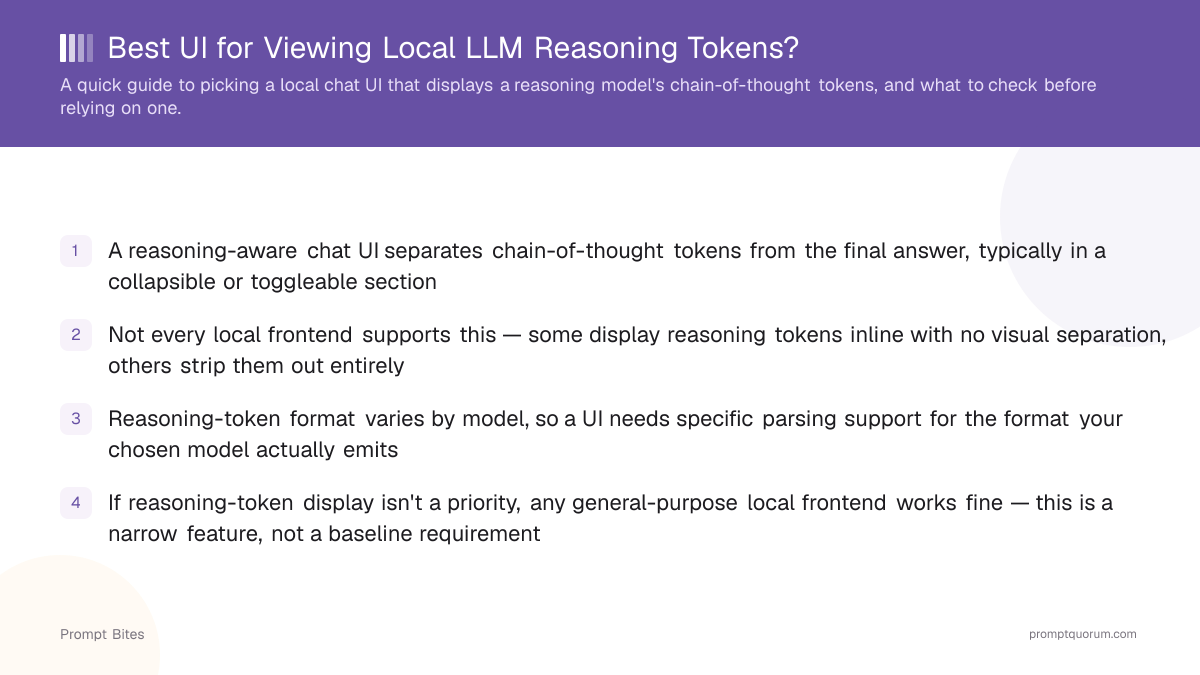
- ▸Reasoning-token format is not standardized — a UI needs specific parsing support for the tags your chosen model actually emits
Key Takeaways
- ✓Overall pick: Open WebUI — collapsible reasoning display, native Ollama support, self-hosted, MIT-licensed
- ✓Beginner pick: LM Studio — free desktop app with automatic thinking-mode detection for catalog models
- ✓Advanced prompting pick: SillyTavern — deep prompt and character control across many backends, not reasoning-display-focused
- ✓Lightweight pick: Jan — open-source desktop app, actively maintained (42,000+ GitHub stars, 5M+ downloads)
- ✓Developer pick: LibreChat — configurable reasoning visibility (thinkingDisplay) across multiple model providers
Best Local LLM UIs for Viewing Reasoning Tokens
Open WebUI, LM Studio, SillyTavern, Jan, and LibreChat are the strongest local LLM interfaces for working with reasoning-model output. Each parses chain-of-thought differently, and no two handle every model's tag format identically — the right pick depends on whether you want a self-hosted browser app, the simplest desktop setup, deep prompt control, a lightweight alternative, or developer-grade flexibility across providers.
Open WebUI is a self-hosted, browser-based interface (MIT license, 150,000+ GitHub stars) built primarily around Ollama, though it also connects to OpenAI-compatible APIs. It detects <think> tags in a model's output stream and renders them in a collapsible "Thought" block, separate from the final answer — support the project has kept actively expanding through 2026. Limitation: getting it running takes more setup than installing a desktop app, typically Docker or a Python environment plus a backend like Ollama. Best for: self-hosting, browser access from multiple devices, and Ollama-based setups.
LM Studio is a free desktop app for Windows, macOS, and Linux that bundles model discovery, downloading, and chat in one interface. For models downloaded through its own catalog, it automatically exposes a "Thinking" toggle — Qwen-family models expose it as a simple on/off switch, while models like GPT-OSS and Gemma expose multiple reasoning-effort levels instead. It is free for individuals and organizations under 5 employees; larger organizations need a commercial license. Limitation: the automatic reasoning toggle is more reliable for catalog models than for GGUF files imported from elsewhere. Best for: the fastest path from download to chat, with no server or Docker setup.
SillyTavern (AGPL-3.0, 24,800+ GitHub stars) is a highly configurable frontend built around prompt presets, character cards, and lorebooks, connecting to KoboldAI, Ollama, OpenAI-compatible APIs, and most other backends from one interface. It is a legitimate option for inspecting reasoning output, but its real strength is prompt and context control, not a clean reasoning-display experience out of the box. Limitation: the interface has a steeper learning curve than a general-purpose chat app. Best for: prompt engineering, character-based workflows, and testing how prompts change model behavior.
Jan is a free, open-source desktop app from Menlo Research (42,000+ GitHub stars, 5M+ downloads) positioned as a privacy-first alternative to LM Studio. Whether it displays reasoning output cleanly for a given model depends on that model's chat template — as with every tool here, test the specific model you plan to run rather than relying on the app's general feature list. Best for: users who want an open-source alternative to LM Studio with a similarly simple desktop workflow.
LibreChat (MIT license) is a self-hosted, multi-provider chat platform aimed at developers. Its "thinkingDisplay" setting, added in Config v1.3.9, lets you control whether reasoning content is shown — useful for Anthropic's extended-thinking models and other providers with structured reasoning fields, alongside local backends. Limitation: it is built for developers comfortable configuring a YAML config file and running a self-hosted service, not a plug-and-play desktop app. Best for: developers running multiple model providers side by side who want fine control over reasoning visibility.
Avoid relying on a UI's general marketing claims about reasoning support. Test the exact model, backend, and chat template you plan to use — a tool can parse one model's reasoning format perfectly and fail to recognize another's.
Skip specialized reasoning-display tooling entirely if you only care about a model's final answer — any general-purpose local chat frontend works fine for that, and none of the tools above are necessary just to get an answer out of a reasoning model.
Open WebUI vs. LM Studio
Both are free, but they target different setups. Open WebUI trades easy installation for self-hosted flexibility; LM Studio trades some of that flexibility for a single-installer desktop experience.
| Feature | Open WebUI | LM Studio |
|---|---|---|
| Reasoning display | Collapsible "Thought" block | Auto toggle (catalog models) |
| License / cost | MIT, free, self-hosted | Free <5 employees, paid for larger orgs |
| Setup | Docker/Python + a backend | Single installer |
| Ollama integration | Native | Via local server / API |
| Access | Browser, multi-device | Desktop-first |
| Best for | Self-hosting, power users | Beginners, fastest setup |
What to Check Before Buying Hardware for Reasoning Models
Reasoning models generate extra "thinking" tokens before their final answer, which means more total tokens per response than a non-reasoning model — that increases both response time and memory pressure. The UI is only one part of a usable reasoning setup; the hardware underneath it matters just as much.
For a dedicated always-on setup, see our full guide: [Best Mini PC for an Always-On Ollama Server](/prompt-bites/best-mini-pc-for-ollama-server-always-on).
- ▸RAM or unified memory: more memory lets you run larger quantized models without swapping to disk.
- ▸GPU VRAM or Apple Silicon memory bandwidth: this determines how fast the extra reasoning tokens actually generate, not just whether a model loads at all.
- ▸Storage: reasoning-capable models are not smaller than their non-reasoning counterparts — budget the same multi-gigabyte-per-model storage.
- ▸Sustained cooling: a long reasoning pass keeps a laptop or mini PC under load longer than a typical short response, which matters more for thermal throttling than burst performance does.
- ▸Context length: long conversations plus verbose reasoning output both consume the same context window — budget more headroom than you would for a non-reasoning model.
How to Test Reasoning Display Before Committing to a UI
Test the same model and prompt across each candidate UI. This isolates UI behavior from model behavior, since a model that reasons well can still be poorly parsed by one particular frontend.
Our Verdict
Open WebUI is the strongest overall pick for viewing local LLM reasoning tokens — its collapsible reasoning display, native Ollama integration, and browser access cover the widest range of setups. LM Studio is the better choice if you want the fastest path from download to chat without running a server. SillyTavern is worth it only if prompt and character control matter more to you than a clean reasoning-display experience out of the box, and LibreChat is the developer-oriented option once you are running multiple model providers side by side.
Whichever you pick, the deciding factor stays the same: test the specific model, backend, and chat template you actually plan to use, since reasoning-token format is not standardized across models.
Related Reading
- ▸Best Frontend for Ollama — a broader frontend comparison beyond reasoning display
- ▸Ollama vs LM Studio — command-line vs. desktop-app tradeoffs
- ▸Best Mini PC for an Always-On Ollama Server — hardware for running reasoning models locally