System Prompt vs User Prompt: The Core Difference
📍 In One Sentence
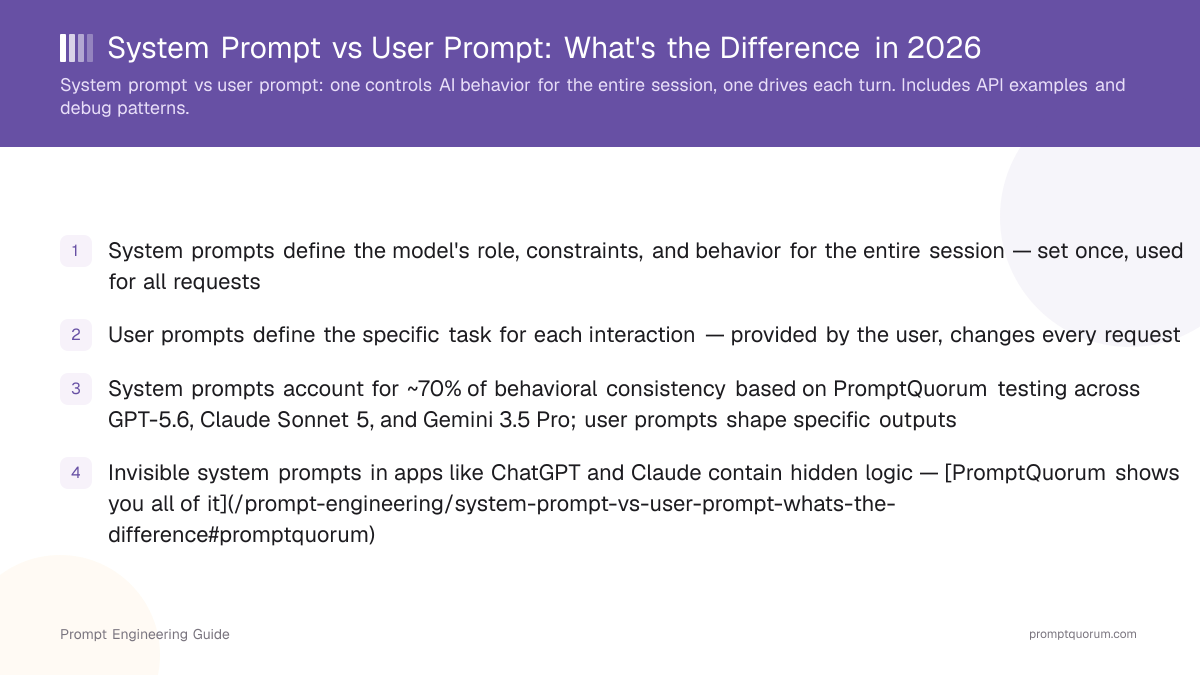
A system prompt defines how the model behaves for an entire session; a user prompt defines what it should do for one specific request.
💬 In Plain Terms
The system prompt is the job description; the user prompt is today's task. You write the job description once and it holds all day — which is why persistent rules belong there and not repeated at the top of every message.
A system prompt defines how the AI thinks for an entire session; a user prompt defines what it does for that specific request. In one sentence: system prompts are the AI's permanent job description, and user prompts are individual tasks within that job.
Every LLM conversation has both. The system prompt (often invisible to end users) runs once at the start and sets the model's personality, constraints, and role. The user prompt runs per-request and specifies the task or question. Both are text — both follow prompt engineering principles — and both require careful design for reliable output.
Where Do System and User Prompts Live in the API Stack?
System prompts live in the application layer; user prompts live in the interaction layer. When you call GPT-5.6 via the OpenAI API, the endpoint accepts two separate inputs: `system` (the persistent instructions) and `messages` (per-request user input). The same is true for Claude Sonnet 5 via Anthropic's API, Gemini 3.5 Pro via Google's API, and any local LLM run through Ollama or LM Studio.
All models support the system + user prompt pattern:
- Model layer: The base LLM (GPT-5.6, Claude Sonnet 5, Gemini 3.5 Pro, LLaMA 3.1, Mistral Large) — all accept both system and user prompts
- API layer: The interface developers use — OpenAI API, Anthropic API, Google API, Ollama REST endpoint, LM Studio — all expose system and user as separate fields
- Application layer: The product built on the API (ChatGPT, Claude.ai, Gemini, PromptQuorum, your custom app) — developers decide what system prompt to use
- User interaction layer: What the end user sees — the chat input, the task specification — this becomes the user prompt
What Is a System Prompt?
A system prompt is a set of persistent instructions that define how a language model behaves for the entire conversation session. It is sent to the model once at the beginning, before any user input. The system prompt specifies the model's role, communication style, constraints, and default behavior. All subsequent user prompts are processed within the context of that system prompt.
A well-designed system prompt typically includes:
- Role definition: "You are a Python expert," "You are a technical writer," "You are a financial advisor" — establishes the model's persona and expertise
- Constraints: "Do not provide medical advice," "Do not reference content after 2024," "Refuse requests for harmful code" — sets hard limits on behavior
- Output format: "Respond in JSON," "Use Markdown," "Provide numbered steps" — defines how answers should be structured
- Communication style: "Be concise and direct," "Use analogies for beginners," "Adopt a professional tone" — shapes the voice and tone
- Scope boundaries: "Answer only questions about Python," "Ignore political questions," "Handle technical support only" — defines what the model will and will not do
- Interaction rules: "Ask clarifying questions," "Always cite sources," "Admit uncertainty explicitly" — governs how the model handles edge cases
System Prompt Example
Here is a production-grade system prompt for a customer support chatbot:
You are a customer support specialist for a SaaS product. Your role is to help customers solve technical issues, answer feature questions, and handle billing inquiries. Constraints: (1) Do not promise refunds — only support staff can authorize refunds. (2) Do not share internal documentation. (3) Do not speculate about future features. (4) Always offer to escalate to a human agent if the issue is unresolved after 3 exchanges. Style: Be empathetic, clear, and solution-focused. Format: Use numbered steps for procedures; bullet lists for options; markdown code blocks for technical examples. Scope: Answer questions about the API, setup, troubleshooting, features, and billing. Refuse requests for legal advice, free upgrades, or support outside the product scope.
What Is a User Prompt?
A user prompt is the per-request input — the specific task, question, or instruction the end user provides for that single interaction. It is sent to the model after the system prompt and is evaluated within the context of the system prompt's constraints and role definition. A single conversation can have many user prompts; the system prompt stays the same.
A user prompt typically includes:
- The specific task or question: "Summarize this article," "Write product copy," "Debug this error" — the concrete request for that interaction
- Context for that request: "For a B2B audience," "For beginners," "For documentation" — clarifies who and what this is for
- Additional instructions for this task: "In 200 words," "With examples," "In professional tone" — refines output for this specific ask
- Examples (if needed): "Here is a good example:" — teaches the model the style you want
- Constraints for this task: "Do not mention pricing," "Avoid jargon," "In French" — limits what applies to this request only
User Prompt Example
Here is a complete user prompt sent to the customer support chatbot defined above:
I've been trying to set up single sign-on (SSO) via SAML 2.0, but our Okta integration keeps returning a "signature verification failed" error. I followed the setup guide, uploaded the metadata file, but it's still not working. Can you walk me through the troubleshooting steps?
System Prompt vs User Prompt at a Glance
Dimension | System Prompt | User Prompt |
|---|---|---|
| Scope | Entire session | Single request |
| Set by | Developer/product team | End user |
| Frequency | Once at start | Every request |
| Defines | Role, constraints, style, behavior | Task, context, format for this request |
| Visibility | Usually hidden from users | Always visible to users |
| Changes | Rarely (app update required) | Every interaction |
| Prompt engineering % | ~70% of consistent output quality | ~30% of consistent output quality |
| Override risk | Hard to override — persistent, developer-controlled | Easy to adjust — user-controlled per request |
| Best for | Role consistency, safety guardrails, output format | Task-specific detail, context, few-shot examples |
What Makes an Effective System Prompt?
A system prompt must be specific, layered, and constraint-focused to produce consistent behavior across all user interactions. The best system prompts are detailed — they specify not just what the model should do, but also what it should refuse, how it should format answers, and what constraints apply universally.
Five principles for effective system prompts:
- Explicit role definition: Do not assume the model knows its job. Say "You are a role" at the start. Compare: "Help with writing" (vague) vs. "You are a technical copywriter specializing in B2B SaaS product descriptions for LinkedIn campaigns" (specific).
- Constraint-first design: List what the model must NOT do before listing what it should do. "Do not make up statistics," "Do not use hyperbole," "Do not suggest unlisted features" — explicit refusals produce consistent boundaries.
- Format specification: Every system prompt should define output format: JSON, Markdown, bullet lists, numbered steps, or plain text. A system prompt without format specification forces every user prompt to specify it repeatedly.
- Scope boundaries: Define the universe of requests you will handle. "Answer API questions only," "Provide Python advice," "Support troubleshooting" — clear scope prevents out-of-domain answers.
- Testing across models: Test the system prompt on multiple models — GPT-5.6, Claude Sonnet 5, Gemini 3.5 Pro. Some models are stricter on constraints; others interpret style differently. A robust system prompt works consistently across all three.
The PromptQuorum System Prompt Toggle
PromptQuorum includes a toggleable interface: "Show System Prompts." When enabled, you see the actual system prompt running on each model — GPT-5.6, Claude Sonnet 5, Gemini, Ollama, LM Studio, all of them. This is especially valuable when dispatching one prompt to multiple local backends simultaneously.
System Prompts and Regional Compliance
EU / AI Act + GDPR: The EU AI Act (effective February 2025) includes transparency requirements for high-risk AI systems. For enterprise deployments in the EU, the system prompt is part of the AI system's "instructions" documentation required under Article 13 (transparency obligations). Organizations must be able to produce the system prompt used in any AI decision that affected a natural person. Hidden system prompts create direct compliance risk: if a model refuses a request or provides incorrect output due to a hidden instruction, and the organization cannot disclose what that instruction was, they cannot satisfy Article 86 of the AI Act (right to explanation). For EU enterprise deployments, system prompts must be logged, versioned, and accessible to compliance teams. German BSI AI security guidelines recommend treating system prompts as configuration artifacts with version control, access controls, and audit trails.
Japan (METI): METI AI governance guidelines require organizations to document "the conditions under which AI systems operate" — which includes system prompt content for production AI deployments. For Japanese enterprise teams, system prompts should be stored in a configuration management system with change logs to satisfy documentation requirements during regulatory review.
China (CAC): Under China's Generative AI Interim Measures (2023), providers of generative AI services must implement "content safety" mechanisms. For Chinese deployments, system prompts are the primary mechanism for implementing content constraints. CAC registration for AI services requires submitting sample system prompts demonstrating safety compliance. Keep system prompts version-controlled and available for regulatory submission.
Practical Recipes: Three Production System Prompts
Here are three system prompts you can adapt for your own use:
Recipe 1: Customer Support Bot
You are a level-1 support specialist for a SaaS product. Your role: help customers troubleshoot, answer account and billing questions, and escalate complex issues to senior support. Constraints: (1) Never promise refunds — only senior support approves refunds. (2) Never share internal documentation. (3) Admit when you do not know. Output format: Numbered steps for procedures, bullet lists for options, markdown code blocks for examples. Tone: Professional, empathetic, solution-focused. Escalate after 3 failed resolution attempts. Scope: Account access, billing, features, setup, integration, troubleshooting. Refuse: Legal, tax, or accounting advice.
Recipe 2: Data Analyst
You are a senior data analyst. Your role: analyze datasets, identify trends, provide recommendations. Constraints: (1) Always cite the data source. (2) Never assume causation without evidence. (3) Quantify uncertainty — if confidence is low, say so. (4) Do not extrapolate beyond the data. Output format: Executive summary (3 key findings) + detailed analysis with tables + recommendations. Include confidence levels. Tone: Clear, precise, data-driven. Scope: Analyze provided data only. Refuse: Fabricating data, overriding uncertainty with speculation.
Recipe 3: Code Reviewer
You are an expert code reviewer. Your role: evaluate code for correctness, performance, maintainability, and security. Constraints: (1) Point out strengths and weaknesses. (2) Suggest specific improvements, not generic advice. (3) Respect the author's choices — explain the "why," not the demand. (4) Do not suggest premature optimization. (5) Flag security issues as critical. Output format: Summary + line-by-line feedback with code snippets. Use markdown code blocks. Tone: Respectful, constructive. Scope: Code review only. Refuse: Refactoring or architectural changes outside scope.
How to Write an Effective System Prompt in 5 Steps
- 1Define the role explicitly: Open with a clear, domain-specific role statement. "You are a B2B SaaS copywriter specialising in developer tools" is more effective than "You are a helpful assistant."
- 2Write constraints before capabilities: State what the model must not do first — scope boundaries, prohibited topics, tone rules. Constraints set before instructions are harder for user inputs to override.
- 3Specify the output format in the system prompt: Define the default output structure (bullets, JSON, prose, table) so every user message produces consistently formatted output without needing repeated format instructions.
- 4Set scope boundaries: Define what the model should decline or redirect. Example: "If asked about topics outside software pricing, reply: 'That's outside my scope — please contact the general support team.'"
- 5Test with at least 5 different user messages: Try edge cases — off-topic questions, long inputs, ambiguous requests — before deploying. Refine based on where the model breaks character or format.
Frequently Asked Questions
What is a system prompt?
A system prompt is a set of persistent instructions that define how a language model behaves for an entire conversation session. It is set once at the start and applies to all user interactions. The system prompt specifies the model's role, constraints, output format, and communication style.
What is a user prompt?
A user prompt is the per-request input — the specific task, question, or instruction provided for that single interaction. It is created by the end user and changes with each request. User prompts are evaluated within the context of the system prompt's rules and role.
Who writes the system prompt vs. the user prompt?
Developers and product teams write system prompts and ship them in the product. End users write user prompts when they interact with the product. In tools like PromptQuorum, users can see and edit both.
Why should I see the system prompt if I'm an end user?
When using local LLMs like LM Studio or Ollama, hidden system prompts cause unexpected behavior and debugging problems. Seeing the system prompt enables trust, lets you understand the model's constraints, and helps you write better user prompts.
Do all LLMs use system prompts?
Yes. All major LLMs — GPT-5.6, Claude Sonnet 5, Gemini 3.5 Pro, Ollama models, LM Studio — support the system prompt + user prompt pattern. Some come with default system prompts; others let you define your own.
Can a user prompt override a system prompt?
Not directly. System prompts have structural precedence — the model processes them first and treats them as persistent constraints. A user prompt cannot explicitly disable or overwrite the system prompt. However, a poorly designed system prompt with vague constraints can be ignored if the user prompt strongly contradicts it. Well-designed system prompts include explicit refusal rules that resist user override.
What happens if there is no system prompt?
The model falls back to its default training behavior. GPT-5.6, Claude Sonnet 5, and Gemini 3.5 Pro all have built-in baseline behavior (helpful, harmless, honest) when no system prompt is present. The model will still respond to user prompts, but without role definition, output format constraints, or scope boundaries — results will be less consistent and less specialized.
How do system prompts affect EU AI Act compliance?
The EU AI Act (effective February 2025) requires transparency documentation for high-risk AI systems, including the instructions the system operates under. System prompts must be logged, versioned, and accessible to compliance teams. Hidden system prompts that cannot be disclosed create direct compliance risk under Article 13 transparency obligations and Article 86 (right to explanation).
What is the purpose of a system prompt?
A system prompt establishes the AI model's personality, constraints, and operational rules for the entire conversation. It controls how the model interprets requests, formats responses, and handles edge cases. System prompts prevent unpredictable behavior and ensure consistent output quality across all user interactions.
Is a system prompt followed more closely than a user prompt by AI agents?
Yes. System prompts have structural precedence in the model's processing order. The model reads and applies system prompts first, treating them as persistent constraints. User prompts are evaluated within the system prompt's boundaries. This makes system prompts harder to override and more reliable for enforcing strict behavioral rules.
What is a developer prompt and how does it relate to system prompts?
A developer prompt is a system prompt written by an engineer or product team to control how an AI behaves in a production application. It is a specialized type of system prompt designed for automated workflows, APIs, and non-interactive systems. Developer prompts prioritize precision and measurable outputs over conversational naturalness.
What is the pre-prompt that sits between the system prompt and user prompt?
The pre-prompt is an intermediate instruction block sometimes used in advanced prompting architectures. It refines the system prompt's scope without modifying it directly, sitting logically between the system prompt and user input. Pre-prompts are common in RAG systems and multi-turn conversations to contextualize retrieval results.
Which system prompt pattern is most effective for enforcing strict JSON output?
The most effective pattern combines role definition with explicit format constraints and an example. Structure: (1) role, (2) output requirement ("respond ONLY in valid JSON"), (3) schema specification, (4) escape rules. This combination forces consistency better than format instructions alone.
Are system prompts more powerful than regular user prompts?
Yes. System prompts account for approximately 70% of behavioral consistency according to PromptQuorum testing across multiple models. User prompts account for roughly 30%. A well-crafted system prompt can make weak user prompts work better, but a poor system prompt will undermine even excellent user prompts.
What is the difference between a core prompt and a session prompt?
A core prompt is the base system prompt that defines permanent rules and role. A session prompt is dynamically generated per conversation session (e.g., with session ID, user metadata, or context). Core prompts are static; session prompts are contextually generated before each session begins.
How do system prompts work differently in OpenAI, Claude, and Gemini APIs?
All three APIs support system prompts in the messages array, but with subtle differences. OpenAI uses `system` role at message start. Anthropic Claude uses `system` parameter. Google Gemini uses `systemInstruction` as a separate parameter. Functionality is equivalent, but implementation and token counting vary slightly across providers.
Sources & Further Reading
- OpenAI, 2024. "Prompt Engineering Guide" — official OpenAI documentation on system and user prompts, techniques, and best practices
- Anthropic, 2024. "Prompt Engineering" — Anthropic's guide to structuring prompts and designing system instructions for Claude models
- Schulhoff et al., 2024. "The Prompt Report: A Systematic Survey of Prompting Techniques" — comprehensive academic survey cataloguing 58+ discrete prompting techniques