헤드리스란 무엇입니까?
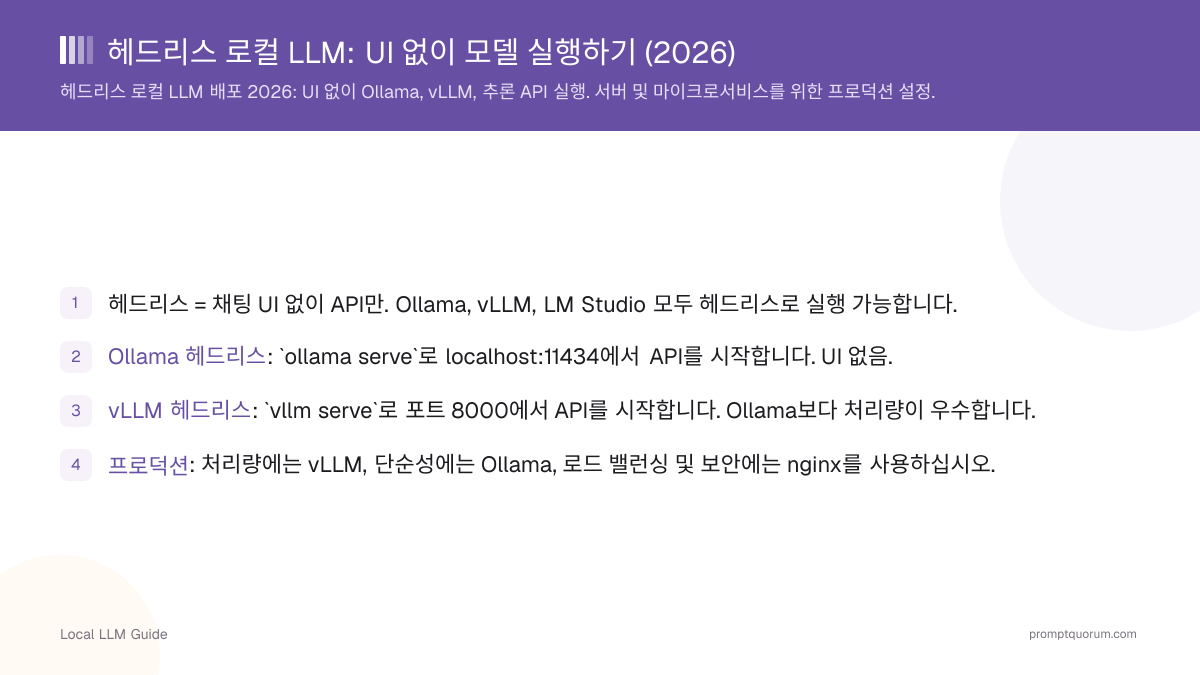
헤드리스란 소프트웨어가 그래픽 사용자 인터페이스 없이 서비스로 실행되는 것을 의미합니다. 버튼을 클릭하는 대신 API 호출(REST, gRPC)을 통해 상호작용합니다.
장점: 더 가벼운 리소스 사용(UI 오버헤드 없음), 자동화가 용이함, 서버에 적합함, 확장이 더 쉬움.
단점: 시각적 피드백 없음, API 지식 필요, 로그 없이 디버깅이 어려움.
Ollama를 헤드리스로 실행하는 방법은?
Ollama는 순수 API 서비스로 실행할 수 있습니다:
# Run Ollama headless
ollama serve

# This starts the API at http://localhost:11434/v1
# No chat UI, just a background service

# Use the API from Python
from openai import OpenAI
client = OpenAI(base_url="http://localhost:11434/v1", api_key="ollama")
response = client.chat.completions.create(
  model="llama3.2:3b",
  messages=[{"role": "user", "content": "Hello"}]
)
print(response.choices[0].message.content)

# Or from curl
curl http://localhost:11434/v1/chat/completions \
  -H "Content-Type: application/json" \
  -d '{{"model": "llama3.2:3b", "messages": [{{"role": "user", "content": "Hello"}}]}}'
vLLM을 헤드리스로 실행하는 방법은?
vLLM은 헤드리스, 고처리량 배포에 최적화되어 있습니다:
# Install vLLM
pip install vllm

# Run headless with API
vllm serve llama-3.1-8b-instruct \
  --host 0.0.0.0 \
  --port 8000 \
  --gpu-memory-utilization 0.9

# Access at http://localhost:8000/v1
# Supports 50+ concurrent requests

# Use from Python (same as Ollama)
from openai import OpenAI
client = OpenAI(base_url="http://localhost:8000/v1", api_key="anything")
response = client.chat.completions.create(
  model="meta-llama/Llama-2-7b-chat-hf",
  messages=[{"role": "user", "content": "Hello"}]
)
print(response.choices[0].message.content)
프로덕션 배포 방법은?
1. 고처리량(동시 사용자 50명 이상)에는 vLLM을 사용하십시오.
2. 단순성(단일 사용자 또는 소규모 팀)에는 Ollama를 사용하십시오.
3. 로드 밸런싱 및 인증을 위해 nginx 역방향 프록시를 추가하십시오.
4. GPU 메모리를 모니터링하십시오 -- 모델이 VRAM의 80%를 초과하지 않아야 합니다.
5. 로깅을 설정하십시오 -- 오류 및 성능을 추적하십시오.
6. 서비스 관리에는 systemd 또는 Docker를 사용하십시오(충돌 시 자동 재시작).
# Example: Deploy vLLM on a server via Docker
docker run --gpus all -p 8000:8000 \
  --env VLLM_API_KEY="your-secret-key" \
  vllm/vllm-openai:latest \
  --model meta-llama/Llama-2-13b-chat-hf \
  --tensor-parallel-size 2  # Use 2 GPUs

# Nginx reverse proxy config (optional)
# server {
#   listen 80;
#   location / {
#     proxy_pass http://localhost:8000;
#     proxy_set_header Authorization "Bearer $http_authorization";
#   }
# }
헤드리스 배포를 모니터링하는 방법은?
GPU 메모리, 요청 지연 시간, 오류율을 모니터링하십시오:
# Monitor GPU usage (nvidia-smi)
watch nvidia-smi  # Updates every 2 seconds

# Monitor request latency
# Add logging to your client code
import time
start = time.time()
response = client.chat.completions.create(...)
latency = time.time() - start
print(f"Request took {latency:.2f} seconds")

# Monitor vLLM logs
docker logs -f <container_id>

# Check error rates
# Parse logs for errors or use a monitoring tool (Prometheus + Grafana)
헤드리스 배포의 흔한 실수
- VRAM을 모니터링하지 않음. 모델이 조용히 메모리를 소진할 수 있습니다. 프로덕션에 배포하기 전에 GPU를 모니터링하십시오.
- 인증 없이 API 노출. 헤드리스 서비스는 종종 네트워크에 노출됩니다. 항상 인증(API 키, 방화벽)을 추가하십시오.
- 리소스 제한 미설정. 모델이 GPU를 100% 사용하여 다른 작업을 차단할 수 있습니다. vLLM에서 `--gpu-memory-utilization`을 사용하십시오.
- Ollama가 100명 이상의 사용자를 처리할 것으로 기대함. 높은 동시성에는 vLLM을 사용하십시오. Ollama는 소수의 동시 사용자만 처리할 수 있습니다.
- 장애 조치 테스트 미실시. 모델 서버가 충돌하면 요청이 중단됩니다. 로드 밸런서와 상태 검사를 사용하십시오.
헤드리스 배포에 대한 자주 묻는 질문
Ollama와 vLLM이 동일한 GPU에서 실행될 수 있습니까?
동시에는 실행할 수 없습니다. 두 도구가 VRAM을 두고 경쟁합니다. 하나만 실행하거나 여러 GPU를 사용하십시오.
API를 인터넷에 노출하는 것이 안전합니까?
인증 없이는 안전하지 않습니다. 항상 API 키, 방화벽, 또는 역방향 프록시를 앞에 배치하십시오. localhost:11434를 직접 노출하지 마십시오.
Ollama는 몇 명의 동시 사용자를 처리할 수 있습니까?
큐잉 없이 일반적으로 1-3명입니다. 더 많은 사용자를 위해서는 vLLM을 사용하거나 요청 큐잉을 추가하십시오.
Ollama와 vLLM의 성능 차이는 무엇입니까?
단일 요청: 유사한 속도. 여러 동시 요청: vLLM이 요청을 일괄 처리하기 때문에 5-10배 더 우수합니다.
출처
- Ollama GitHub -- github.com/ollama/ollama
- vLLM GitHub -- github.com/vllm-project/vllm
- vLLM 배포 가이드 -- docs.vllm.ai/en/serving/deploying_with_docker.html
- Ollama API 문서 -- github.com/ollama/ollama/blob/main/docs/api.md