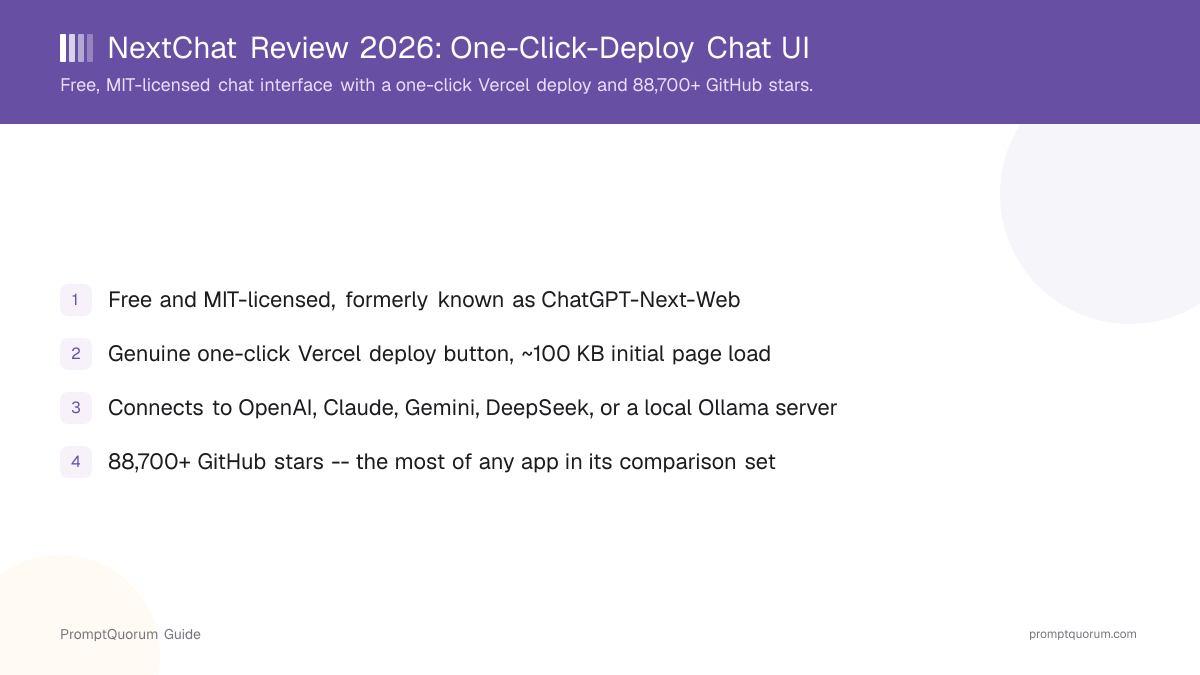
Quick Facts: NextChat
- License: Plain MIT -- fully open source, free to self-host, modify, and redistribute, with no separate commercial license required
- Platforms: Self-hosted web app (Docker, Vercel) plus native apps for Windows, macOS, Linux, iOS, and Android
- Website: nextchat.club
- GitHub: github.com/ChatGPTNextWeb/NextChat -- 88,700+ stars as of September 2026
- Maintainer: The ChatGPTNextWeb open-source community project
- Cost: Free to self-host; Enterprise Edition on request, pricing not published
- Core function: Lightweight chat interface for multiple model providers with a one-click deploy and local-first storage
What Is NextChat?
NextChat is a free, open-source chat interface you self-host, giving you one window to talk to any of several connected model providers. You deploy it with the one-click Vercel button, run it as a Docker container on your own server, or build it from source -- there is no hosted, maintainer-run cloud version to sign into.
It does not train or run models on its own. Instead, it is a front end that talks to whichever provider you add an API key for -- OpenAI, Anthropic Claude, Google Gemini, or DeepSeek out of the box -- or to a self-hosted backend such as Ollama or LM Studio by setting a custom BASE_URL to an OpenAI-compatible endpoint.
What sets NextChat apart from a standard chat window is deployment speed and footprint: a genuine one-click Vercel deploy button clones the repository into your own Vercel account and has it live in under two minutes, and the app itself loads in roughly 100 KB, noticeably smaller than most comparable self-hosted chat interfaces. On top of that, it ships native builds for five platforms, PWA install support, and local-first conversation storage in the browser by default.
History and Development
NextChat is maintained by the ChatGPTNextWeb open-source community project rather than a single company, and it started life as ChatGPT-Next-Web, one of the earliest self-hosted wrappers around the OpenAI API to gain wide adoption after ChatGPT's public launch.
The project's public GitHub history shows the codebase later renamed to NextChat while keeping the original repository lineage, and adding support for more model providers over time -- Anthropic Claude, Google Gemini, and DeepSeek joined the original OpenAI-only integration, alongside custom OpenAI-compatible endpoints for self-hosted backends.
A significant point for anyone evaluating NextChat commercially is the license. It ships under the plain MIT license, with no separate commercial-distribution clause -- you can self-host, modify, and redistribute it, including commercially, without contacting the maintainers for a separate license. The latest tagged release on GitHub as of this review is v2.16.1; verify the current tag before deploying, since release cadence varies.
What Can You Actually Do With NextChat?
- Chat with OpenAI, Anthropic Claude, Google Gemini, or DeepSeek out of the box. Add an API key for any of the four, or point NextChat at a local Ollama or LM Studio server via a custom BASE_URL.
- Deploy in under two minutes with one click. The Vercel deploy button in the GitHub README clones the repository into your own Vercel account and asks only for an API key and an access code.
- Use it on five platforms. Beyond the self-hosted web app, NextChat ships native builds for Windows, macOS, Linux, iOS, and Android.
- Install it like a native app with PWA support. Add the web app to a phone or desktop home screen without going through an app store.
- Keep conversation history local by default. Chats are stored in the browser rather than on a NextChat-operated server, since there is no hosted cloud version.
- Restrict access with a password. Set the CODE environment variable to require an access code before anyone can use a deployed instance.
- Run it fully offline against a local model. Point the BASE_URL at Ollama, LM Studio, or another OpenAI-compatible self-hosted backend for zero cloud dependency.
Get Started: Deploy NextChat
NextChat is not a per-OS downloadable desktop app with a hosted maintainer-run version -- it is a self-hosted web application, with separate native app builds. Here are the official ways to run it, from the GitHub repository:
- 1. Fastest: one-click Vercel deploy. Click the Deploy with Vercel button in the GitHub README, set the `OPENAI_API_KEY` and `CODE` environment variables, and the app is live on your own Vercel URL within a couple of minutes -- no server to manage.
- 2. Recommended self-host option: run it with Docker. `docker run -d -p 3000:3000 -e OPENAI_API_KEY=sk-xxxx -e CODE=your-password yidadaa/chatgpt-next-web` -- then open `http://localhost:3000`.
- 3. Set an access code before exposing it publicly. The `CODE` environment variable acts as a shared password -- without it, anyone who finds the deployed URL can spend against your API key.
- 4. Point it at a local model instead of a cloud API. Set `BASE_URL` to your local Ollama or LM Studio server address, or any other OpenAI-compatible endpoint.
- 5. Or download a native build. Prebuilt desktop and mobile apps for Windows, macOS, Linux, iOS, and Android are linked from the GitHub README, for people who do not want to self-host a web instance at all.
- Full documentation, environment-variable reference, and the current deploy buttons (Vercel, Zeabur, Gitpod) are maintained in the GitHub repository.
Pricing: Free Self-Hosted, Enterprise on Request
NextChat is free and open source at its core, with no self-serve paid consumer tier. The only paid offering is an Enterprise Edition aimed at organizations, not individuals.
- Free (self-hosted): The full MIT-licensed source -- chat, native apps, PWA install, local storage -- is free to run yourself, with zero usage fee from NextChat itself. You provide your own API keys or local backend, which you pay for (or run) separately.
- No self-serve hosted tier: Unlike some competing chat interfaces, NextChat has no maintainer-run hosted cloud version with its own free or paid consumer plan -- every deployment is one you run yourself or one an organization runs privately.
- Enterprise Edition: A private-deployment offering for organizations, adding brand customization, centralized resource and permission management across a company's AI configurations, a shared knowledge base, security auditing of conversation history, and private-cloud deployment support. Pricing is not published and requires contacting the team.
- No evidence of an affiliate or referral program for NextChat as of September 2026.
NextChat vs LobeChat vs Big-AGI vs Open WebUI: Which One?
All four are chat interfaces for models you connect yourself, but each was built around a different center of gravity.
Tool | Best for | Self-hosted | Deploy speed | License |
|---|---|---|---|---|
| NextChat | Fastest possible deploy, smallest footprint | Yes (Docker/Vercel) or native app | One-click Vercel, ~100 KB load | MIT |
| LobeChat | Polished UI, agent builder, plugin marketplace | Yes (Docker/Vercel/Zeabur) | One-click Vercel | LobeHub Community (Apache-based) |
| Big-AGI | Comparing several models on one prompt (Beam) | Yes (Docker/Vercel) or hosted | One-click Vercel or Docker | MIT |
| Open WebUI | Multi-user front end tightly tied to Ollama | Yes (Docker/pip) | Docker only, no Vercel button | Open WebUI License (BSD-derived) |
For a wider five-way look including Page Assist and Chatbox, see LobeChat vs Big-AGI vs NextChat vs Page Assist vs Chatbox. For the full catalog, see the Local LLM Software Directory.
Who Should Use NextChat?
NextChat fits people who want the fastest possible path from zero to a private, multi-provider chat interface, without a plugin ecosystem to configure.
- ✅ You want the fastest possible self-hosted deploy -- one Vercel click, an API key, and an access code, live in under two minutes.
- ✅ You want a plain MIT-licensed interface with no added commercial-distribution clause to worry about.
- ✅ You want native apps on Windows, macOS, Linux, iOS, and Android, not just a browser tab.
- ✅ You want conversation history to stay local in the browser by default, with no hosted maintainer-run server in the loop.
- ❌ You want a plugin marketplace or agent builder as the primary feature -- see LobeChat instead.
- If unsure: try the one-click Vercel deploy with one API key before deciding whether to run it long-term or switch to Docker.
When Should You NOT Use NextChat?
Deploy speed and footprint are NextChat's main strengths, but a few gaps are worth knowing before committing.
- If you want a plugin marketplace or an agent builder as the primary feature: LobeChat's plugin ecosystem and agent/persona builder are more developed.
- If you want to compare multiple models on the same prompt side by side: Big-AGI's Beam feature is built for exactly this; NextChat has no built-in multi-model compare.
- If you expect it to run models on its own: it has no built-in inference engine -- you must connect API keys or a local server such as Ollama.
- If you plan to expose a self-hosted instance to the public internet without setting an access code: the default deploy has no password by default, and anyone with the URL can spend against your API key until you set the `CODE` environment variable.
- If you need a self-serve hosted cloud plan with a monthly subscription: NextChat has no such tier -- only self-hosting or the custom Enterprise Edition, which requires contacting the team directly.
Competitors and Alternatives
NextChat sits in a segment of self-hosted, multi-provider chat interfaces. Here is how it compares to the closest alternatives in that same category -- see the Local LLM Software Directory for the full catalog, including NextChat's own directory entry.
- LobeChat -- a self-hosted, multi-provider chat interface with a more developed plugin marketplace and agent builder, but licensed under the LobeHub Community License rather than plain MIT.
- Big-AGI -- a self-hosted or hosted, MIT-licensed interface whose standout feature is comparing multiple models on one prompt at once (Beam).
- Open WebUI -- a self-hosted, multi-user chat interface most tightly integrated with Ollama and local-first workflows, without a one-click Vercel deploy.
- Cherry Studio -- a single-user desktop client rather than a self-hosted server, for people who want zero server setup at all.
Common Mistakes With NextChat
- Deploying without setting the CODE environment variable. The default deploy has no password -- anyone who finds the URL can use your API key until you set an access code.
- Assuming NextChat runs models on its own. It is an interface layer -- it needs an API key for a connected provider or a local backend such as Ollama.
- Expecting a hosted, maintainer-run cloud plan. Unlike some competing chat interfaces, NextChat has no self-serve subscription tier -- only self-hosting or the custom Enterprise Edition.
- Confusing the legacy Yidadaa/ChatGPT-Next-Web repository with the current ChatGPTNextWeb/NextChat one. Both exist on GitHub because of the project's rename history -- use the current organization's repository and Docker image for up-to-date releases.
- Not checking the current release tag before deploying. Release cadence varies for community-maintained projects -- confirm the latest tag at github.com/ChatGPTNextWeb/NextChat/releases before relying on a specific feature.
Frequently Asked Questions
What is NextChat?
NextChat, formerly called ChatGPT-Next-Web, is a free, open-source, MIT-licensed chat interface that connects to OpenAI, Anthropic Claude, Google Gemini, and DeepSeek out of the box, plus any OpenAI-compatible endpoint including a local Ollama or LM Studio server. It is built by the ChatGPTNextWeb community project.
Is NextChat free?
Yes. Self-hosting NextChat via Docker or Vercel is free under the MIT license, with no usage fee from NextChat itself -- you pay only for the model provider API keys you connect. An Enterprise Edition with private deployment is available on request, with pricing not published.
Is NextChat open source?
Yes. NextChat is licensed under the plain MIT license, with source code public at github.com/ChatGPTNextWeb/NextChat and 88,700+ GitHub stars, the most of any app in its comparison set as of September 2026.
How do I deploy NextChat?
The fastest way is the one-click Vercel deploy button in the GitHub README -- set an API key and access code as environment variables and the app is live on a Vercel URL within a couple of minutes. Docker is the recommended self-hosted option: docker run -d -p 3000:3000 -e OPENAI_API_KEY=sk-xxxx -e CODE=your-password yidadaa/chatgpt-next-web.
Can NextChat connect to local models like Ollama?
Yes. NextChat does not run models itself -- set the BASE_URL environment variable to a local Ollama, LM Studio, or other OpenAI-compatible server address, and it replaces the default OpenAI API endpoint.
Is NextChat safe to deploy publicly?
Only if you set the CODE environment variable to a password. The default one-click Vercel deploy stores your API key in your own Vercel account and does not require a password by default -- anyone who finds the URL can spend against your API key until you set an access code.
What is NextChat Enterprise Edition and how much does it cost?
Enterprise Edition is a private-deployment offering for organizations, adding brand customization, centralized resource and permission management, a shared knowledge base, security auditing, and private-cloud deployment support. Pricing is not published; contact business@nextchat.club directly.
How is NextChat different from LobeChat or Big-AGI?
All three are self-hosted, open-source chat interfaces, but NextChat is the lightest weight and fastest to deploy, with a roughly 100 KB initial load and a genuine one-click Vercel button. LobeChat emphasizes a polished UI with an agent builder and plugin marketplace, and Big-AGI's standout feature is comparing multiple models on one prompt at once (Beam).
Who maintains NextChat?
NextChat is maintained by the ChatGPTNextWeb open-source community project, not a single company. It is not affiliated with LobeChat, Big-AGI, or any other chat-interface project.
Does NextChat have native desktop and mobile apps?
Yes. Beyond the self-hosted web app, NextChat ships native builds for Windows, macOS, Linux, iOS, and Android, plus PWA support that lets you install the web app to a phone or desktop home screen like a native app.
Sources
- NextChat official site -- nextchat.club
- NextChat source code, license, and documentation -- github.com/ChatGPTNextWeb/NextChat
- NextChat Enterprise Edition inquiries -- business@nextchat.club (listed in the GitHub README)