Quick Facts: Cherry Studio
- License: AGPL 3.0 (open source, source code publicly available)
- Platforms: Windows (x64, arm64), macOS (Apple Silicon and Intel; macOS 13 or later from v2.1.0), Linux (x64, arm64)
- Version: 2.0 stable released 2026-08-05 (release candidates from 2026-07-28); latest release v2.1.0 (2026-09-18)
- Website: cherryai.com
- GitHub: github.com/CherryHQ/cherry-studio (source code & releases)
- Cost: Free app; connected cloud providers bill separately by API usage
- Core function: Agent-based AI workspace with multi-provider chat, knowledge bases, and MCP tool support
Get Cherry Studio
Cherry Studio is a free download for Windows, macOS, and Linux from the official site or from GitHub releases. No account is required to install it.
This review is a companion to PromptQuorum's Local LLM Software Directory, which lists Cherry Studio with the maker's own statement and compares it with other local-AI apps.
Platform | Get It |
|---|---|
| Windows (x64, arm64) | Cherry Studio installer on GitHub releases |
| macOS (Apple Silicon, Intel) | Cherry Studio DMG on GitHub releases |
| Linux (x64, arm64) | AppImage, DEB, RPM on GitHub releases |
| All platforms | Official site: cherryai.com |
The app is free; connected cloud providers bill separately. macOS 13 (Ventura) or later is required from v2.1.0.
What Is Cherry Studio?
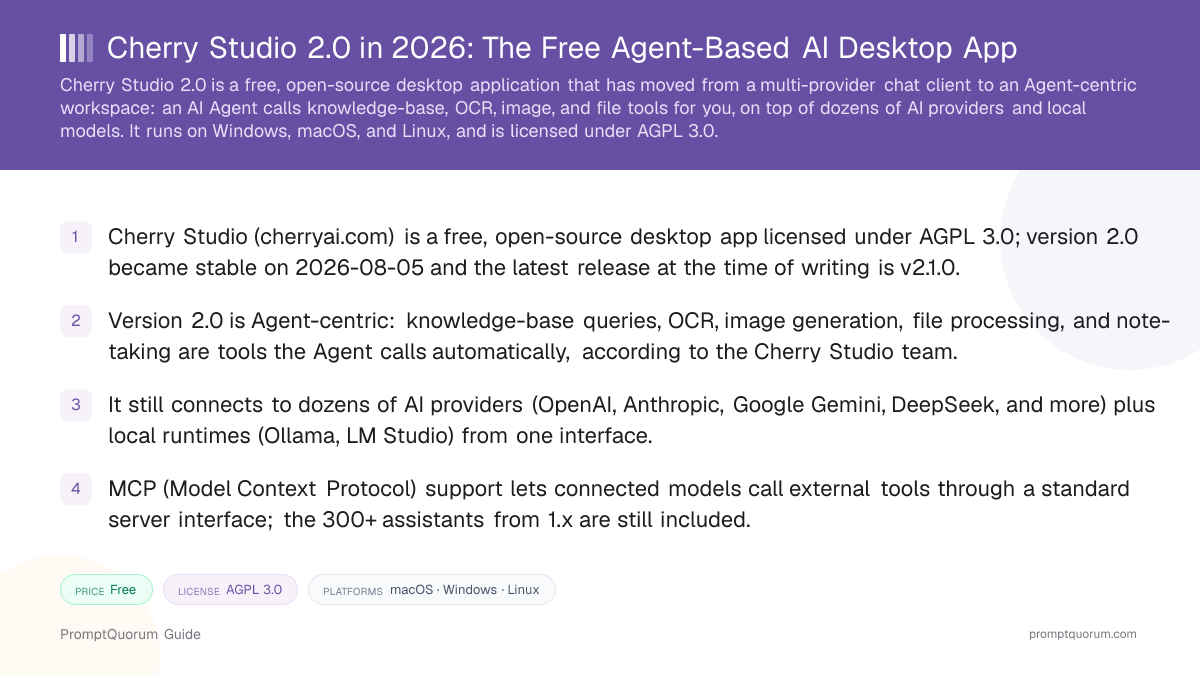
Cherry Studio is a free, open-source desktop app in which an AI Agent does the work, using dozens of AI providers and local models as its engine. It is licensed under AGPL 3.0, meaning the source code is public and any modified version distributed to others must also stay open source.
The app itself does not host or train any AI model. It is a front end: you connect it to a cloud provider by pasting an API key, or to a local model by pointing it at a running Ollama or LM Studio server. Once connected, Cherry Studio presents every provider and model in the same interface, so switching from a cloud model to a local one is a dropdown change, not a new app.
Until 1.x, Cherry Studio was mainly a multi-provider chat client with a document knowledge base, MCP (Model Context Protocol) support, and a library of prompt-template assistants. Version 2.0 keeps all of that, including the 300+ assistants, and adds an Agent that uses those features as tools.
What Changed in Cherry Studio 2.0?
Cherry Studio 2.0 is a rebuild, not a point release: the GitHub release notes describe a move "from chat to getting work done". Items below marked "per the Cherry Studio team" come from the maker and were not independently tested by PromptQuorum.
- Agent as the main thread. Instead of learning and configuring each feature, you describe the task and the Agent orchestrates knowledge-base retrieval, tool calls, and multimodal processing (per the Cherry Studio team). The 2.0.x release notes also mention subagents and a Global Memory setting.
- More models can power Agents. The 2.0.0 release notes list support for both OpenAI and Anthropic endpoints; per the Cherry Studio team, this includes OpenAI Chat Completions and the OpenAI Responses API rather than Anthropic-compatible APIs only.
- Built-in Agent runtime, native on Windows. The release notes say the core Agent runtime is built in, reducing dependency installation. Per the Cherry Studio team, 1.x Windows users had to install Git Bash to use Agents, and 2.0 removes that dependency.
- Rebuilt data layer. The release notes describe a fully upgraded data foundation that stays responsive with extensive history; later notes mention SQLite user-data files. Per the Cherry Studio team, it is a database layer with a four-tier storage structure, replacing mostly frontend Redux state in 1.x.
- Offline knowledge base. Per the Cherry Studio team, BM25 keyword retrieval and offline embedding models (including Qwen3 Embedding 0.6B) remove the need for an online embedding service. Agents can also read and maintain knowledge bases.
- Multimodal Agent tools. Per the Cherry Studio team, OCR, offline document processing, and ASR audio processing are built in: if a model lacks vision, the Agent can call OCR, and if you ask for an image, it invokes the drawing model.
- Product Feedback Agent. Per the Cherry Studio team, you can describe a bug to an Agent, which collects logs, analyzes the problem, and submits structured feedback to the developers. Version 2.1.0 adds a System Doctor with AI diagnosis and diagnostic export.
What Can You Actually Do With Cherry Studio?
- Hand a task to an Agent. Describe the outcome in plain language; the Agent chooses between knowledge-base search, OCR, image generation, file processing, and note-taking, and you can preview results in the app.
- Connect dozens of providers side by side. Add API keys for OpenAI, Anthropic, Google Gemini, DeepSeek, Moonshot, Zhipu, Alibaba Qwen, OpenRouter, and any OpenAI-compatible endpoint — switch between them per conversation without re-entering credentials.
- Run local models through Ollama or LM Studio. Point Cherry Studio at a running local server and its models appear in the same picker as your cloud providers, so a privacy-sensitive prompt can go to a local model while a general question goes to a cloud model.
- Build a document knowledge base. Upload PDFs, Word files, or web pages into a collection; chats and Agents can retrieve answers grounded in your own material rather than the model's training data alone.
- Connect MCP servers for tool use. Model Context Protocol servers give a connected model access to external tools — file search, a database, a browser — through one standard interface instead of custom integration code per provider.
- Start from 300+ assistants. The library of preconfigured assistants (coding, translation, writing, and others) from 1.x is still included for one-click specialized conversations.
- Organize work across windows. Multi-window and split-view layouts let you keep a conversation open while reviewing an Agent's progress and results.
From the Maker
PromptQuorum asked the Cherry Studio team to describe where the product is heading after the 2.0 rebuild. The following is presented as the team's own statement, unedited except for formatting.
"In the past, users had to actively learn how to create a knowledge base, call tools, configure models, and navigate different features. But moving forward, we want users to never have to think about any of that. All they should need to say is "Help me get this done," and the Agent will automatically decide whether to query the knowledge base, trigger OCR, generate an image, process a file, or write a note. Every capability becomes nothing more than another tool the Agent can call."
— Seth, Cherry Studio Team
Who Should Use Cherry Studio?
Cherry Studio is built for people who already use more than one AI provider or model and want one place to manage that, or who want an Agent to run document, image, and file tasks, not for someone looking for their first AI chat app.
- ✅ You already pay for 2+ AI provider API keys → a single interface avoids juggling browser tabs and separate chat histories.
- ✅ You run local models with Ollama or LM Studio and want the same interface for cloud fallback → Cherry Studio lists both in one model picker.
- ✅ You want to hand tasks to an Agent instead of configuring each feature → the Agent picks between knowledge-base, OCR, image, and file tools.
- ✅ You want to chat against your own documents without a separate RAG tool → the built-in Knowledge Base covers PDFs, Word files, and web pages.
- ✅ You need MCP tool access without custom integration code → connect an MCP server once and any supported model can use it.
- ❌ You only use one AI provider and don't want to manage API keys → use that provider's own app directly (ChatGPT, Claude, Gemini).
- ❌ You need managed, multi-user deployment for a team → Cherry Studio is a single-user desktop app; use Open WebUI on a server instead.
- If unsure: start with Cherry Studio free, connect one provider you already use, and add local models, a knowledge base, or Agent tasks only once the basic chat workflow proves useful.
When Should You NOT Use Cherry Studio?
Multi-provider flexibility and Agent tool access are not free — they add configuration steps and permissions that a single-provider app skips.
- If you want zero setup: Cherry Studio requires adding at least one provider API key or local server before it does anything useful. A provider's own web or desktop app needs no setup beyond logging in.
- If you need enterprise access controls: Cherry Studio stores its configuration locally per user, with no built-in team roles, audit logs, or centralized API key management. Use a server-hosted tool like Open WebUI for that.
- If your workflow is entirely inside one provider's ecosystem: features like OpenAI's custom GPTs or Anthropic's Projects don't carry over into Cherry Studio's generic interface.
- If you are wary of autonomous tool use: Agents can call tools that read files or reach external services, so grant access deliberately and keep sensitive folders out of reach.
- If you need guaranteed uptime and support contracts: Cherry Studio is an open-source project with no commercial support tier; provider outages or app bugs are handled on the project's own timeline.
How Do You Set Up Cherry Studio?
Setup has two required steps and three optional ones, in this order:
- 1. Download and install. Get the installer for Windows, macOS, or Linux from cherryai.com or from the GitHub releases page and run it — no account is required to install.
- 2. Connect a provider or local model. Open Settings → Model Providers and paste an API key for a cloud provider, or point Cherry Studio at a running Ollama or LM Studio server address (typically `http://localhost:11434` for Ollama).
- 3. Select a default model. Pick which connected model answers new conversations by default; switch per conversation at any time from the model dropdown.
- 4. *(Optional)* Create an Agent. Open the Agents view, create an Agent with a connected model, and describe a task in plain language.
- 5. *(Optional)* Add a knowledge base. Go to Knowledge Base, create a collection, and upload PDF, Word, or web-page content to enable retrieval-augmented answers.
- 6. *(Optional)* Connect an MCP server. In Settings → MCP, add a server address to give connected models access to external tools such as file search.
Cherry Studio vs LM Studio vs AnythingLLM vs Msty: Which One?
All four are desktop AI clients, but each optimizes for a different primary job. With version 2.0, Cherry Studio positions itself as an Agent platform rather than a chat client.
Tool | Best for | Agents | Runs local models | Cloud providers | Built-in RAG | MCP support | License |
|---|---|---|---|---|---|---|---|
| Cherry Studio | Agent workspace across many providers | Built in (core of 2.0) | Via Ollama / LM Studio (not native) | Dozens | Yes (Agents can use it) | Yes | AGPL 3.0 |
| LM Studio | Downloading and running GGUF models locally | Via MCP tools only | Native (GGUF) | None built in | Yes (chat with documents) | Yes | Free (closed) |
| AnythingLLM | RAG-first document chat with a vector store | Yes (@agent skills) | Via Ollama / LM Studio | Several | Yes (core feature) | Yes | MIT |
| Msty | Clean consumer UX with minimal setup | Via MCP tools | Via Ollama (built in) | Several | Yes | Yes | Freemium (closed) |
Deeper comparison of desktop frontends: Best Local LLM Frontends. Competitor cells reflect each tool's public documentation.
Competitors and Alternatives
These reviews cover tools in the same desktop and web chat-client category as Cherry Studio:
- AnythingLLM review — RAG-first document chat with an @agent mode.
- Msty review — consumer-friendly multi-model desktop client.
- LobeChat review — multi-provider chat framework with plugins.
- Open WebUI review — self-hosted web interface for teams.
Common Mistakes With Cherry Studio
- Expecting Cherry Studio to run models without a provider or local runtime connected. It is a client, not an inference engine — install Ollama or LM Studio first if you want local models, or add a cloud API key.
- Assuming cloud usage through Cherry Studio is free. The app is free; the provider still bills for API usage exactly as if you called their API directly, and Agent tasks can use many requests.
- Sending sensitive documents to a cloud-provider model through the Knowledge Base feature. RAG retrieval still sends the retrieved text to whichever model answers the question — use a local model via Ollama for sensitive material.
- Connecting an untrusted MCP server. MCP grants a connected model real tool access (files, databases, browsing); only connect servers whose source and behavior you trust.
Common Questions About Cherry Studio
What is Cherry Studio?
Cherry Studio is a free, open-source desktop application (AGPL 3.0) for Windows, macOS, and Linux. Since version 2.0 it is built around AI Agents that call tools such as knowledge-base search, OCR, and image generation on your behalf, and it still connects to dozens of AI providers and local models from one interface.
What is new in Cherry Studio 2.0?
Version 2.0 (stable release 2026-08-05) moves the product from a multi-provider chat client to an Agent-centric workspace. The release notes list a built-in Agent runtime that supports OpenAI and Anthropic endpoints, Agents that read and maintain knowledge bases, a rebuilt data foundation for long histories, and multi-window layouts. According to the Cherry Studio team, it also adds a database layer with a four-tier storage structure, offline knowledge-base retrieval, and built-in OCR and audio-transcription tools.
Is Cherry Studio free to use?
The app itself is free and open source. Using a cloud provider through Cherry Studio still requires an API key from that provider, billed by the provider directly, not by Cherry Studio. Running a local model through Ollama or LM Studio has no per-token cost.
Which AI providers does Cherry Studio support?
Cherry Studio supports OpenAI, Anthropic, Google Gemini, Azure OpenAI, OpenRouter, DeepSeek, Moonshot, Zhipu, Alibaba Qwen, and local runtimes including Ollama and LM Studio, among others. Any OpenAI-compatible endpoint can also be added manually. Agents are no longer limited to Anthropic-compatible APIs: per the Cherry Studio team, they also work with OpenAI Chat Completions, the OpenAI Responses API, and further protocols.
Does Cherry Studio work with local models?
Yes. Point Cherry Studio at a running Ollama or LM Studio server and it lists your locally downloaded models alongside any connected cloud providers in the same model picker.
Does the Cherry Studio Agent work on Windows without Git Bash?
According to the Cherry Studio team, yes: in 1.x, Windows users had to install Git Bash separately to use Agent features, and 2.0 removes that dependency. The 2.0.0 release notes likewise state that the core Agent runtime is built in, reducing dependency installation and environment setup.
Can the Cherry Studio knowledge base work offline?
According to the Cherry Studio team, yes. Version 2.0 adds BM25 keyword retrieval and offline embedding models, including Qwen3 Embedding 0.6B, so the knowledge base does not need an online embedding service. Retrieved text still goes to whichever model answers the question, so a cloud model still receives it.
What is MCP support in Cherry Studio?
MCP (Model Context Protocol) lets a connected model call external tools, such as file search, a database, or a web browser, through a standardized server interface. Cherry Studio can connect to MCP servers so any supported model gains those tool capabilities.
Does Cherry Studio have a built-in knowledge base?
Yes. The Knowledge Base feature lets you upload PDFs, Word documents, and web pages into a collection, then reference that collection in a chat for retrieval-augmented answers grounded in your own content. In 2.0, Agents can also query and maintain knowledge bases themselves.
How is Cherry Studio different from LM Studio?
LM Studio focuses on running local GGUF models with a built-in model downloader and an OpenAI-compatible API server. Cherry Studio does not download or run models itself; it is a client that connects to local runtimes like LM Studio or Ollama plus dozens of cloud providers in one interface.
How is Cherry Studio different from AnythingLLM?
AnythingLLM is built around retrieval-augmented generation with a workspace-and-document model as its core concept, plus an @agent mode. Cherry Studio 2.0 makes the Agent the main entry point: knowledge bases, OCR, image generation, and file processing are tools the Agent calls, rather than separate features you configure yourself.
Is data private when using Cherry Studio?
Cherry Studio itself does not send your conversations to its own servers. Data privacy depends on which model you connect: a local Ollama model keeps everything on your machine, while a cloud provider (OpenAI, Anthropic, etc.) processes your messages under that provider's own data policy. Agents that use tools can also read files and call MCP servers, so review what access you grant.
What are the system requirements for Cherry Studio?
Cherry Studio itself is a desktop app and runs on modest hardware; from version 2.1.0 it requires macOS 13 (Ventura) or later. If you also run local models through Ollama or LM Studio on the same machine, the model's own hardware requirements (RAM, VRAM) apply separately.
Sources
- Cherry Studio official site — cherryai.com
- Cherry Studio source code, license (AGPL 3.0), and release notes for v2.0.0 through v2.1.0 — github.com/CherryHQ/cherry-studio
- Statements marked "per the Cherry Studio team" — provided to PromptQuorum by the Cherry Studio team by email, 2026-09-20
- Model Context Protocol specification — modelcontextprotocol.io