What Is AnythingLLM?
AnythingLLM is an application for chatting with your own documents using a large language model, built around a retrieval-augmented generation (RAG) pipeline that can run entirely on your own hardware. Its own GitHub repository describes it as an all-in-one AI application that combines document ingestion, a vector database, an LLM connection, and a chat interface in one tool, rather than requiring separate tools wired together by hand.
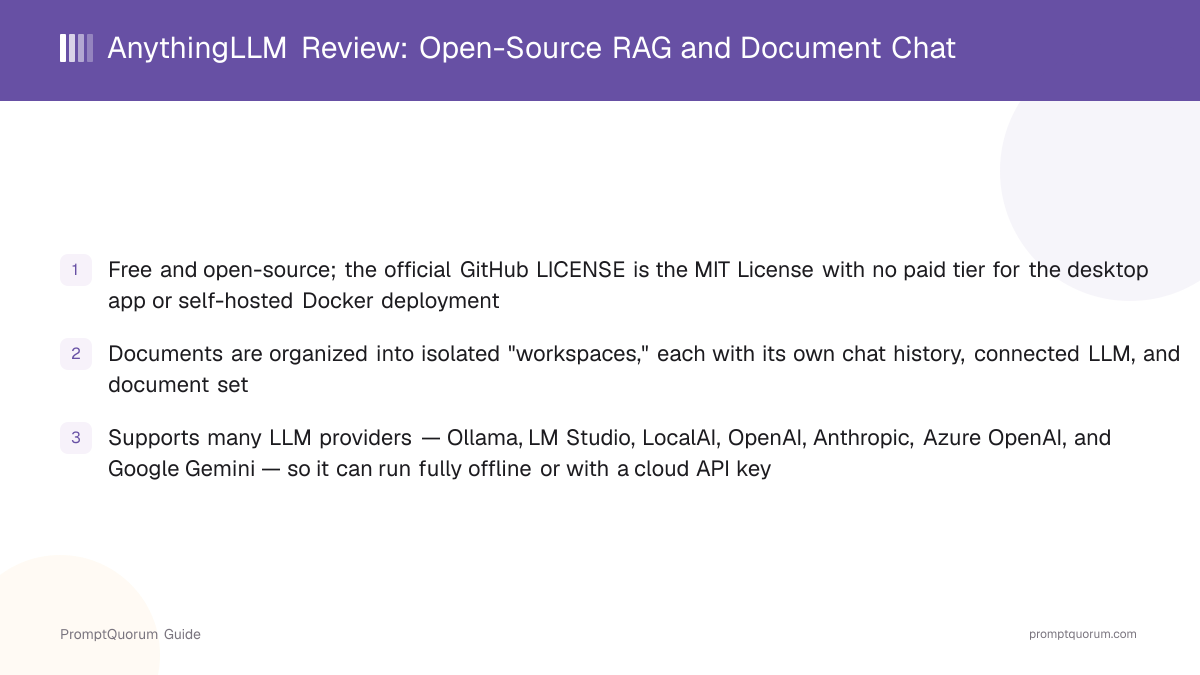
- Core function: upload documents into a "workspace," and AnythingLLM chunks, embeds, and stores them in a vector database so the connected LLM can answer questions using only relevant passages from those files
- Deployment options: a signed desktop app (Electron-based) for macOS, Windows, and Linux, or a Docker image for self-hosted server deployments with multi-user support
- LLM connections: local providers such as Ollama, LM Studio, and LocalAI, or cloud providers such as OpenAI, Anthropic, Azure OpenAI, and Google Gemini, configured with your own API key
- Developer: Mintplex Labs, an Irvine, California-based company; GitHub lists Mintplex Labs, Inc. as the copyright holder in the LICENSE file
- Canonical repository: github.com/Mintplex-Labs/anything-llm
Who Built AnythingLLM?
AnythingLLM is built by Mintplex Labs, the company founded by Timothy Carambat in 2022 in Irvine, California. Mintplex Labs went through Y Combinator's Summer 2022 batch and raised pre-seed funding from Y Combinator, Goodwater Capital, UpHonest Capital, and Orange DAO, per PromptQuorum's AnythingLLM Mobile review, which covers the company's background in more detail.
- Company: Mintplex Labs, founded 2022 in Irvine, California, by Timothy Carambat
- Y Combinator Summer 2022 batch; pre-seed backers include Y Combinator, Goodwater Capital, UpHonest Capital, and Orange DAO
- Also builds: AnythingLLM Mobile, the companion Android app, and VectorAdmin, an open-source vector database management tool
- The AnythingLLM open-source repository has been in continuous public development since 2023, per its GitHub commit history
What Can You Do With AnythingLLM?
AnythingLLM's feature set centers on turning a folder of documents into a searchable, chattable knowledge base, with multi-user and agent features layered on top. Here is what each part does, per AnythingLLM's own GitHub README and documentation.
- Workspaces — isolate documents, chat history, and LLM/vector-database settings per topic or project, so a workspace for legal contracts and one for internal wiki pages do not share context
- Document ingestion — upload PDFs, Word documents, text files, web pages, and other formats; per PromptQuorum's own hands-on testing in the AnythingLLM vs. PrivateGPT vs. Open WebUI RAG comparison, documents are parsed with LangChain.js loaders and embedded into a vector store
- Multiple LLM providers — connect Ollama, LM Studio, or LocalAI for fully local inference, or bring your own API key for OpenAI, Anthropic, Azure OpenAI, or Google Gemini
- Multiple vector databases — an embedded LanceDB store is enabled by default with no separate setup; Pinecone, Chroma, Weaviate, Milvus, and Qdrant are configurable alternatives for larger or shared deployments
- Custom AI Agents — a no-code agent builder for chaining tools and multi-step tasks, invoked in chat with an
@agentcommand - Multi-user mode — self-hosted Docker deployments support multiple user accounts with role-based permissions, so a team can share workspaces without sharing one login
- Embeddable chat widget — embed a chat widget backed by a workspace directly on an external website
- Developer API — a REST API for integrating AnythingLLM's document chat into other applications
Download AnythingLLM or Self-Host It
AnythingLLM is available as a free desktop app for macOS, Windows, and Linux, as a Docker image for self-hosted deployments, and as a hosted service called AnythingLLM Cloud. Links below are from the official anythingllm.com site and GitHub repository — always verify against those pages directly, since build links can change between releases.
Option | Get It |
|---|---|
| Desktop app (macOS/Windows/Linux) | anythingllm.com — official download page, OS auto-detected |
| Direct release binaries | GitHub Releases |
| Self-hosted / multi-user (Docker) | GitHub repository — README covers the Docker deployment steps |
| Hosted, no install (AnythingLLM Cloud) | anythingllm.com/pricing |
The desktop installer is a signed build (~430 MB, per PromptQuorum's own hands-on testing in the AnythingLLM vs. PrivateGPT vs. Open WebUI RAG comparison). AnythingLLM itself has no fixed hardware minimum beyond running its host OS — actual usability depends on which LLM and vector database you connect, and whether inference runs locally or against a cloud API.
AnythingLLM Pricing: Free Desktop vs. AnythingLLM Cloud
The AnythingLLM desktop app and self-hosted Docker deployment are both free, with no paid tier. The GitHub LICENSE file — the MIT License — applies to the entire open-source application. A separate, optional hosted product, AnythingLLM Cloud, charges for Mintplex Labs to run the server for you instead of self-hosting it.
Option | Cost | What it includes |
|---|---|---|
| Desktop app | Free | Single-user, runs on your own machine, MIT-licensed |
| Self-hosted (Docker) | Free | Multi-user, your own server, MIT-licensed |
| AnythingLLM Cloud — Basic | $50/month | Private hosted instance, custom subdomain |
| AnythingLLM Cloud — Pro | $99/month | Adds a 72-hour support SLA, aimed at larger teams |
| AnythingLLM Cloud — Enterprise | Custom pricing | On-premise deployment, SSO, role-based access control |
Both paid AnythingLLM Cloud plans require you to supply your own LLM API key — the model usage cost is separate and not included in the subscription price. Pricing is set by Mintplex Labs in US dollars and can change; verify current plans directly at anythingllm.com/pricing before subscribing.
Usage Examples: Three Ways to Use AnythingLLM
These are concrete workflows built from AnythingLLM's documented features above — not hypothetical use cases.
Chat with a folder of PDFs fully offline
Install the desktop app, connect a local model through Ollama or LM Studio, create a workspace, and upload a folder of PDFs. AnythingLLM chunks and embeds the documents into its built-in LanceDB vector store, and you can then ask questions that are answered only from those files — no data leaves your machine.
Share one knowledge base with a small team
Deploy AnythingLLM via Docker on a shared server, enable multi-user mode, and create accounts with role-based permissions for each teammate. Everyone shares the same workspaces and document set instead of each person running their own separate copy.
Automate a multi-step task with a custom agent
In a workspace, invoke the built-in agent with @agent and describe a multi-step task — the no-code agent builder can chain tools rather than answering with a single retrieval-based response.
Who Should Use AnythingLLM?
Whether AnythingLLM fits depends on whether document-based chat is your main need, and whether you want a single free app that covers both solo desktop use and shared multi-user deployment.
Use AnythingLLM if
- You want to chat with your own documents (PDFs, contracts, wikis) using retrieval-augmented generation, not just a general chatbot
- You want the option to run fully locally with an open-weight model, or to bring your own cloud API key, in the same app
- You want a free, open-source (MIT-licensed) tool with no vendor lock-in on the desktop or self-hosted tiers
- You want a multi-user deployment your whole team can share, without paying for a hosted service, by running it yourself via Docker
- You want a no-code way to build simple multi-step agents on top of your document workspace
Wait, or look elsewhere, if
- You need a strictly air-gapped deployment with the smallest possible codebase and no optional cloud-provider integrations at all — see the PrivateGPT review
- Document citation and retrieval accuracy for large, mixed document sets is your top priority — see the RAGFlow review
- You want a chat app that focuses on general conversation and local/cloud model management first, with RAG as a secondary feature — see Jan or GPT4All
- You need official vendor support guarantees on the free tiers rather than community support — AnythingLLM's free desktop and self-hosted tiers rely on GitHub Issues and community channels; only the paid AnythingLLM Cloud Pro/Enterprise plans include a support SLA
AnythingLLM vs. Other RAG and Document-Chat Tools
AnythingLLM is one of several tools built specifically around retrieval-augmented generation and document chat. Here is how it sits next to other options in that same segment — see the Local LLM Software Directory for the full catalog, and PromptQuorum's hands-on AnythingLLM vs. PrivateGPT vs. Open WebUI RAG comparison for a direct, tested three-way comparison.
- PrivateGPT — a Python-based, offline-by-design RAG server aimed at strict air-gapped deployments; see the dedicated PrivateGPT review for install steps and trade-offs against AnythingLLM.
- Quivr — a self-hosted, open-source "second brain" knowledge assistant with a similar workspace-style document model; see the Quivr review.
- RAGFlow — a document-understanding RAG engine focused on citation-grade retrieval from complex documents (tables, layouts); see the RAGFlow review if retrieval precision on mixed document sets matters more than a polished chat UI.
- Khoj — a self-hosted personal knowledge assistant that indexes notes, PDFs, and other files with a similar "chat with your own data" positioning; see the Khoj review.
Common Mistakes When Evaluating AnythingLLM
Most confusion about AnythingLLM comes from mixing up the free desktop/self-hosted tiers with the paid AnythingLLM Cloud product, or mixing up the desktop app with the separate mobile app.
Mistake 1: Assuming AnythingLLM itself costs money
The desktop app and self-hosted Docker deployment are both free under the MIT License. Only AnythingLLM Cloud, the optional hosted product starting at $50/month, is paid — and it exists specifically for people who do not want to run their own server.
Mistake 2: Confusing AnythingLLM Desktop with AnythingLLM Mobile
AnythingLLM Mobile is a separate, MIT-licensed Android app with its own codebase, covered in a dedicated review. It can run a small model fully on-device, or connect to a self-hosted AnythingLLM Desktop/Docker instance — it is not simply a phone version of the desktop app.
Mistake 3: Expecting a paid support SLA on the free tiers
AnythingLLM's free desktop and self-hosted tiers are supported through GitHub Issues and community channels, typical of an open-source project. A support SLA (72 hours) is only included with the paid AnythingLLM Cloud Pro plan.
Mistake 4: Assuming a single vector database is mandatory
AnythingLLM ships with an embedded LanceDB vector store enabled by default and does not require setting up a separate database for basic use — Pinecone, Chroma, Weaviate, Milvus, and Qdrant are optional alternatives for larger or shared deployments, not requirements.
Frequently Asked Questions
What is AnythingLLM?
AnythingLLM (anythingllm.com, source at github.com/Mintplex-Labs/anything-llm) is a free, open-source application for chatting with your own documents through a retrieval-augmented generation pipeline, available as a desktop app, a self-hosted Docker deployment, or the paid AnythingLLM Cloud hosted service.
Is AnythingLLM free?
Yes, the desktop app and self-hosted Docker deployment are both free with no paid tier, under the MIT License. AnythingLLM Cloud, a separate hosted service, starts at $50/month for people who do not want to run their own server.
Is AnythingLLM open source? What license does it use?
Yes. AnythingLLM's GitHub LICENSE file is the MIT License, one of the most permissive open-source licenses, with no copyleft obligations.
Does AnythingLLM work offline?
Yes, when connected to a local LLM provider such as Ollama, LM Studio, or LocalAI and using the default embedded LanceDB vector store, AnythingLLM can run with no internet connection required after initial model downloads.
What LLM providers does AnythingLLM support?
Local providers including Ollama, LM Studio, and LocalAI, and cloud providers including OpenAI, Anthropic, Azure OpenAI, and Google Gemini, configured with your own API key.
What is a "workspace" in AnythingLLM?
A workspace is an isolated container for a set of documents, chat history, and LLM/vector-database settings. Creating separate workspaces for separate topics keeps their context from mixing.
Does AnythingLLM support multiple users?
Yes, in self-hosted Docker deployments, AnythingLLM supports multiple user accounts with role-based permissions. The desktop app is single-user.
What is AnythingLLM Cloud, and how is it different from the free version?
AnythingLLM Cloud is a separate, paid hosted service from Mintplex Labs that runs an AnythingLLM instance for you, starting at $50/month for a Basic plan, with a $99/month Pro plan adding a 72-hour support SLA, and custom Enterprise pricing. The underlying application is the same open-source software available for free as a desktop app or self-hosted Docker deployment.
Does AnythingLLM have a mobile app?
Yes, a separate MIT-licensed Android app called AnythingLLM Mobile, covered in its own review. It can run a small model on-device or connect to a self-hosted AnythingLLM instance. No iOS app exists as of this review.
Who develops AnythingLLM?
AnythingLLM is developed by Mintplex Labs, a company founded in 2022 in Irvine, California, by Timothy Carambat, which went through Y Combinator's Summer 2022 batch.