What Is GPT4All?
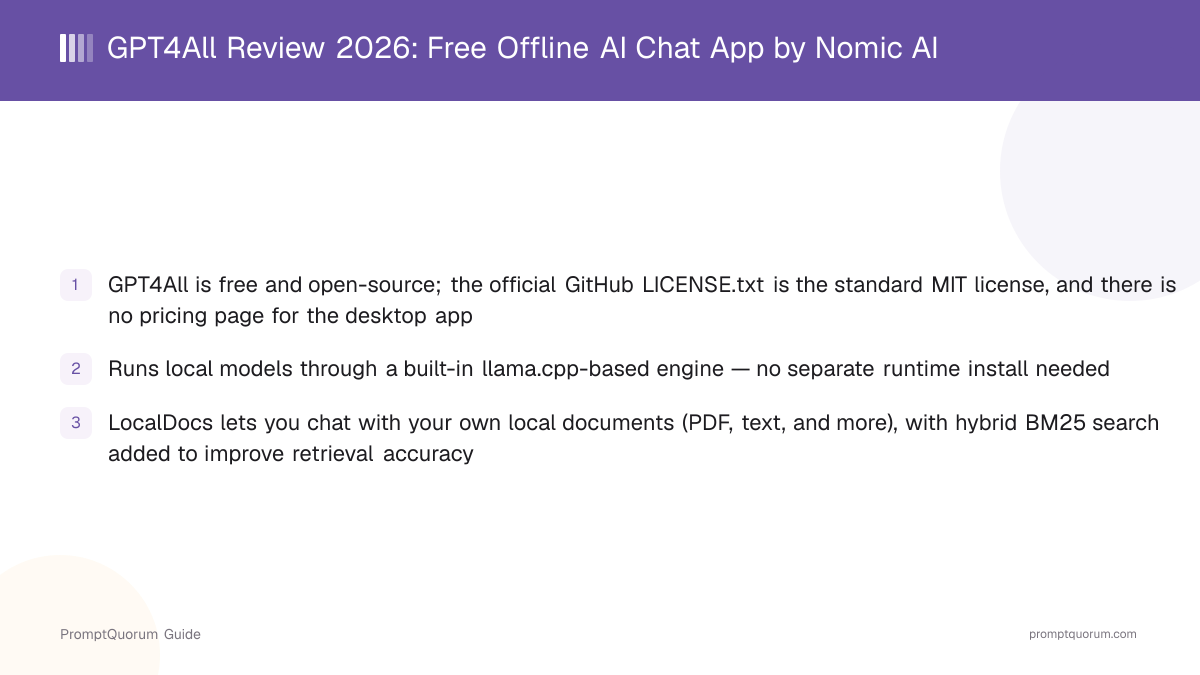
GPT4All is a desktop application for chatting with AI models that run entirely on your own computer, with no cloud account required to use it. Its own GitHub repository description reads "GPT4All: Run Local LLMs on Any Device. Open-source and available for commercial use." The application bundles a llama.cpp-based inference engine directly, so the core offline-chat experience does not depend on installing a separate runtime like Ollama first.
- Core function: a chat interface that downloads and runs open-weight models locally, entirely on your own hardware
- Local inference engine: a llama.cpp-based backend, bundled directly into the application
- LocalDocs: an optional feature for chatting with your own local documents, added to the app in July 2023 and since improved with hybrid BM25 search
- Local API server: a Docker-based, OpenAI-compatible HTTP endpoint, first added in June 2023, for other applications to call local models the same way they would call OpenAI's API
- Developer: Nomic AI, a company that also builds the Nomic Atlas data-visualization platform and Nomic Embed embedding models
- Canonical repository: github.com/nomic-ai/gpt4all — the project's source code, releases, and issue tracker
GPT4All's Project History and Version Milestones
GPT4All's original technical report describes collecting its training data between March 20 and March 26, 2023, and an Internet Archive snapshot of the GitHub repository confirms it was already public by March 31, 2023 — placing GPT4All among the earliest local-LLM desktop projects to appear after Meta's LLaMA weights leaked in early 2023. PromptQuorum could not find an official Nomic AI blog post naming an exact public-launch day, so treat "late March 2023" as the earliest independently verifiable date rather than an official announcement date.
- 1March 2023: Initial release and GPT4All-J technical report
Why it matters: The original [GPT4All technical report](https://s3.amazonaws.com/static.nomic.ai/gpt4all/2023_GPT4All_Technical_Report.pdf) and the follow-up [GPT4All-J report](https://static.nomic.ai/gpt4all/2023_GPT4All-J_Technical_Report_2.pdf) describe training an assistant-style chatbot via large-scale data distillation, with the Apache-2-licensed GPT4All-J model released for unrestricted commercial use. - 2June 2023: Docker-based API server added
Why it matters: Introduced an OpenAI-compatible HTTP endpoint for local inference, letting other applications call a locally running model the same way they would call a cloud API. - 3July 2023: LocalDocs reaches stable support
Why it matters: Added the ability to privately and locally chat with your own documents — one of GPT4All's most-used features today. - 4v3.0.0 — July 2, 2024: Redesigned chat application
Why it matters: A significant UI redesign of the desktop chat app alongside an improved LocalDocs workflow, per the [official GitHub releases page](https://github.com/nomic-ai/gpt4all/releases). - 5v3.4.0 — October 8, 2024: BM25 hybrid search for LocalDocs
Why it matters: Added BM25 hybrid search to LocalDocs and Excel spreadsheet attachment support, improving document-retrieval accuracy. - 6v3.6.0 — December 19, 2024: Built-in JavaScript code interpreter
Why it matters: Added a built-in JavaScript code-interpreter tool plus a dedicated Reasoner model for tool-using workflows. - 7v3.10.0 — February 25, 2025: Remote model providers added
Why it matters: Added a dedicated "Remote Providers" tab for connecting cloud models (Groq, OpenAI, Mistral AI) alongside local ones, plus expanded CUDA GPU support down to compute capability 5.0.
What Can You Do With GPT4All?
GPT4All's feature set centers on running models locally with minimal setup, plus a small set of tools for working with your own documents and code. Here is what each part actually does, per the official GitHub README and documentation.
- Local AI models — download and run open-weight models directly inside the app from a built-in model list, without installing a separate runtime first
- LocalDocs — point GPT4All at a folder of your own documents (PDF, text, Markdown, and other formats) and ask questions about their contents; retrieval uses hybrid BM25 search to find relevant passages before generating an answer
- Docker-based local API server — run an OpenAI-compatible HTTP endpoint so other tools can call your local model the way they would call a cloud API
- Python SDK — the
gpt4allpackage on PyPI gives developers a Python client around the same llama.cpp-based backend, for scripting or embedding local inference in other applications - Remote model providers — since v3.10.0 (February 2025), GPT4All can also connect to cloud providers such as Groq, OpenAI, and Mistral AI through a dedicated Remote Providers tab, alongside local models
- Built-in JavaScript code interpreter — added in v3.6.0, lets a compatible model execute JavaScript code as part of a conversation, with a dedicated Reasoner model for this workflow
- Chat templates and reasoning-model support — GPT4All rewrote its chat-template handling around Jinja-style templates and added explicit support for reasoning models (including DeepSeek-R1 variants) that show "think" steps in the UI
Usage Examples: Three Ways to Use GPT4All
These are concrete workflows built from GPT4All's documented features above — not hypothetical use cases.
Download a model and chat fully offline
Open GPT4All's built-in model list, pick a model sized for your hardware (a smaller model is the safer starting point on a CPU-only laptop), and download it. Once the download finishes, you can turn off your internet connection entirely and keep chatting — the model runs locally through GPT4All's bundled llama.cpp-based engine, so no request ever leaves your machine.
Use LocalDocs to chat with your own PDFs or text files
In LocalDocs, point GPT4All at a folder containing your own PDFs, text files, or other documents and let it build a local index. Once indexed, ask a question in the chat window and GPT4All retrieves relevant passages from your files (using hybrid BM25 search) before generating an answer — useful for searching a personal archive, a set of reports, or study notes without uploading anything to a cloud service.
Connect the local API server for other apps to use
Start GPT4All's Docker-based local API server so it exposes an OpenAI-compatible HTTP endpoint on your machine. Point any tool or script that expects the OpenAI API format at that local endpoint instead of api.openai.com, letting you reuse existing OpenAI-client code against a fully local model — or use the gpt4all Python package directly if you prefer working in code rather than through a REST call.
Download GPT4All for macOS, Windows, and Linux
GPT4All is available on macOS, Windows (x64 and ARM), and Ubuntu/Linux, as a direct installer download, plus a community-maintained Flathub package for Linux. Links below are from the official GitHub README and nomic.ai/gpt4all — always verify against those pages directly, since installer URLs can change between releases.
Platform | Download |
|---|---|
| Windows (x64) | gpt4all-installer-win64.exe |
| Windows (ARM) | gpt4all-installer-win64-arm.exe |
| macOS | gpt4all-installer-darwin.dmg |
| Linux (Ubuntu, .run) | gpt4all-installer-linux.run |
| Linux (Flathub) | Community-maintained package — search "GPT4All" on Flathub |
| Website | nomic.ai/gpt4all |
| Privacy policy | nomic.ai/privacy-policy |
Minimum CPU for Windows and Linux: Intel Core i3 2nd Gen or AMD Bulldozer-era or newer. macOS requires Monterey 12.6 or newer, with best performance on Apple Silicon. Linux builds are x86-64 only — this review found no official ARM64 Linux installer, unlike Windows, which does ship an ARM build. As with any local-model tool, actual usability also depends on which model you load: a given model's RAM requirement is a separate, model-specific constraint beyond these baseline CPU/OS requirements.
GPT4All Pricing: Is GPT4All Really Free?
Yes — GPT4All has no paid tier. The application and its source code are released under the MIT license, one of the most permissive open-source licenses, and this review found no pricing page, license key, or account requirement for the desktop app itself.
- No subscription, no paid tier, no usage limits imposed by GPT4All itself
- No account or sign-up required to install or use the app
- Connecting a remote model provider (Groq, OpenAI, Mistral AI) through the Remote Providers tab still costs whatever that provider charges for API usage — GPT4All itself does not add a markup or fee on top
- The MIT license permits commercial use, modification, and redistribution, with only a copyright-notice requirement and no warranty — copyleft obligations associated with licenses like the AGPL or GPL do not apply
GPT4All vs. Jan
GPT4All and Jan are two of the more established fully open-source, local-first chat apps, and they get compared often because both bundle a local inference engine and require no account. The clearest differences are in release cadence, cloud-model breadth, and tool/agent support.
Aspect | GPT4All | |
|---|---|---|
| License | MIT | Apache-2.0 variant |
| Local engine | llama.cpp-based, bundled | llama.cpp (+ MLX option) |
| Document chat / RAG | LocalDocs (BM25 hybrid search) | Not a core focus |
| Cloud model support | Groq/OpenAI/Mistral (since v3.10.0) | OpenAI, Anthropic, Gemini, Groq, Mistral, Azure, OpenRouter |
| Local API server | Docker-based, OpenAI-compatible | Built-in, OpenAI-compatible (:1337) |
| Tool/agent support | Built-in JavaScript interpreter | Model Context Protocol (MCP) |
| Developer | Nomic AI | Menlo Research |
| Recent release cadence | Slowed since early 2025 (see history) | Active through mid/late 2026 |
If document chat over your own files (LocalDocs) or the MIT license specifically matters to you, GPT4All is worth evaluating directly at nomic.ai/gpt4all. If a broader range of cloud providers, MCP-based tool/agent workflows, or a more active recent release cadence matters more, Jan is the stronger fit today. Both are free and open-source; verify current feature details on each project's own site before deciding.
Who Should Use GPT4All?
Whether GPT4All fits depends on whether document chat over your own files and a permissive MIT license matter more to you than an actively growing cloud-provider list or agent/tool integrations.
Use GPT4All if
- You want to run AI models entirely offline, on your own hardware, with no account or subscription
- You want a built-in way to chat with your own PDFs or text files (LocalDocs) without a separate RAG setup
- You specifically want an MIT-licensed tool, which is one of the least restrictive open-source licenses available
- You want a Docker-based, OpenAI-compatible local API server plus a Python SDK for scripting local inference
- You are on modest, CPU-only hardware — GPT4All's minimum requirement (Intel Core i3 2nd Gen / AMD Bulldozer-era) is lower than many newer local-AI tools ask for
Wait, or look elsewhere, if
- You want the widest possible range of built-in cloud-provider connections in one app — Jan connects to more providers (OpenAI, Anthropic, Gemini, Groq, Mistral AI, Azure OpenAI, OpenRouter) than GPT4All's current Remote Providers tab
- You want Model Context Protocol (MCP) support for connecting external agent tools — this review found no MCP support in GPT4All, unlike Jan
- You need frequent, active releases — this review found GPT4All's tagged-release and commit activity has slowed noticeably since early-to-mid 2025 compared to its 2023–2024 pace; verify the releases page directly for the current cadence before relying on rapid updates
- You need official support guarantees rather than community/issue-tracker support — GPT4All's support channels are GitHub Issues and its Discord community, typical of an open-source project rather than a commercial vendor with an SLA
GPT4All vs. Other Local Chat Apps
GPT4All is one of several apps that bundle local model inference into a single desktop download. Here is how it sits next to other options in that space — see the Local LLM Software Directory for the full catalog, and the dedicated GPT4All vs. Jan comparison above for the closest head-to-head.
- Jan — an open-source local-first chat app from Menlo Research with a broader set of built-in cloud-provider connections and MCP tool support; see the dedicated comparison section above.
- LM Studio — a local-model-focused chat and model-management app with a polished built-in model browser; see the LM Studio vs. Jan vs. GPT4All comparison for a direct three-way comparison that already covers GPT4All against these two other apps in detail.
- Msty — a closed-source desktop app that blends local and cloud model chat, with added features like side-by-side model comparison and document RAG; see the Msty review for full details.
- Enchanted — an open-source native Mac/iOS client built specifically for Ollama; narrower in platform scope than GPT4All but native to Apple platforms. See the Enchanted review.
- BoltAI — a macOS/Windows AI assistant app with deep OS-level integration (system-wide shortcuts, app integrations) alongside local and cloud model support; see the BoltAI review.
- AnythingLLM — a document-chat and RAG-focused app; if retrieval over your own documents is the main feature you need beyond what LocalDocs offers, see the AnythingLLM vs. PrivateGPT vs. Open WebUI RAG comparison.
- Open WebUI — a self-hosted, browser-based chat interface typically run alongside Ollama; unlike GPT4All, it is deployed as a web app (often in a container) rather than a native desktop client you install directly.
Common Mistakes When Evaluating GPT4All
Most confusion about GPT4All comes from mixing it up with Nomic AI's other paid products, assuming its release cadence is still as fast as in 2023–2024, or treating LocalDocs as a full-featured RAG framework.
Mistake 1: Assuming the "$20/month" price on nomic.ai applies to GPT4All
Nomic AI's marketing site promotes "Nomic Self Service" starting at $20/month on the same domain that hosts the GPT4All download page. That pricing is for Nomic's separate Atlas data-platform and embedding-API product — this review found no pricing page, license key, or paid tier for the GPT4All desktop app itself.
Mistake 2: Assuming GPT4All ships new releases as frequently as it did in 2023–2024
GPT4All shipped roughly monthly releases through late 2024 and into early 2025, most recently v3.10.0 on February 25, 2025. At the time of this review, no newer tagged release was visible, and the most recent commit on the main branch was from May 27, 2025 — check the official releases page yourself before assuming the same cadence continues.
Mistake 3: Treating LocalDocs as a full enterprise RAG framework
LocalDocs is a built-in document-chat feature using hybrid BM25 search, useful for personal or small-team document sets. It is not positioned as a replacement for a dedicated enterprise RAG stack — if you need vector-database-backed retrieval at scale, see the dedicated RAG framework comparisons instead.
Mistake 4: Assuming GPT4All has no cloud-model option at all
Since v3.10.0 (February 2025), GPT4All includes a Remote Providers tab for connecting Groq, OpenAI, and Mistral AI accounts alongside local models — it is local-first, not local-only, though its list of supported cloud providers is narrower than some competitors', such as Jan.
Frequently Asked Questions
What is GPT4All?
GPT4All (nomic.ai/gpt4all, source at github.com/nomic-ai/gpt4all) is a free, open-source desktop app from Nomic AI that runs AI models locally through a built-in llama.cpp-based engine, with a LocalDocs feature for chatting with your own files.
Is GPT4All free?
Yes. The app and its source code are released under the MIT license, and this review found no pricing page, license key, or paid tier for the desktop application. If you connect a remote provider like OpenAI through the Remote Providers tab, you pay that provider directly for API usage — GPT4All itself does not charge anything.
Is GPT4All open source? What license does it use?
Yes, GPT4All is open source under the MIT license, one of the most permissive open-source licenses, permitting commercial use, modification, and redistribution with only a copyright-notice requirement.
Does GPT4All work offline?
Yes. Once you have downloaded a local model through GPT4All's built-in model list, the app runs that model through its bundled llama.cpp-based engine with no internet connection required. An internet connection is only needed to download models initially or to use a connected remote provider.
What is LocalDocs?
LocalDocs is GPT4All's built-in feature for chatting with your own local documents (PDF, text, and other formats). It reached stable support in July 2023 and later added hybrid BM25 search to improve which passages get retrieved before an answer is generated.
Does GPT4All support cloud models like GPT or Claude?
Since v3.10.0 (February 25, 2025), GPT4All includes a Remote Providers tab for connecting your own API key for Groq, OpenAI, or Mistral AI. This list is narrower than some competitors', such as Jan, which also supports Anthropic, Google Gemini, Azure OpenAI, and OpenRouter.
What platforms does GPT4All support?
Windows (x64 and ARM), macOS (Apple Silicon and Intel, requiring Monterey 12.6 or newer), and Ubuntu/Linux (x86-64 only), per the official GitHub README. A community-maintained Flathub package is also available for Linux.
Does GPT4All have a local API server?
Yes. GPT4All includes a Docker-based, OpenAI-compatible local API server, first added in June 2023, so other applications can call a locally running model the same way they would call a cloud API. A Python SDK (gpt4all on PyPI) is also available for developers.
Who develops GPT4All?
GPT4All is developed by Nomic AI, a company that also builds the Nomic Atlas data-visualization platform and Nomic Embed embedding models. Nomic AI is listed as the copyright holder in GPT4All's LICENSE.txt file.
When was GPT4All first released?
GPT4All's original technical report describes collecting training data between March 20 and March 26, 2023, and an Internet Archive snapshot confirms the GitHub repository was public by March 31, 2023 — making it one of the earliest local-LLM desktop apps to appear. PromptQuorum could not find an official announcement naming an exact launch day.