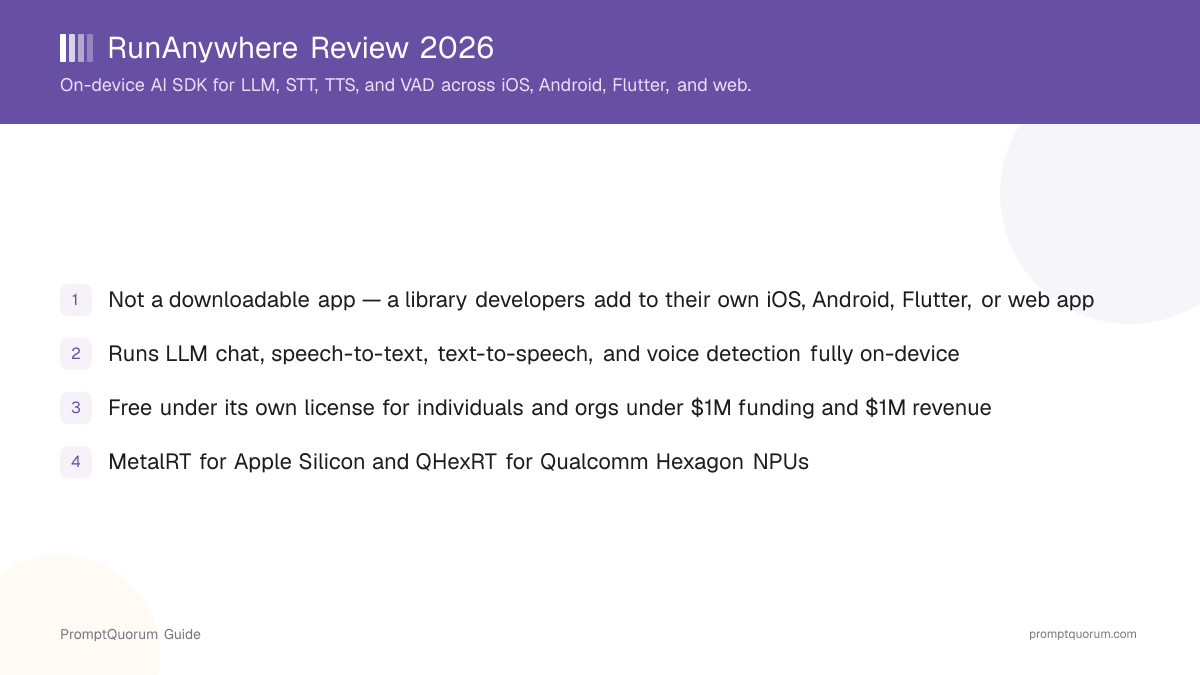
What Is RunAnywhere?
RunAnywhere is a software development kit for running AI inference on the device an app is already running on, rather than calling out to a cloud API for every request. Per its own GitHub description, the project positions itself as "one SDK. Every device. LLMs, vision, speech, voice agents, RAG, embeddings, and image generation, running locally on phones, browsers, desktops, and servers." It is aimed squarely at developers building their own iOS, Android, Flutter, React Native, or web applications — not at people looking for a chat app to install directly.
- Core function: a shared C++ runtime plus per-platform SDKs (Swift, Kotlin, Flutter, React Native, TypeScript, Python) that expose the same API pattern for running models locally
- Sample API call shown in RunAnywhere's own documentation:
RunAnywhere.llm.generate("Name three colours")— the same call shape is intended to work whether the underlying platform is Swift, Kotlin, or JavaScript - Developer: RunAnywhere, Inc., a company describing itself as a "research-first inference lab" that writes its own GPU and NPU kernels for consumer hardware rather than relying solely on general-purpose inference libraries
- Canonical repository: github.com/RunanywhereAI/runanywhere-sdks — the monorepo hosting the shared runtime and all per-platform SDK packages
- Documentation: docs.runanywhere.ai, with per-platform quickstart guides for Swift, Kotlin, React Native, Flutter, web, and Electron
Install and Get Started
RunAnywhere is exempt from a "download" step in the usual sense — there is no installer or app-store listing for the SDK itself, since it is code a developer adds to their own project. Commands below are per RunAnywhere's own GitHub README and pub.dev listing; always check those pages directly for the current version number, since RunAnywhere ships frequent releases.
- 1iOS / macOS (Swift)
Why it matters: Add the package via Swift Package Manager, pointing at `https://github.com/RunanywhereAI/runanywhere-sdks`. Requires iOS 17.5+ or macOS 14.5+. - 2Android (Kotlin)
Why it matters: Add the Gradle dependency: `implementation("io.github.sanchitmonga22:runanywhere-sdk:0.20.11")` (plus an engine module such as `runanywhere-llamacpp` for the llama.cpp-based inference backend). Requires Android API 24+. - 3Flutter
Why it matters: Add to `pubspec.yaml`: `runanywhere: ^0.20.11` (plus `runanywhere_llamacpp: ^0.20.11` for the local inference engine). Package page: [pub.dev/packages/runanywhere](https://pub.dev/packages/runanywhere). - 4Web (TypeScript/WASM)
Why it matters: Install via npm: `npm install @runanywhere/web@0.20.11 @runanywhere/web-llamacpp@0.20.11`. Runs in-browser using WebAssembly, with WebGPU acceleration where the browser supports it. - 5Python
Why it matters: Install via pip: `pip install runanywhere`. Targets Windows, macOS, and Linux desktop/server use. - 6Terminal (rcli)
Why it matters: macOS/Linux: `brew install runanywhereai/tap/rcli`, or the install script `curl -fsSL https://raw.githubusercontent.com/RunanywhereAI/RCLI/main/install.sh | sh`. Windows: `irm https://raw.githubusercontent.com/RunanywhereAI/RCLI/main/install.ps1 | iex`.
License and Pricing: The Nuance Most Reviews Miss
RunAnywhere is not simply "open source" — it ships under a custom license that its own repository describes as "Apache 2.0-based with additional commercial-use terms," not the unmodified Apache License 2.0. Per a direct read of the LICENSE file in the SDK repository, free use requires meeting specific conditions, and a for-profit organization above certain thresholds needs a separate commercial license.
Individual (personal, educational, non-commercial use)
- License terms:
- Free under the RunAnywhere License
Educational institution, nonprofit, government agency, or OSI-approved open-source project
- License terms:
- Free under the RunAnywhere License
Organization under $1M in funding AND under $1M in annual revenue
- License terms:
- Free under the RunAnywhere License
Organization above either threshold
- License terms:
- Requires a paid commercial license from RunAnywhere, Inc. (contact per the LICENSE file: san@runanywhere.ai)
A qualifying organization gets the license's Part III fallback, which grants Apache License 2.0-style terms (perpetual, worldwide, non-exclusive rights to use, modify, and distribute) — but only for as long as it keeps qualifying. Per the license text, if an organization starts out qualifying and later exceeds either the $1M funding or $1M revenue threshold, "the free license automatically terminates upon exceeding the threshold" and a commercial license "must be obtained within thirty (30) days." This is a materially different arrangement from a standard permissive open-source license with no revenue conditions attached — read the current LICENSE file yourself before basing a legal or procurement decision on any summary, including this one, since license terms can change between releases. One further nuance worth flagging explicitly: this review could not independently confirm that every per-platform package (for example, the Flutter package on pub.dev) carries a separately-scoped plain Apache-2.0 grant distinct from the core RunAnywhere License — pub.dev's own license field for the Flutter package lists it as unspecified and points back to the same repository LICENSE file rather than declaring a separate license. Verify the LICENSE file shipped inside the specific package you plan to use, rather than assuming a per-platform SDK is unconditionally Apache-2.0.
What Can You Build With RunAnywhere?
RunAnywhere's feature set spans several categories of on-device AI, all exposed through the same API pattern across its supported languages, per the project's GitHub README and documentation.
- LLM chat and text generation — run open-weight language models on-device for chat, summarization, or structured generation, without a network call per request
- Speech-to-text (STT) — transcribe spoken audio to text locally
- Text-to-speech (TTS) — generate spoken audio from text locally
- Voice activity detection (VAD) — detect when a user is speaking, a building block for voice-agent and push-to-talk features
- Vision-language models (VLM) — run models that can process both images and text, including RunAnywhere's own documented OCR support
- Embeddings — generate vector embeddings on-device, useful for on-device search or retrieval-augmented generation (RAG) without sending documents to a server
- Model routing — RunAnywhere's own materials describe a routing layer for choosing between different local models or engines depending on the task
Hardware Acceleration: MetalRT, QHexRT, and WebGPU
RunAnywhere's own positioning is that it "hand-writes the GPU and NPU kernels that make consumer silicon fast," rather than relying only on general-purpose inference libraries. Per the project's own blog and documentation, this shows up as two named proprietary inference engines plus browser-side acceleration.
MetalRT
- Target hardware:
- Apple Silicon (Metal/MLX)
- What it accelerates:
- LLM, vision-language models, and speech-to-speech pipelines on Mac and iOS devices
QHexRT
- Target hardware:
- Qualcomm Snapdragon Hexagon NPU (v75/v79/v81)
- What it accelerates:
- LLM, VLM, speech-to-text, text-to-speech, and embeddings on supported Android devices
WebGPU
- Target hardware:
- Browsers with WebGPU support
- What it accelerates:
- In-browser inference for the web/TypeScript SDK, falling back to WebAssembly-only execution where WebGPU is unavailable
Per RunAnywhere's own blog, the company reported vision-language-model decode throughput on MetalRT outperforming the mlx-vlm library on an M4 Max in a March 2026 post, and reported deploying a 27-billion-parameter model (a 1-bit-quantized "PrismML Bonsai" model, per RunAnywhere's own description) across iPhone, Android, and Mac in a July 2026 post. These are performance and capability claims made by RunAnywhere about its own product on its own blog; PromptQuorum has not independently reproduced these benchmarks and presents them here as company-reported figures, not verified third-party results.
Supported Platforms and Languages
RunAnywhere ships eight separate SDK packages sharing one native runtime core, per its own GitHub README.
iOS 17.5+ / macOS 14.5+
- Language / package manager:
- Swift, via Swift Package Manager
Android API 24+
- Language / package manager:
- Kotlin, via Gradle
iOS / Android (cross-platform)
- Language / package manager:
- Flutter, via pub.dev
iOS / Android (cross-platform)
- Language / package manager:
- React Native
Web browsers
- Language / package manager:
- TypeScript/WebAssembly, via npm
Windows x64 desktop (preview)
- Language / package manager:
- Electron
Windows / macOS / Linux
- Language / package manager:
- Python, via pip
Terminal (macOS / Linux / Windows)
- Language / package manager:
- rcli CLI, via Homebrew or an install script
The Windows desktop (Electron) SDK is explicitly marked as a preview by the project itself — treat it as less mature than the Swift, Kotlin, or Flutter SDKs when deciding what to build production features on. Always check docs.runanywhere.ai for the current maturity level of a given platform SDK before committing to it.
Recent Milestones
RunAnywhere publishes engineering updates on its own blog with specific dates attached. The items below are drawn from that blog; PromptQuorum has not independently verified the underlying performance figures, so treat the numbers as company-reported.
- 1Offline Android voice agent (per RunAnywhere's blog, February 2026)
Why it matters: RunAnywhere describes shipping a fully functional AI agent on Android with no cloud dependency. - 2FastVoice latency milestone (per RunAnywhere's blog, February 2026)
Why it matters: RunAnywhere reports 63ms first-audio latency for an on-device voice interaction pipeline. - 3Apple Silicon speech engine (per RunAnywhere's blog, March 2026)
Why it matters: RunAnywhere describes this as its first inference engine handling LLM, STT, and TTS together on Apple Silicon. - 4MetalRT vision-language model support (per RunAnywhere's blog, March 2026)
Why it matters: RunAnywhere reports vision-model decode throughput on Apple Silicon that it says outperforms the mlx-vlm library on an M4 Max. - 5MetalRT speech-to-speech support (per RunAnywhere's blog, March 2026)
Why it matters: RunAnywhere reports 1.68-second end-to-end latency for a native speech-to-speech pipeline. - 6QHexRT launch for Qualcomm Hexagon NPUs (per RunAnywhere's blog, June 2026)
Why it matters: RunAnywhere describes this as a full-stack NPU inference engine covering LLM, VLM, STT, TTS, and embeddings on supported Snapdragon devices. - 727-billion-parameter model on phone hardware (per RunAnywhere's blog, July 2026)
Why it matters: RunAnywhere reports deploying a 1-bit-quantized 27B model across iPhone, Android, and Mac, which it describes as the first 1-bit model it has run on an NPU.
Who Should Use RunAnywhere?
RunAnywhere is a fit for a specific kind of decision: a development team building its own mobile or web application that wants on-device AI features rather than a cloud API dependency.
Use RunAnywhere if
- You are building your own iOS, Android, Flutter, React Native, or web application and want to add LLM, speech, or voice-detection features that run on the user's device rather than calling a cloud API for every request
- You want the option of hardware-accelerated inference on Apple Silicon or Qualcomm Hexagon NPUs without writing your own GPU/NPU kernels
- Your organization qualifies as free under the RunAnywhere License (individual, education, nonprofit, government, OSI-approved open-source project, or under $1M in both funding and annual revenue) — or you have budgeted for a commercial license if not
- You need one consistent API pattern across multiple client platforms (Swift, Kotlin, Flutter, web) rather than integrating a separate inference library per platform
Wait, or look elsewhere, if
- You are looking for a chat app to install and use yourself — RunAnywhere is a developer SDK, not an end-user application; see the reviews in Competitors and Alternatives below for downloadable local-AI apps instead
- Your organization is above the $1M funding / $1M revenue free-use threshold and has not budgeted for a commercial license — contact RunAnywhere, Inc. before building a dependency on the SDK
- You need the Windows desktop SDK for a production feature today — RunAnywhere itself marks the Electron/Windows desktop package as a preview
- You need an unconditional, revenue-independent permissive open-source license for legal reasons — the RunAnywhere License's free tier depends on staying under specific funding and revenue thresholds, which a standard MIT or unmodified Apache-2.0 license does not require
Competitors and Alternatives
RunAnywhere sits in the on-device inference SDK/runtime segment, alongside other tools that let developers run models locally rather than through a cloud API. See the Local LLM Software Directory for the full catalog.
- MLC LLM — an open-source ML-compilation framework for deploying LLMs on phones, browsers, and other edge devices; a closer comparison for teams that want to compile and control the inference graph themselves rather than use a managed SDK.
- MLC Chat — the reference mobile chat app built on MLC LLM; useful as a working example of what an on-device SDK looks like from the end-user side, even though it is a downloadable app rather than a developer SDK.
- llama.cpp — the widely used C/C++ inference engine that many local AI tools, including RunAnywhere's own Android/Kotlin and Flutter/web engine modules, build on for CPU and cross-platform inference.
- Docker Model Runner — a different integration point for local inference (a Docker Desktop/Engine CLI feature rather than a mobile-app SDK), useful as a contrast for teams deciding between a backend/server-side local-inference approach and an on-device SDK embedded directly in a client app.
Common Mistakes When Evaluating RunAnywhere
Most confusion about RunAnywhere comes from its license terms, its SDK-not-app nature, or overgeneralizing company-reported benchmark claims.
Mistake 1: Assuming RunAnywhere is free for any commercial use
The RunAnywhere License is free only for individuals, education, nonprofits, government, OSI-approved open-source projects, and organizations under both $1 million in funding and $1 million in annual revenue. A commercial organization above either threshold needs a paid license — read the current LICENSE file for your organization before integrating the SDK into a commercial product.
Mistake 2: Looking for a "Download RunAnywhere" button
RunAnywhere is a developer SDK, not an end-user application. There is no install file to download and run yourself — you would only encounter RunAnywhere indirectly, inside an app that a development team built with it. See Install and Get Started above for how developers actually add it to a project.
Mistake 3: Assuming every per-platform SDK package carries an unconditional plain Apache-2.0 license
The core runtime and its SDKs are published under the custom RunAnywhere License, not unmodified Apache-2.0. This review could not confirm that the individual Flutter, Kotlin, or other platform packages carry a separately-scoped plain Apache-2.0 grant distinct from that core license — read the LICENSE file bundled with the specific package you plan to use.
Mistake 4: Treating vendor-reported benchmarks as independently verified
Performance claims such as MetalRT's reported vision-model throughput or the 27-billion-parameter on-phone deployment come from RunAnywhere's own blog. They are useful signals of engineering activity but are not third-party-verified benchmarks — treat them accordingly when making a hardware or architecture decision.
Frequently Asked Questions
What is RunAnywhere?
RunAnywhere (runanywhere.ai, source at github.com/RunanywhereAI/runanywhere-sdks) is an on-device AI SDK that developers add to iOS, Android, Flutter, React Native, and web applications to run LLM chat, speech-to-text, text-to-speech, voice activity detection, and vision-language models locally on the user's device.
Is RunAnywhere free?
It is free under the project's own "RunAnywhere License" for individuals, education, nonprofits, government agencies, OSI-approved open-source projects, and organizations under $1 million in both funding and annual revenue. Organizations above either threshold need a paid commercial license from RunAnywhere, Inc.
Is RunAnywhere open source?
Partially, with conditions. Its own repository describes the license as "Apache 2.0-based with additional commercial-use terms," not the unmodified Apache License 2.0. Qualifying users get Apache-2.0-style permissions, but the free tier depends on staying under specific funding and revenue thresholds — read the LICENSE file directly before relying on this for a legal decision.
Is RunAnywhere a downloadable app?
No. RunAnywhere is a software development kit (SDK) that developers integrate into their own applications — it is not something an end user downloads and opens directly. You would only encounter it inside an app a development team built with it.
What platforms does RunAnywhere support?
Swift for iOS 17.5+ and macOS 14.5+, Kotlin for Android API 24+, Flutter, React Native, a TypeScript/WebAssembly SDK for web browsers, a Python package, an Electron-based Windows desktop preview, and a terminal CLI called rcli.
How do I install the RunAnywhere Flutter SDK?
Add runanywhere: ^0.20.11 (and an engine package such as runanywhere_llamacpp) to your pubspec.yaml. See pub.dev/packages/runanywhere for the current version.
What AI capabilities does RunAnywhere support?
LLM chat and text generation, speech-to-text, text-to-speech, voice activity detection, vision-language models (including OCR), embeddings, retrieval-augmented generation, and model routing, per the project's own documentation.
Does RunAnywhere use NPU or GPU acceleration?
Yes. RunAnywhere reports two proprietary inference engines: MetalRT for Apple Silicon (Metal/MLX) and QHexRT for Qualcomm Snapdragon Hexagon NPUs (v75/v79/v81), plus WebGPU acceleration in supported browsers.
How many GitHub stars does RunAnywhere have?
Roughly 10.3k stars and 376 forks on github.com/RunanywhereAI/runanywhere-sdks as of this review — check the repository directly for the current count.
How is RunAnywhere different from MLC LLM?
MLC LLM is an open-source ML-compilation framework you compile models with yourself; RunAnywhere is a managed SDK with prebuilt native engines (MetalRT, QHexRT) and a consistent API across multiple client languages. See Competitors and Alternatives above for a fuller comparison.