History: MLC LLM and Machine Learning Compilation
MLC Chat is built on MLC LLM, described in the project's own repository as a "universal LLM deployment engine with ML compilation" that enables developing, optimizing, and deploying AI models across platforms. The MLC LLM repository's own documentation cites foundational research from Apache TVM (2018) and related compiler work (TensorIR, MetaSchedule) as its technical lineage — TVM being the deep learning compiler stack the MLC project builds machine-learning compilation techniques on top of.
The distinction between "MLC LLM" and "MLC Chat" matters and is often blurred. MLC LLM is the underlying compiler and runtime engine — the thing PromptQuorum covers in depth in MLC LLM Explained. MLC Chat is the consumer-facing application built on top of it, packaged for iOS and Android specifically, that lets a non-technical user download a model and start chatting without touching the compiler directly.
MLC Chat is maintained by the same MLC AI team (GitHub organization mlc-ai) that maintains the MLC LLM project itself, and it is licensed under Apache-2.0, the same license as the underlying MLC LLM repository.
Is MLC Chat the same thing as MLC LLM?
No, though they are closely related and often used interchangeably. MLC LLM is the underlying compiler and runtime engine that compiles models for GPU-accelerated on-device inference across platforms — see PromptQuorum's dedicated MLC LLM Explained article. MLC Chat is the consumer-facing app, built by the same team on top of that engine, packaged specifically for iOS and Android.
What Makes MLC Chat Distinctive
Most local LLM chat apps rely on a single, general-purpose inference runtime (like llama.cpp) that interprets a model file at run time on whatever hardware it finds. MLC Chat's underlying MLC LLM engine takes a different approach: it compiles a model ahead of time for a specific hardware target using machine-learning compilation techniques, then ships that compiled artifact to run on the target device.
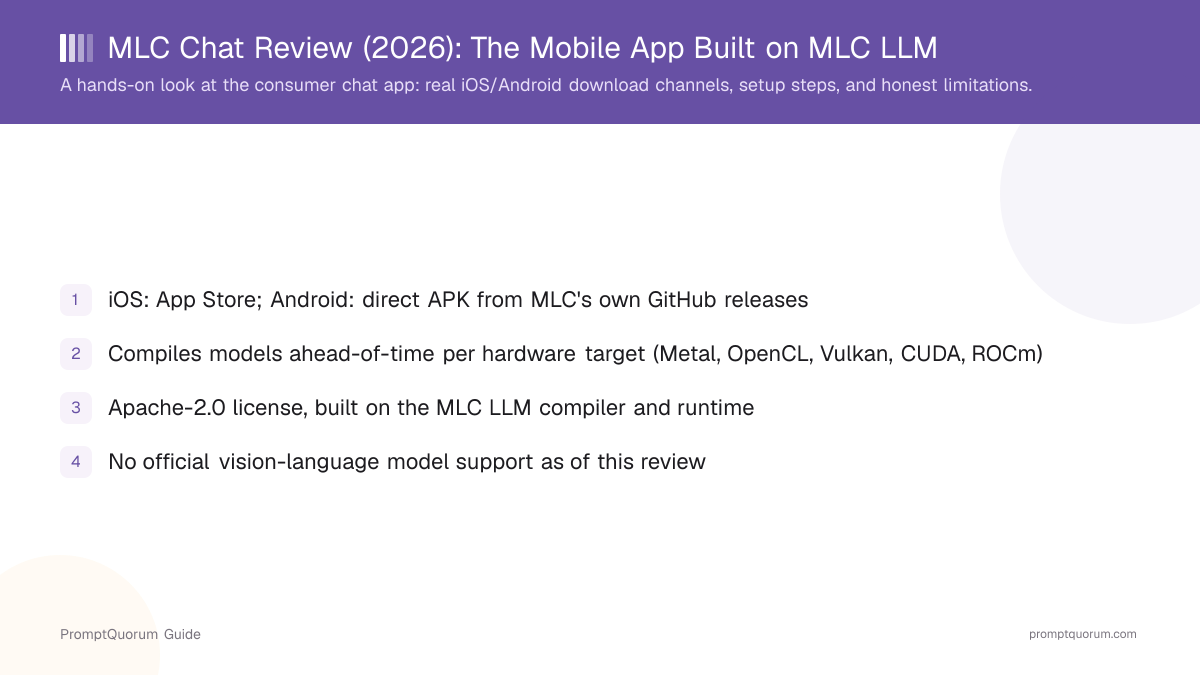
According to MLC LLM's own project documentation, this compilation approach targets a wide range of GPU backends depending on platform: Metal for Apple Silicon and Apple mobile GPUs, OpenCL for Android GPUs (Adreno and Mali), and Vulkan, CUDA, or ROCm on desktop Linux and Windows. The project also documents WebGPU and WebAssembly support for running models in a browser, and MLCEngine — the runtime component — exposes an OpenAI-compatible API across REST, Python, JavaScript, iOS, and Android interfaces.
The practical upshot for MLC Chat specifically: because the underlying compilation is hardware-target-specific, the app can achieve GPU acceleration on mobile chips that a more generic runtime might not fully exploit — at the cost of needing a compiled build for each specific hardware/model combination, rather than one universal binary that works everywhere.
What makes MLC Chat different from a generic local LLM runner?
MLC Chat's underlying MLC LLM engine compiles a model ahead of time for a specific hardware target (Metal, OpenCL, Vulkan, CUDA, or ROCm depending on platform) using machine-learning compilation, rather than interpreting the model generically at run time. This is documented in MLC LLM's own project materials as its core distinguishing approach.
Real Setup Steps: iOS, Android, and Desktop
These steps reflect what PromptQuorum verified directly — MLC Chat's actual presence on the App Store, the Android APK distribution channel, and MLC LLM's documented quick-start path for desktop use.
- 1iOS: download from the App Store.
Why it matters: MLC Chat is listed directly on the [Apple App Store](https://apps.apple.com/us/app/mlc-chat/id6448482937) — a standard install, no sideloading required. - 2Android: download the APK directly from GitHub.
Why it matters: MLC does not currently maintain a confirmed Google Play Store listing. The Android build is distributed as a direct APK download from [MLC's own GitHub releases](https://github.com/mlc-ai/binary-mlc-llm-libs/releases/download/Android/mlc-chat.apk), which requires enabling "install from unknown sources" in Android settings. - 3Check Android GPU compatibility before relying on it.
Why it matters: The Android build depends on OpenCL GPU support. This has been confirmed working on some devices (such as certain Samsung Galaxy models) but not reliably on others (such as some Google Pixel models with limited OpenCL support) — verify your specific device before assuming full GPU acceleration. - 4Desktop: use MLC LLM's Python package, REST server, or CLI directly.
Why it matters: There is no separate packaged MLC Chat desktop application. Desktop users install the `mlc-llm` Python package in a conda environment and interact via `MLCEngine`'s `chat.completions.create()` API, a REST server, or the command line, per [MLC LLM's quick-start documentation](https://llm.mlc.ai/docs/get_started/quick_start.html). - 5Pick a compiled model that matches your hardware.
Why it matters: MLC LLM's quick-start documentation demonstrates the workflow using `Llama-3-8B-Instruct-q4f16_1-MLC`, an int4-quantized build, and documents needing at least 6 GB of free VRAM for it — a useful baseline for gauging hardware requirements before committing to a larger model.
License and Which Models It Supports
License: Apache-2.0. Both the MLC Chat app and the underlying MLC LLM repository are released under the Apache-2.0 license, confirmed directly on the mlc-ai/mlc-llm GitHub repository.
Model support is broader than any single quick-start example. MLC LLM's own quick-start documentation demonstrates the workflow with Llama-3-8B-Instruct-q4f16_1-MLC, but the project's model library extends to other open-weight model families compiled for its supported hardware targets — PromptQuorum recommends checking MLC LLM's own model list directly for the current set, since compiled model availability changes as new releases land, rather than relying on any single cached list.
No official vision-language model support. As of this review, MLC LLM does not officially support vision-language (image-input) models — it does not provide built-in modules for processing image and text inputs together in the chat app. Community projects exist that adapt vision-language model code to work with MLC LLM's compilation pipeline, but these are not officially maintained or supported by the MLC AI team, and PromptQuorum did not verify their current reliability.
What license does MLC Chat use?
Apache-2.0, confirmed directly on the mlc-ai/mlc-llm GitHub repository, which covers both the MLC LLM engine and the MLC Chat app built on top of it.
Does MLC Chat support vision models like LLaVA?
No, not officially, as of this review. MLC LLM does not provide official support for vision-language (image-input) models. Community-built workarounds exist that adapt vision-language model code to MLC LLM's pipeline, but these are unofficial and their current reliability was not verified for this review. For vision-capable local models, see PromptQuorum's LLaVA review, Idefics review, or Ollama vision models guide instead.
What MLC Chat Is Not Good For
MLC Chat is a genuinely useful cross-platform on-device chat app, but it is the wrong choice for the following situations:
- Desktop users who want the simplest possible setup. MLC Chat has no packaged desktop application — desktop use means installing a Python package and working with a REST server, CLI, or Python API. Users who want a one-click desktop experience will find Ollama or LM Studio meaningfully more convenient, even though MLC Chat's mobile GPU compilation advantage does not apply on desktop the same way.
- Vision or image-input tasks. MLC LLM does not officially support vision-language models. If your use case involves running a model that can look at images, see PromptQuorum's LLaVA review, Idefics review, or Ollama vision models guide instead.
- The largest available models. Mobile hardware imposes real constraints — MLC LLM's own quick-start example needs at least 6 GB of free VRAM for an 8B-parameter model at int4 quantization, and phone GPUs and memory are more limited than a desktop GPU. Users wanting to run the largest available open-weight models locally are better served by desktop tools with more VRAM headroom.
- Android users on hardware with limited OpenCL support. The Android build's GPU acceleration depends on OpenCL, which is confirmed working on some devices but not reliably on others — check your specific device model before assuming a smooth experience.
Alternatives and Competitors
Ollama
- Best fit:
- Desktop-first simplicity via
ollama pull/ollama run; broader vision-model support than MLC Chat - License:
- MIT
Articles about Ollama (10)
- Ollama Review: The One-Command Local LLM RuntimeUpdated September 12, 2026
- LobeHub Review (Formerly LobeChat): Agent Workspace With Desktop Apps and Self-HostingUpdated October 24, 2026
- Arynwood MCP Review: A Local AI Workspace in AlphaUpdated October 24, 2026
- GPT4All Review: Free Offline AI Chat App by Nomic AIUpdated October 24, 2026
- Home Assistant Assist Review: Local Voice Control and LLM AgentsUpdated October 24, 2026
- Kruvo Review: A Desktop AI Coworker That Asks Before It ActsUpdated October 24, 2026
- Linkwarden Review: Self-Hosted Bookmarks with Local AI TaggingUpdated October 24, 2026
- LiteLLM Review: One Gateway for 100+ LLM Provider APIsUpdated October 24, 2026
- LM Mini Review: iPhone Chat App for On-Device and Home-Server AIUpdated October 24, 2026
- Local Operator Review: Free Desktop AI Agent for Your ComputerUpdated October 24, 2026
+310 more not shown
LM Studio
- Best fit:
- GUI-first desktop experience with a model browser built in
- License:
- Free, proprietary application
Articles about LM Studio (10)
- LM Studio Review: The GUI-First Local AI Desktop AppUpdated October 23, 2026
- LM Mini Review: iPhone Chat App for On-Device and Home-Server AIUpdated October 24, 2026
- Locally Uncensored Review: Local Chat, Image, and Video in One AppUpdated October 24, 2026
- Subtitle Edit Review: Local Whisper Transcription and Auto-TranslateUpdated October 24, 2026
- Tolaria Review: Open-Source Markdown Notes with Git and AI AgentsUpdated October 24, 2026
- Best Local LLM Frontends in 2026: Open WebUI, Enchanted UI, and MoreUpdated October 23, 2026
- Local LLM on a Laptop: What Runs on 8GB, 16GB & Apple Silicon (2026)Updated October 23, 2026
- Qwen Local Deployment Guide 2026: Qwen 3.6 27B, Coder & VL Hardware TiersUpdated October 23, 2026
- Best Local AI Apps for iPhone in 2026 (Run LLMs Without WiFi)Updated October 23, 2026
- Long Context Local LLMs 2026: 128K, 256K and 1M Models ComparedUpdated October 19, 2026
+146 more not shown
llama.cpp directly
- Best fit:
- Maximum low-level control over inference without a compiled-ahead-of-time step
- License:
- MIT
PocketPal AI
- Best fit:
- Another dedicated mobile local-LLM app; see PromptQuorum's own review for a direct comparison
- License:
- Varies — see PromptQuorum's PocketPal AI review
Articles about PocketPal AI (10)
- PocketPal AI Review: Free, Open-Source On-Device ChatUpdated September 5, 2026
- Best Local AI Apps for iPhone in 2026 (Run LLMs Without WiFi)Updated October 23, 2026
- Loci AI Review (2026): Offline AI for iPhone, Android, iPad, Mac and WindowsUpdated October 23, 2026
- Private LLM Review: On-Device AI Chat for iPhone, iPad, and MacUpdated October 23, 2026
- Run a Local LLM on Your Tablet: iPad Pro M5, Galaxy Tab S10, OnePlus Pad 2 (2026)Updated October 23, 2026
- Best Local LLM Apps for Android in 2026: 6 Apps Compared on Real PhonesUpdated October 19, 2026
- Best Mobile LLM Models for Phones in 2026: Phi-4 Mini vs Gemma 3 vs SmolLMUpdated October 19, 2026
- Local AI Chat Pocket Review: Offline LLM and Image Chat for iPhone and iPadUpdated October 6, 2026
- PAIOS Review: Offline Gemini Nano Chat for AndroidUpdated October 5, 2026
- Oscilla Review: Free On-Device AI Chat for iPhoneUpdated October 4, 2026
+36 more not shown
Frequently Asked Questions
What is MLC Chat?
MLC Chat is a free, cross-platform chat app for running large language models directly on your own device, built by the MLC AI team on top of their MLC LLM compiler and runtime, and licensed under Apache-2.0.
Where can I download MLC Chat?
On iOS, download it directly from the App Store. On Android, MLC does not currently list it on Google Play — download the APK directly from MLC's own GitHub releases, which requires enabling installs from unknown sources. On desktop, there is no separate packaged app; use MLC LLM's Python package, REST server, or command-line interface instead.
Is MLC Chat free?
Yes. The app and the underlying MLC LLM engine are released under the Apache-2.0 open-source license.
Does MLC Chat support vision models?
No, not officially, as of this review. MLC LLM does not officially support vision-language (image-input) models. Unofficial community workarounds exist but were not verified for this review.
What makes MLC Chat different from Ollama or llama.cpp?
MLC Chat's underlying MLC LLM engine compiles models ahead of time for a specific hardware target (using techniques from the Apache TVM compiler lineage) rather than interpreting a model generically at run time, which the project positions as an advantage for GPU acceleration on mobile chips specifically. Ollama and llama.cpp use a more general-purpose runtime approach and, in Ollama's case, currently offer broader vision-model support.
Is this the last article in PromptQuorum's local AI tools series?
Yes. This MLC Chat review is the final entry in an 11-article series covering Whisper.cpp, faster-whisper, Piper TTS, Coqui TTS, XTTS v2, Bark, StyleTTS 2, LLaVA, Ollama vision models, Idefics, and MLC Chat.
Verdict: The Final Entry in This Series
MLC Chat delivers on a genuinely distinctive premise: cross-platform, GPU-accelerated on-device LLM chat achieved through machine-learning compilation rather than a one-size-fits-all runtime, with a real iOS App Store presence and a directly downloadable Android APK, all under a permissive Apache-2.0 license. It is not, however, the most convenient choice for desktop users — that workflow means a Python package and a REST/CLI interface rather than a packaged app — and it does not currently support vision-language models at all, officially. Choose MLC Chat specifically for mobile on-device chat where its compiled, hardware-target-specific approach pays off; choose Ollama or LM Studio for the simplest desktop experience, and PromptQuorum's LLaVA or Idefics reviews for vision-capable local models instead. For the deeper technical picture of the compiler underneath MLC Chat, see PromptQuorum's MLC LLM Explained. This review closes out PromptQuorum's 11-article series on local AI tools — from speech recognition (Whisper.cpp, faster-whisper) and speech synthesis (Piper, Coqui TTS, XTTS v2, Bark, StyleTTS 2) through vision-language models (LLaVA, Ollama vision models, Idefics) to this final entry on cross-platform on-device compilation.
Sources
- MLC Chat on the App Store — confirmed iOS availability.
- MLC Chat Android APK — the direct Android download channel, hosted on MLC's own GitHub releases.
- mlc-ai/mlc-llm on GitHub — license (Apache-2.0), platform support, TVM lineage documentation.
- MLC LLM quick-start documentation — desktop setup steps, example model, VRAM requirement.
- MLC LLM Android SDK documentation — Android OpenCL dependency and device compatibility notes.
- PromptQuorum research on MLC LLM vision-language model support, confirming no official VLM support and the existence of unofficial community workarounds (e.g., MLC-VLM-template) as of this review.